
What is MCP Registry
MCP Registry is a centralized platform launched by GitHub that provides developers with a centralized way to discover and install MCP servers. The platform solves the previous problem of MCP servers being scattered across multiple registries, random repositories, and community discussions, allowing developers to easily find the AI tools they need in one place. The platform supports GitHub Copilot, AI Agents, and all tools based on the MCP protocol, enabling developers to find suitable tools more efficiently, accelerate the development process, and promote the development of a more open and interoperable ecosystem.
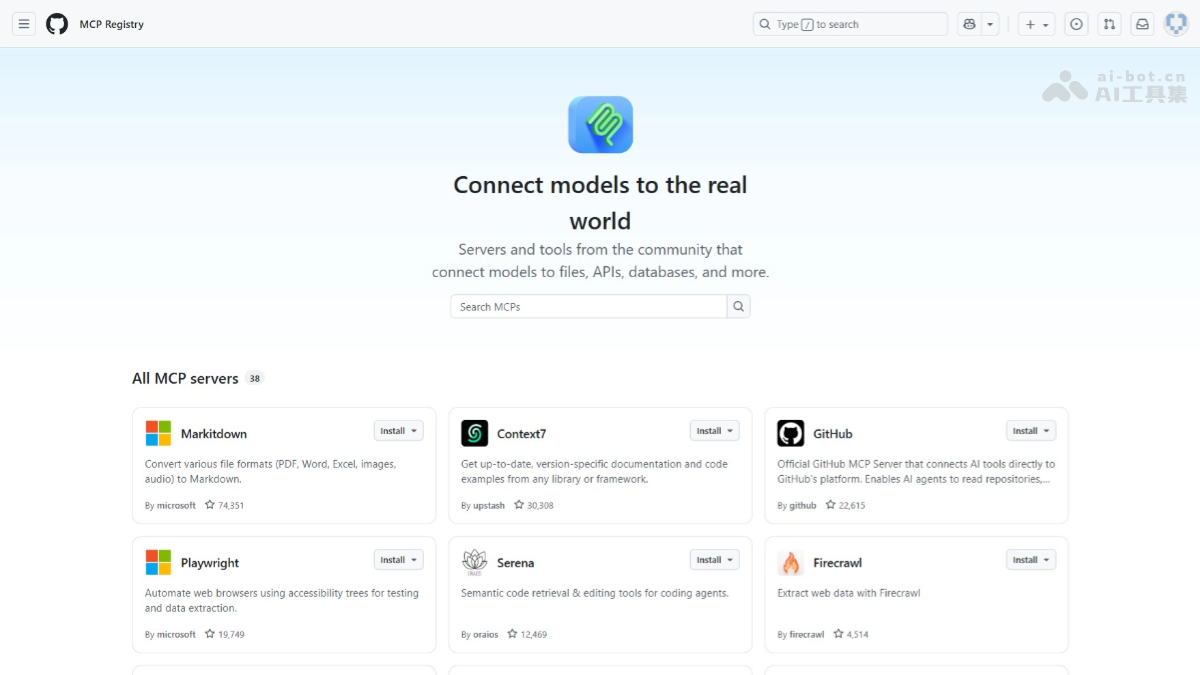
Main features of MCP Registry
- Centralized discovery : Provides a centralized platform that allows developers to quickly find various MCP servers, avoiding the cumbersome process of searching across multiple scattered registries, repositories, and community discussions.
- Simplified use : Makes it easier for developers to explore and use MCP servers, accelerating the integration and development process of AI tools and improving development efficiency.
- Ecosystem support : Promotes a more open and interoperable AI tool ecosystem, helping developers find suitable tools faster and driving innovation and collaboration.
- Security and standardization : Through centralized management and a standardized registration process, reduces the security risks brought by using scattered MCP servers and provides a more reliable user experience.
How to use MCP Registry
-
Visit MCP Registry: Visit the MCP Registry official website https://github.com/mcp 。
-
Browse available MCP servers: On the page, you can see various servers and tools that support the MCP protocol, such as:
-
The official GitHub MCP Server, which supports AI tools directly interacting with the GitHub platform.
-
MCP servers for Notion API, Azure, Terraform, etc.
-
MCP servers that support databases such as MongoDB, Elasticsearch, and Neon.
-
Tools used for automated browser operations, code editing, data extraction, etc.
-
-
Choose the tools you need: According to development needs, choose the appropriate MCP server or tool.
-
Integrate into your project: Integrate the selected MCP server or tool into your development environment and start using AI features such as code analysis, automated workflows, data extraction, etc.
Application scenarios of MCP Registry
-
Code development assistance: Developers can quickly find and integrate AI code assistants such as GitHub Copilot to achieve automatic code completion and optimization, significantly improving programming efficiency.
-
Automated workflow construction: Developers can integrate tools into CI/CD processes to achieve automatic code testing and deployment, accelerating software delivery.
-
Data processing and analysis: Developers can extract and analyze data from multiple data sources, quickly obtain valuable information, and support data-driven decision-making.
-
Document and knowledge management: Developers can choose suitable tools to automatically generate project documentation and knowledge graphs, helping teams efficiently manage and share knowledge.
-
Project management and collaboration: Developers can achieve automatic task assignment and progress tracking, optimize team collaboration, and improve project management efficiency.