
What is ManualFig
ManualFig is an AI illustration tooldesigned specifically for product manuals. Users upload product photos, CAD screenshots, or step lists, and the AI can generate black-and-white technical line art that conforms to manual standards, automatically including step numbers, directional arrows, part leader lines, partial enlargements, and warning symbols, while matching the real product's appearance. ManualFig supports one-sentence editing by clicking to select, SVG vector output, unified style across an entire manual, and ZIP packaging. It covers scenarios such as assembly instructions, exploded views, and IFU panels, making it suitable for cross-border sellers and manufacturing companies as a replacement for outsourced illustrations.

ManualFig's main features
- Product photo to line art:Convert real photos or CAD screenshots into clean technical line art, suitable for manuals, packaging inserts, and customer service documents.
- Numbered step panels:Break down the operation process into numbered step diagrams, including directional arrows, partial enlargements, and final state checks.
- Exploded views and part leader lines:Generate exploded views and add numbers and leader lines to parts, showing structure and assembly relationships.
- Assembly / installation instructions:IKEA-style assembly steps, covering parts lists, fasteners, wall mounting, and anti-tip warnings.
- IFU and safety illustrations:Medical device IFU-style panels, as well as warning, prohibited operation, and correct / incorrect comparison diagrams.
- Click to edit:Click any image on the canvas, enter a modification instruction to generate a new version, and compare multiple versions side by side on the same canvas.
- Unified style across the entire project:All illustrations in a manual maintain the same line and annotation style.
- SVG output:Directly generate stroke-style SVG, or convert existing PNG to SVG in one click.
- Flexible sizes:Supports 10 aspect ratios including 1:1, 4:3, 3:4, 16:9, 9:16, and 21:9, with 1K / 2K resolution.
- ZIP packaged export and team seats:Supports one-click project export; team edition members have independent accounts with unified billing.
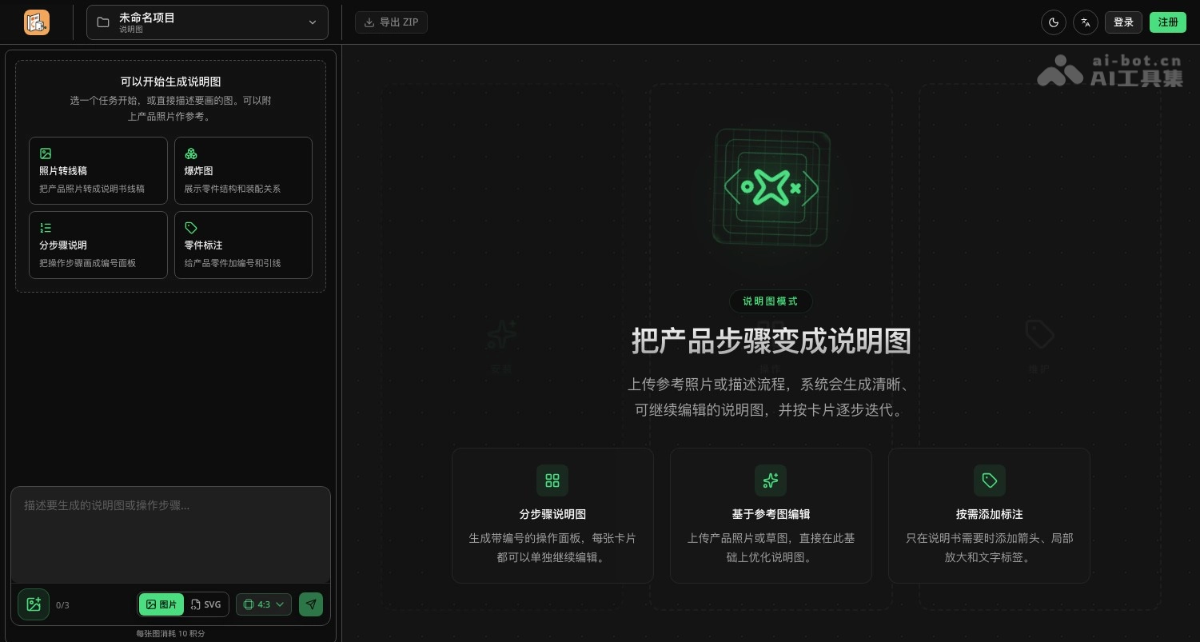
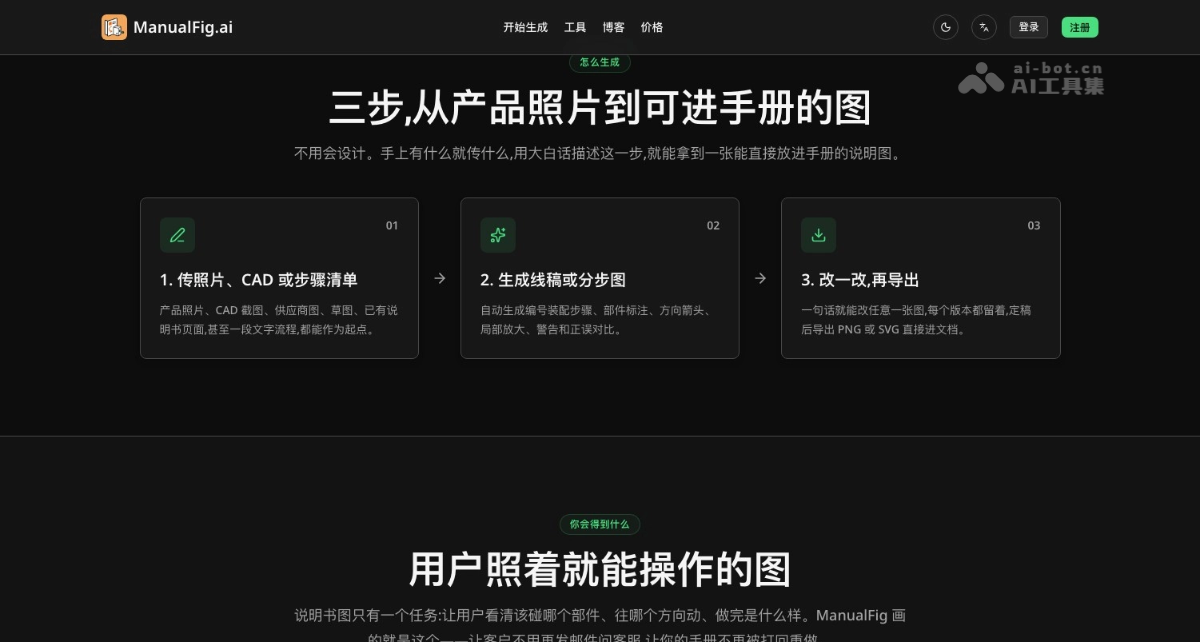
How to use ManualFig
- Open the workbench:Visit the ManualFig official website https://manualfig.ai/zh/generate, or select the corresponding manual type entry from the tool center.
- Provide materials:Upload 1 to 3 reference images, or directly enter a step list.
- Select task and format:For photo to line art, exploded views, step-by-step instructions, or part annotations, select the aspect ratio and image / SVG output, then start generating.
- Modify and export:Click the image that needs adjustment and describe the change in one sentence; after finalizing, export PNG, SVG, or a ZIP of the entire project.
ManualFig's core advantages
-
Understands manual conventions: Manual elements such as step numbers, arrows, leader lines, partial enlargements, warnings, and correct/incorrect comparisons are all built in.
-
Matches the real product: Generates illustrations based on photos or CAD uploaded by the user.
-
Nearly zero-cost revisions: Changing arrow directions or adding part numbers takes only one sentence and a few seconds, eliminating the waiting time of back-and-forth communication with outsourced illustrators.
-
One project for the entire manual: All illustrations, versions, and exports are managed within the same project, ensuring consistent style throughout.
-
Editable vector output: Directly generate or convert SVG, so details such as line weights can still be adjusted during layout and printing.
-
Low barrier to entry: Chinese interface, Alipay payment, credits given upon registration and a free daily quota for logging in; paid projects are not publicly displayed, so they can be used commercially with peace of mind.
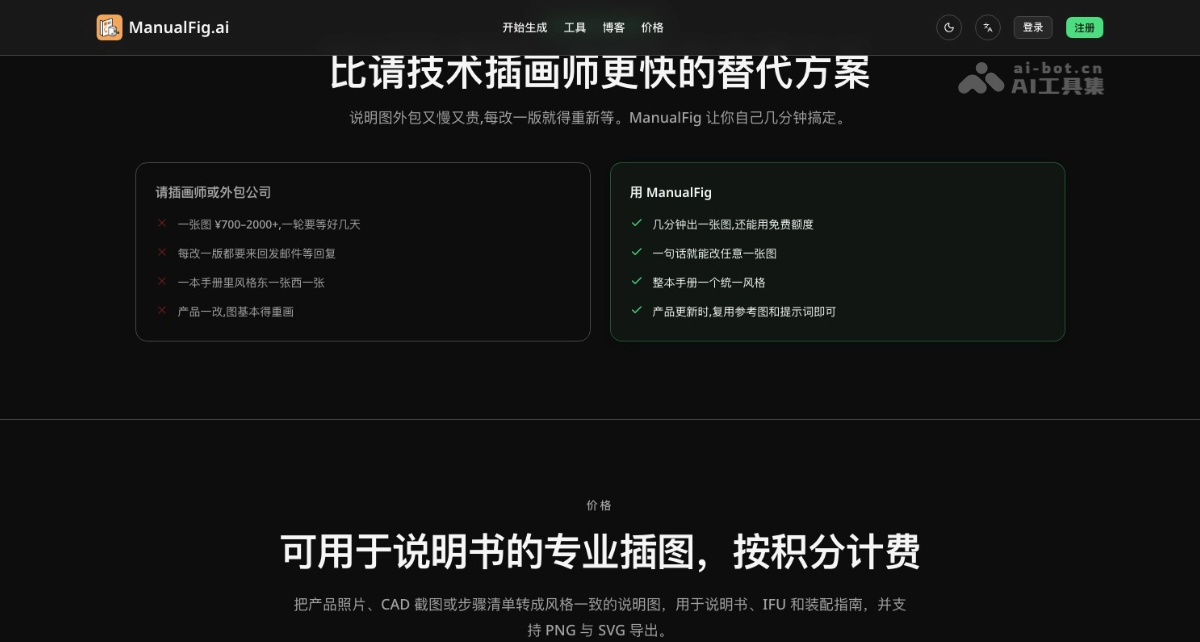
Comparison of ManualFig with similar competitors
| Comparison item | ManualFig | Outsourced technical illustrator | General AI drawing tools | Do it yourself with CAD / Illustrator |
| Single image output | A few minutes | Several days, ¥700–2000+ | Tens of seconds | Several hours |
| Revisions | One sentence, a few seconds | Charged separately for each round, then wait again | Difficult to make precise local modifications | Redraw manually |
| Preserve the real product appearance | Based on photos / CAD | Yes | Often distorted | Yes |
| Manual elements such as numbers, arrows, and warnings | Built in | Yes | Unstable | All manual |
| Consistent style throughout the whole book | Project-level consistency | Depends on the same illustrator | Very difficult to guarantee | Depends on personal habits |
| Editable SVG | Supported | Depends on the contract | Usually not supported | Supported |
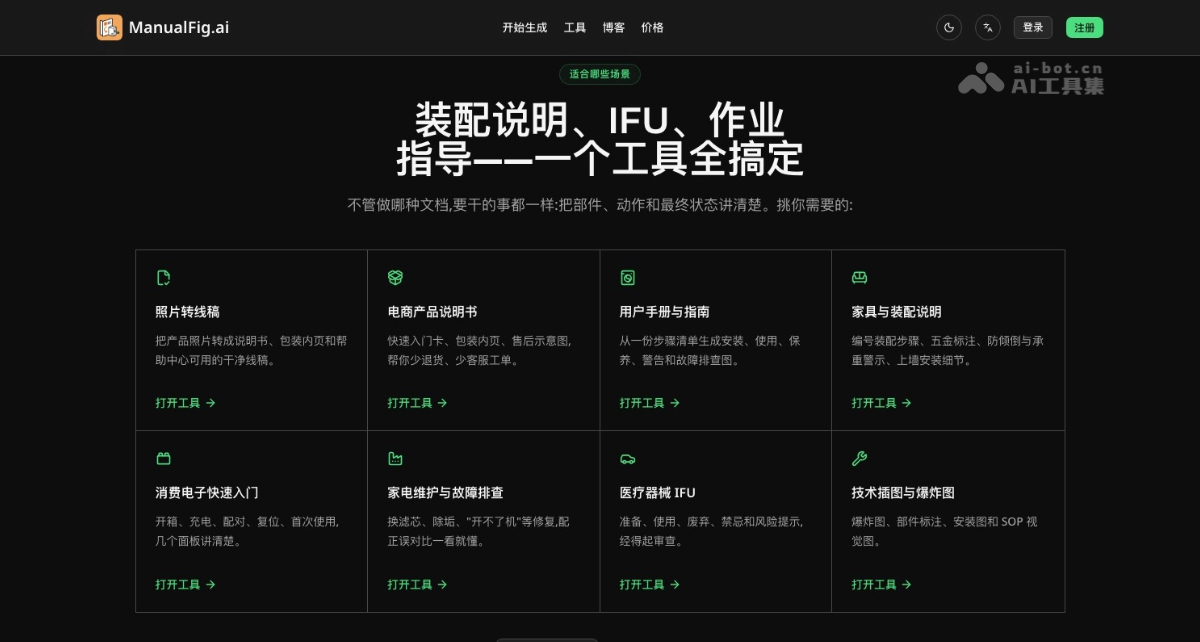
Application scenarios of ManualFig
- Furniture and home furnishings: Numbered assembly instructions for tables, chairs, bed frames, and cabinets, reducing assembly errors and returns.
- Consumer electronics and small appliances: Step-by-step diagrams for unboxing, charging, pairing, cleaning, filter replacement, and more.
- Medical devices: Illustrations for preparation, use, cleaning, and storage that conform to IFU conventions.
- Manufacturing work instructions: Workstation work instructions with torque, tightening sequence, and quality inspection points.
- After-sales and repair: Troubleshooting and maintenance flowcharts for products such as water heaters and printers.
- Cross-border e-commerce: Illustrated manuals, packaging inserts, and quick start cards for products on platforms such as Amazon.