
What is MAI-Image-2.5-Pro
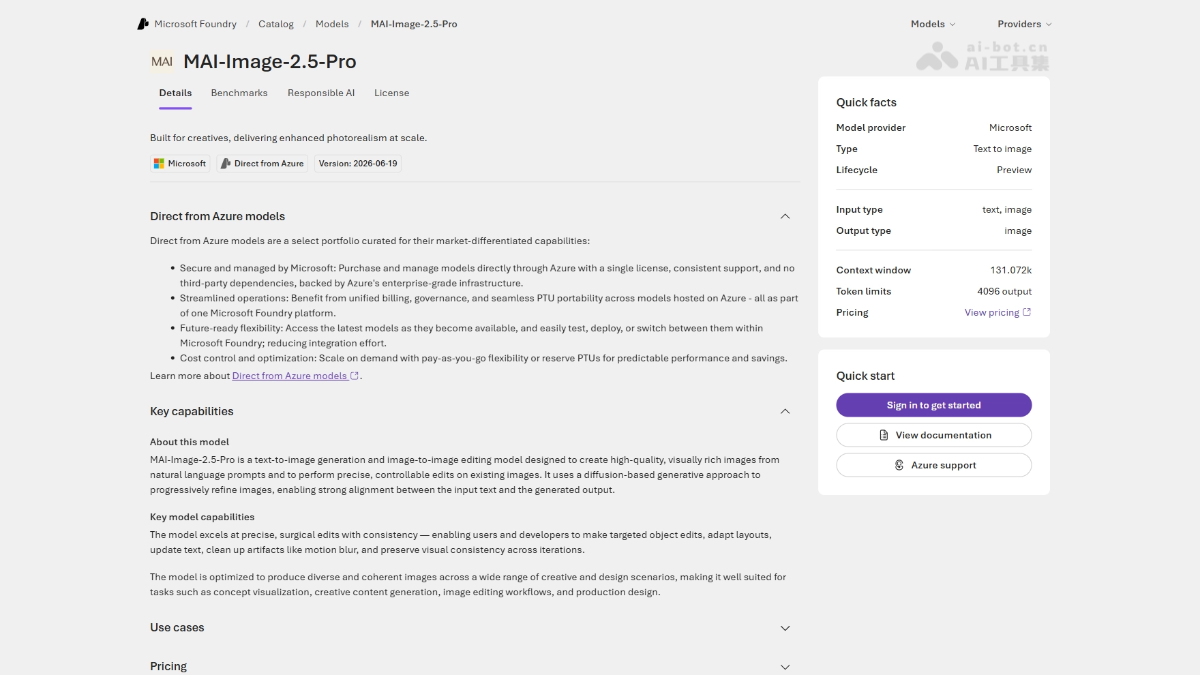
MAI-Image-2.5-Pro is a high-precisionimage generationmodel launched by the Microsoft AI team. The model focuses on high-quality key visual generation, detail editing, and text rendering within images, and supports adjusting content via natural language instructions. It ranks third on the Arena text-to-image leaderboard, with particularly outstanding performance in realistic photography. It has been deployed in products such as Bing Image Creator, PowerPoint, and OneDrive, and can reduce GPU costs by 84% compared to GPT-Image-2.
MAI-Image-2.5-Pro's Main Features
-
High-precision image generation: Supports generating high-quality key visuals, realistic photography, and commercial design assets.
-
Image detail editing: Supports fine-grained adjustments and local modifications to existing images.
-
Text rendering within images: Optimizes the accuracy of text generation within images, avoiding garbled or blurry text.
-
Natural language editing instructions: Users can adjust generated content through text descriptions, without complex parameters.
-
Image-to-image conversion: Supports style transfer or content reconstruction based on reference images.
MAI-Image-2.5-Pro's Technical Principles
-
Independent in-house architecture: Developed based on Microsoft's internal training process, without distilling any third-party models, and designed from the ground up to serve Microsoft's product ecosystem.
-
Enterprise-grade data training: Trained using cleaned, traceable, enterprise-grade data to ensure data security and controllable quality.
-
Targeted quality optimization: Targeted optimization for image fidelity, text rendering accuracy, and natural language understanding, ranking third on the Arena text-to-image leaderboard.
-
Production-grade efficiency: Validated through large-scale product environments, reducing GPU costs by 84% compared to GPT-Image-2, with P95 latency reduced by about 25%.
-
End-to-end product integration: Already deeply integrated into Microsoft's core products such as Bing Image Creator, PowerPoint, and OneDrive.
How to Use MAI-Image-2.5-Pro
-
Bing Image Creator: Visit Bing Image Creator, where MAI-Image-2.5-Pro has been fully launched as the default model; enter a text description to generate high-quality images.
-
PowerPoint: In presentations, click the "Design" or "Image Generation" feature and enter natural language instructions to directly generate or edit accompanying images.
-
OneDrive: After uploading an image, use the built-in editing features, and the model will automatically handle image optimization and detail adjustments.
MAI-Image-2.5-Pro's Core Advantages
-
Self-developed and controllable: Based on Microsoft's internal independent training process, without distilling third-party models, with traceable data and enterprise-grade security.
-
Leading precision: Microsoft's highest-fidelity image model to date, ranking third on the Arena text-to-image leaderboard, with particularly outstanding performance in realistic photography.
-
Breakthrough in text rendering: High accuracy in text generation within images, supporting complex layouts and brand design needs.
-
Natural language editing: No professional parameters required; generated content can be intuitively adjusted through text descriptions, lowering the barrier to creation.
-
Significant cost advantage: Already deployed in products such as PowerPoint, reducing GPU costs by 84% compared to GPT-Image-2.
-
Deep ecosystem integration: It has been fully integrated into core products such as Bing Image Creator, PowerPoint, and OneDrive, and is developed end-to-end in-house.
Project address for MAI-Image-2.5-Pro
- Project official website:https://microsoft.ai/news/introducing-mai-image-2-5-pro-and-mai-voice-2-flash/
Comparison of MAI-Image-2.5-Pro with similar competitors
| Comparison dimension | MAI-Image-2.5-Pro | GPT-Image-2(OpenAI) |
|---|---|---|
| Developer | Developed in-house by the Microsoft AI team | OpenAI |
| Training method | Independently trained, not distilled from third parties | Based on GPT architecture |
| Text rendering within images | Specially optimized, high accuracy | Supported but with average precision |
| Natural language editing | Supports intuitive adjustment via text instructions | Supports prompt editing |
| Production deployment | Already launched in Bing, PowerPoint, and OneDrive | Mainly integrated into products such as ChatGPT |
| GPU cost | 84% lower than GPT-Image-2 | Baseline reference |
| Leaderboard ranking | Third in Arena text-to-image | Specific ranking not disclosed |
| Pricing (image output) | $106/million tokens | No publicly disclosed comparison data |
Application scenarios of MAI-Image-2.5-Pro
-
Advertising and brand key visual design: Generate high-precision commercial posters, product packaging, and brand promotional materials, with support for precise text layout within images.
-
Intelligent image insertion for office documents: PowerPoint users can quickly generate or edit presentation images through natural language instructions, lowering the design threshold.
-
Cloud storage image optimization: After OneDrive users upload photos, they can perform intelligent editing and style adjustments, improving retention and user experience.
-
E-commerce product display: Generate photorealistic product images and scene images, with support for detailed editing to meet multi-platform display needs.
-
Creative content iteration: Designers can quickly adjust image style, composition, and elements through text descriptions, accelerating the creative iteration process.