
What is MacWhisper
MacWhisper is anAI audio-to-text tool, based on OpenAI's Whisper technology, it can quickly transcribe audio files into text locally. It supports multiple languages and ensures privacy and security. It is easy to use and supports exporting subtitle formats, making it suitable for meeting and lecture records. The free version provides basic features, while the Pro version unlocks higher-accuracy models. The latest version adds video playback and AI support, improving the user experience.
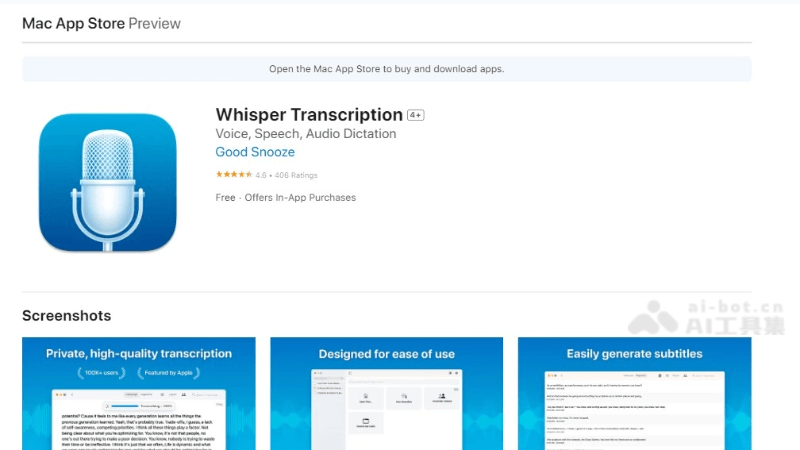
MacWhisper's main features
- Local audio transcription: Uses OpenAI's Whisper technology to convert audio files into text locally on a Mac, protecting user privacy.
- Multi-language support: Supports multiple languages including English, Chinese, German, Spanish, Italian, Portuguese, and Ukrainian.
- Multiple audio and video formats: Compatible with MP3, WAV, M4A audio files and MP4 video files.
- Transcription model selection: Provides transcription models of different sizes, including Tiny, Base, Medium, and Large, to suit different accuracy and storage needs.
- Subtitle export: Allows users to export transcribed text as SRT and VTT subtitle formats.
- Video playback integration: In the latest version, video playback has been added, making it easier for users to view video content while transcribing.
- WhisperKit support: Based on hardware acceleration for Apple chips, improving the efficiency of real-time speech recognition.
- OpenAI ChatGPT model support: Integrates the latest OpenAI language models to improve the accuracy of transcription and translation.
MacWhisper's official website
- Apple App Store address:https://apps.apple.com/us/app/whisper-transcription/id1668083311
How to use MacWhisper
- Download and install:Visit Mac App Store to download the application.Install the application on your Mac device.
- Launch the application:Open the MacWhisper app.
- Select a transcription model:Choose a transcription model as needed (Tiny, Base, Medium, Large). Different models differ in accuracy and storage space requirements.
- Import audio or video files:You can select the audio or video file you want to transcribe by drag and drop or by using the file browser.
- Start transcription:After selecting the file, click to start transcription. The application will begin processing the file and convert the audio content into text.
- View and edit transcription results:After transcription is complete, you can view the text results in the application.If needed, you can edit the text to correct any errors or make formatting adjustments.
- Export transcribed text:You can export the transcribed text in different formats, such as SRT or VTT subtitle files, or copy the text into other applications.
Who MacWhisper is suitable for
- Journalists and media workers: Used to quickly transcribe interviews and meeting content, improving work efficiency.
- Students and researchers: Transcribe lectures, seminars, and research materials for easy review and citation.
- Corporate employees: Record meetings and business discussions to facilitate subsequent document organization and decision support.
- Language learners: Improve listening and speaking skills by transcribing audio materials, or use it as an aid for language learning.
- Content creators: Create subtitles for video and podcast content to expand audience reach.
- Individual users: For any user who needs to convert audio materials into text for easy searching, editing, and archiving.