
E-commerce product images aren't just about placing a product on a nice background. A set of images truly usable for a store usually requires white-background hero images, selling-point images, usage scenarios, detail shots, and detail page modules; apparel products also need to consider models, poses, and shooting scenes. If the same product is to be published simultaneously on Taobao, Amazon, Shopify, or TikTok Shop, you'll also run into issues with different image ratios, languages, and platform styles.
This time I triedGaogao Ya's AI e-commerceimage creation feature. It breaks common e-commerce visual tasks into 4 workflows: product image set, A+/detail page, viral image replication, and apparel try-on. After users upload product assets and fill in real selling points, they can choose the platform, target market, copy language, image ratio, and visual style, then arrange the images to be generated by purpose.
For merchants without dedicated designers, operations teams that need to launch new products quickly, or teams that want to try multiple visual styles for the same product, generating images by task is more efficient than writing prompts one by one, and it also makes it easier to ensure unified planning across the entire visual set.
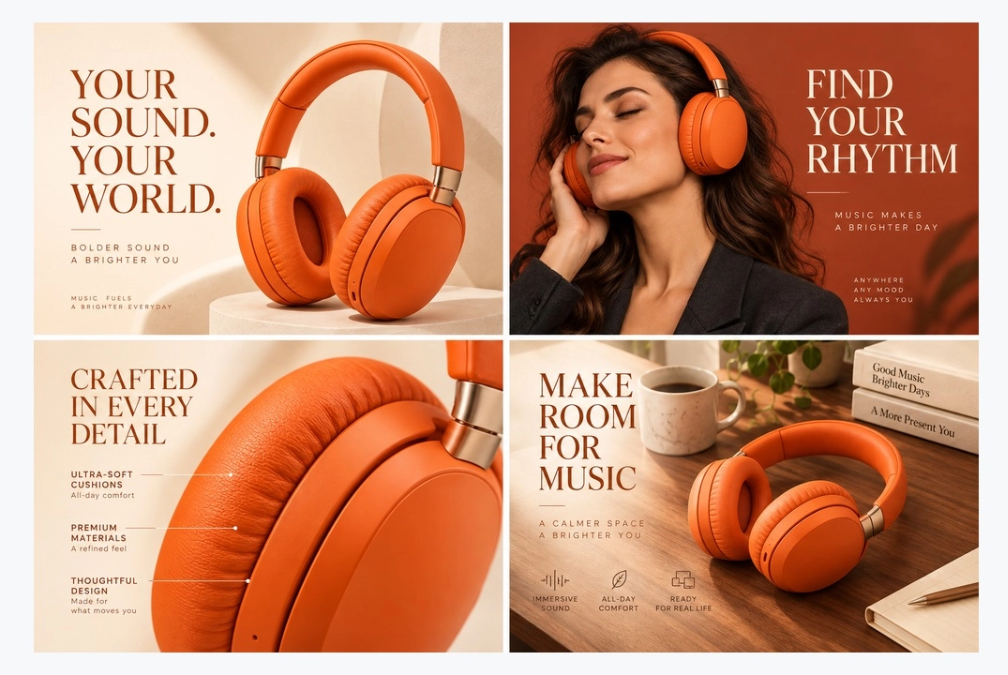
Gaogao Ya product image set example: different images respectively handle the tasks of hero image, usage scenario, and product detail display.
01. Determine which type of e-commerce image you want to make
Visitthe Gaogao Ya official website, enter the editor, and select "E-commerce image creation." The page provides four entry points:
- Product image set:Create white-background hero images, selling-point images, scene images, and detail images;
- A+/detail page:Create detail page images by modules such as first screen, selling points, scenarios, materials, and specifications;
- Viral image replication:Reference the layout and visual style of an existing design and replace it with your own product;
- Apparel try-on:Use clothing assets to generate outfit images with differentmodels, scenes, and poses.
Clarifying the task first is very important. For example, if you only need one white-background hero image, you don't need to generate a complete detail page; if you already have an authorized reference image, you can go directly to reference replication; if you need apparel worn on a body for display, you should use apparel try-on rather than treating the clothing image as an ordinary product background image.
The tool currently provides platform presets such as General E-commerce, Amazon, Taobao/Tmall, JD.com, Douyin E-commerce, Pinduoduo, Shopify, and TikTok Shop, and you can select target markets such as China, the United States, the United Kingdom, Germany, Japan, and Southeast Asia. Presets are used to assist the generation direction; final listing requirements should still be based on the real-time rules of the corresponding platform and category.
02. Use "Product image set" to plan hero images, selling-point images, and scene images at once
After selecting "Product image set," you can upload photos of the same product from different angles, using up to 6 product assets. It is recommended to use photos with a clean background, a complete subject, and colors close to the actual product; different colors or different models should be made separately to avoid the AI mixing multiple styles into the same product.
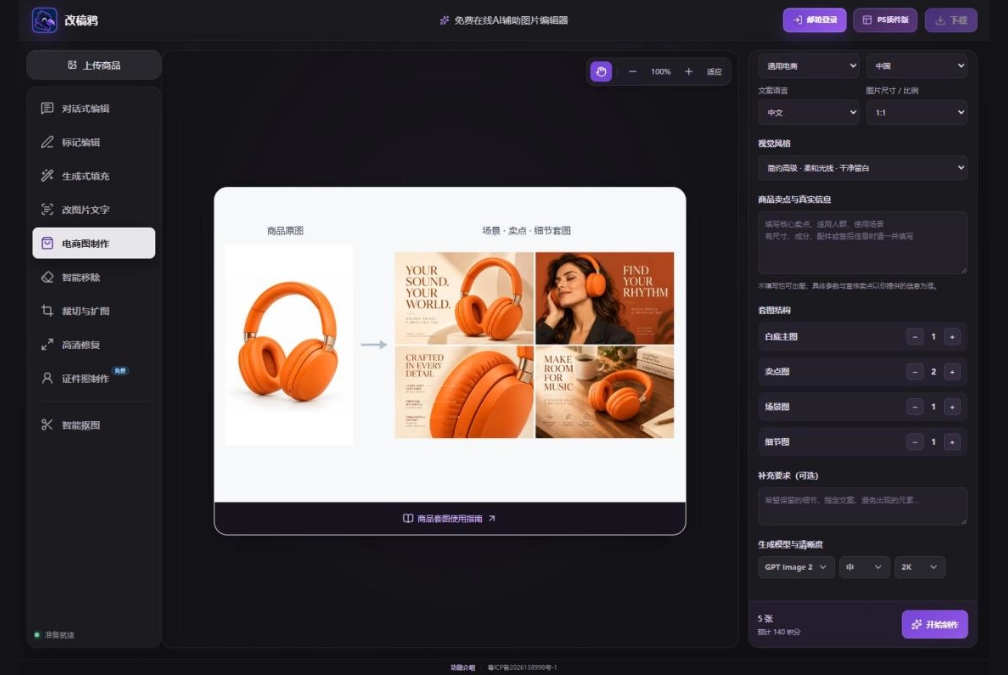
Product image set settings interface. The quantities of white-background hero images, selling-point images, scene images, and detail images can be set separately, and unwanted types can be set to 0。
When filling in "Product name" and "Product selling points and real information," use verifiable real materials rather than letting the AI speculate on parameters by itself. Here is an example using a portable insulated cup:
Product name: Portable stainless steel insulated cup
Confirmed information: Capacity 480ml, the lid is detachable for washing, the body is off-white, suitable for office and commuting
Visual requirements:
- Preserve the cup body proportions and the existing Logo;
- The white-background main image should show the complete cup body;
- The selling point image should highlight the detachable washable lid; the scene image should be placed on a bright office desktop;
- Do not add a straw or other accessories not provided with the product
A basic image set can be allocated like this: 1 white-background main image, 2 selling point images, 1 scene image plus 1 detail image. Each image focuses on one core piece of information, which, compared with several images repeatedly saying the same selling point, can better help buyers comprehensively understand the product.
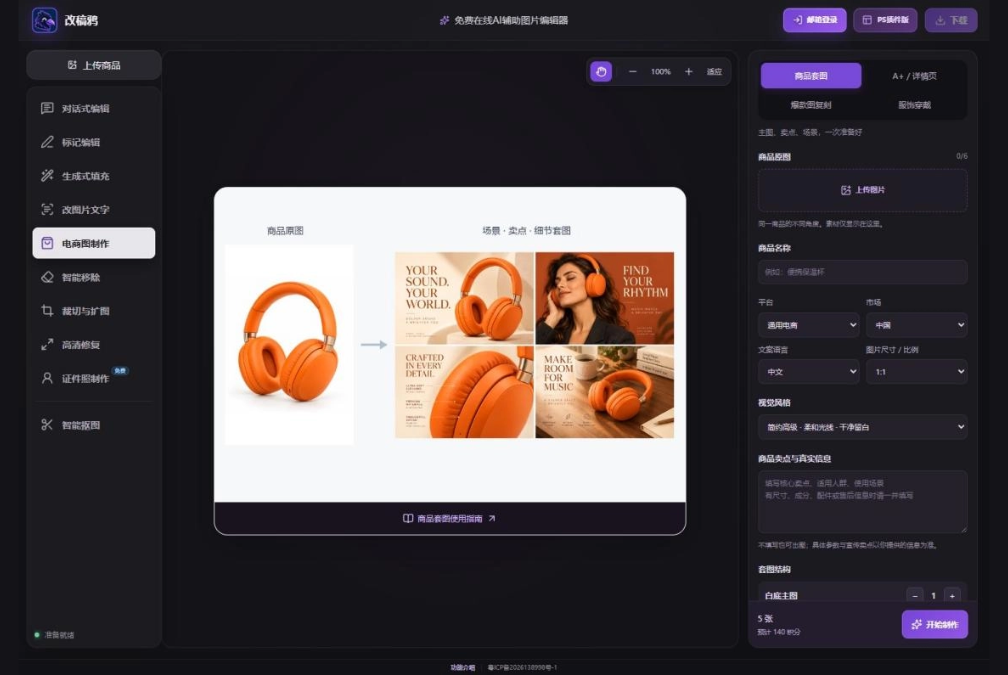
Product image set result example. After generation, check one by one whether the product color, structure, Logo, accessories and the actual item are consistent.
03. Use "A+/detail page" to organize content according to purchase decisions
The value of a detail page is not in piling up images, but in organizing information in purchase order. Generally, start with the main visual on the first screen, then explain the core selling points, usage scenarios, material details, and finally add dimensions, specifications and service descriptions.
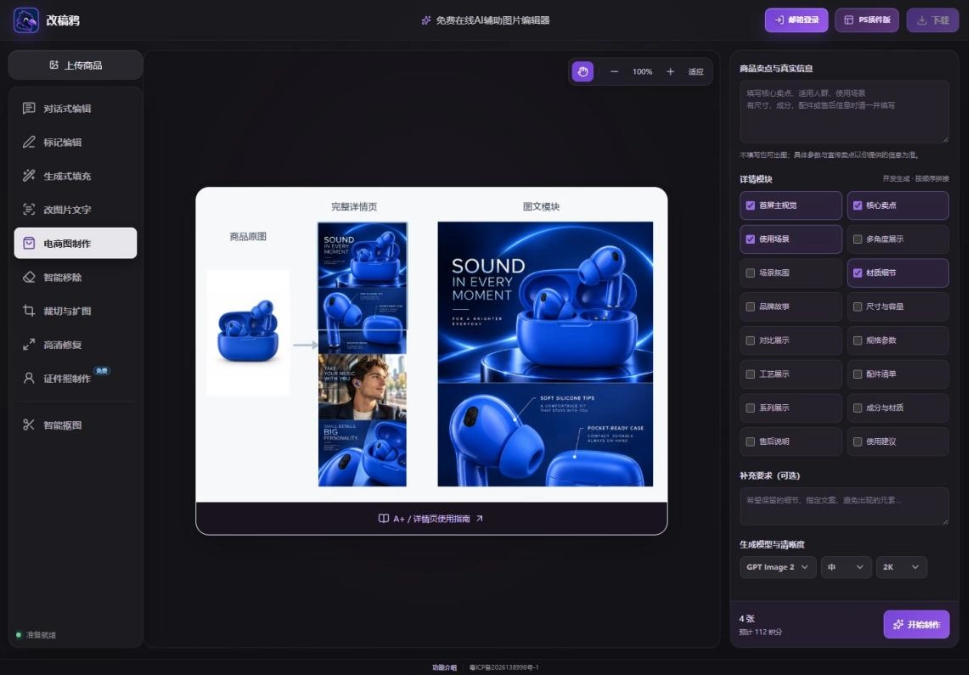
A+/detail page setup interface. Modules such as first screen, core selling points, usage scenarios, material details and specifications can be selected according to product information.
If you choose the Amazon platform, you can see production presets such as standard A+ and premium A+. Premium A+ also provides web and mobile orientations. But note: these are image production presets; they will not enable A+ permissions for the merchant, nor automatically publish content to the seller backend. Account permissions, module dimensions and review requirements still need to be confirmed in the actual merchant backend.
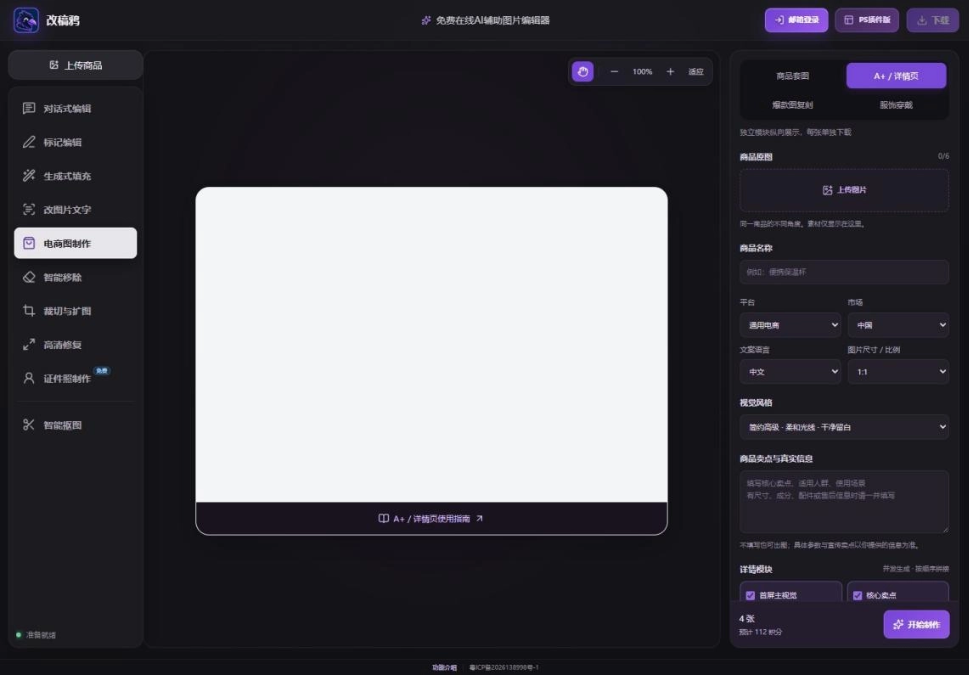
Detail modules will be generated one by one and previewed vertically. Each image can be downloaded independently and then uploaded according to the store backend requirements.
After the detail page generation is complete, it is recommended to focus on checking three issues: whether the product colors of adjacent modules are consistent, whether different modules repeatedly express the same selling point, and whether the title and specification text are still clear on mobile. Parameters, materials, capacity and after-sales promises must come from real product information.
04. When there is a reference design, use "Viral Image Replication" to borrow the layout
Already have a product image layout you like? Then use "Viral Image Replication": upload 1 reference image to generate 1 result; if you also upload your own product materials, you can also replace the subject in the reference image with your product.
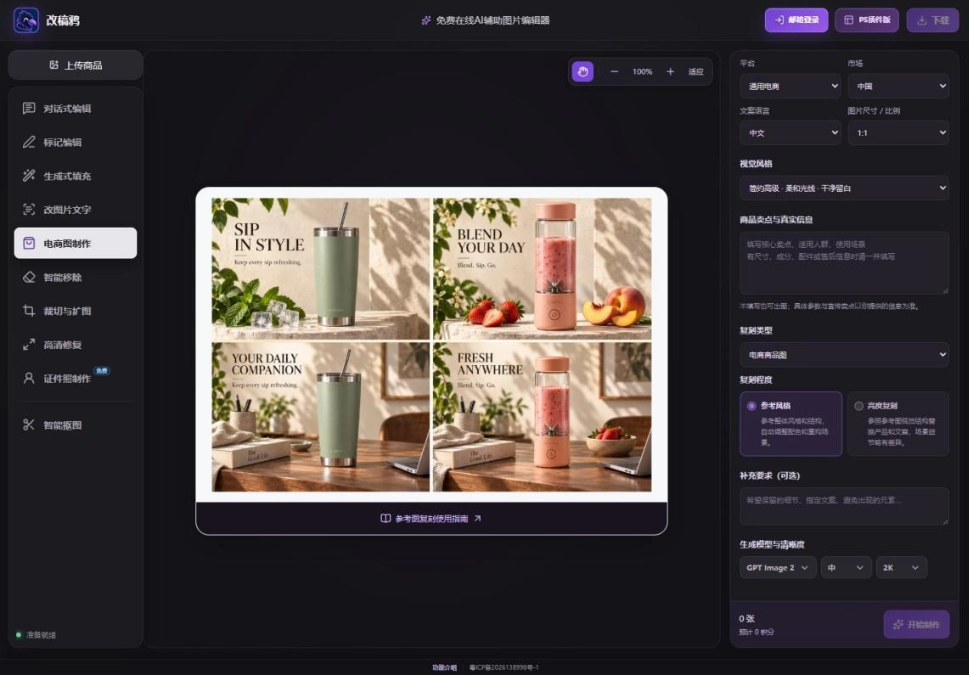
Reference image replication provides two directions: "Reference Style" and "High-Fidelity Replication".
The two replication levels suit different needs:
- Reference Style:Borrow the information hierarchy, color relationships and overall tone, while allowing the scene to be reorganized;
- High-Fidelity Replication:More emphasis on subject position, text areas and image-text proportions, suitable for situations where there is already a clear layout direction.
When describing replication requirements, you can write:
Refer to the original image's left-right column structure, dark background and large title proportions;
Replace with the black earphones I uploaded; preserve the product's real structure and color;
Delete the brand name, discount, Logo and decorative text in the reference image;
Change the selling points to "lightweight wearing" and "more comfortable for long-term use".
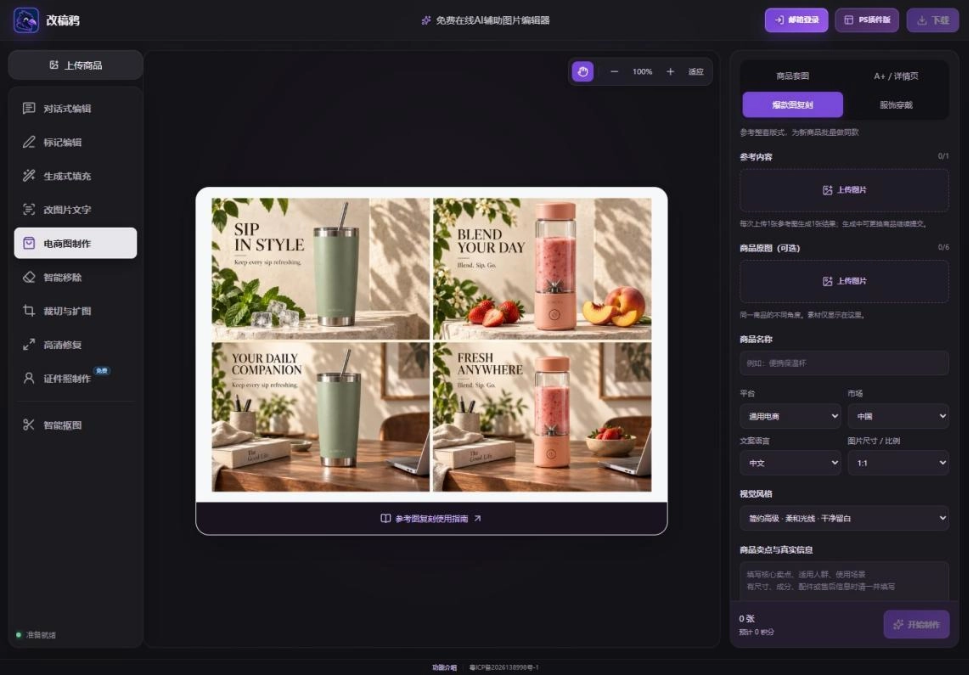
Reference replication result example. Before official release, check whether there are residual reference products, old brands or unsupported promotional information.
Reference images should use materials that you own or have been authorized to use. Referencing someone else's layout structure does not mean you can directly copy their brand, characters, photographic works, or marketing copy.
05. You can create clothing worn images even without model photos
For clothing worn images, it is suitable to upload items from the same outfit, such as tops, skirts, socks, shoes, etc., and you can use up to 6 clothing materials. Users can choose adult male and female figures, children, faceless models, etc., and can also upload a model reference photo that they have the right to use.
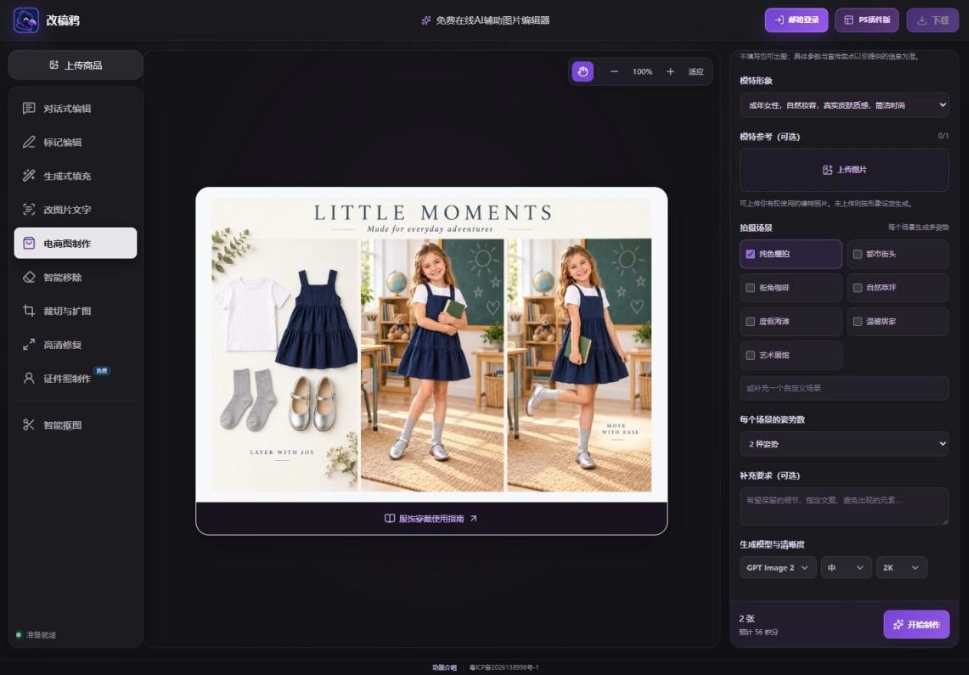
Clothing worn settings interface. Each scene can generate 1 to 3 poses. It is recommended to first use one scene to confirm the clothing effect.
Solid-color studio shots are suitable for showing fit and silhouette, urban street scenes are suitable for emphasizing the styling feel, and home or natural scenes are more suitable for lifestyle content. Do not generate too many scenes at once from the start; first confirm the collar shape, garment length, pattern, and fabric performance in one result, then expand to other poses, which can reduce rework for the whole batch.
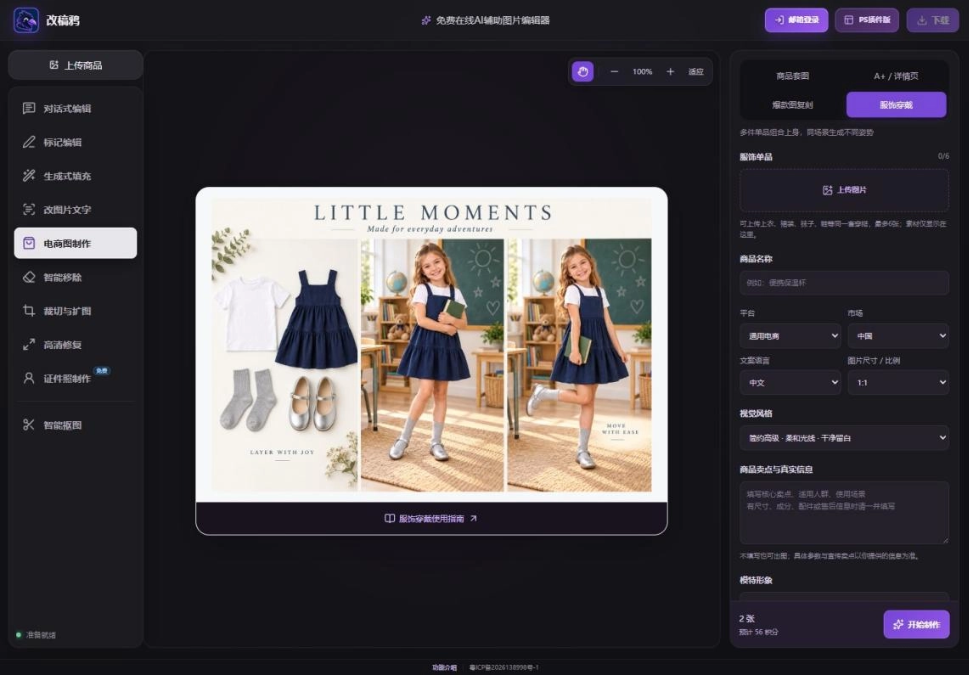
AI model images are generative displays and are not equivalent to real-person fitting measurements. The image cannot be used to infer real sizes and fit.
For clothing-related results, focus on checking the number of buttons, print position, fabric texture, left and right cuffs, and occlusion by the person's limbs. When the product itself has special tailoring, it is best to supplement with front, back, and detail real shots, rather than asking AI to guess the real structure based on areas it cannot see.
06. Some sharing
After finishing this set of e-commerce images with Gaogaoya, my biggest feeling can be summed up in two words: so good!
I used to think that creating e-commerce visuals was a very professional thing. You had to know composition, understand color matching, and be proficient in design software. A set of product images would take several days to produce. But as a beginner with no design background, I had no idea where to start when facing a blank canvas. Since using AI e-commerce image tools, this idea has completely changed.
Take product image sets as an example. In the past, to shoot a set of main images, scene images, and detail images, you had to set up a studio, arrange lighting, and retouch, and the whole process took at least two or three days. Now you only need to upload a few real product photos, fill in accurate selling point information, choose a platform and style, and click generate. In a few minutes, you can see a whole set of images with a consistent style, with main images, selling point images, and scene images all prepared at once. It is simply so efficient! Moreover, you can quickly test multiple visual directions for the same product, such as Chinese trend style, minimalist style, tech feel... there is always one suitable for your store.
However, although AI is very powerful, you cannot rely on it completely. Generated images must be checked one by one. For details such as product color, logo, and accessories, AI may "freely improvise." A slight oversight can turn an off-white cup into pure white, or add a straw out of thin air that does not exist. Therefore, for key content such as parameters, materials, and promotional information, you should still rely on real product information, combine it with your own judgment to filter and correct, and not copy exactly what AI gives.
With the continuous development of AI technology, creating e-commerce images in the future will definitely become easier and easier. Perhaps even the step of "filling in selling points" will be completed automatically. But no matter how tools evolve, the seriousness of being responsible for products and consumers can never be omitted. I also look forward to using AI to create more product images that make buyers fall in love at first glance!