
What is LM Studio
LM Studio is a local large language model (LLM) application platform that is open-source, foolproof, and one-stop for deploying local large models. Including but not limited to Llama, MPT, Gemma, etc., LM Studio provides a graphical user interface (GUI), so that even non-technical users can easily use large models. It also provides a command-line interface (CLI) to meet the needs of technical users. LM Studio also supports running multiple AI models simultaneously, and through the "Playground" mode, it uses the combined capabilities of different models to enhance performance and output, aiming to simplify the use of open-source large language models (LLMs).
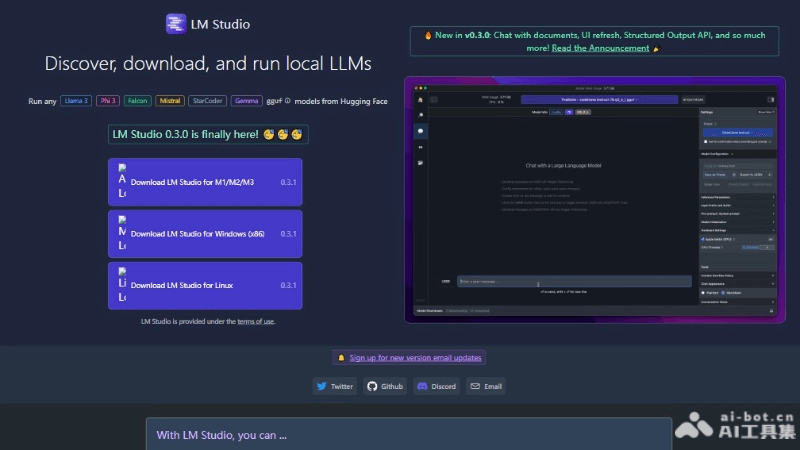
Main features of LM Studio
- Run LLMs locally: Users can run large language models on local devices without an internet connection.
- Model download: Supports downloading compatible model files from platforms such as Hugging Face.
- In-app Chat UI: Provides a chat user interface, enabling users to interact with AI models.
- OpenAI-compatible server: Allows models to be used through a local server compatible with OpenAI.
- Model discovery: Displays new and noteworthy LLMs on the app homepage, making it convenient for users to discover and choose.
- Run multiple models simultaneously: Through "Playground" mode, users can run multiple AI models at the same time and leverage their combined capabilities.
Technical principles of LM Studio
- Local model execution: LM Studio allows users to download large language models (LLMs) to local devices and execute these models in a local environment, without relying on remote servers.
- Hardware acceleration: Supports the user's local hardware resources, such as CPU and GPU, to accelerate model operation. For processors that support the AVX2 instruction set, model computations can be processed more efficiently.
- Model compatibility: LM Studio is compatible with models in multiple formats, including ggml, Llama, MPT, StarCoder, etc., and can load and run AI models from multiple sources and types.
- User interface: Provides a graphical user interface (GUI), so non-technical users can easily interact with AI models without writing code or using the command line.
- Command-line interface: In addition to the GUI, it also provides a command-line interface (CLI), supporting technical users in managing operations such as model loading and server startup and shutdown through command-line tools.
- Model discovery mechanism: LM Studio can display and recommend new and interesting models within the app, helping users discover and choose AI models that suit their needs.
LM Studio project address
- Project official website:lmstudio.ai
How to use LM Studio
- Download and install:Visit the official website of LM Studio.Choose the version compatible with the operating system (Mac, Windows, Linux).Download and run the installer, and follow the on-screen instructions to complete the installation.
- Launch LM Studio:After installation is complete, launch the LM Studio application.
- Select a model:On the main interface, browse recommended models or use the search function to find a specific model.Select a model, and LM Studio will display the model versions compatible with your system.
- Download the model:Click the download button to download the model file locally.
- Configure the model:After the model download is complete, select the model and configure settings as needed, such as hardware acceleration (GPU/CPU), context overflow policy, etc.
- Use Chat UI:Switch to the chat interface and select the downloaded model.Enter a question or prompt in the chat window, and the model will provide a corresponding answer.
LM Studio application scenarios
- Personal research and learning: Researchers and students can use LM Studio to explore the capabilities and applications of language models, conduct academic research, or learn the fundamentals of artificial intelligence.
- Content creation: Writers, bloggers, and content creators can use LM Studio to generate creative text, write drafts, or get writing inspiration.
- Internal enterprise tools: Enterprises can use LM Studio for automatic summarization of internal documents, building question-answering systems, or customer service automation.
- Education and training: Educational institutions can use LM Studio as a teaching aid to help students understand complex concepts or provide personalized learning experiences.
- Technical development and testing: Developers can use LM Studio for API integration testing, developing chatbots, or other applications based on language models.