
What is LingoWhale
LingoWhale is an AI reading tool based on DeepLang Technology's large model capabilities. Through features such as intelligent summarization, Q&A, and mind maps, it helps users quickly grasp the core content and structure of articles. The tool supports multi-device synchronization, providing an efficient reading experience whether on web, mobile, or browser extension. LingoWhale is suitable for users who need to handle large amounts of documents and information, improving reading and information organization efficiency.
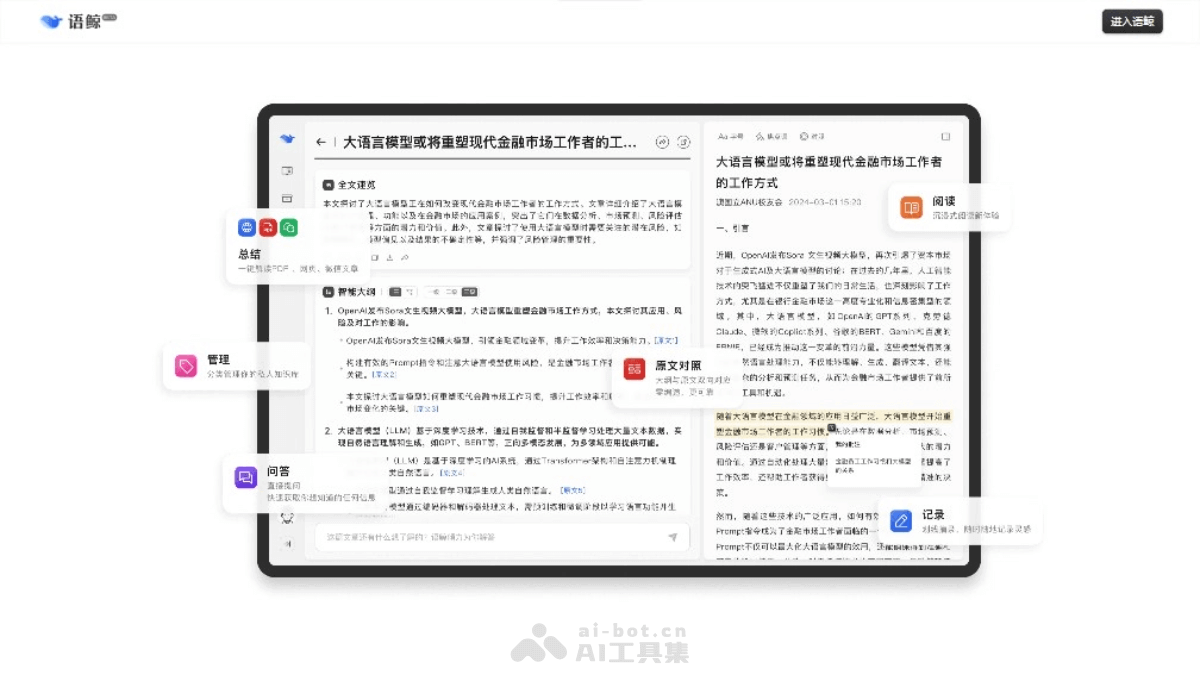
LingoWhale's Main Features
- AI Intelligent Summarization: Automatically transforms text content into multi-level outlines, helping users quickly understand article structure and key points.
- Whale Wonder Q&A: Supports users in asking questions, and the AI provides answers based on the article content, satisfying users' curiosity and desire for knowledge.
- Mind Map Conversion: Supports one-click conversion of article outlines into mind maps, making the information structure more intuitive and easier to understand.
- Seamless Multi-Device Synchronization: Supports web, mobile, and browser extensions, allowing users to synchronize reading progress and notes across different devices.
- Full-Text Quick Overview: Quickly get the full picture of an article, grasp key information, and improve reading efficiency.
- Quick Excerpts: Convenient for users to record sentences or important information in articles that resonate with them.
- Freeform Annotations: Users can annotate directly on articles, capturing inspirations and thoughts during reading.
How to Use LingoWhale
- Visit the Platform:Visit LingoWhale Reading'sofficial website。
- Register/Log In:Create an account or log in with an existing account.
- Upload or Enter Content:Upload the documents you need to read to the LingoWhale platform.Or directly enter or paste text content.
- Use AI Intelligent Summarization:Let AI analyze the document, generate a multi-level outline, and quickly browse the article structure.
- Ask Questions and Get Answers:Use the Whale Wonder Q&A feature to ask the AI questions about the document content.
- Create Mind Maps:Convert the outline into a mind map to understand the article in a graphical way.
- Reading and Annotating:During reading, use the Quick Excerpts and Freeform Annotations features to record key information and personal thoughts.
- Multi-Device Synchronization:If you need to read on different devices, make sure your account is logged in to synchronize reading progress and notes.
- Export and Share:If needed, you can export or share the read documents, outlines, or mind maps with others.
LingoWhale's Application Scenarios
- Education: LingoWhale can help students quickly understand textbook content, generate multi-level outlines, and facilitate review and note organization. Teachers can also use the corresponding features to design classroom activities and improve teaching efficiency.
- Research and Academia: Researchers can use LingoWhale to process large amounts of literature, quickly extract key information and data, and improve the efficiency of literature reviews and research reports.
- Content Editing and New Media: Content creators and editors can use LingoWhale to quickly summarize and distill information, remove redundant content, focus on key information, and improve work efficiency.
- Marketing PR and Investment Analysis: Marketing PR personnel and investment managers can use YuJing to quickly obtain the key points of press releases and research reports, helping them quickly grasp PR points and market trends.
- Personal Learning and Self-Improvement: Individual users can use YuJing to improve their reading efficiency, record and organize study notes at any time, and help with self-improvement and knowledge management.