
What is Liner.ai
Liner.ai is a machine learning tool for non-expert programmers and data scientists, allowing users to train machine learning models through simple click operations without writing any code. Liner.ai provides a variety of project templates, supporting image, text, audio, and video classification, as well as tasks such as object detection and image segmentation. Liner.ai optimizes models for fast training on CPU without the need for a GPU, and can easily export models to multiple platforms. Liner.ai prioritizes data privacy, with all training done locally and not uploaded to the cloud. Liner.ai is suitable for Windows and Mac operating systems and is an ideal choice for beginners and professionals.
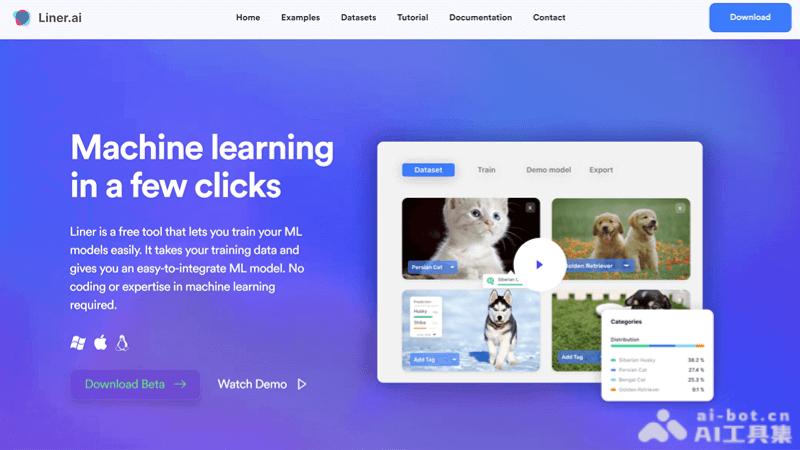
Features of Liner.ai
- Data import: Users can import their own data or use pre-labeled datasets provided by Liner.
- One-click training: With a simple button click, Liner automatically selects a suitable model and performs training.
- Model deployment: After training is complete, users can easily export the model and integrate it into various applications.
- Multiple machine learning templates: Provides project templates for multiple machine learning types, including image classification, text classification, audio classification, video classification, object detection, image segmentation, and pose classification.
- Speed and accuracy optimization: Uses the latest model technology to ensure fast training speed and accurate models.
How to use Liner.ai
- Visit the website: Open a browser and visit the Liner.ai official website (liner.ai), register an account and log in.
- Import data: In the Liner interface, choose to import your data. You can upload your own dataset or use a pre-labeled dataset provided by Liner.
- Select model type: According to your needs, choose one from the various machine learning project templates provided by Liner, such as image classification, text classification, etc.
- Start training: Click the "Start Training" button, and Liner will automatically select a suitable model and begin the training process.
- View training results: After training is complete, you can view the model's performance metrics, such as accuracy.
- Adjust and optimize: If needed, you can adjust model parameters or retrain based on the training results to optimize performance.
- Deploy the model: Once model training is complete, you can export the model to different platforms and integrate it into applications.
- Use the model: Deploy the exported model to an application or service and start using it for prediction or classification tasks.
Application scenarios of Liner.ai
- Image classification: Automatically recognize and classify objects or scenes in images, suitable for social media, e-commerce, security monitoring, etc.
- Text classification: Automatically classify text content, such as news articles, customer feedback, social media posts, etc., facilitating content management and analysis.
- Audio classification: Recognize and classify audio data, such as voice commands, environmental sounds, etc., which can be used for smart homes, voice assistants, etc.
- Video classification: Automatically classify video content, suitable for scenarios such as video content recommendation and surveillance analysis.
- Object detection: Identifying and locating specific objects in images or videos, commonly used in retail, traffic monitoring, autonomous driving, and more.
- Image segmentation: Segmenting different regions or objects in an image, used in fields such as medical imaging and agricultural monitoring.