
Now, if you casually scroll through any video platform, among the viral videos on the homepage, one or two are made with AI, which shows that now AI short dramasare truly booming to produce.
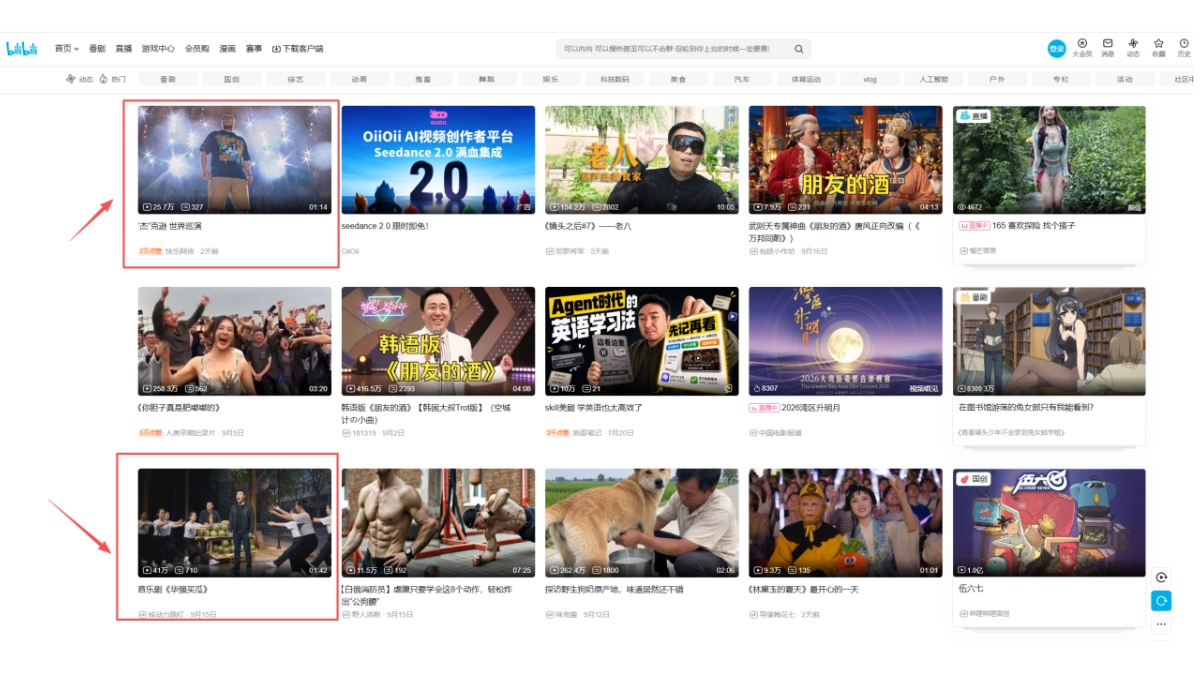
But taking an AI short film from first draft to something usable runs into so many problems, so all the major AI production platforms keep upgrading.
Recently, LibTV this time has also upgraded to 1.5, adding several quite practical features for people making AI videos.
Now you can fine-tune a character's facial features, hairstyle, and clothes. If you want to change one line of dialogue in the script, you can make a local edit; there is also a director avatar feature, a 3D virtual studio, and a final cut fine-editing feature.
Just hearing me say it, you might not be able to feel how powerful these features are, so let me first show you the results I made:
01. Video Production Process
Making a video always starts with conceiving a script, but many times everyone actually just has an idea, and polishing it into a script yourself takes a very long time.
The newly launched original script feature was born precisely for this pain point. We only need an idea, and this feature can guide us to put together a complete script.
The specific entry point is in TV Director right below the canvas.
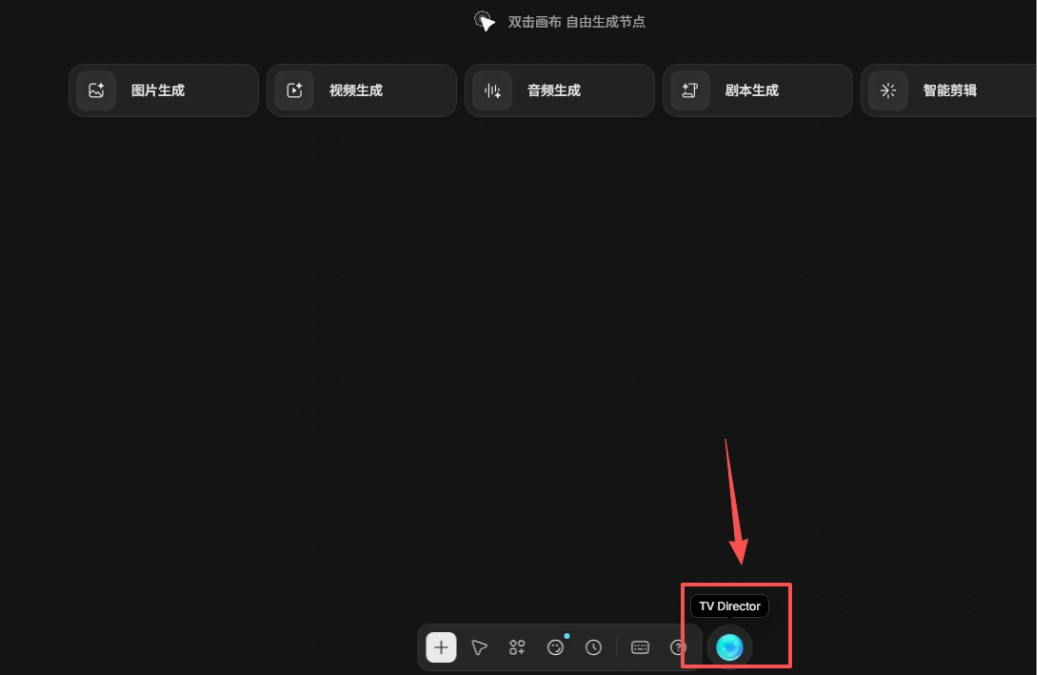
After entering, we choose to start original script creation from a viral preset.
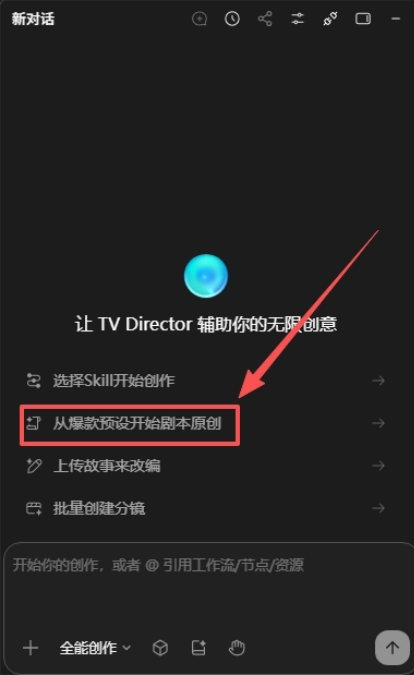
After clicking in, we can start our script creation. There are many genres for us to choose from, and two genres can also be fused for creation. We can also modify the selected audience, character settings, story background, etc...
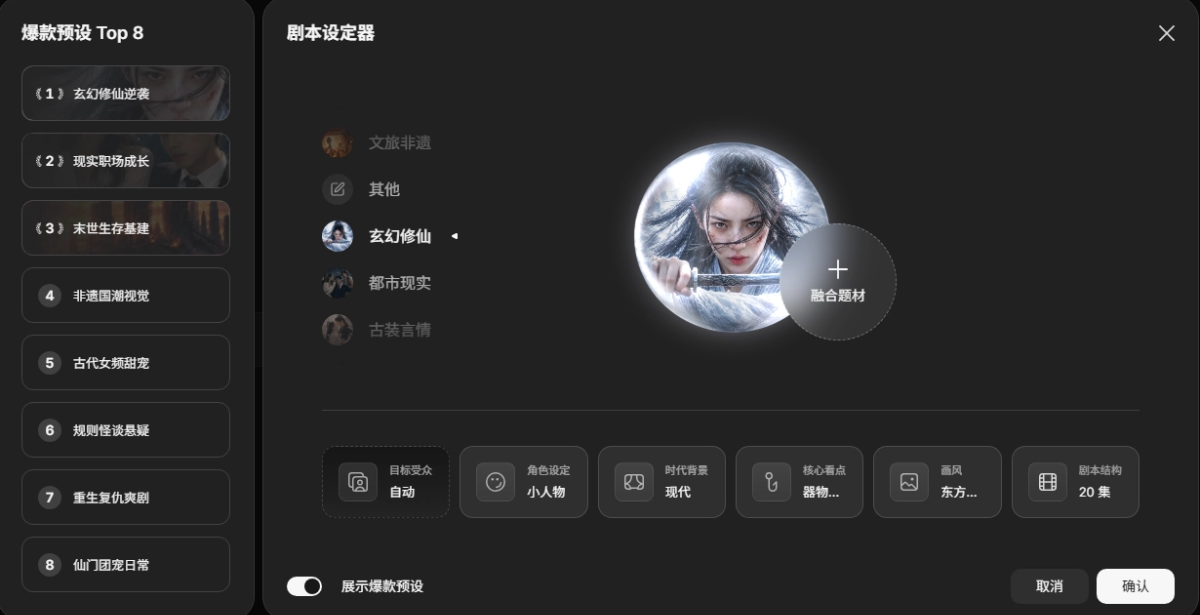
This time I plan to make a modern cultivation story. The specific settings and plot are:
The spiritual energy of a world is constant. The spiritual energy absorbed by cultivators is only returned to heaven and earth when they die or ascend. Many, many years ago, Blue Star could also be cultivated, but the spiritual energy was all absorbed by great cultivators, and the great cultivators failed to ascend and could not return the spiritual energy to heaven and earth. Only when the great cultivators die will the spiritual energy return to heaven and earth. In ancient times, many great cultivators actually died, and the spiritual energy of heaven and earth temporarily returned to the human world, but it was quickly absorbed by other great cultivators, until only the last Spirit Transformation stage cultivator remained. Generally speaking, the spiritual energy of Blue Star was enough for many cultivators to ascend, but for some unknown reason, this cultivator had absorbed all the spiritual energy of Blue Star and still could not ascend. He died in Blue Star Year 2050, and the spiritual energy of heaven and earth gradually recovered to its peak. By 2100, many cultivators appeared on Blue Star again. The protagonist Ye Chen was originally just a working drudge. One day he picked up an ancient jade stone (containing various cultivation techniques from the immortal world), and thus began a cheat-like cultivation journey. Eventually, when he cultivated to the Spirit Transformation stage, he discovered that the passage to ascension in heaven and earth had actually been blocked by someone. Later, he forcibly opened the ascension passage with his strength and ascended to the immortal world.
This is the outline LibTV generated for me:

Next, I had LibTV's Agent continue to generate the script for episode one for me:

Along the way I did nothing, I only entered that little bit of setting and plot earlier.
Next, we can create all the characters. Click All-Around Creation, and then have it make all the characters for episode one.
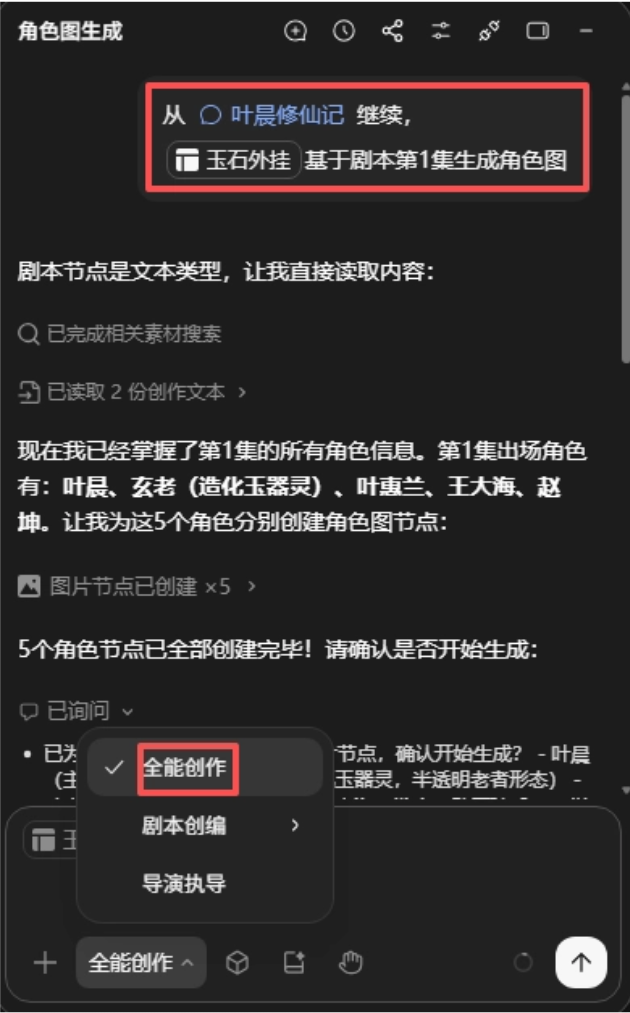
Many times, automatically generated character images always feel roughly okay, but fall short in the details. Regenerating them may fix one place while problems appear in other places.
The newly released character modification feature can perfectly solve this problem. LibTV 1.5 supports starting from a character profile, reference image, or an existing character, and visually adjusting facial features, hairstyle, clothing, etc. It can even adjust features such as moles, freckles, and scars. Click the Character Styling Room below the canvas to enter.
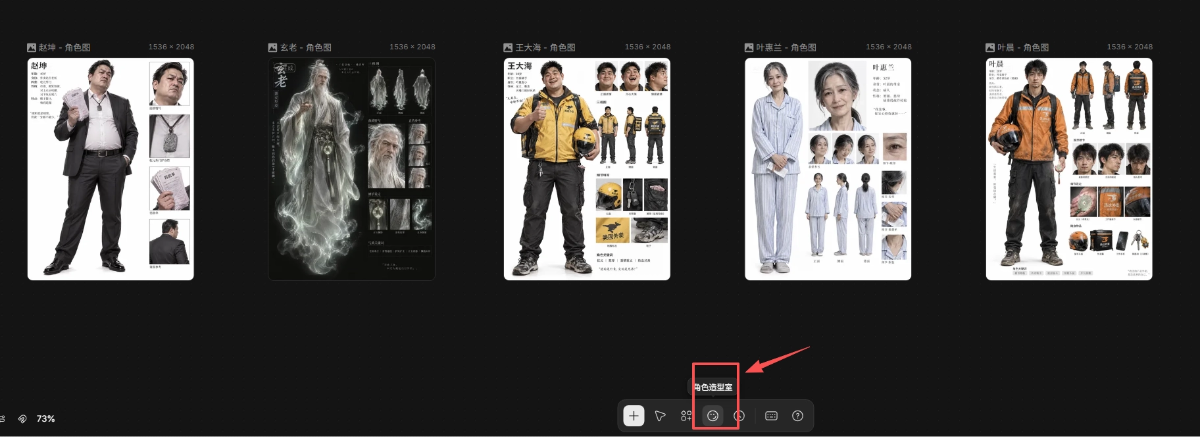
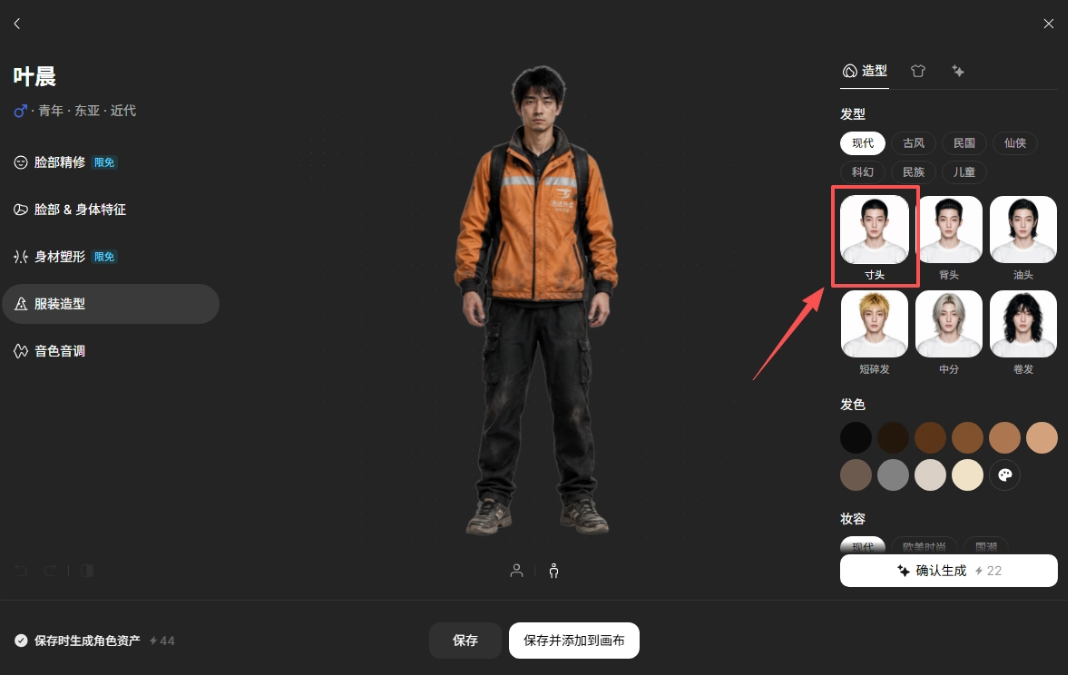
I'm going to adjust the protagonist and give him a buzz cut.
Before:
After:
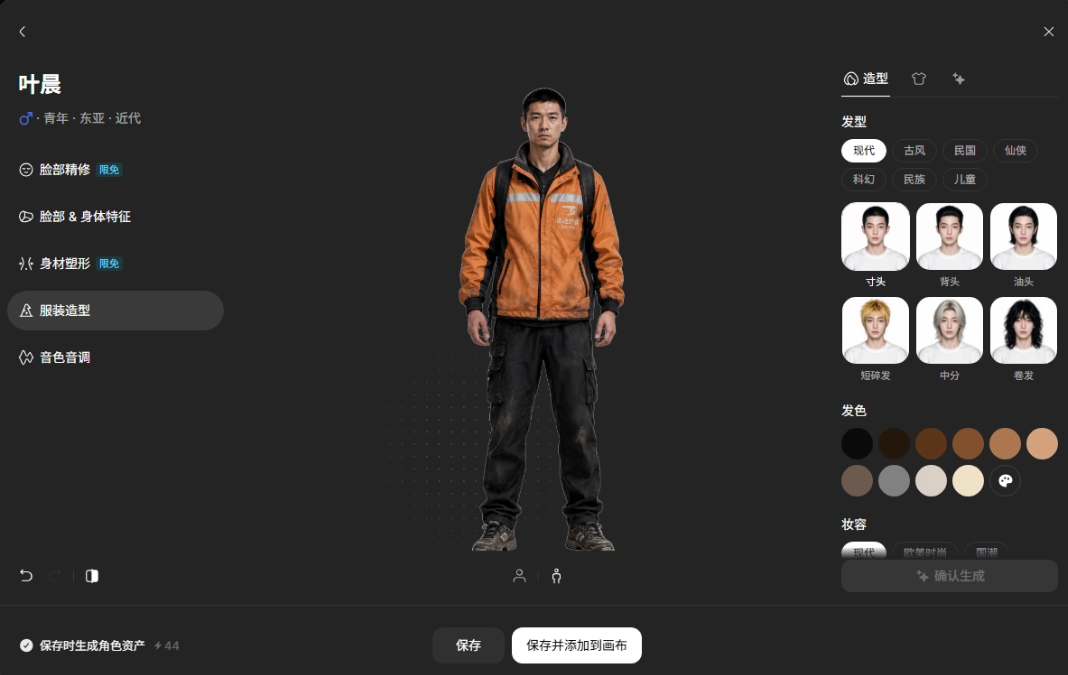
As you can see, basically only the hair has not changed; the body, clothing, etc. are all unchanged.
Next, we're going to start preparing to generate the storyboard, but a film has multiple shots, and each shot has to establish the style, arrange the visuals, and then have its prompt written separately. It's really troublesome.
We can try the new feature in this Agent: director's direction. Choose a style, and it can be reused every time afterward. Of course, everyone can also create a style of their own.
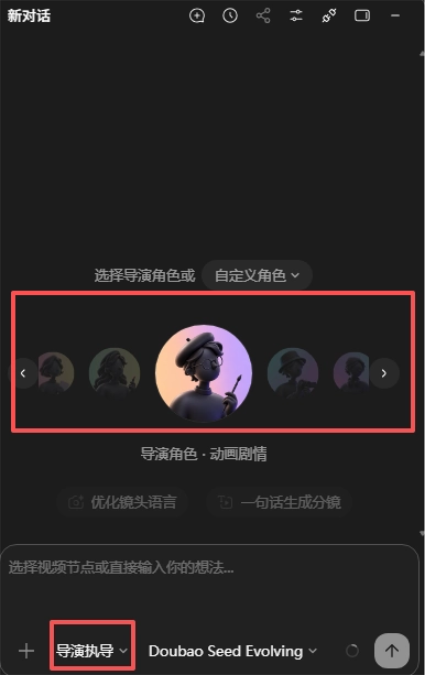
After choosing, we can directly have the director generate the storyboard for the first episode.
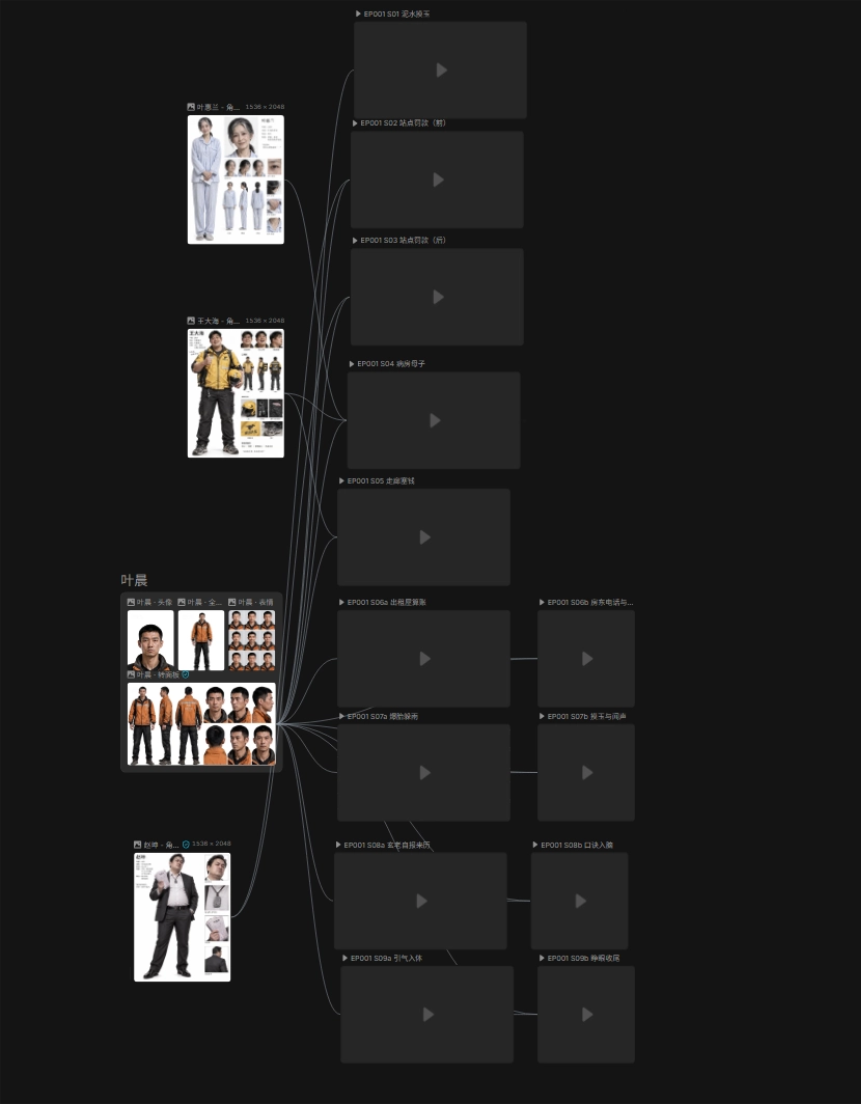
The director generated a total of 13 storyboard video nodes for us.
But I found that some scenes are more complex, and the generated video easily becomes inconsistent between the preceding and following scenes. When the camera moves, the shot also doesn't reach the position I want.
At this point, friends who are familiar with AI video production might say, just make a 3D model, and the video can generate the environment based on the model, but what if you don't know how to model?
At this time, the new feature comes in handy. LibTV's 3D virtual studio feature allows AI to directly help you generate models and camera movement; you only need natural language conversation.
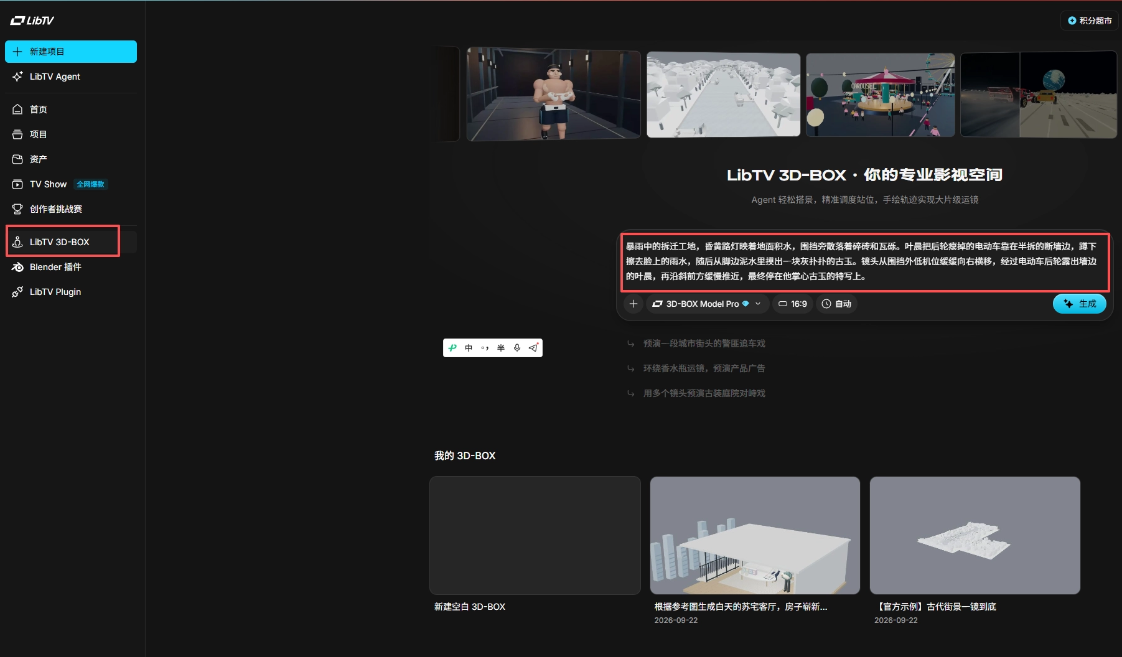
Let's look at the generated model and the camera movement in it:
The only thing left to do next is to generate each video one by one.
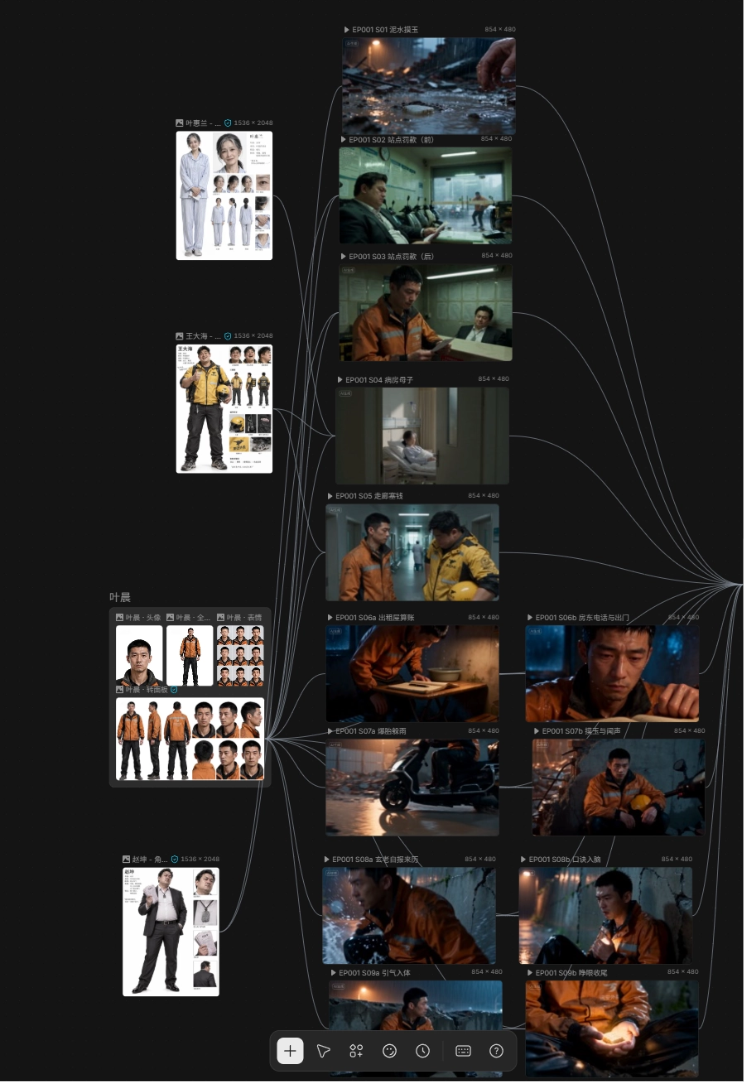
Then ask the Agent to help us edit all the videos together:
But we can see that the video above has no cover image and no title subtitle. If it were posted like this, very few people would click to watch. At this time, the new feature comes into play again. We select the video, then click the new feature Creative Opening to generate a cool cover that makes people want to click in and watch as soon as they see it.
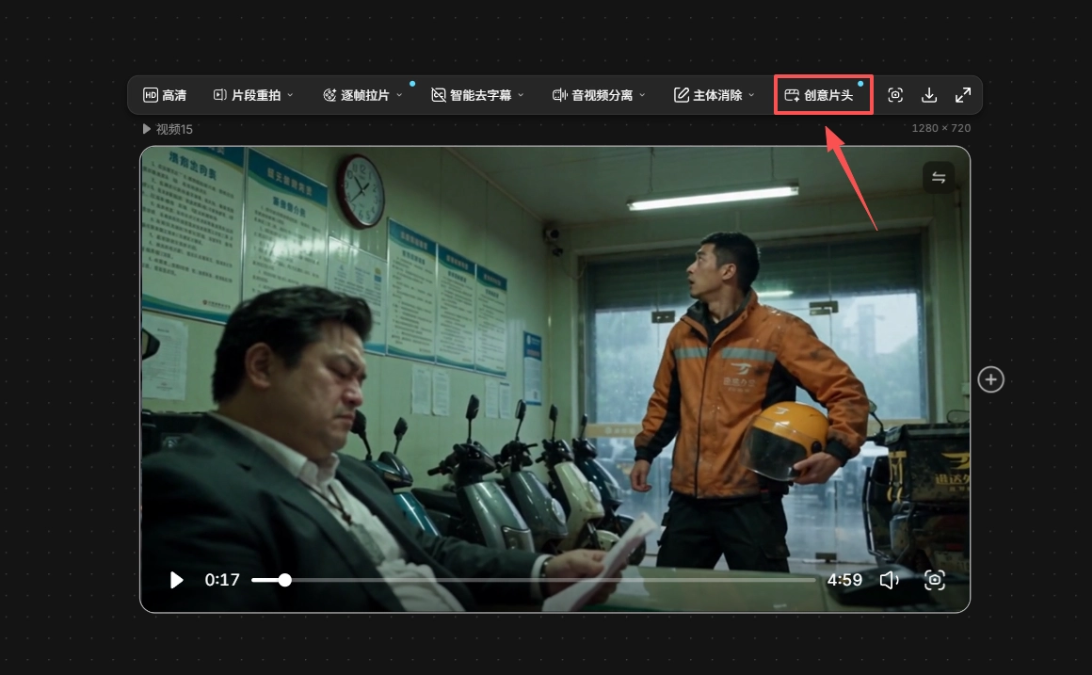
Once inside, we need to choose a frame as the cover and give our video a good name. After that, we can choose a style to generate it, and of course we can also customize our own style.
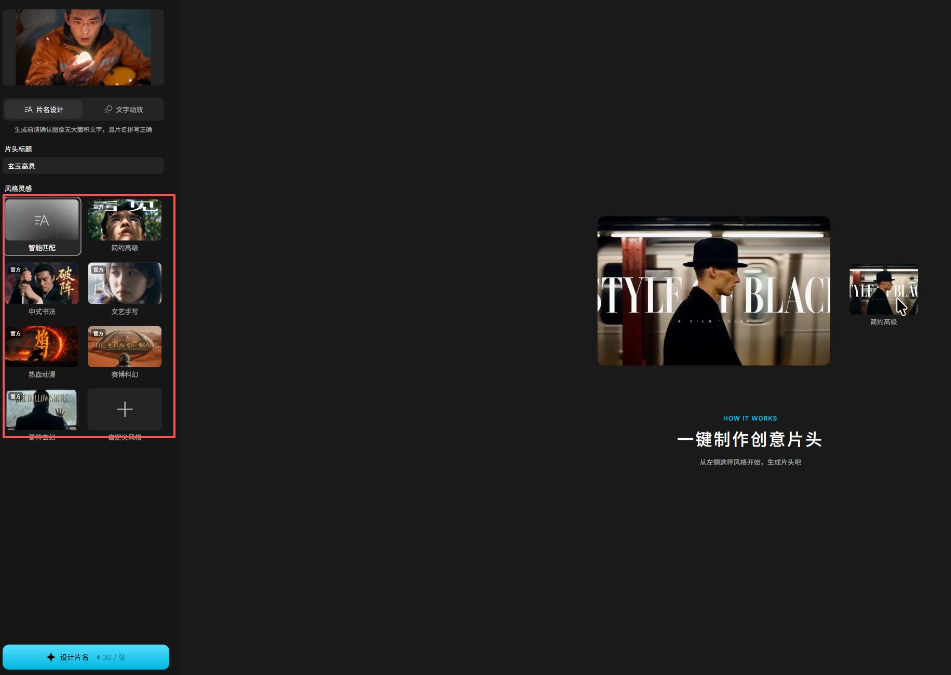
Here I chose the Chinese calligraphy style. This is the generated cover:
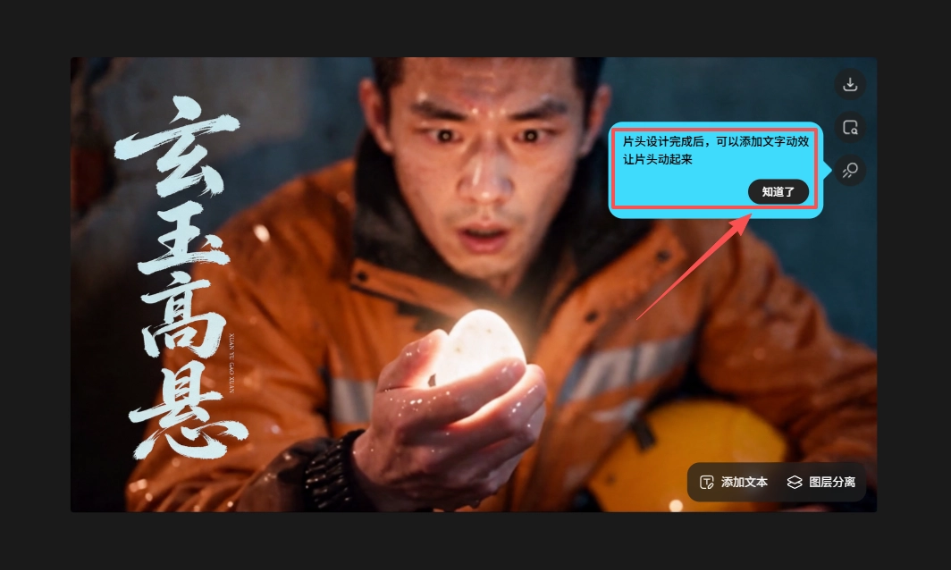
It prompts above that we can also choose motion effects to make the cover move and turn it into a dynamic opening:
Finally, add the opening, and the finished film is complete:
02. A Brief Talk on New Features
When making this modern cultivation short drama, the five new features of LibTV 1.5 were used respectively in the script, characters, storyboard, camera movement, and post-production packaging.
When you only have the worldbuilding and a rough plot, you can first use Original Screenwriting to complete the story outline, then refine the script for each episode.
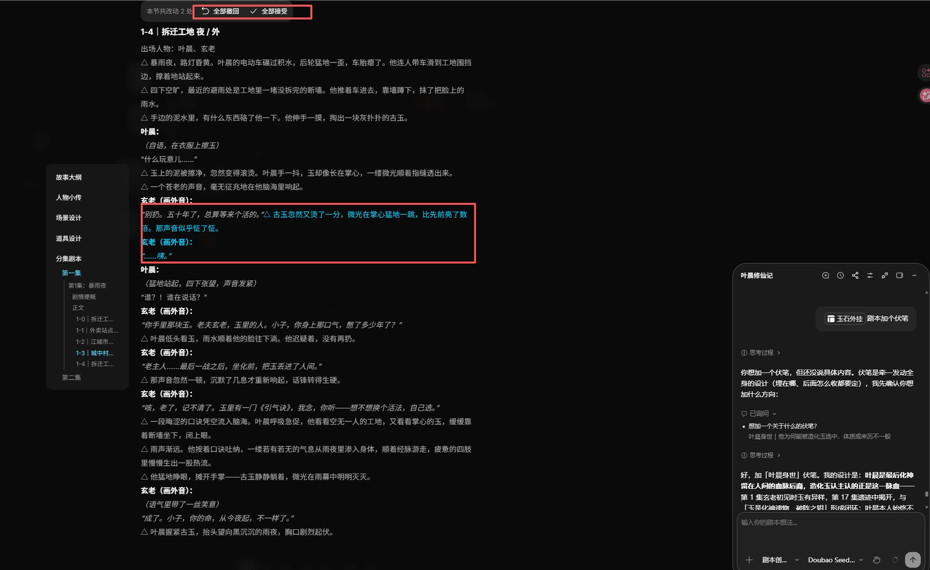
Later, if you want to change a line of dialogue or a conflict, local modifications are also supported, and it prompts the impact on earlier and later foreshadowing, letting the creator decide whether to adjust them together.
Character styling is suitable for situations where you are generally satisfied but still want to change details. For example, this time when giving Ye Chen a buzz cut, you can adjust only the hairstyle while keeping the facial features and clothing you were originally satisfied with.
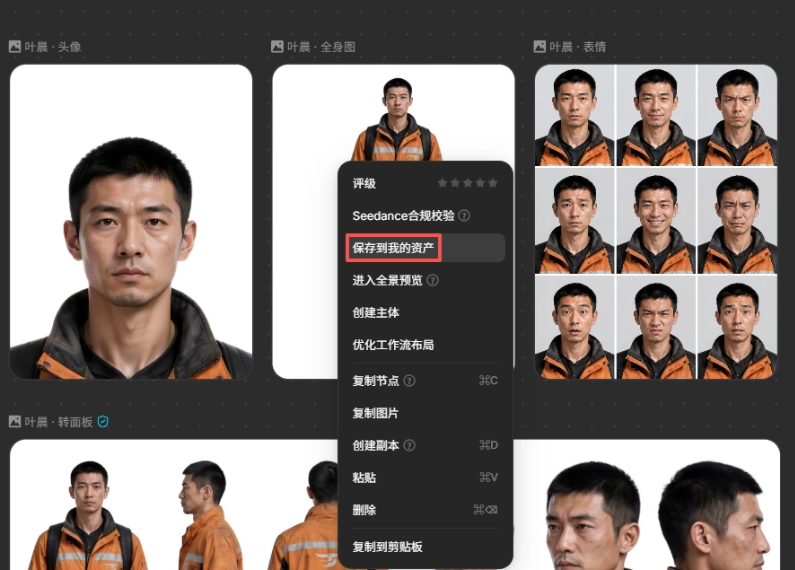
The confirmed image can also be saved as a character card and continue to be used later when making the second and third episodes, so you don't have to re-describe the protagonist every time.
After the script and characters are confirmed, the director avatar can assist with breaking down the storyboard, writing, and batch optimizing prompts.
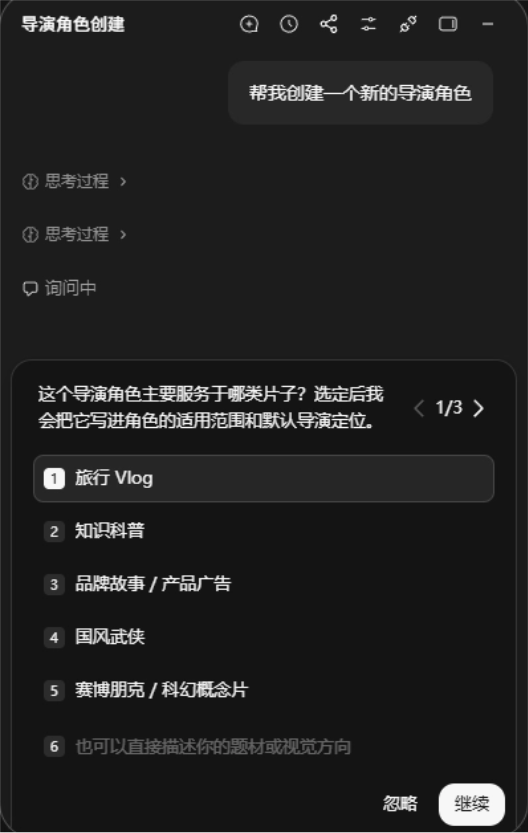
When character positioning is complex, scene relationships are hard to describe, or the camera never quite reaches the intended position, you can start by entering the 3D-BOX virtual studio.
Final-cut refinement is used to handle the last stage of packaging. Select a frame from the film and combine it with the visuals to design the title, font, and text animation.
03. A Few Shares
Competition among AI video platforms has already extended to the entire production workflow. When creators choose a platform, there are more and more items to compare: image quality, ease of modification, whether characters can be reused, and how many operations are needed to finish a film.
Based on this production process, I am more inclined to understand LibTV as an AI video workbench that organizes work around projects. Scripts, characters, storyboards, camera movement previews, and final packaging can all continue from one stage to the next, which is a product positioning well worth pursuing: making creators willing to open LibTV whenever they think about finishing a film.
This overall approach is better suited to users who need continuous delivery, short-drama studios, advertising teams, and e-commerce content teams. For creators, saving characters and shooting methods, keeping satisfactory shots, and modifying only the problematic parts all have practical commercial uses.
The longer a project runs, the more necessary it is to check whether assets can be reused consistently. To a large extent, this affects how much time a team spends re-describing characters, checking shots, and dealing with inconsistencies before and after.
After the first episode is completed, whether the second episode can smoothly reuse characters and scenes, whether fewer reworks are needed after the client requests changes, and whether the final delivery cost is acceptable will all become reasons for the studio to renew and put more projects into it.
Original link:LibTV upgraded to 1.5, one case helps you understand the upgrade contents