
What Is Lepai
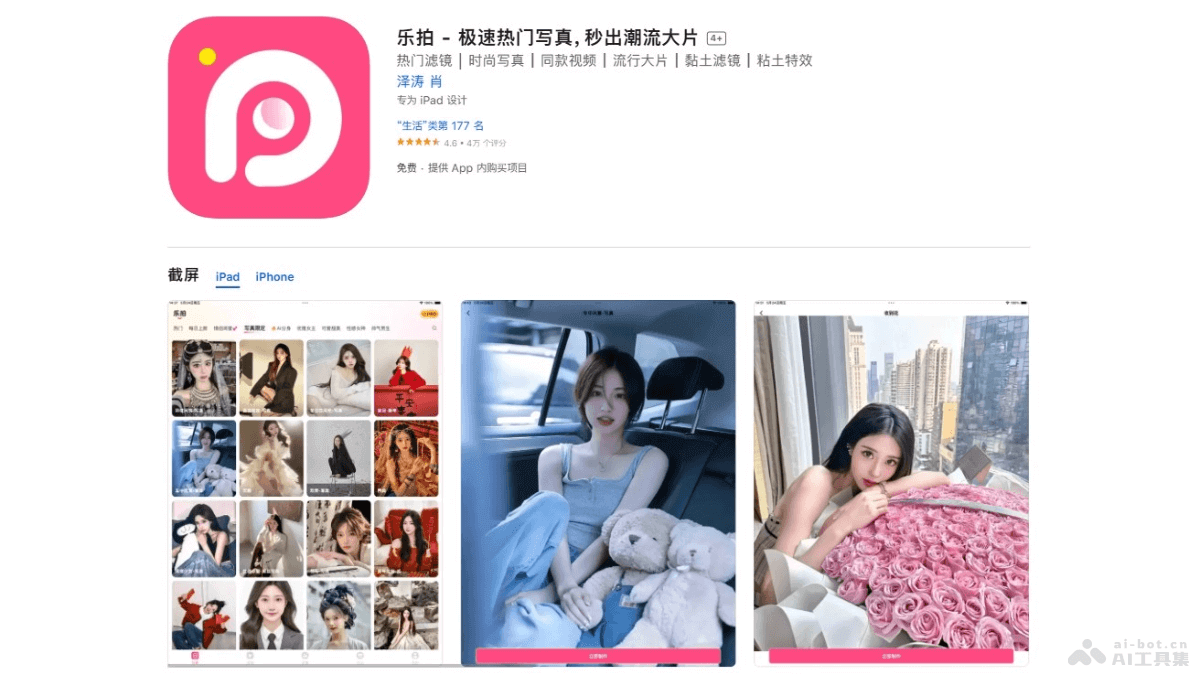
Lepai is an AI technology-based portrait camera app that supports users in generating high-quality portrait photos with one simple tap. The app offers a massive collection of style templates, such as ID photos, Barbie princess, JK uniforms, Hong Kong style, Jiangnan ancient style, and many other themes, meeting the personalized needs of different users. Lepai supports video outfit changes and photo dancing features, bringing users novel experiences. Lepai includes over 10 creative play modes such as AI fitness, AI hair coloring, and AI anime, allowing users to easily enjoy the fun of taking photos and discover the diversity of their own style.
Main Features of Lepai
- One-Tap Generation of Portrait Masterpieces: Users can quickly generate portrait photos with professional effects.
- Face and Outfit Swaps in Photos and Videos: Supports users in changing different faces and clothing styles in photos and videos.
- Massive Style Templates: Provides templates in various styles for users to choose from, including ID photos, Barbie princess, JK uniforms, Hong Kong style, Jiangnan ancient style, and more.
- Video Outfit Changes: Users can freely change outfits in videos and experience different looks.
- Photo Dancing: Makes static images move, for example, making Terracotta Warriors dance.
- AI Fitness/AI Hair Coloring: Based on AI technology, users can preview fitness results or try different hair colors.
How to Use Lepai
- Download and Install: Visit Lepai'sofficial websiteto download and install.
- Register and Log In: After opening the app, register an account or log in with a social media account as prompted.
- Browse Features and Templates: After entering the app, browse different features and style templates. Lepai offers a variety of templates, including ID photos, Barbie princess, JK uniforms, and more.
- Select a Feature: Choose the corresponding feature according to your needs, such as "Face and Outfit Swaps in Photos and Videos," "Video Outfit Changes," "AI Fitness," "AI Hair Coloring," and more.
- Upload or Take Photos/Videos: According to the selected feature, upload the photo or video you want to edit, or take one directly within the app.
- Edit and Apply Effects: Use the tools and templates provided by Lepai to edit photos or videos. This includes changing outfits, changing hairstyles, applying filters, and more.
- Preview and Adjust: After applying the effects, preview the edited photo or video and make adjustments as needed.
- Save and Share: After completing the edit, save the photo or video to your device, or choose to share it on social media.
Lepai Product Pricing
Lepai's basic services are free, while advanced features require payment to unlock.
- Premium Membership:¥38.00
- Premium Membership:¥168.00
Lepai Use Cases
- Personal Portraits: Users can take professional-level personal portraits at home without going to a photography studio.
- ID Photo Creation: Quickly create ID photos that meet specification requirements, suitable for official documents such as ID cards, passports, and driver's licenses.
- Festivals and Special Occasions: During festivals or special occasions (such as birthdays, graduations, and weddings), use Lepai to create themed-style portraits.
- Social Media Content Creation: Create interesting and unique content for social media platforms (such as Instagram, Facebook, and Weibo).
- Fashion Fitting: Users virtually try on different clothing styles to find the outfit that suits them best.