
What Is LandPPT
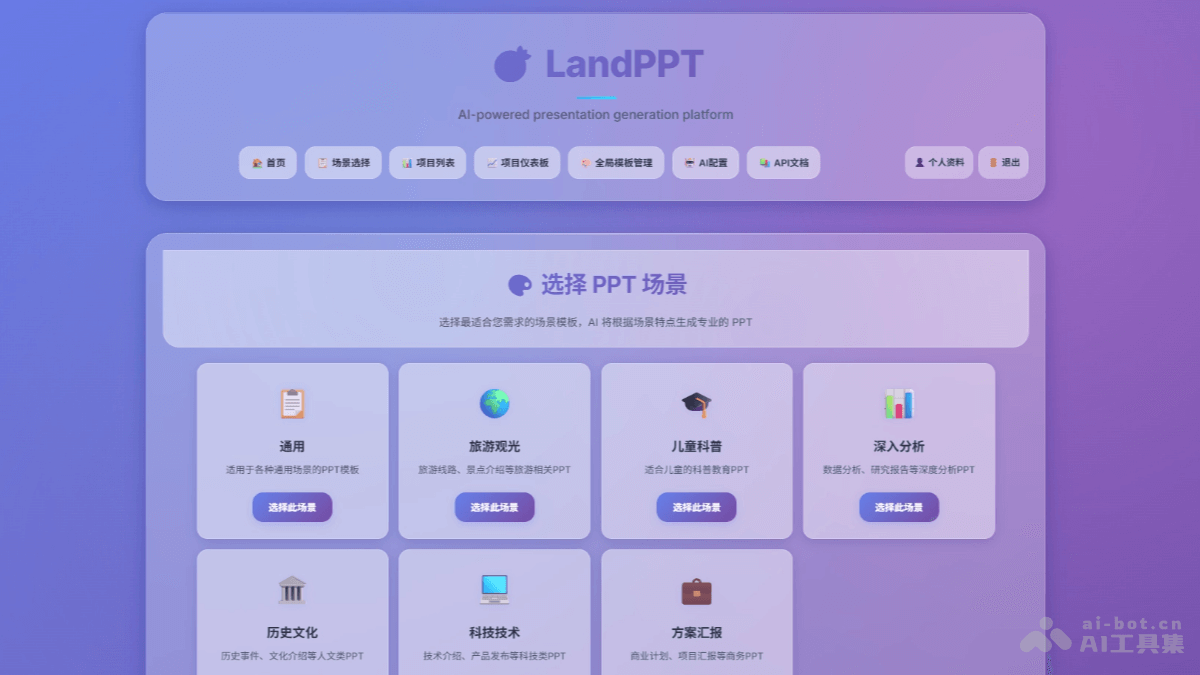
LandPPT is anAI presentation generation platformthat can quickly convert document content into professional PPT presentations. LandPPT supports multiple AI models such as OpenAI, Claude, and Gemini, is compatible with file formats such as PDF, Word, and Markdown, supports intelligent content parsing, and generates clearly structured outlines and beautifully designed PPT pages. The platform provides a rich template system and customization features, allowing users to perform visual editing, real-time preview, and multi-format export through a modern Web interface. LandPPT simplifies the creation process based on a three-step workflow (requirement confirmation, outline generation, PPT generation), making presentation creation more efficient and smarter.
LandPPT's Main Features
- Multi-AI Provider Support: Integrates multiple mainstream AI models, such as OpenAI's GPT series, Anthropic's Claude series, Google's Gemini series, and locally deployed Ollama models, allowing users to choose flexibly according to their needs.
- Powerful File Processing Capabilities: Supports multiple file formats such as PDF, Word, Markdown, and TXT, supports intelligent content parsing, and conducts in-depth research based on the internet to provide richer materials for PPT generation.
- Rich Template System: Provides global master templates and diverse page layout options. AI can generate creative page layouts, and supports users in importing and creating personalized templates to meet different users' aesthetics and needs.
- Complete Project Management: Based on a three-stage workflow (requirement confirmation, outline generation, PPT generation), equipped with a visual outline editor and real-time preview functionality, helping users efficiently manage the presentation creation process.
- Modern Web Interface: The user interface is friendly and supports AI chat editing functionality. Users can interact with AI in natural language in the sidebar and modify PPT content in real time; it provides export functions in multiple formats such as PDF, HTML, and PPTX, making it convenient for users to use presentations in different scenarios.
How to Use LandPPT
- Local Installation:
- Clone the project:
git clone https://github.com/sligter/LandPPT.git
cd LandPPT-
- Install dependencies:
- Install
uv(recommended):
- Install
- Install dependencies:
# Windows
powershell -ExecutionPolicy ByPass -c "irm https://astral.sh/uv/install.ps1 | iex"
# macOS/Linux
curl -LsSf https://astral.sh/uv/install.sh | sh-
-
- Sync the environment:
-
uv sync
uv pip install apryse-sdk --extra-index-url=https://pypi.apryse.com-
-
Configure environment variables:
- Copy the
.env.examplefile and rename it to.env:
- Copy the
-
cp .env.example .env-
-
- Edit the
.envfile and configure the API key for the AI provider (such as OpenAI, Anthropic, etc.).
- Edit the
- Start the service:
-
uv run python run.py-
-
Access the Web interface: Open a browser and visit http://localhost:8000。初始账号为
admin, with the password beingadmin123。
-
- Docker Deployment:
- Pull the image:
docker pull bradleylzh/landppt:latest-
-
-
Create and configure the
.envfile: Copy the contents of the.env.examplefile to the local.envfile, and configure the API key as needed.
-
- Run the container:
-
docker run -d \
  --name landppt \
  -p 8000:8000 \
  -v $(pwd)/.env:/app/.env \
  -v landppt_data:/app/data \
  -v landppt_reports:/app/research_reports \
  -v landppt_cache:/app/temp \
bradleylzh/landppt:latest-
- View logs:
docker logs -f landppt-
Access the Web interface:Open a browser and visit http://localhost:8000。The initial account is
admin, with the password beingadmin123。
LandPPT's Project Address
- GitHub Repository:https://github.com/sligter/LandPPT
LandPPT's Application Scenarios
- Corporate Reporting: Quickly transform document content such as project reports and data analyses into professional PPTs, saving production time and improving reporting efficiency.
- Academic Presentations: Transform academic papers and research materials into clear presentation slides, helping scholars focus on explaining the content and improving presentation effectiveness.
- Education and Training: Teachers can quickly generate highly interactive courseware from syllabi and lesson plans, enhancing teaching appeal and student participation.
- Marketing: Quickly generate creative and visually appealing presentations for product promotion, brand publicity, and other activities to attract target audiences.
- Personal Sharing: Help individuals quickly organize their presentation ideas and generate personalized PPTs, suitable for scenarios such as tech sharing and creative showcases.