
What is Kuque AI Smart Cutout
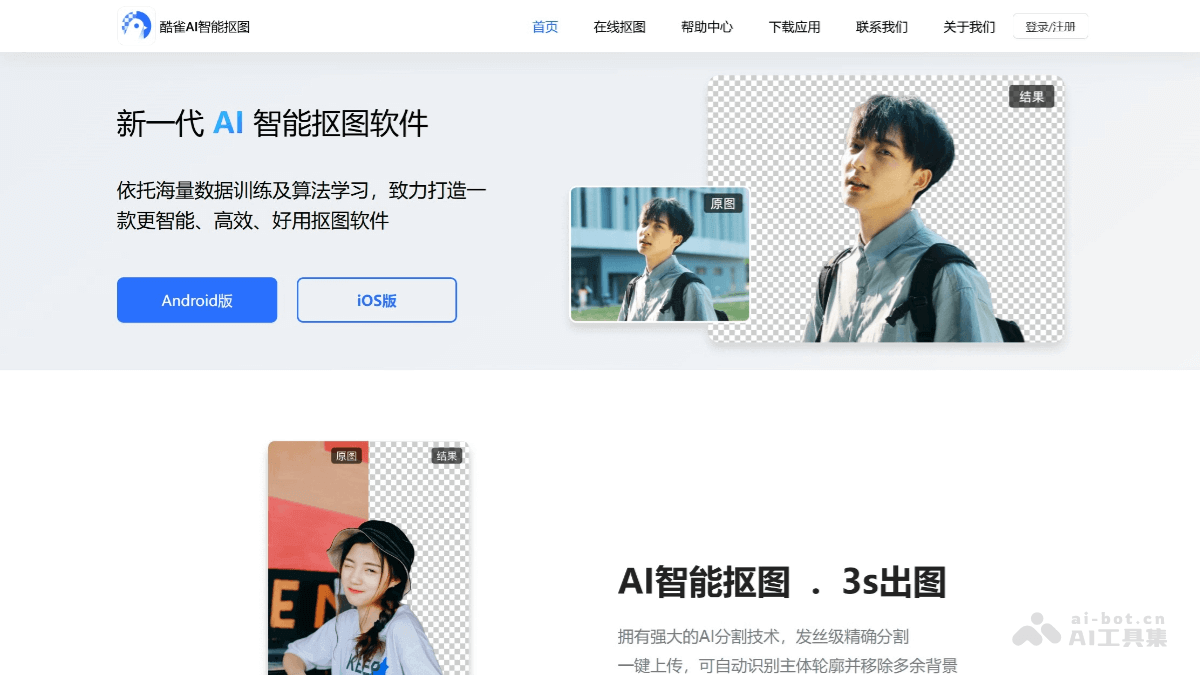
Kuque AI Smart Cutout is an efficient and convenient AI image processing tool. Based on advanced AI technology, it can quickly and accurately identify the subject in an image and automatically remove the background, achieving fine cutout. It supports portraits, objects, or complex scenes, preserving details such as hair strands. It features ID photo creation, allowing one-click background color replacement and size adjustment, adapting to various upload rules. It can optimize blurry images and enhance texture details, making images clearer; it supports lossless image enlargement while maintaining clarity. The operation is simple and requires no professional skills, so ordinary users can use it, meeting various daily image processing needs.
Main Features of Kuque AI Smart Cutout
-
AI Smart Cutout: Smart AI automatically detects and accurately identifies the portraits, objects, graphics, etc. that need to be retained, removes the background with one click, and achieves fine background segmentation cutout.
-
ID Photo Creation: AI smart one-click background color replacement, size adjustment, and cropping, adapting to platform upload rules, and can quickly create various ID photos such as work photos, enrollment photos, and professional portraits.
-
Make Blurry Images Clear: Optimizes image texture details/text enhancement, and performs high-definition restoration on images with low quality/clarity.
-
Lossless Image Enlargement: AI smart restoration technology enables one-click lossless image enlargement, supporting 2-16x enlargement in the length and width directions without reducing image clarity.
-
Image File Size Enlargement: Supports modifying the storage space of image files and improving image resolution size.
-
Image Size Adjustment: Supports customizing image length and width size information to meet more usage needs.
-
DPI Settings: Supports custom setting of image DPI size.
-
Portrait Cutout: Supports cutout processing for complex portrait scenes of different types, such as single-person and multi-person group photos, preserving hair strand details distinctly.
-
Object Cutout: Smart AI automatically detects and identifies contours, and with one click cuts out products, pets, vehicles, etc., adapting to various complex backgrounds and lighting.
-
Stamp Cutout: Accurate recognition, hollow-level processing of the subject contour in the image, and one-click cutout of life stamps to create electronic stamps.
-
Signature Cutout: Handwritten signatures generate electronic signatures with one click, accurately identifying the signature subject contour and achieving hollow-level cutout processing.
-
Logo Cutout: AI smart detection and recognition, hollow-level processing, and one-click cutout of Logo information of products in images.
-
School Badge Cutout: AI smart detection and recognition, hollow-level processing, and one-click cutout of school badges of products in images.
-
Image Watermark Removal: Uses AI smart watermark removal, automatically identifies and removes watermarks with one click, and automatically fills the image with natural results.
-
Image Format Conversion: One-click conversion/interconversion of Webp, PNG, JPEG, and HEIC format images, meeting multiple image format conversion needs.
-
Image Restoration: Erases specified areas in images, removes unwanted objects from images with one click, and automatically fills the background to restore the image.
How to Use Kuque AI Smart Cutout
- Visit the Platform: Visit theofficial website of Kuque AI Smart Cutout, or choose to download the app corresponding to your phone model.
-
Select a feature and import an image: Open the app or choose online cutout, select the [AI Smart Cutout] feature on the home page, and choose the image you need to process from your local album.
-
Automatic recognition and cutout: After the image is imported, AI will automatically recognize the subject in the image and complete the cutout.
-
Edit and save: After the cutout is completed, you can preview the cutout result, and use the tools below to edit the image size and background. You can use the manual tools for fine retouching. Finally, tap Save and choose Save to get the finished cutout image.
Application scenarios of Kuque AI Smart Cutout
-
ID photo creation: When you need to process various certificates, such as ID cards, passports, driver's licenses, graduation certificates, etc., you can use Kuque AI Smart Cutout to quickly create ID photos that meet the requirements, change the background color with one tap, adjust the size, and crop, saving the time and cost of going to a photo studio.
-
Creative design: When creating creative designs such as personal social media avatars, wallpapers, greeting cards, etc., you can cut out and combine your favorite image elements to create unique visual effects and show your personality.
-
E-commerce operations: For e-commerce sellers, Kuque AI Smart Cutout can help quickly cut out products from complex backgrounds and place them on solid-color backgrounds or other more attractive backgrounds, improving product display effects and attracting customers to buy.
-
Graphic design: When designers create posters, brochures, advertisements, etc., they can efficiently cut out the required image subjects, making it convenient for designers to do creative collage and layout, improving design efficiency.
-
Advertising production: When creating advertising images, Kuque AI Smart Cutout can quickly and accurately cut out the subject and seamlessly blend it with various commercial backgrounds to produce high-quality advertising materials.