
What is Krea Stage
Krea Stage is a brand-new AI tool launched by Krea that quickly converts 2D images into 3D scenes and generates video content. Users only need to upload an image, and Krea Stage's AI algorithm can rapidly generate an editable 3D scene. Through an intuitive interface, users can adjust objects, lighting, and viewpoints, and see the effects of modifications in real time, without requiring professional 3D modeling knowledge.
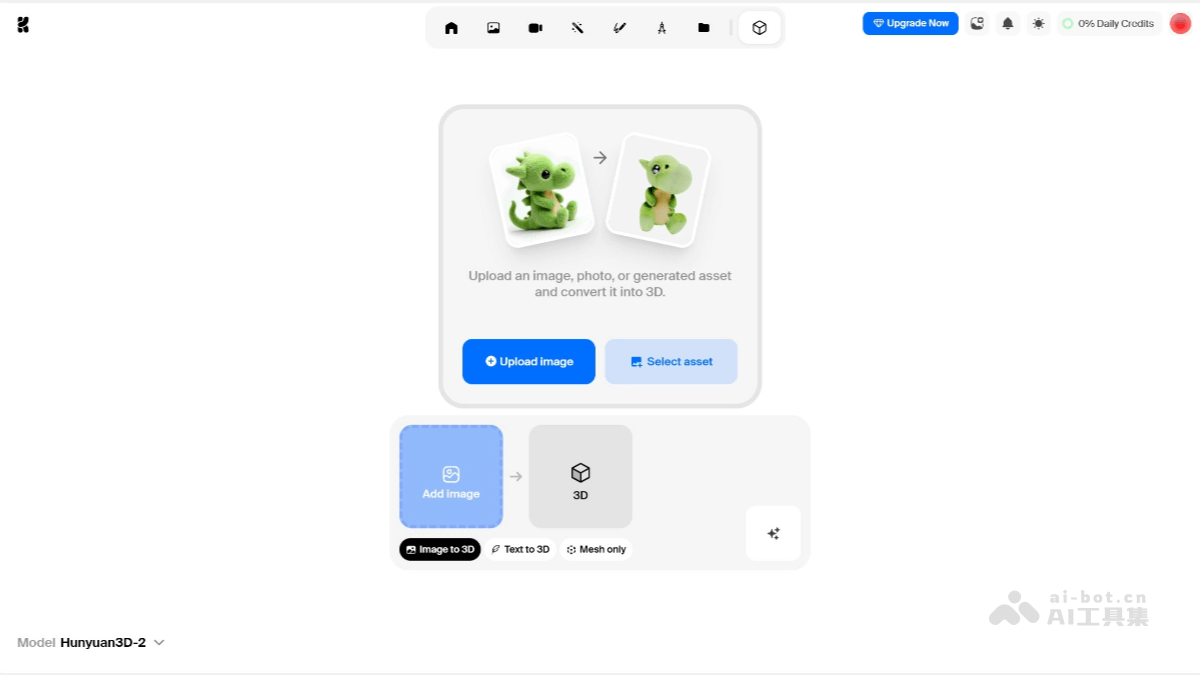
Main features of Krea Stage
- Generation from images to 3D scenes: Users only need to upload an image, and Krea Stage's AI algorithm can quickly convert it into an editable 3D scene, greatly reducing the difficulty and time cost of 3D modeling.
- Real-time editing and adjustment: Krea Stage provides an intuitive editing interface. Users can adjust object positions, lighting effects, and viewpoints in the scene in real time, with what you see is what you get, without waiting for complex rendering processes, greatly improving creative efficiency.
- Cross-scene video generation: Based on the generated 3D scene, users can further create high-quality video content. Krea Stage can ensure that every frame in the video remains highly consistent with the original scene in terms of lighting effects, object positions, and overall style, meeting the needs of various scenarios such as film and television production and advertising.
How to use Krea Stage
- Register and log in: Open the Krea official website, and use an email or Google account to create an account or log in.
- Select the tool: After logging in, select the Krea Stage tool in the user dashboard.
- Upload an image: In the Krea Stage interface, upload an image as the basis for generating a 3D scene.
- Generate a 3D scene: Krea Stage's AI algorithm will automatically convert the uploaded image into an editable 3D scene. This process requires no complex operations, and the AI will quickly complete the conversion.
- Edit and adjust: Use the intuitive editing interface to adjust object positions, lighting effects, and viewpoints in the scene in real time. You can optimize the scene effects through simple operations such as dragging and rotating.
- Video generation: Based on the generated 3D scene, you can further create high-quality video content. Krea Stage will ensure that every frame in the video remains highly consistent with the original scene.
- Download and export: After completing editing and video generation, you can download the generated 3D scene and video content for subsequent creation or presentation.
Application scenarios of Krea Stage
- Film and television production: Krea Stage can help film and television production teams quickly build virtual scenes, improving the efficiency of scene design and video production.
- Game development: Game developers can use Krea Stage to quickly generate 3D scenes and level designs in games.
- Artistic creation: Krea Stage provides independent artists with a powerful creative tool, enabling them to convert 2D images into 3D scenes through simple operations and edit them in real time.
- Virtual reality (VR) and interactive design: Krea Stage's real-time generation and editing features are very suitable for creating virtual reality content. Users can quickly generate immersive 3D scenes and adjust objects, lighting, and viewpoints in the scene in real time.
- Marketing and advertising:Krea Stage can be used to create high-quality 3D scenes and video content for advertising and product demonstrations.