
What is Krea 2
Krea 2 is the first foundation image generation model trained from scratch launched by Krea AI , positioned as an "aesthetics-first" creative collaborator. It focuses on visual aesthetic consistency, style transfer, and creative control, rather than mere precise prompt translation. The model is open-sourced in two versions:RAW(an undistilled base model with extremely high plasticity, suitable for training LoRA) and Turbo(an 8-step distilled model, generating images in about 2 seconds, supporting 1K~2K resolution). Krea 2 supports style transfer, Moodboards, and four levels of creativity parameter adjustment, and ranks first among text-to-image models from independent labs in the Artificial Analysis evaluation.
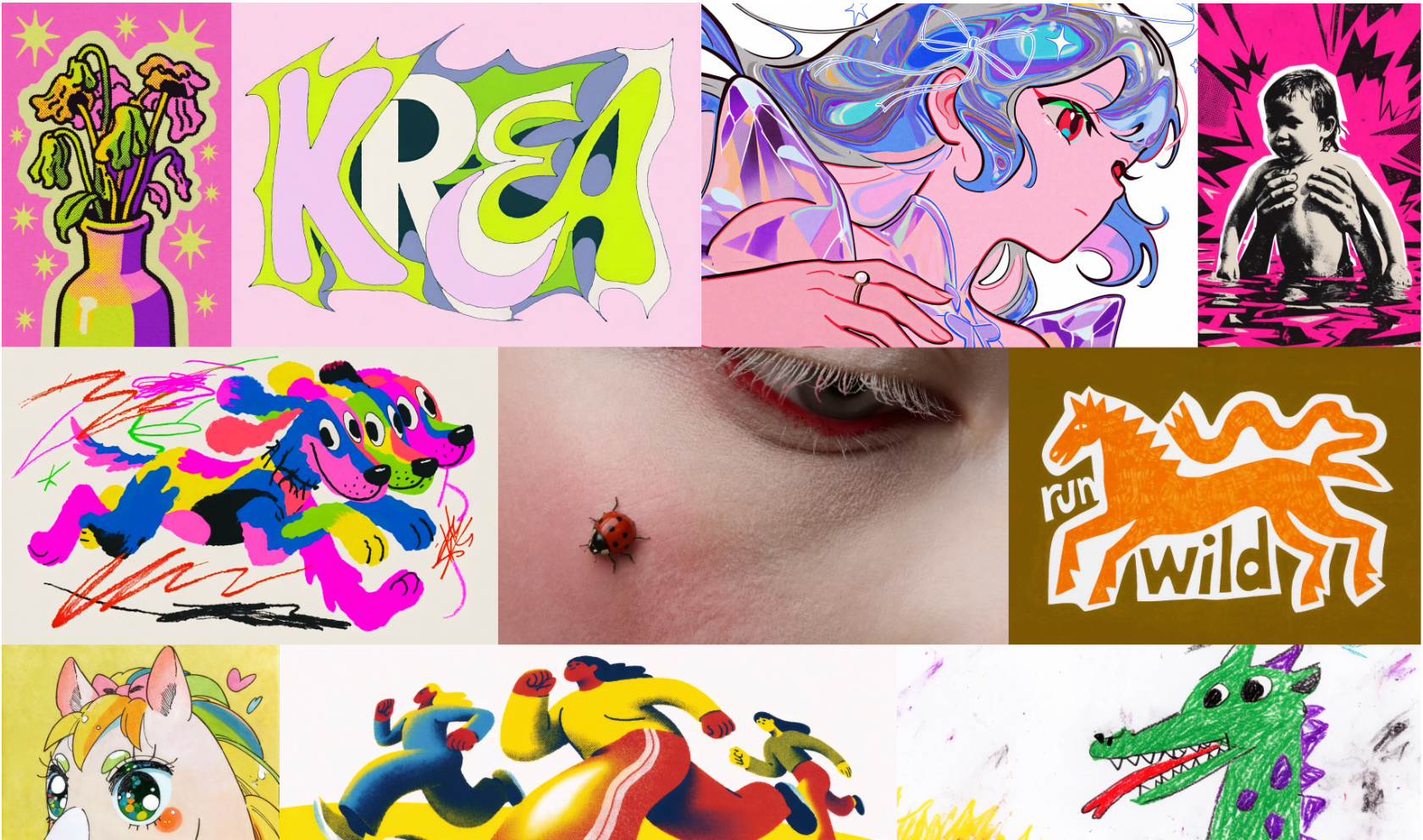
Krea 2's main features
-
Style Transfer: Upload one or more reference images, extract their visual style and apply it to a new image, support adjusting the influence strength of each reference image, and also mix multiple styles.
-
Moodboards: Upload a set of images sharing a creative direction, and Krea 2 can understand the overall color tone, texture, atmosphere, and compositional intent, outputting stylistically consistent results even with simple prompts.
-
Creativity: Four levels of control—Raw(strictly follows the prompt),Low(close to the prompt),Medium(balanced default),High(the model automatically adds aesthetic depth, composition, and visual richness).
-
Text-to-Image: Supports generating high-quality images from text prompts; the RAW model supports up to 1K resolution, and the Turbo model supports 1K~2K resolution.
-
Image-to-Image / Image Editing: With the Krea Edit feature, it supports region-level image editing, scene relighting, and Outpainting, without the need to regenerate the entire image.
-
LoRA Training and Inference: Train LoRA on the RAW base model and run inference on the Turbo distilled model to achieve fast, personalized style customization.
-
Krea Nodes Workflow: Describe the image processing flow in natural language, and the system automatically assembles the processing graph, with no need to manually configure complex parameters.

Follow WeChat and reply "Open Source" to join theAI Open Source Project Exchange Group
How to use Krea 2
-
Use directly on the web: Visit krea.ai, select the Krea 2 model in the interface, enter a text prompt, upload style reference images or Moodboards, adjust the Creativity parameter (Raw/Low/Medium/High), and click generate.
-
Local deployment (RAW model): Clone the GitHub repository
krea-ai/krea-2, runuv syncto install dependencies, download the RAW model weights and set theOSS_RAWenvironment variable, executeuv run inference.py "提示词" --checkpoint oss_raw --steps 52 --cfg 3.5, supporting up to 1K resolution. -
Local deployment (Turbo model): Download the Turbo model weights and set the
OSS_TURBOenvironment variable, executeuv run inference.py "提示词" --checkpoint oss_turbo --steps 8 --cfg 0.0 --mu 1.15 --width 2048 --height 2048, generating images quickly in 8 steps, supporting 1K~2K resolution. -
Use in ComfyUI: Import the Krea 2 model into a ComfyUI workflow, load the RAW or Turbo model node, and connect the prompt and sampler nodes for inference.
-
API Access: Access Krea 2 through API services from official partners such as Fal, and integrate it into your own applications or workflows.
-
LoRA Training and Inference: Use Hugging Face Diffusers, Ostris AI toolkit, Kohya (musubi tuner), or Fal to train LoRA on the RAW model. After training is complete, load the LoRA on the Turbo model for fast inference.
-
Style Transfer Workflow: Upload one or more style reference images, set the influence strength for each image, and enter a prompt. Krea 2 will automatically blend the reference styles into the new image.
-
Moodboards Creation: Upload a set of images that share a creative direction as a moodboard and enter a simple prompt. Krea 2 will generate stylistically consistent output based on the overall visual intent.
Krea 2 Official Website Address
- GitHub Repository:https://github.com/krea-ai/krea-2
Krea 2's Core Advantages
-
Industry-Leading Aesthetic Quality: Krea 2 is a model designed with an "aesthetics-first" approach. It ranks first among independent lab text-to-image models in the Artificial Analysis evaluation, and its output has editorial-grade visual quality.
-
Open-Source Dual-Model Architecture: It provides both RAW(an undistilled base model with extremely high plasticity) and Turbo(an 8-step distilled model that generates images in about 2 seconds), and the weights of both are fully open source.
-
Best Practice of RAW Training + Turbo Inference: Train LoRA on RAW and run inference on Turbo, balancing customization and generation speed. This is its unique workflow design.
-
Extremely Strong Style Transfer Capability: It supports uploading multiple reference images to extract and blend visual styles, and can also understand the collective creative intent of a group of images through Moodboards, enabling stylistically consistent batch output.
-
Removing the AI Feel: Compared with the "technically correct but visually bland" output of other models, Krea 2 feels more like a creative collaborator with aesthetic taste, and its generated results have less of an "AI feel."
-
Flexible and Controllable Creative Parameters: Four levels of Creativity adjustment (Raw/Low/Medium/High), from strictly following the prompt to allowing the model to autonomously add aesthetic depth, adapting to different creative needs.
-
Fast High-Resolution Generation: The Turbo model supports 1K~2K resolution output and requires only 8 sampling steps to achieve high quality.
-
Multi-Platform Ecosystem Support: Officially supports mainstream inference platforms such as ComfyUI, Fal, and SGLang, and provides a complete API and fine-tuning toolchain.
-
Region-Level Image Editing: Combined with the Krea Edit feature, it supports localized editing such as targeted modifications, relighting, and outpainting, without needing to regenerate the entire image.
Comparison of Krea 2 with Similar Competitors
| Comparison Dimension | Krea 2 | GPT Image 2 | Gemini Imagen 3 |
|---|---|---|---|
| Positioning | Aesthetics-first creative collaborator | Instruction-following precise generator | General-purpose high-quality image model |
| Core Advantages | Visual aesthetics, style transfer, creative control | Precise adherence to complex prompts, text rendering | Photorealism, clean and refined output |
| Prompt Adherence | Medium (leans toward artistic interpretation and will autonomously optimize composition) | Extremely high (word-for-word translation, strongest for multi-part complex instructions) | High (faithful to description, good natural language understanding) |
| Aesthetic quality | Very high (has aesthetic judgment, editorial-level warmth) | Good (technically excellent but rather cold, "correct but cold") | High (clean, refined, versatile) |
| Style transfer | Extremely strong (core advantage, supports Moodboards and multi-style mixing) | Good but not consistent enough, leans toward a polished style | Good but rather generic, lacks a distinctive personality |
| Photorealism | Medium (leans stylized, not a core goal) | Extremely high | Extremely high (arguably the strongest of the three) |
| Text rendering | Weak (short words are okay, long text is unstable) | Extremely strong (most reliable for labels, UI, and packaging text) | Medium (usable for short text, error-prone for long text) |
| Image consistency | High (strong stylistic consistency) | Extremely high (most reliable for complex scene structure) | High (clean and accurate, occasional multi-turn variation) |
| Open source/customizable | Fully open source(RAW + Turbo weights + inference code) | Closed source (API/ChatGPT access only) | Closed source (Google platform access only) |
| LoRA fine-tuning | Supported (RAW training, Turbo inference) | Not supported | Supported (Vertex AI Enterprise edition) |
| Generation speed | Turbo about 2 seconds/8 steps | 8~15 seconds/image | Standard version is slower, Flash version 5~10 seconds |
Krea 2's application scenarios
-
Creative studios and concept design: Rapidly explore visual directions, build Moodboards, and generate concept art and style references, helping teams align on aesthetic direction early in a project.
-
Marketing and advertising: Generate stylistically consistent editorial-level/commercial-level campaign assets, support batch output of brand visual tones, and reduce traditional shooting and post-production costs.
-
Fashion industry: Create Lookbooks and fashion editorial images, precisely control fabric texture, lighting atmosphere, and overall aesthetic style, and enable efficient iteration from concept to final image.
-
Architecture and spatial design: Conduct concept visualization, material studies, and rapid exploration of spatial composition, helping designers present renderings with various stylistic tendencies during the scheme phase.
-
Game development: Used for character design, scene concepts, worldbuilding, and prop design, maintaining visual consistency across the entire project through style transfer.
-
E-commerce and product display: Batch-generate high-quality product images with a consistent style, support rapid switching between different scenes, backgrounds, and styles, and enhance the visual appeal of products.