
What is Kolors Virtual Try-On
Kolors Virtual Try-On is an AI virtual clothing try-on tool developed by the Kuaishou Kwai Kolors team. Based on deep learning technology, it analyzes photos uploaded by users, intelligently adapts clothing, and generates realistic try-on effects. Users can quickly try on a variety of clothing styles online without actually changing clothes, greatly improving the online shopping experience. The tool supports personalized recommendations and is suitable for multiple scenarios such as fashion styling, content creation, and e-commerce marketing. The project is released on huggingface and can be experienced.
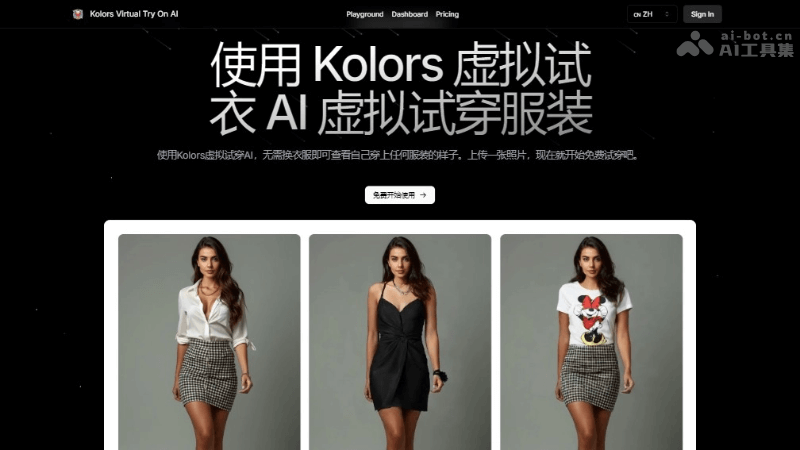
Main Features of Kolors Virtual Try-On
- AI Virtual Try-On: Users can upload their own photos, and AI technology automatically analyzes features such as body proportions, skin tone, and hairstyle in the photo, and "wears" the selected clothing on the user.
- Automatic adaptation to lighting and shadows: When generating the try-on effect, the system takes factors such as lighting and shadows into consideration to ensure that the display effect of the clothing in different environments is more realistic.
- Supports a variety of clothing and styles: The platform provides a variety of clothing styles and designs for users to choose from, meeting the personalized needs of different users.
- Quickly generate effect images: After users upload photos, the system can generate try-on effects within a few seconds, providing a fast fitting experience.
- Personalized try-on experience: Each try-on is based on the user's real appearance, and AI technology adjusts the clothing to fit the user's body curves, providing a personalized try-on effect.
Kolors Virtual Try-On Product Official Website
- Product Official Website:virtualtryon.net
- HuggingFace Online Experience:https://huggingface.co/spaces/Kwai-Kolors/Kolors-Virtual-Try-On
How to Use Kolors Virtual Try-On
- Visit the platform:Visit the Kolors Virtual Try-On product official website or the HuggingFace online experience platform.
- Upload a photo:Find the option to upload a photo on the platform and select a clear full-body or half-body photo. This photo serves as the basis for the try-on. It is recommended to choose an image with good lighting and a simple background.
- Choose clothing:Select the clothing you want to try on from the clothing library provided by the platform. This may include different styles, colors, and sizes.
- Adjust settings:Adjust any additional settings as needed, such as the color or size of the clothing, or the lighting and background of the try-on scene.
- Generate the try-on effect:After selecting the clothing and adjusting the settings, click the generate or try-on button. The AI system will process the image and the selected clothing to generate the try-on effect.
Application Scenarios of Kolors Virtual Try-On
- Online shopping: Consumers can use the virtual try-on feature on e-commerce platforms to try on different clothing, which helps improve purchase satisfaction and reduce returns and exchanges caused by unsuitable sizes or styles.
- Fashion styling: Fashion enthusiasts and individual users can try different clothing combinations at home, explore and discover styles that suit them, without having to go to physical stores.
- Social media content creation: Bloggers, influencers, and content creators can use the virtual try-on tool to quickly generate diverse clothing display images or videos for social media platforms, increasing fan interaction and content appeal.
- E-commerce platforms enhance user experience: E-commerce platforms can integrate virtual fitting services to enhance the user shopping experience, increase user stickiness, and improve conversion rates.