
What is KoalaQA
KoalaQA is an open-source after-sales service community driven by large AI models, supporting intelligent Q&A, semantic search, and automated operations. KoalaQA helps teams achieve 24/7 service, significantly reducing labor costs, improving customer satisfaction and response efficiency, and helping achieve the goal of zero-contact resolution (ZCR). KoalaQA is suitable for scenarios such as after-sales customer service, product Q&A, and requirement feedback. Through knowledge base management and AI-assisted creation, it further optimizes the user experience.
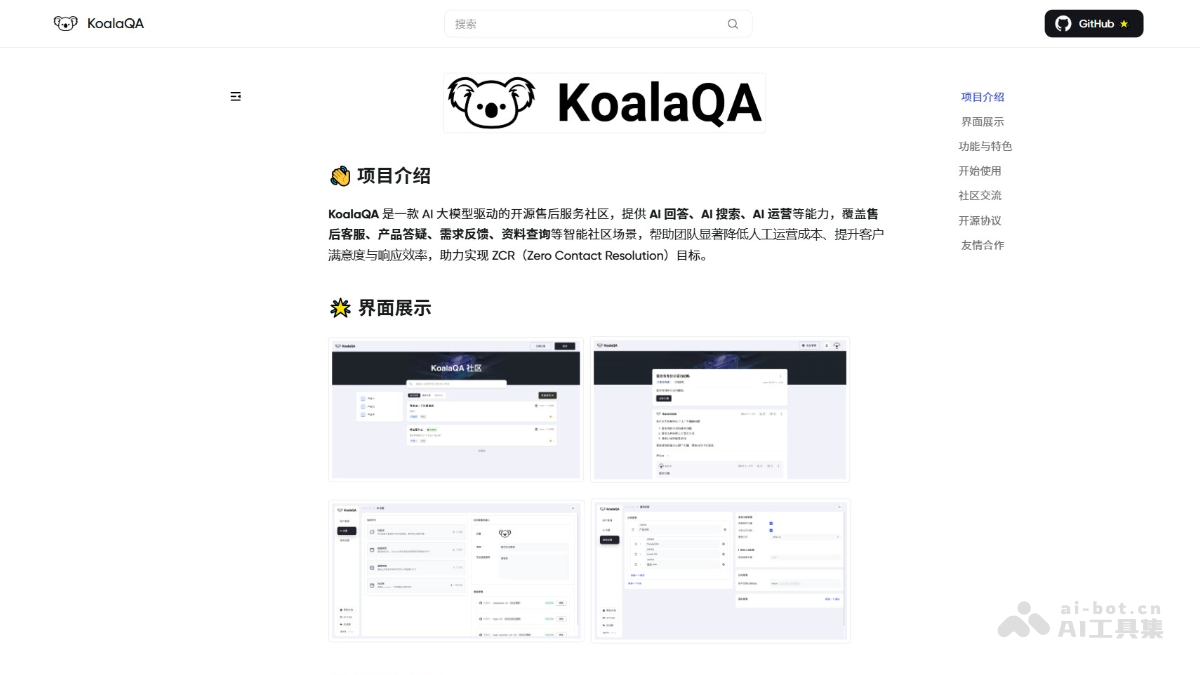
Main features of KoalaQA
- AI intelligent answering: Answers user questions in real time based on large models, provides highly accurate replies combined with the knowledge base, and supports seamless transfer to human agents.
- AI automated operations: Automatically extracts standardized knowledge entries from high-quality Q&A, generates operational content, and reduces labor costs.
- AI semantic search: Quickly matches relevant answers based on semantic understanding, improving search hit rate and user experience.
- AI-assisted creation: Automatically generates materials such as FAQs based on historical content and accepted answers, helping teams quickly organize the knowledge base.
- Knowledge base management: AI retrieves relevant content from the knowledge base, ensuring answers are accurate and within knowledge boundaries, and supports continuous optimization.
- Open source and extensibility: Based on the AGPL-3.0 open-source license, it supports free use, modification, and distribution, and also supports integration with multiple AI models for flexible feature expansion.
How to use KoalaQA
- Install KoalaQA: On a Linux system supporting Docker 20.x or above, log in to the server with root privileges, run the installation command, and complete the installation by following the prompts.
- Access KoalaQA: After installation is complete, log in to the KoalaQA console through a browser using the access address, username, and password output in the terminal.
- Configure the access address and large model: Enter the admin panel, configure the user access address, and integrate an AI large model. It is recommended to use the Baizhi Cloud Model Plaza.
- Import knowledge for learning: Import knowledge base content in AI settings in the admin panel, and the large model will automatically learn the knowledge to answer user questions.
- Access the community for use: After completing the above steps, start using KoalaQA, continuously improve the knowledge base, and configure community login and registration methods and dynamic notification reminders.
KoalaQA project address
- Project website:https://koalaqa.docs.baizhi.cloud/
- GitHub repository:https://github.com/chaitin/KoalaQA
KoalaQA application scenarios
- After-sales customer service: Provides users with round-the-clock online customer service support, quickly responds to common questions, and reduces labor costs.
- Product Q&A: Provides detailed product information and usage guides, and quickly matches answers through semantic search, improving the user experience.
- Requirement feedback: Collects user requirements and feedback, automatically classifies and prioritizes them, and helps teams optimize products and services.
- Information lookup: Supports uploading and managing documents, quickly locates content through intelligent search, and promotes team knowledge sharing.
- Community operations: Automatically generates operational content such as FAQs, promotes user interaction, and increases community activity.