
What is Zhizhou AI Notes
Zhizhou AI Notes is a multi-functional local AI note-taking app, a lightweight local Markdown note-taking software, and an AI assistant; AI continuation; AI one-click generation of copy such as Xiaohongshu papers/outlines/competitive analysis. It supports Markdown syntax and provides real-time editing preview, ensuring convenient and intuitive note editing. All data is stored locally, ensuring data security and privacy. Zhizhou AI Notes supports preview of multiple file formats, including PDF, Word, etc., meeting different reading needs. The AI assistant feature provides intelligent writing assistance and improves writing efficiency. The software is completely free and easy to get started with, making it a capable assistant for knowledge management and daily recording.
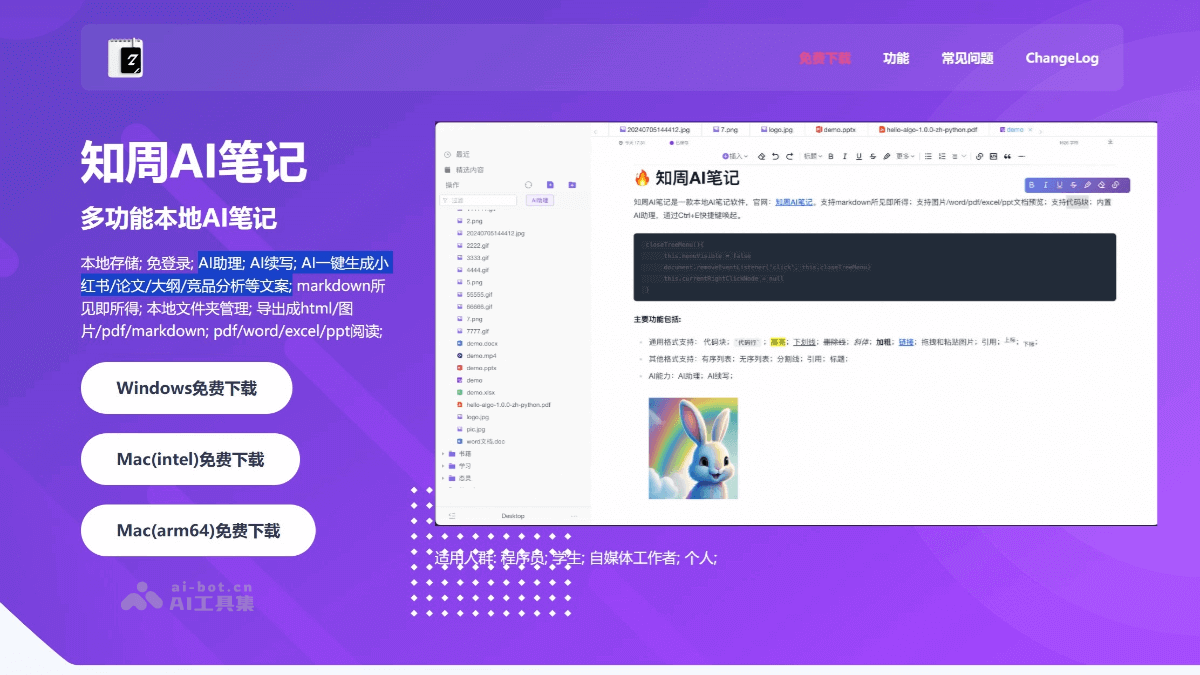
Main features of Zhizhou AI Notes
- Markdown editing and preview: Supports Markdown syntax and provides real-time editing preview, making it convenient for users to quickly record and format notes.
- Local data storage: All note data is stored locally, with no need for cloud synchronization, protecting user privacy and data security.
- Multi-format file preview: Supports file preview of formats such as PDF, Word, Excel, PPT, and images, allowing content to be viewed without opening other software.
- AI assistant feature: Provides intelligent writing assistance, including automatic continuation, assisted writing, and question consultation, improving writing efficiency. Use the shortcut key Ctrl+E to quickly open the AI assistant.
- Free to use: The software is completely free, and users can use the core features without barriers.
- Note management: Supports creation, editing, deletion, and category management of notes, making it convenient for users to organize and retrieve notes.
- Editing multiple notes simultaneously: Supports users opening multiple notes simultaneously in one interface, making comparison and reference convenient.
- Export function: Supports exporting notes to multiple formats such as PDF, long images, HTML, and Markdown.
How to use Zhizhou AI Notes
- Download and installation: Visit theofficial websiteof Zhizhou AI Notes and download the software installation package. Follow the prompts to complete the software installation process.
- Create a note: Find the "New Note" or similar button in the software interface, and click it to create a new Markdown note file. You can directly start entering text and use Markdown syntax to format the note.
- Edit a note: Enter content in the editing area and use Markdown syntax to organize the text, such as bold, italics, creating lists, inserting links, etc. You can view the final presentation effect of the note in real time.
- File preview: If you need to view files in other formats, you can open them directly in Zhizhou AI Notes, which supports preview of multiple file formats.
- Use the AI assistant: Bring up the AI assistant feature through the shortcut key (Ctrl+E). Use the AI assistant for automatic continuation, assisted writing, or question consultation.
- Manage notes: Through the file management function in the software interface, perform operations such as categorizing, moving, and deleting notes. Create folders to organize notes for different topics or projects.
- Export notes: After completing a note, you can choose the export function to save the note as a PDF, image, HTML, or Markdown file.
Application scenarios of Zhizhou AI Notes
- Programmers: Programmers can use Zhizhou AI Notes to record code snippets, technical documents, and development notes, leveraging the efficiency of Markdown syntax to organize and write technical content.
- Students: Students can use Zhizhou AI Notes to organize class notes, summarize study materials, and write papers. The AI assistant feature can help students improve efficiency in writing and organizing materials.
- Self-media workers: Self-media personnel can use Zhizhou AI Notes to write articles, plan content, and edit copy. The multi-format file preview feature makes content management more convenient.
- Individual users: For individual users, Zhizhou AI Notes can serve as a tool for daily notes, diary entries, life planning, and personal knowledge management. The local storage feature ensures data security and privacy.
- Immersive writing: Zhizhou AI Notes provides real-time Markdown editing preview, suitable for users who need immersive writing, such as writers and editors, and can improve writing fluency and immersion.