
What is Kling 2.5 Turbo
Kling 2.5 Turbo isKlingThe latest launched by the teamAI video generationmodel, achieving significant upgrades and optimizations in multiple aspects. Performance improvement is one of its core highlights. The model can better understand complex causal relationships and temporal sequence instructions, generating smoother and more natural video actions with more stable camera movement. It also performs excellently in style consistency, maintaining a high degree of consistency in color, lighting, and brushstroke texture during the video generation process. Cost reduction is also a major advantage of 2.5 Turbo. In high-quality mode, the cost of generating a 5-second video has dropped from 35 credits in version 2.1 to 25 credits, greatly improving cost-effectiveness, allowing more users to experience high-quality AI video generation services at a lower cost. In comparisons with top-tier CG works, Kling 2.5 Turbo can already reach or even surpass CG levels in certain scenarios, especially in dynamic previews, providing a more efficient and faster solution for CG production.
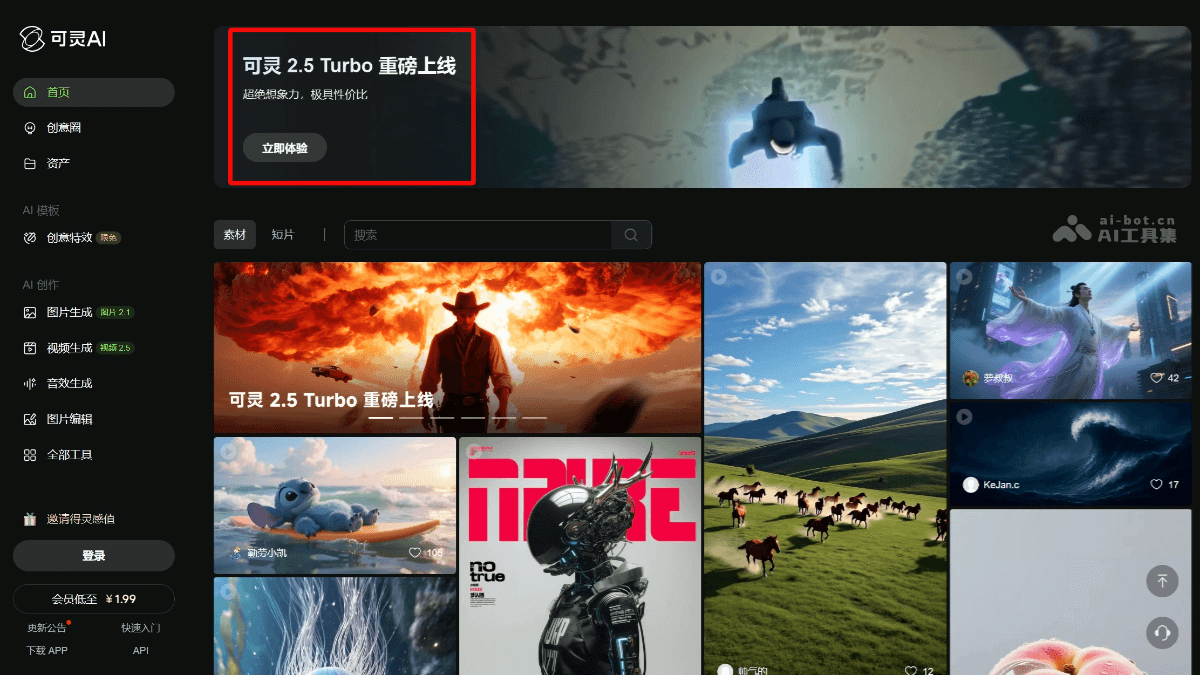
Main features of Kling 2.5 Turbo
-
Complex instruction understanding: Can accurately understand instructions containing complex causal relationships and temporal sequences, generating logically consistent video content.
-
High-quality dynamic effects: Performs excellently in high-speed dynamic video generation, with smooth and stable actions and natural camera movement, suitable for action scenes and complex shots.
-
Style consistency maintenance: When generating videos, it can maintain a high degree of style consistency, including color, lighting, and brushstroke texture, suitable for video creation in various styles.
-
Cost optimization: In high-quality mode, the cost of generating a 5-second video has dropped from 35 credits in version 2.1 to 25 credits, offering better cost-effectiveness.
-
Multi-style conversion: Supports smooth conversion between different styles, such as from CG style to cel style, and then to artistic painting style, meeting diverse creative needs.
-
Temporal change processing: Can handle complex temporal changes, such as dynamic changes in character clothing, with natural and smooth action transitions.
-
Dynamic preview support: In the CG production process, it can be used as a dynamic preview tool to quickly generate dynamic effects and improve creative efficiency.
-
Physical logic understanding: Begins to understand the physical logic behind actions, such as imbalance recovery and deformation compensation, generating video content that better conforms to real-world physical rules.
How to use Kling 2.5 Turbo
-
Visit the platform: Log in toKling AI's official website (app.klingai.com) and enter the 2.5 Turbo model interface.
-
Enter prompt: Enter a detailed descriptive prompt in the text box, clearly specifying the video content, style, actions, camera movement, and other requirements.
-
Select mode: Choose the video generation mode according to your needs, such as high-quality mode or standard mode.
-
Upload first frame image(optional): If needed, upload a first frame image as the starting point for video generation to help the model better understand the scene.
-
Adjust parameters: Adjust parameters such as video length, resolution, and frame rate as needed.
-
Submit generation: Click the generate button, and the model will start generating a video based on the input prompt and parameters.
-
View results: After generation is complete, view the generated video and check whether it meets expectations.
-
Optimize and adjust: If needed, adjust the prompt or parameters based on the generated results and regenerate to achieve better results.
-
Download and save: Once satisfied with the generated video, download and save it locally for further editing or use.
Application scenarios of Kling 2.5 Turbo
-
Film and television production: Used to generate film and television special effects, animated clips, trailers, etc., quickly generate dynamic previews, and improve creative efficiency.
-
Advertising and marketing: Create creative advertising videos, quickly generate advertising content in different styles and scenarios, and reduce production costs.
-
Game development: Generate cutscenes, character actions, environmental effects, etc. in games to enhance the game's visual effects.
-
Education: Create educational videos, such as science experiment demonstrations, historical event recreations, etc., to enhance the interest and intuitiveness of teaching.
-
Social media: Create short video content for social media platforms, such as animated stories, creative short films, etc., to attract user attention.
-
Artistic creation: Artists can use it to generate videos in artistic styles and explore new forms of artistic expression.