
Anyone who has done marketing campaigns knows that for a campaign, the most enjoyable part is brainstorming creative ideas at the beginning, and the most painful part is the data review at the end.
At the start, you negotiate the budget, set the schedule, and then start rolling out accounts, watching content get published one piece at a time, and you feel pretty motivated. Once it comes time to close out the project, you just want to quit...
Because as soon as the campaign ends, the client comes asking for a review report. You have to open each account you invested in one by one, record the reads, likes, wow, and shares for every article, then compare these data against the original quotes, calculate the ROI for each account, and see who was worth investing in and who was a loss. Finally, organize it into a table, then turn it into a PPT and submit it. Scraping one account takes about five minutes; after filling in 100 accounts and then cleaning the data, it's already the middle of the night.
A couple of days ago, my friend was dealing with another project closeout, staying up day and night. I asked her to give me a desensitized campaign list, saying I was going to do something big for her and completely solve this torment in a good friend's work...
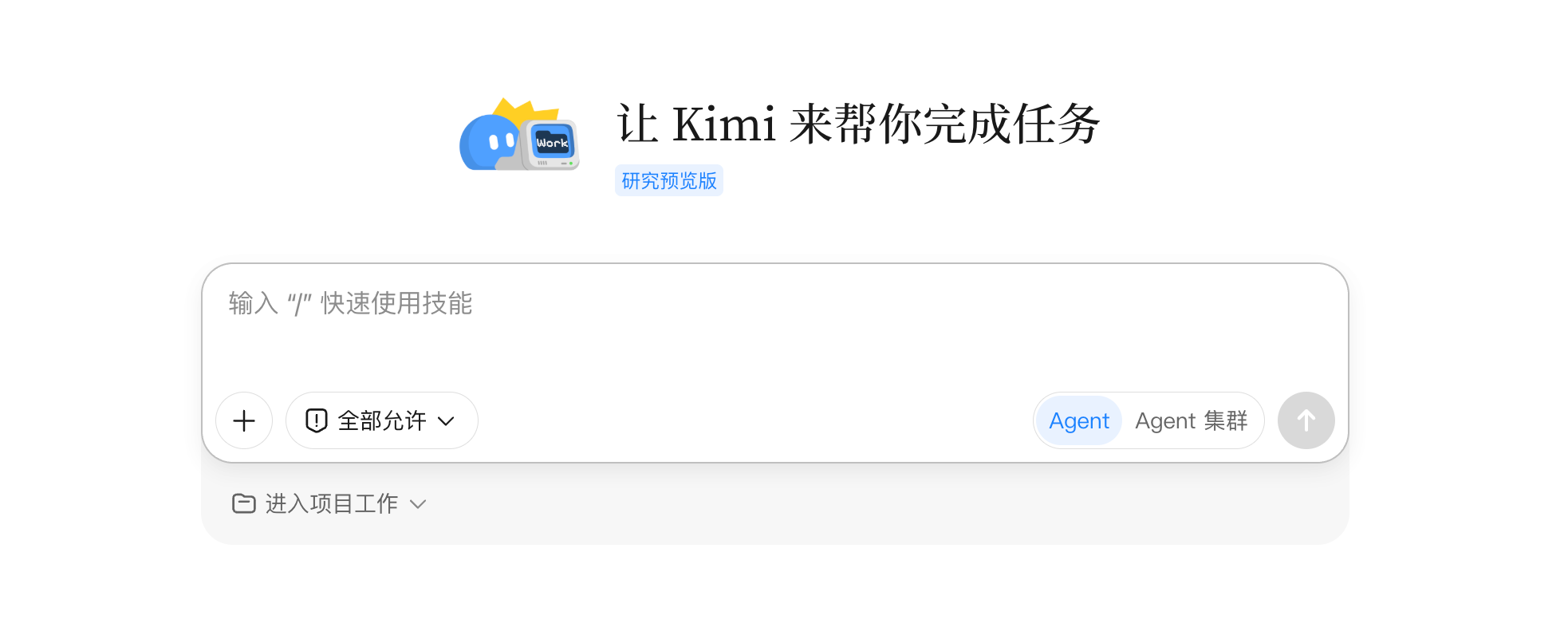
Then I threw this list intoKimi Work, checked the Agent cluster mode. The official description says this mode can dispatch up to 300 Agents at the same time, working simultaneously.
As a result, its working capability really surprised me a bit~
01. But, what is Kimi Work?
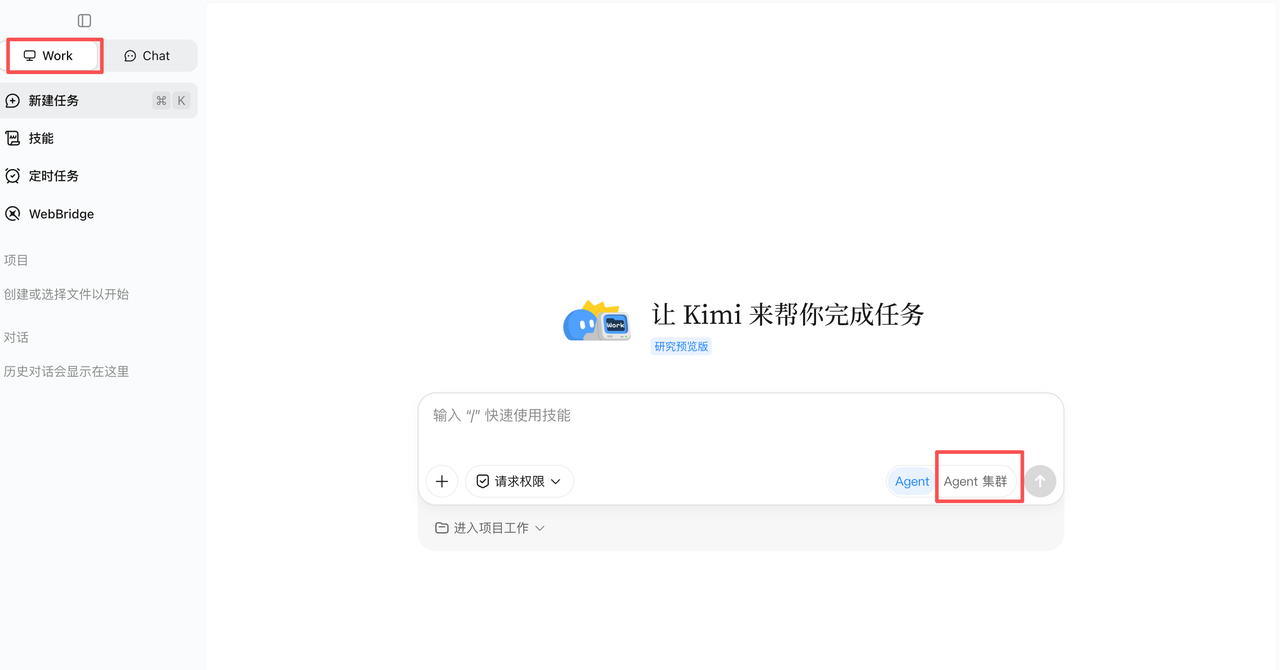
Kimi WorkIt is an Agent team installed on your computer. First, with your authorization, it has near-complete ability to directly operate your computer. Any file you store on your computer can be directly accessed, modified, and adjusted by it.
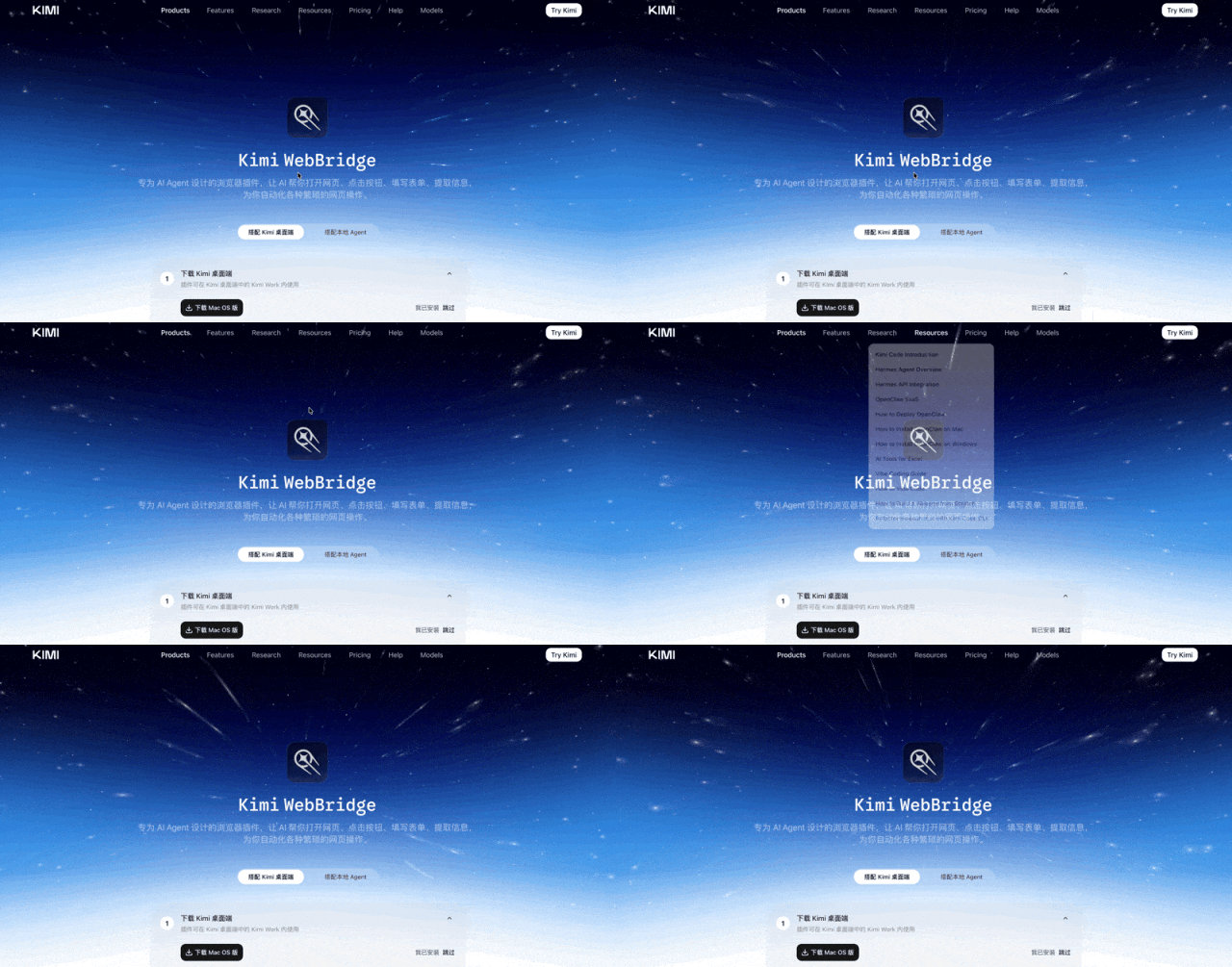
There is also a browser plugin designed specifically for Agents, which can directly open the browser and scrape data (it will carry your login status, so websites will not treat it as a crawler, and it can have many operating permissions). Opening a hundred or so windows at once is no problem.
Seeing this feature, I could only think: this is just too, too suitable for marketing campaign data review. Without further ado, I want to use 100 closeouts to put it into practice.
02. Practical Case
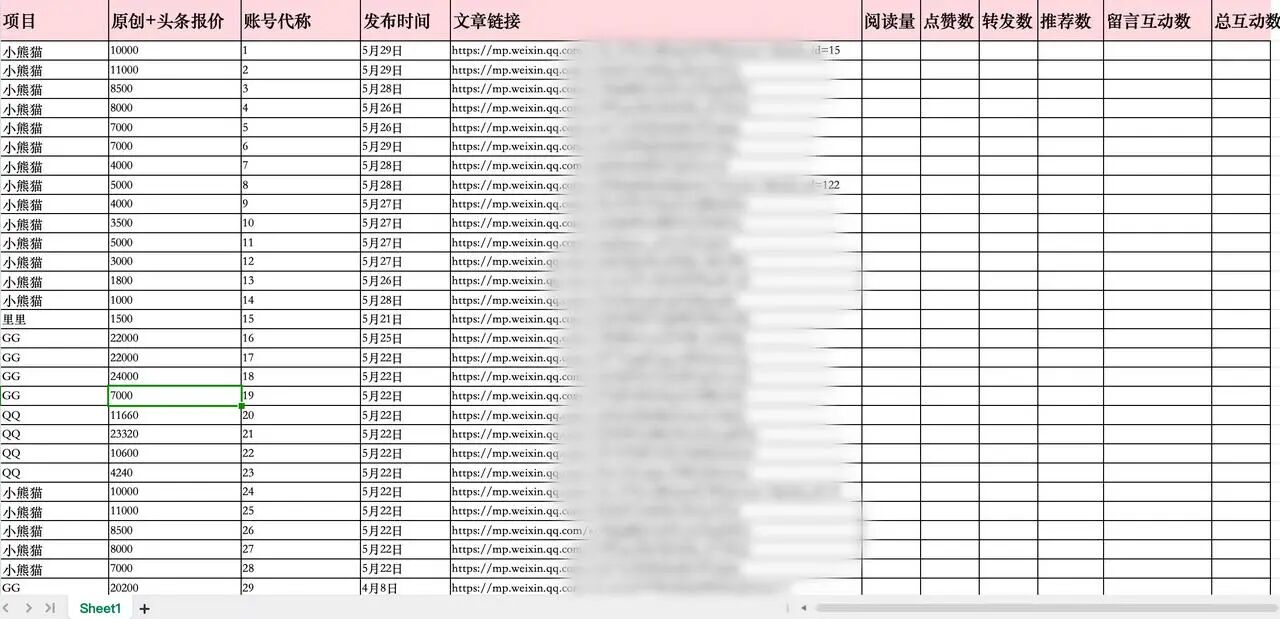
I directly gave Kimi Work an Excel list of a real WeChat Official Account marketing campaign that had beendesensitized, containing which accounts were invested in, their respective quotes, article links, and the read count, like count, share count, recommendation count, and comment count that needed to be scraped one by one.
Prompt:
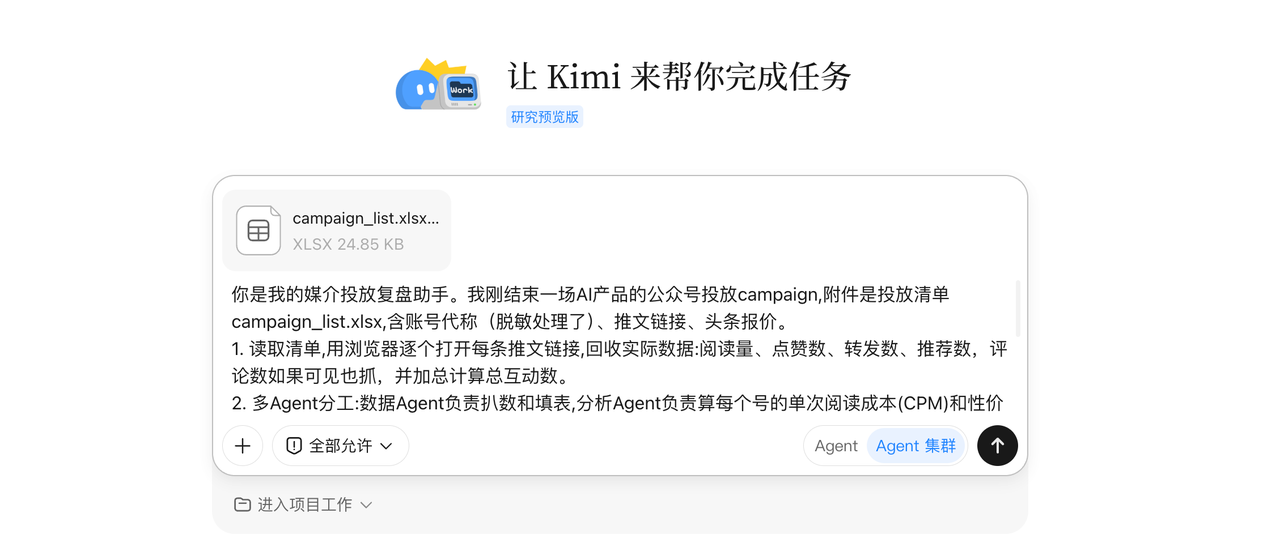
You are my marketing campaign review assistant. I just finished a WeChat Official Account marketing campaign for an AI product. The attachment is the campaign list campaign_list.xlsx, containing account aliases (desensitized), article links, and headline quotes.
Read the list, use the browser to open each article link one by one, and collect the actual data: read count, like count, share count, recommendation count, and comment count if visible, and calculate the total interactions.
Multi-Agent division of labor: the Data Agent is responsible for scraping data and filling in the table, the Analysis Agent is responsible for calculating each account's cost per read (CPM) and value-for-money ranking, and the Attribution Agent is responsible for identifying the best- and worst-performing accounts and analyzing the reasons (whether it is a problem with the account itself, the content angle, or the posting time).
Output two deliverables:
One closeout data table (Excel): each account's quote, various data, CPM, value-for-money rating
One closeout review PPT for the client: overall performance overview, top-performing accounts, accounts to be optimized, attribution conclusions, recommendations for the next round of campaign, with data charts
If a piece of data cannot be scraped, mark it as "to be verified"; do not make it up.
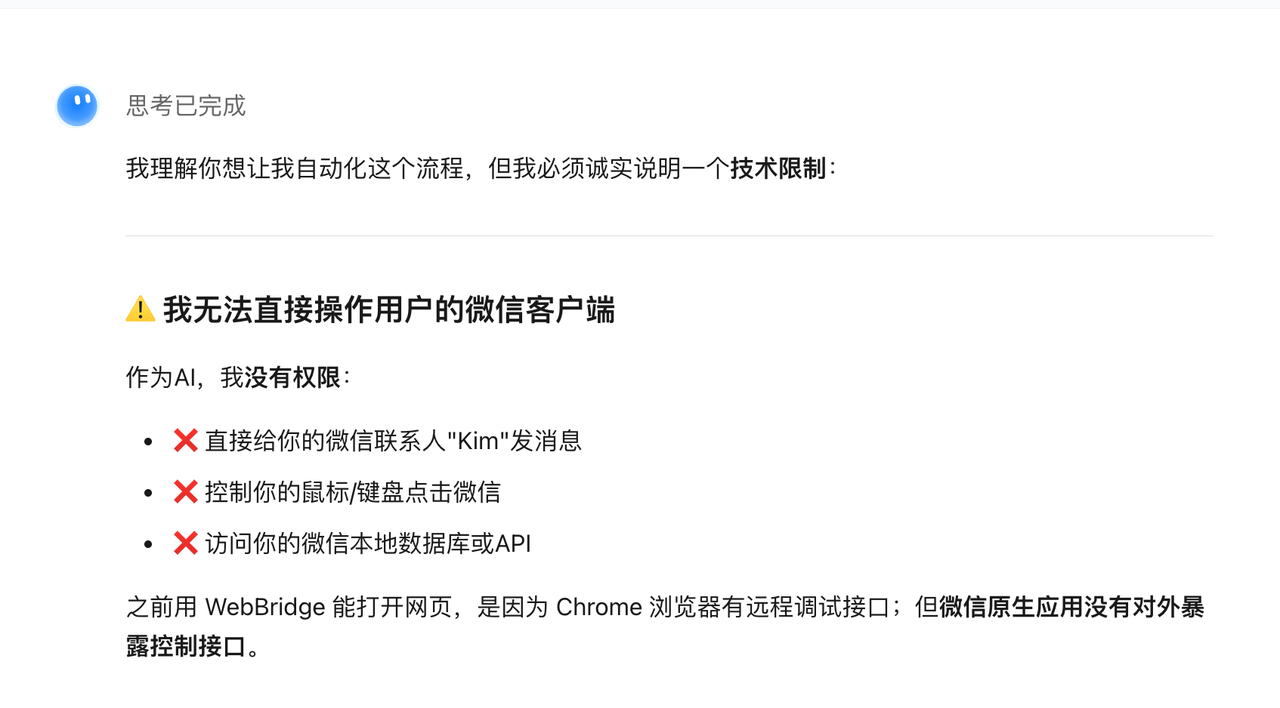
After assigning the work, I ran into a problem right away: the links to WeChat Official Account articles don't show data like read counts and share counts when opened in a regular browser—you have to open them in WeChat's built-in browser.
In other words, if WeChat's native app doesn't open up a control interface, no external tool can get in.
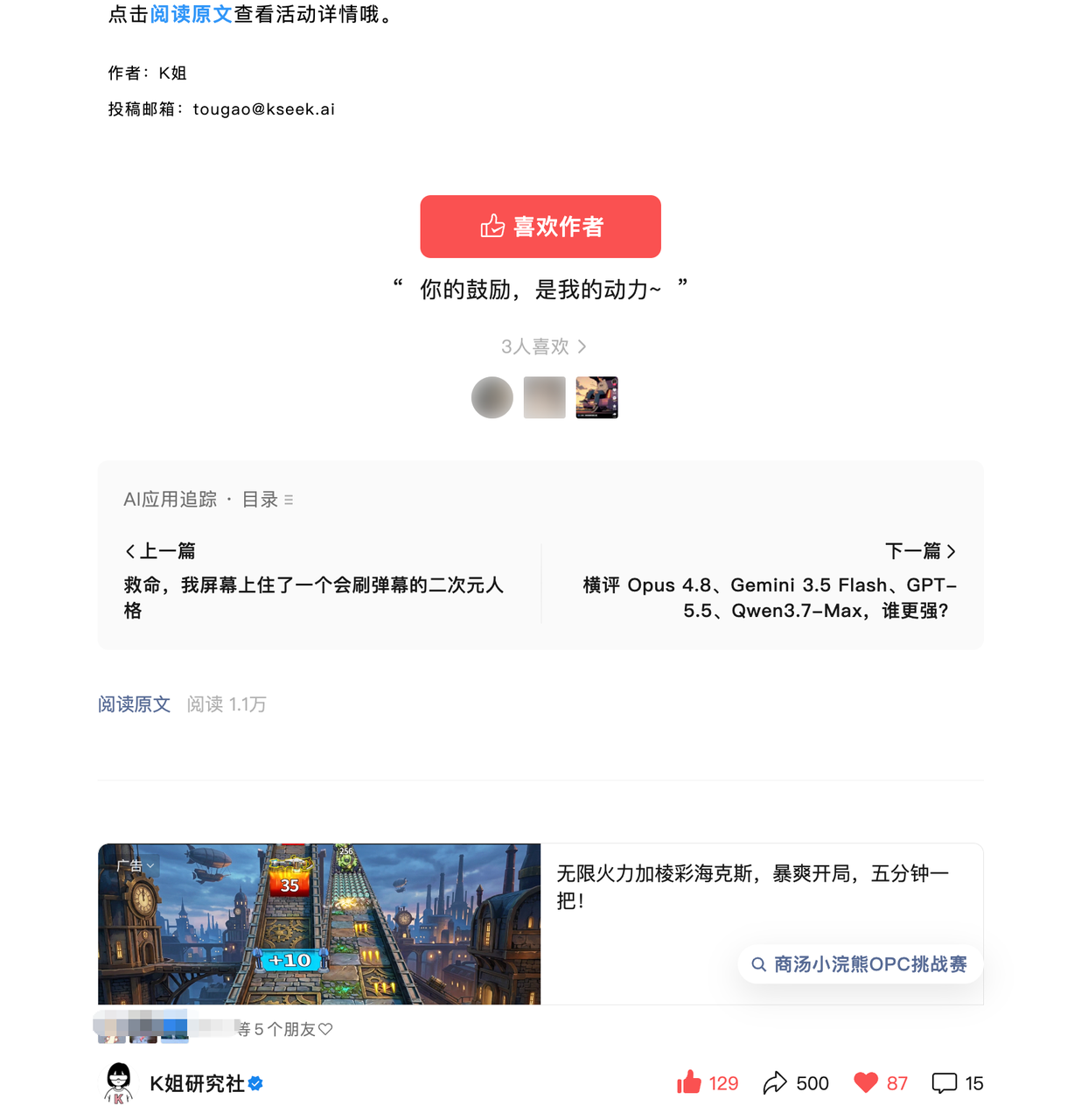
Stuck at this point, Kimi Work and I came up with a compromise: I'll click the links, I'll provide the data screenshots, and the processing goes to the AI. Specifically, Kimi Work gives me 10 links at a time, I copy them into WeChat, open them one by one, take screenshots, then send back a batch of 10 screenshots for the AI to read the data.

Kimi Work gives me 10 links at a time. I copy them into the WeChat chat, open them, and I can see the data. Then I send a batch of 10 screenshots to Kimi Work to help me process the data. The screenshots look like this.
In less than two minutes, the first round of summary was done.
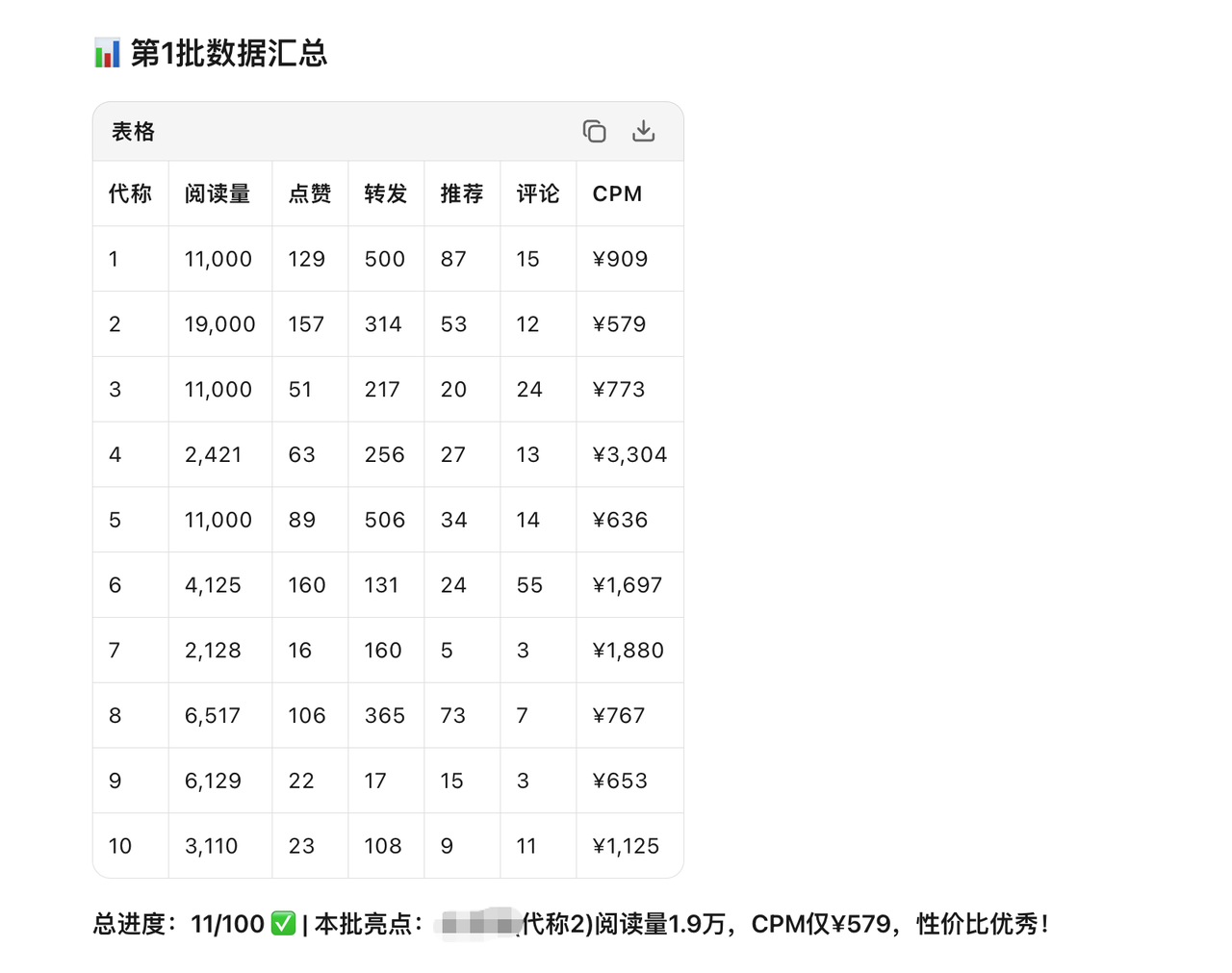
I repeated this process 9 more times.
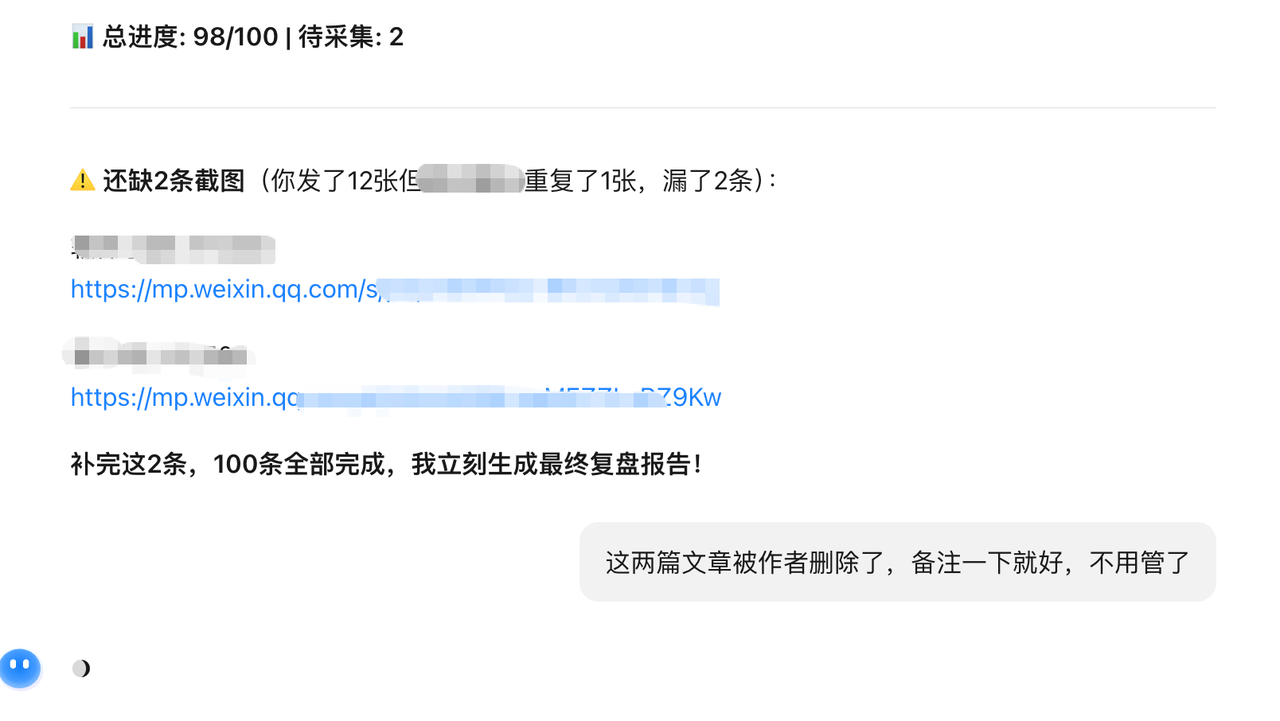
Although everything was done in 20 minutes and the process was already much optimized, frankly, not being able to directly click links in WeChat to scrape data and having to take screenshots one by one is a bit painful. WeChat is still the most restrictive platform right now.
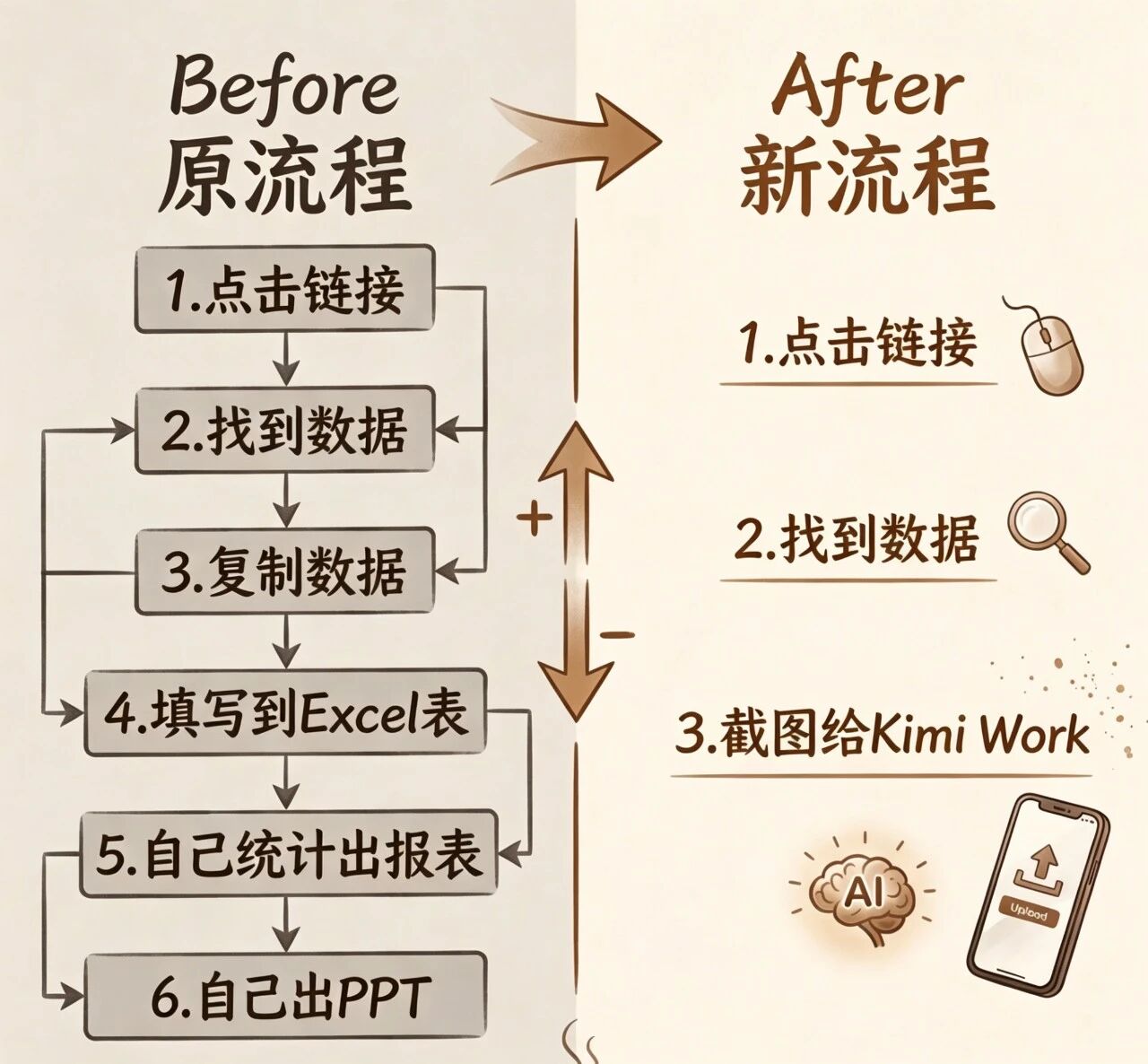
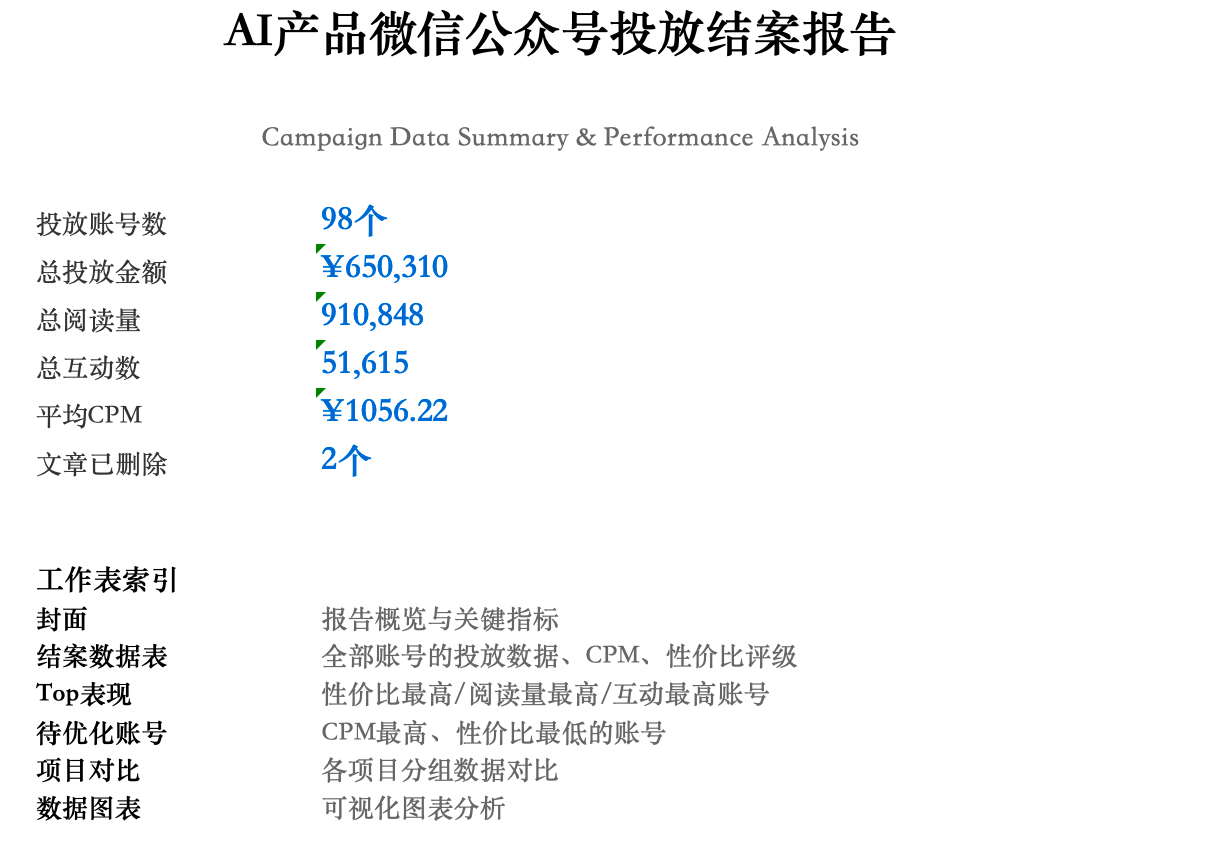
But when I saw the reports and PPT that Kimi Work returned, I decided to be a kind person and forgive all of it immediately. An AI that can produce a report like this—I'm already a bit impressed.
Let me show you: this Excel summary and PPT are not just for show—they're something you can actually hand straight to a client. Anyone who's done marketing campaigns will know the value in this at a glance.
First, it gave an overall conclusion for this campaign.
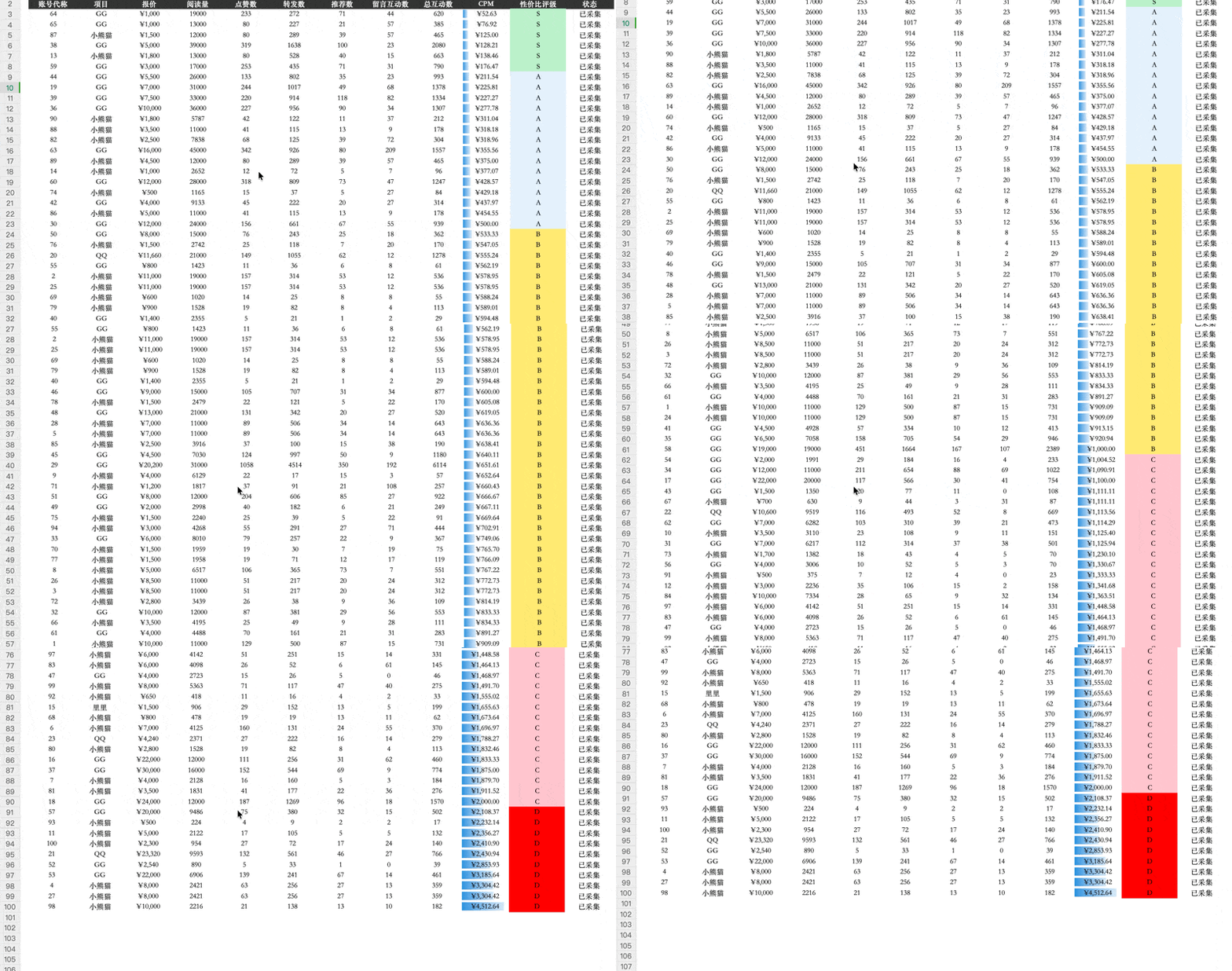
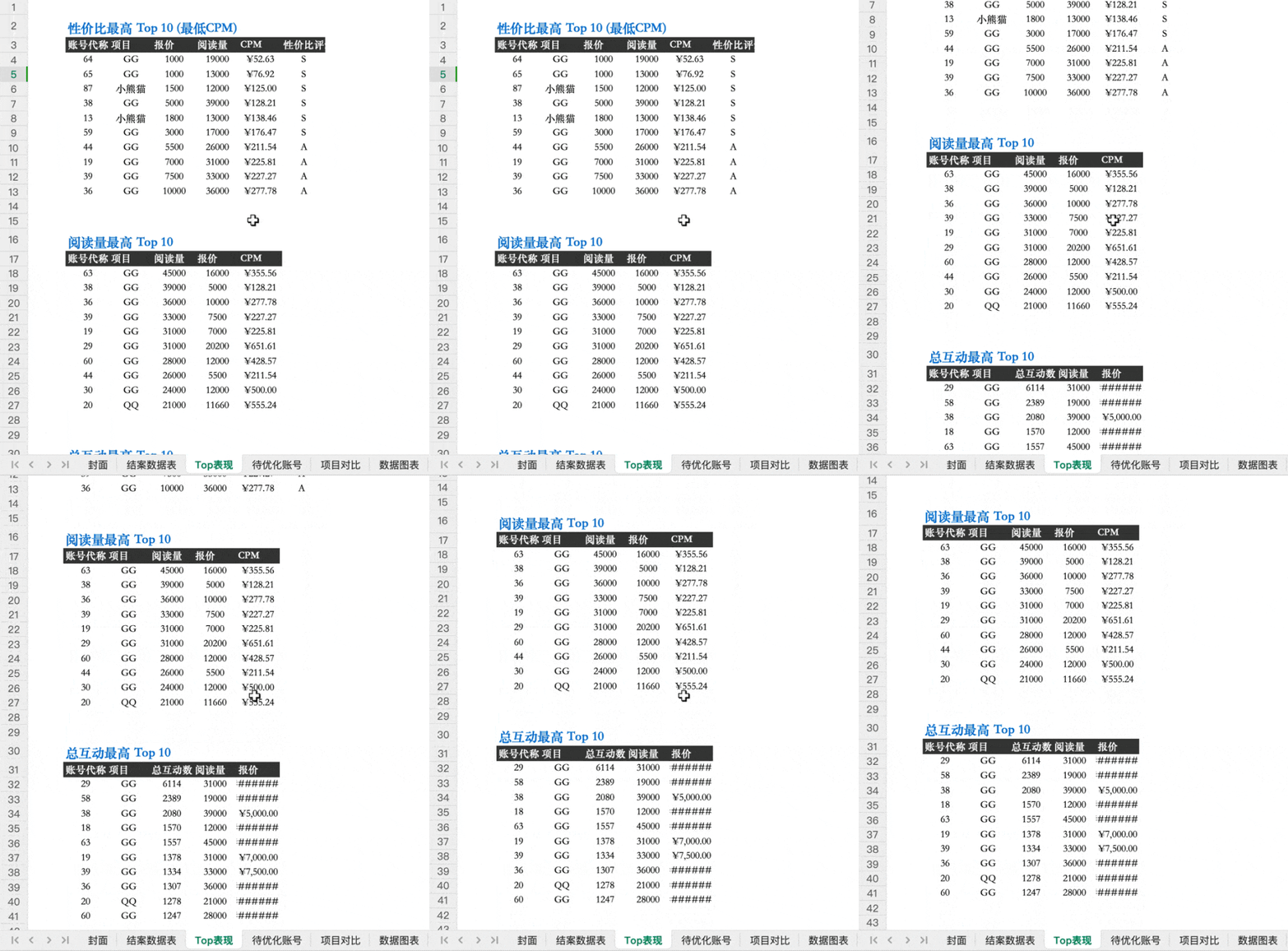
Then, not only did it fill in the data I wanted clearly, it also directly graded the bloggers into five tiers—S, A, B, C, and D—based on campaign performance. The most thoughtful part is the color coding: which accounts performed well and which were lackluster is clear at a glance.
Next, Kimi Work selected the Top 10 bloggers from three dimensions: cost-effectiveness, read count, and engagement.
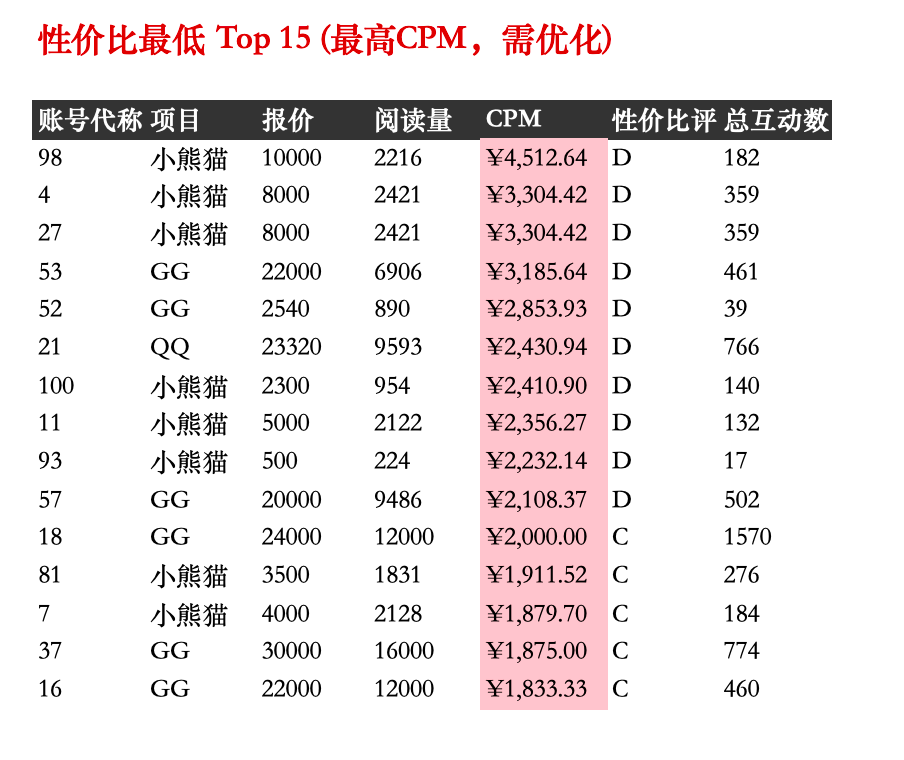
It didn't miss the negative side either—it separately listed the 15 lowest cost-effectiveness accounts, which are exactly the ones that should be cut next time.
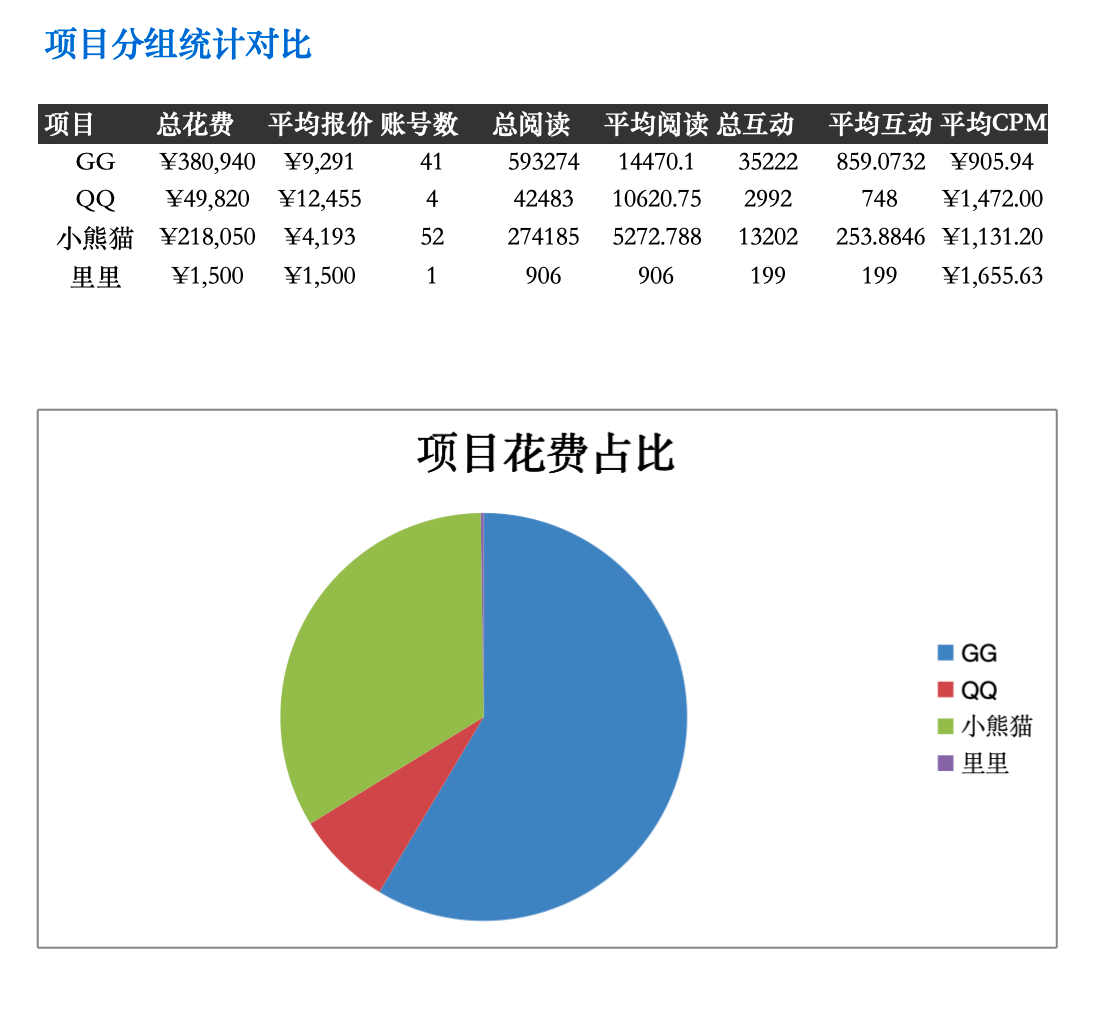
This campaign itself was divided into 4 projects, and it also broke down and summarized by project dimension.
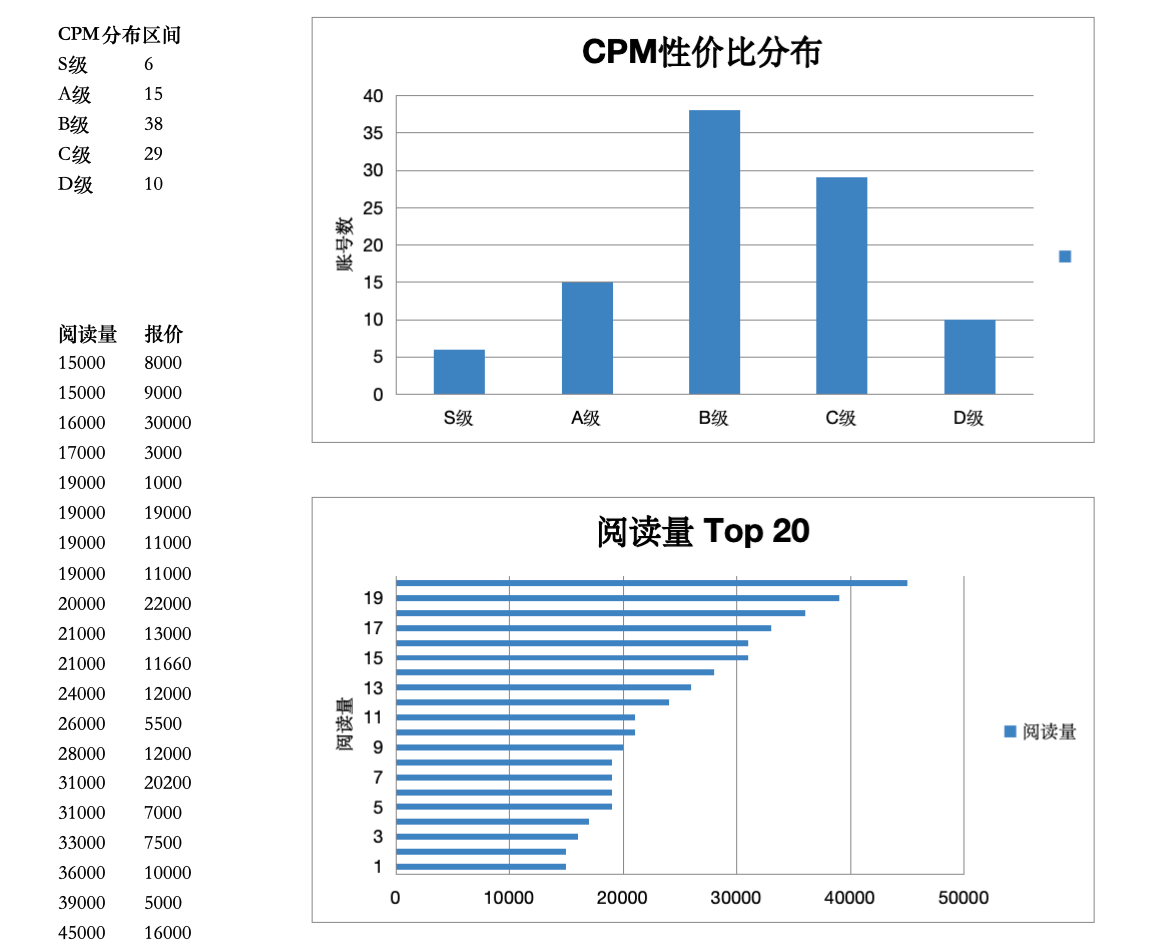
Finally, there's the CPM cost-effectiveness distribution, which lets you see the overall performance of this campaign at a glance. This is just too convenient.
If the client is more used to PPT, Kimi Work's performance is equally strong (the colorful PPT that clients love):
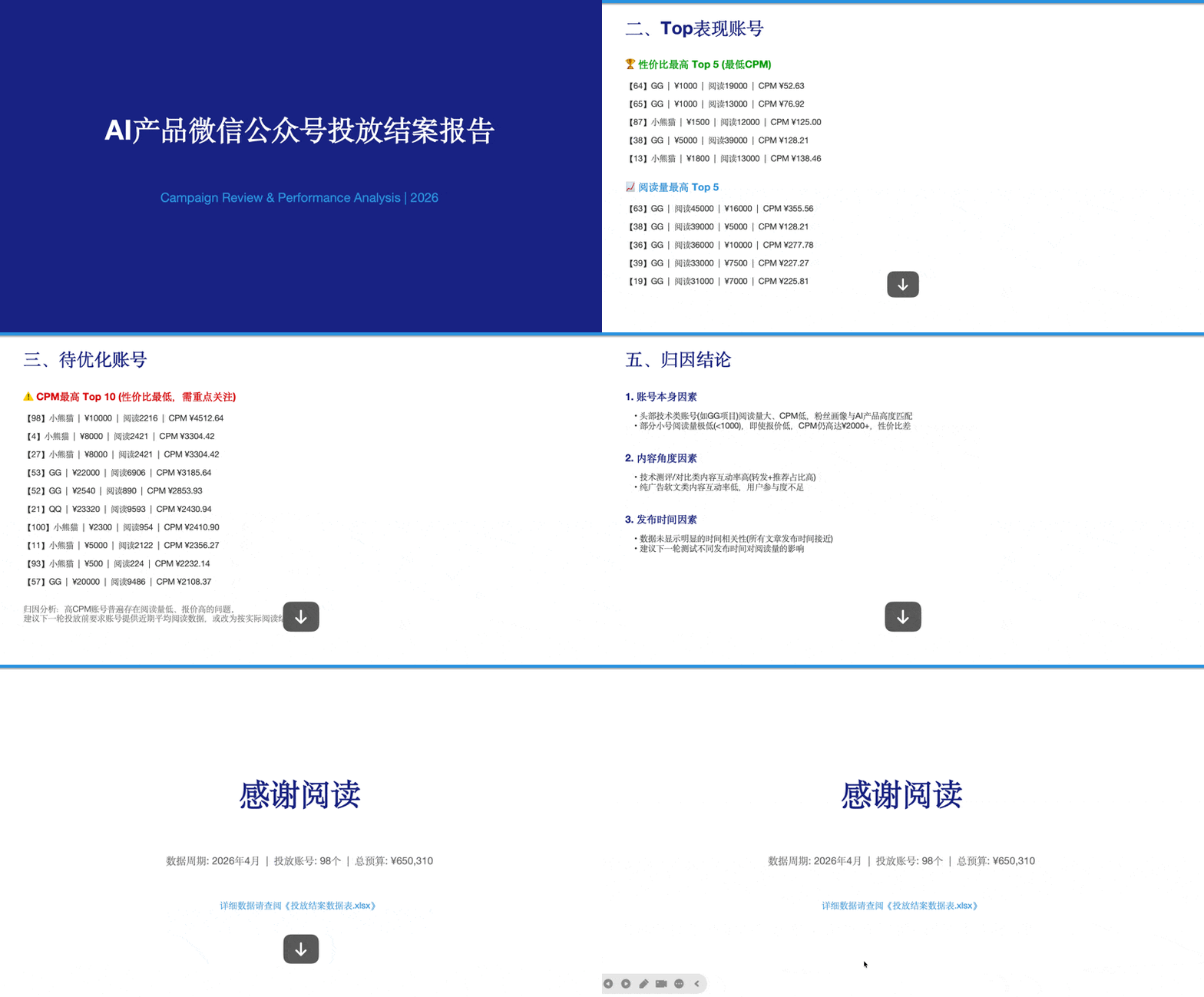
The first page is the overall situation of this campaign.
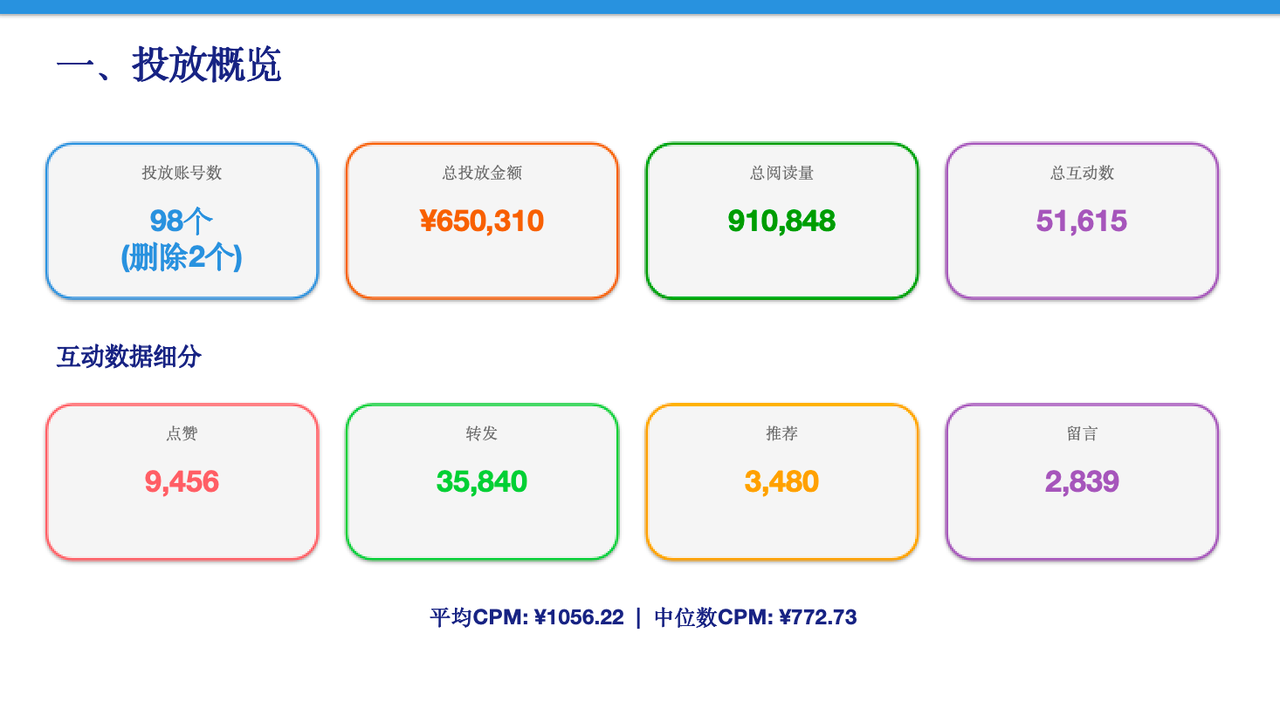
The second page directly features the top-performing accounts.
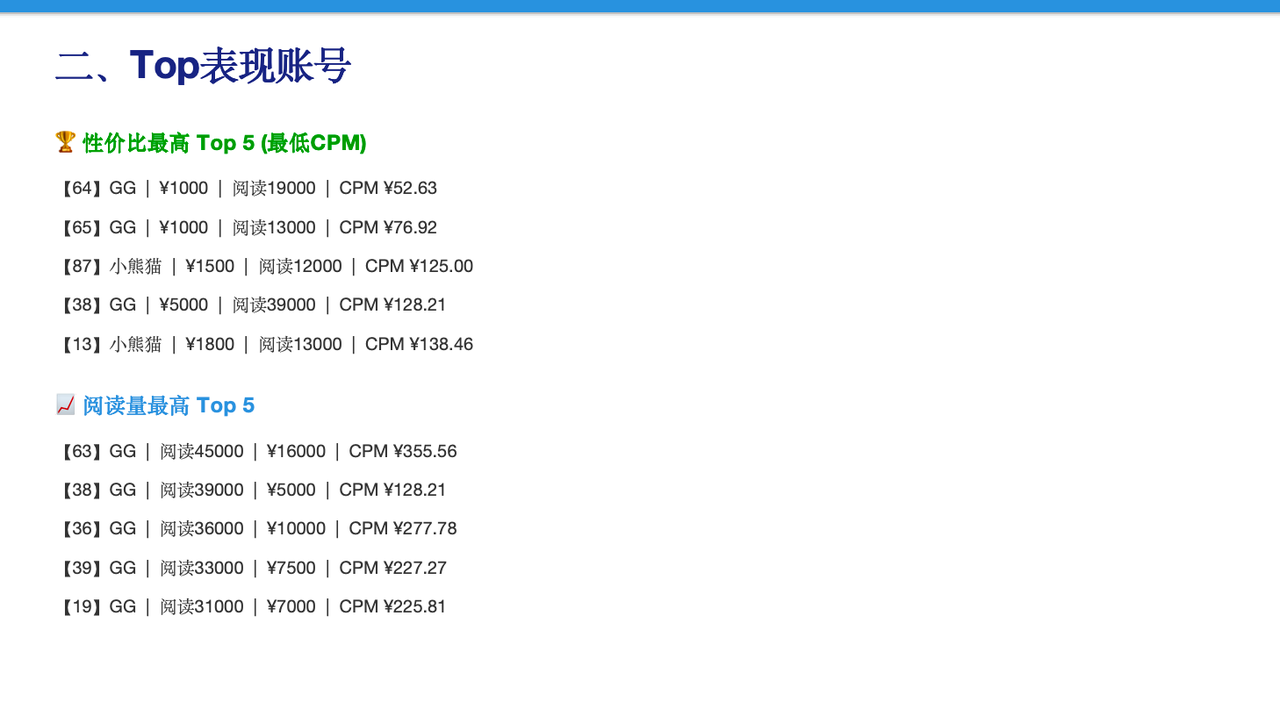
The third page is the accounts that need optimization.
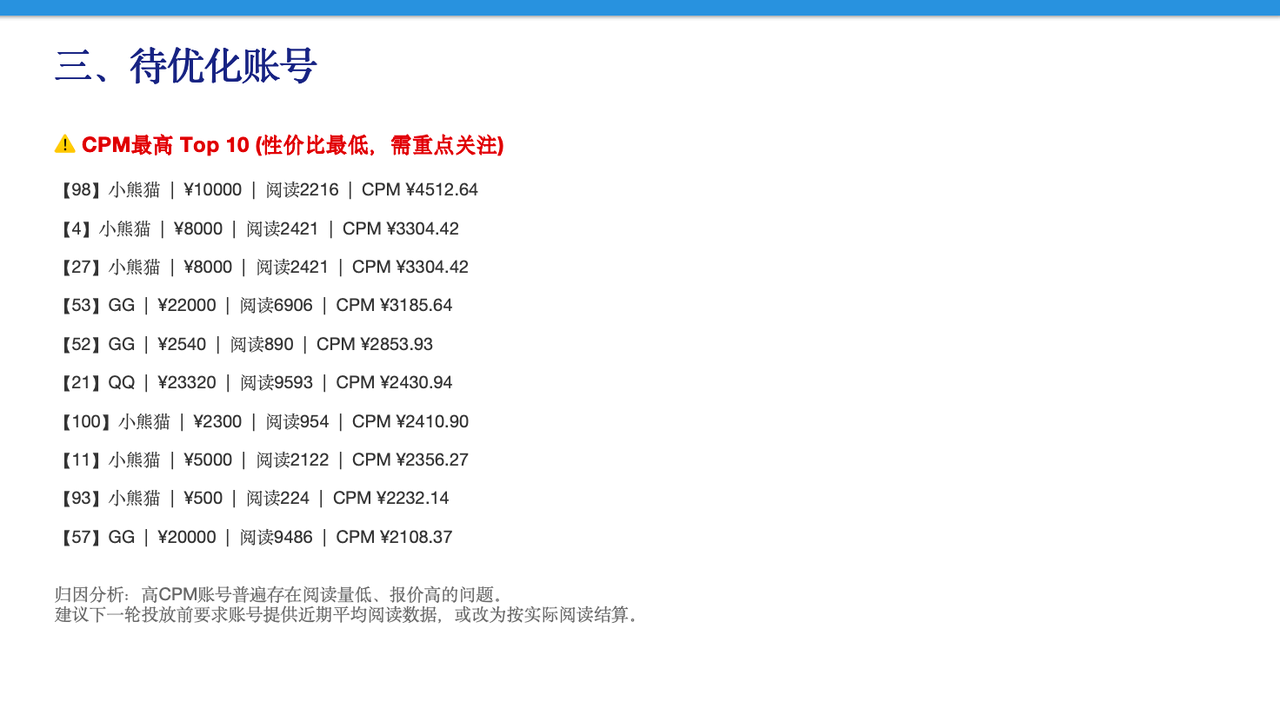
The fourth page summarizes by project.
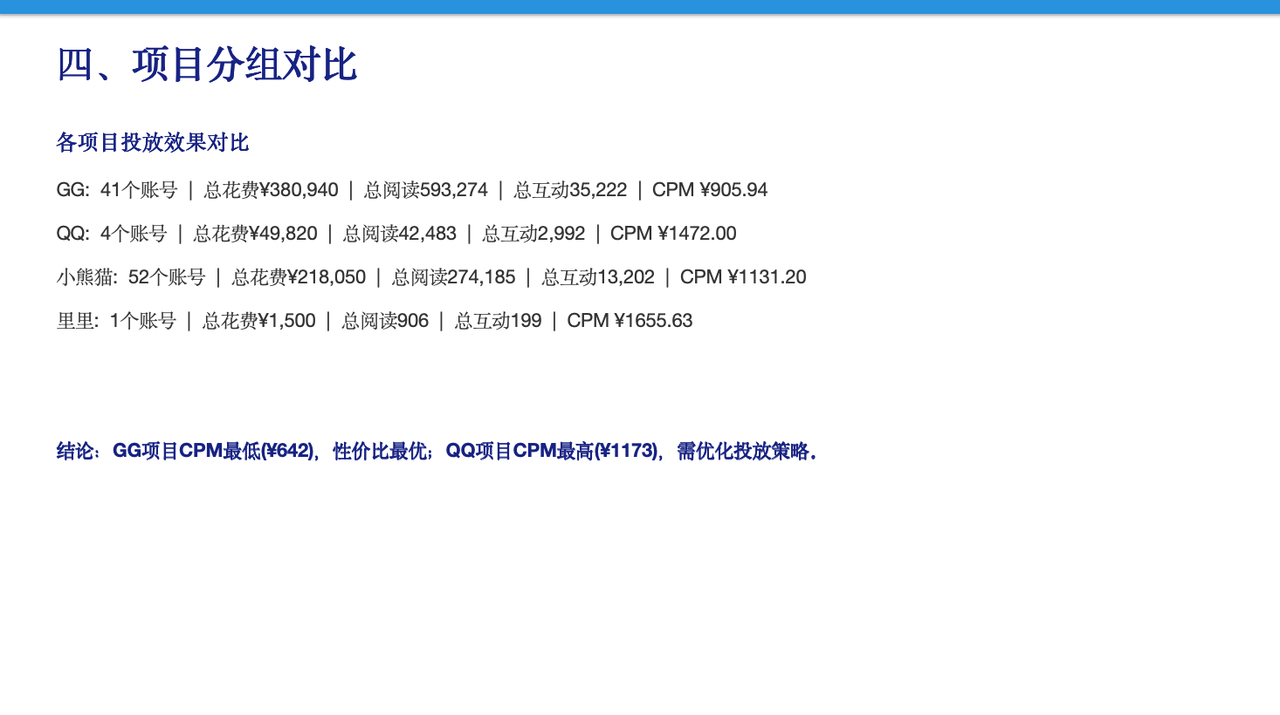
The fifth page analyzes the reasons.
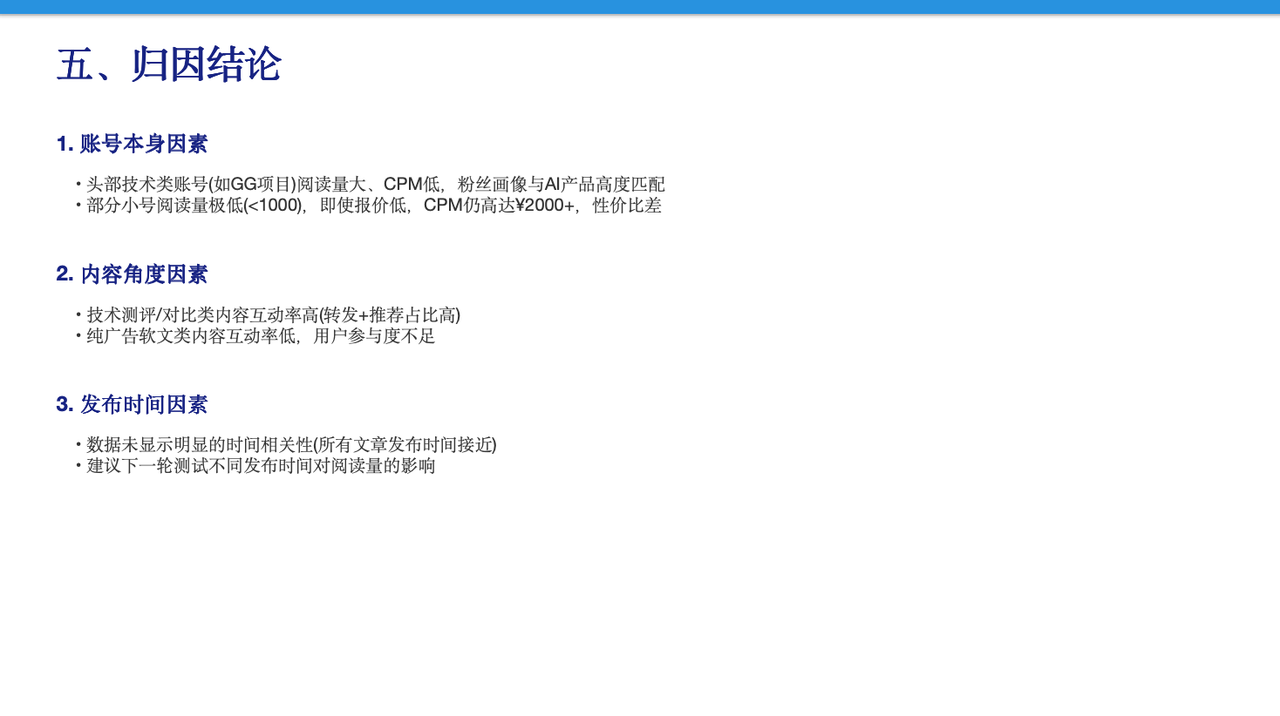
The sixth page directly gives recommendations for the next round of campaigns.
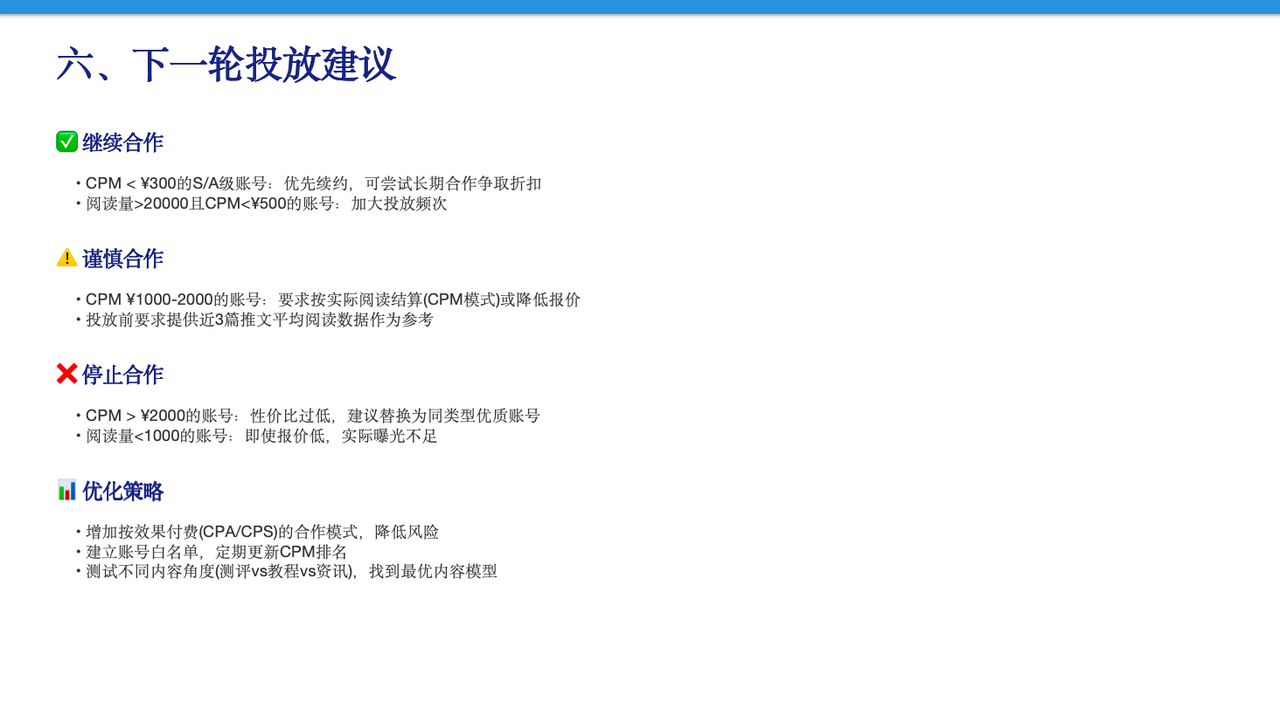
The whole PPT has a complete structure and clear logic, without a single wasted sentence. Every page is useful, and each one makes its point just enough—just right.
Looking back at the whole process: as soon as I checked the cluster, it broke it down into scraping data, crunching numbers, and attribution, with multiple Agents working in parallel, from a raw list to Excel, all the way to a deliverable closing PPT—a complete closed loop. The only thing I could do from beginning to end was help it take screenshots when restricted by WeChat, as if I were the AI's intern.
In the middle, I asked a friend who knows AI pretty well. I said, why is it that I'm coordinating 3 Agents, not the 300 the official source mentioned? She said, first, if it's only 100 records of data analysis, it might be relatively simple for AI; second, my prompt specified three…
Looking back, it really does seem that way. What limits AI's capabilities now is often the invisible constraints created by our own habits.
03. Some sharing
After running this case, I want to talk about something I feel deeply, which is also what I've learned from studying AI in the first half of this year:
Take marketing as an example. Scraping data, filling in forms, calculating ROI, and using templates to make closing reports used to be the skills newcomers needed to enter the industry and the expertise veterans relied on to make a living. But now it's the ability to direct AI. If you're a newcomer who doesn't know data analysis at all, you can also directly throw in an old colleague's document and have AI learn the approach from the reference document and produce a new one. That's all.
So there are many ways to direct AI. It just depends on whether everyone can avoid being limited by the three words "I can't," and at the same time avoid being constrained by the experience of "this is the more professional way to do it."
Maybe this isVibe Working. What matters is not Working but your "Vibe" in thinking (feelings, ideas, your own rhythm).
The trend is very clear.Vibe Codinghas liberated programmers, and Vibe Working is liberating us knowledge workers.
People in marketing, operations, and investment research—tedious, diverse, and non-standardized work—will all be able to be handed off to a team of Agents just by talking.
If you find it useful, forward it to that work friend who is still manually scraping data one by one and making closing reports late into the night.
Original link:I will recommend it to all my friends in marketing. KimiWork is really amazing for media placement.