
What is Kimi Creation Space
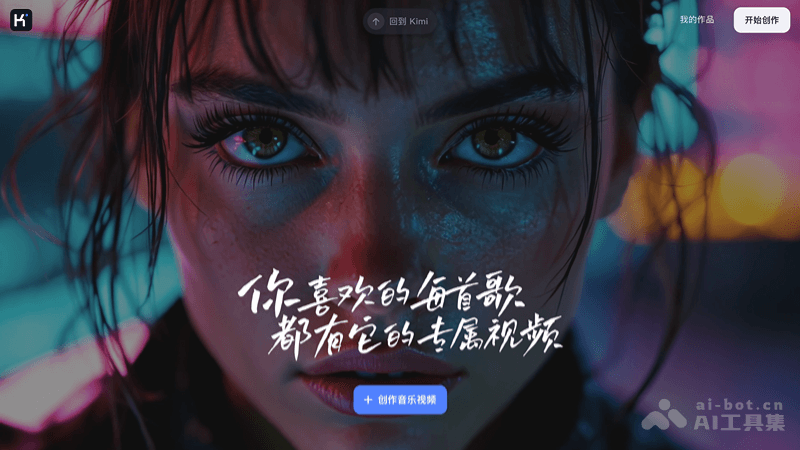
Kimi Creation Space is Kimi's newly launchedAI video generation tool, users can create personalized music videos very easily. Kimi Creation Space supports 12 preset style templates, and also supports users to create unique video content through custom creation. Users can generate a total of 100 seconds of video for free every day (the free quota refreshes daily and does not accumulate), and supports users to add personalized music and detailed scene descriptions. Kimi Creation Space makes video production fast and convenient, allowing users to create high-quality, realistic music videos without professional skills.
Main features of Kimi Creation Space
- Template selection: Provides 12 video templates in different styles, and users can choose a suitable template based on personal preference or video theme.
- Custom creation: Users can upload their own music, images, and video materials for personalized video creation.
- Scene description input: Users can input a scene description for the video, and Kimi will automatically generate video content based on the description.
- Music and sound: Users can choose music provided by Kimi, or upload local music files, or even input a network link to music, to add background music or sound effects to the video.
- Video generation: One-click video generation. Users only need to provide basic materials and descriptions, and Kimi will complete the video synthesis and rendering.
- Editing and preview: The generated video can be edited, and users can adjust the visuals and text descriptions for each second to achieve the final effect.
- Video download: Users can preview and download the generated video locally for easy sharing and use.
Kimi Creation Space – Video generation hands-on test
Hands-on test 1:In the Mood for Love style, returning to the prosperous period of old Shanghai. The male and female protagonists meet in the colorful night, blossoming into a forbidden and sorrowful love, like passing time, quietly staying in the heart.
Hands-on test 2:A summer love slowly unfolds in a small town in Italy. Two young people gradually close the distance between each other among pages of books and ancient sculptures under the sunlight, interweaving a journey of exploration between literature and emotion.
Hands-on test 3:A cyberpunk-style futuristic city, with neon lights flickering, high technology and low life coexisting. In this city full of robots and hackers, a contest between freedom and control quietly unfolds.
How to use Kimi Creation Space
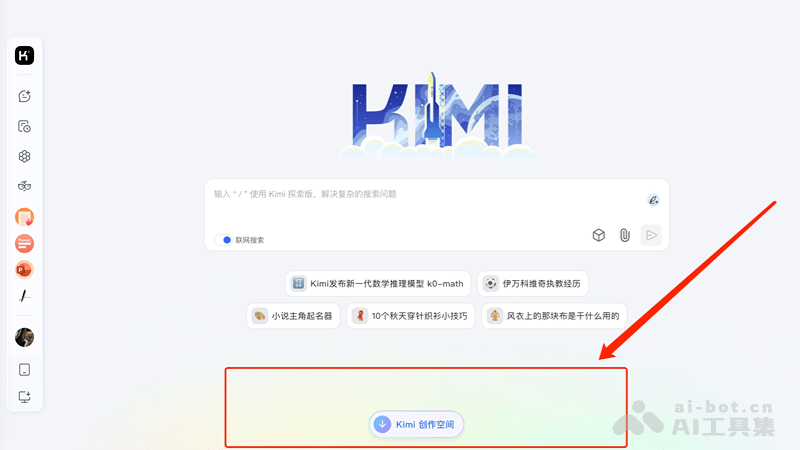
- Visit Kimi Creation Space: OpenKimi official website, find and click the [Kimi Creation Space] button below the main interface.
- Choose a template or custom creation:
- Template creation: Choose a favorite template style. Kimi provides 12 different templates, such as space roaming, Harry Potter style, etc.
- Custom creation: If you want more personalization, you can choose [Custom creation] and upload your own music and video materials.
- Enter video description: In the input box, enter the scene description for the video you want to generate. If you don't know how to write it, you can click the [Help Me Write] button in the lower-right corner of the input box to let Kimi automatically generate a description.
- Select Music:
- For template creation, click the speaker button in the upper-right corner of the template style to play the sound, and select or upload music.
- For custom creation, choose music provided by Kimi, upload a local music file, or enter a network link for the music.
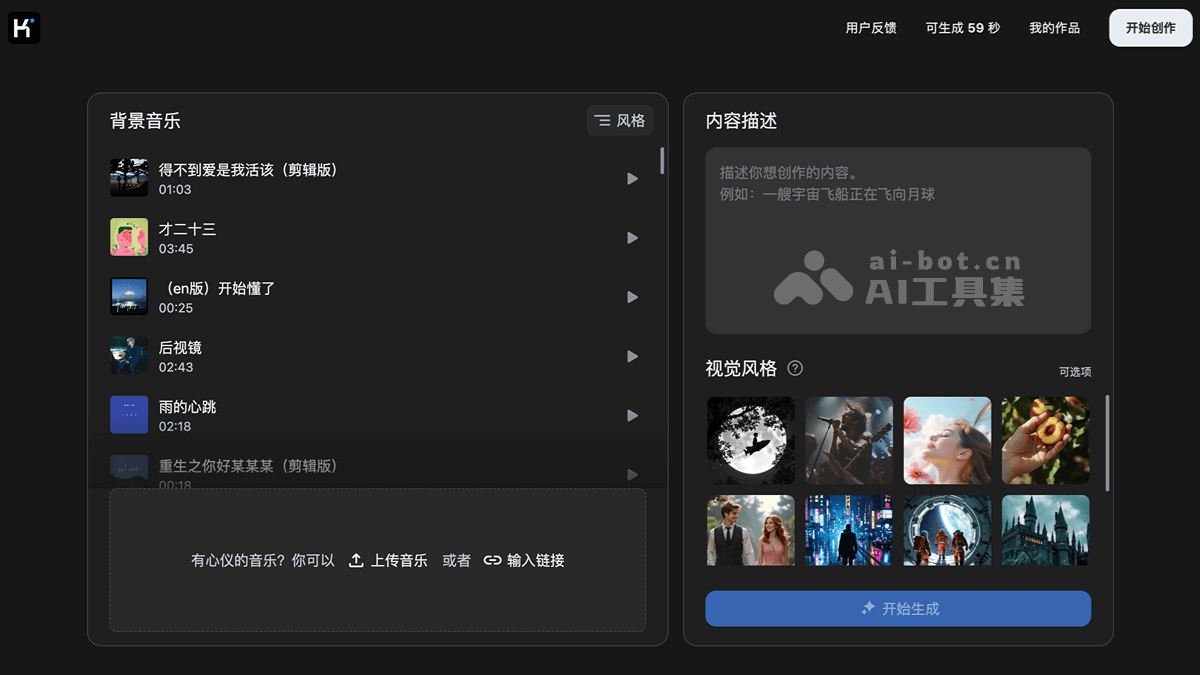
- Generate Video: Click the [Start Generating] button, and Kimi will generate a video based on the scene description and music you provided.
- Edit and Preview: After the video is generated, you can click on each second of the visuals and text description to edit them, ensuring the video content meets expectations.
- Preview and Download: Click the [Preview] button to view the video effect. If you are satisfied, you can download the video locally.
Product Pricing of Kimi Creation Space
- You can generate 100 seconds of video for free every day, meeting daily creative needs. (The free quota refreshes daily and does not accumulate.)
Application Scenarios of Kimi Creation Space
- Social Media Content Creation:Create short videos for social media platforms such as Douyin, Weibo, Instagram, etc., to attract attention and increase interaction.
- Business Promotion:Create product introductions and brand promotional videos for enterprises to increase brand awareness and product sales.
- Personal Entertainment:Individual users can create music videos, travel logs, life vlogs, etc., to record and share their personal lives.
- Marketing Campaigns:Create attractive video ads for marketing campaigns to increase the market exposure of products.
- Artistic Creation:Artists and designers can use Kimi Creation Space to create art videos and showcase their works.
- E-cards and Invitations:Create personalized e-cards and event invitations to enhance the holiday atmosphere or the appeal of an event.