
What is Kimi Translate
Kimi Translate is launched by Kimi Smart Assistanttranslation service, which can achieve mutual translation between Chinese and English, and supports both literal translation and free translation. Users can upload documents in PDF and other formats to Translate and ask it to translate them into Chinese. The translation results are natural and fluent in language, and complex professional terminology can also be translated accurately. It is suitable for users who need to translate academic papers and professional documents, helping them overcome language barriers and improve the efficiency of reading and understanding foreign-language materials.
Main features of Kimi Translate
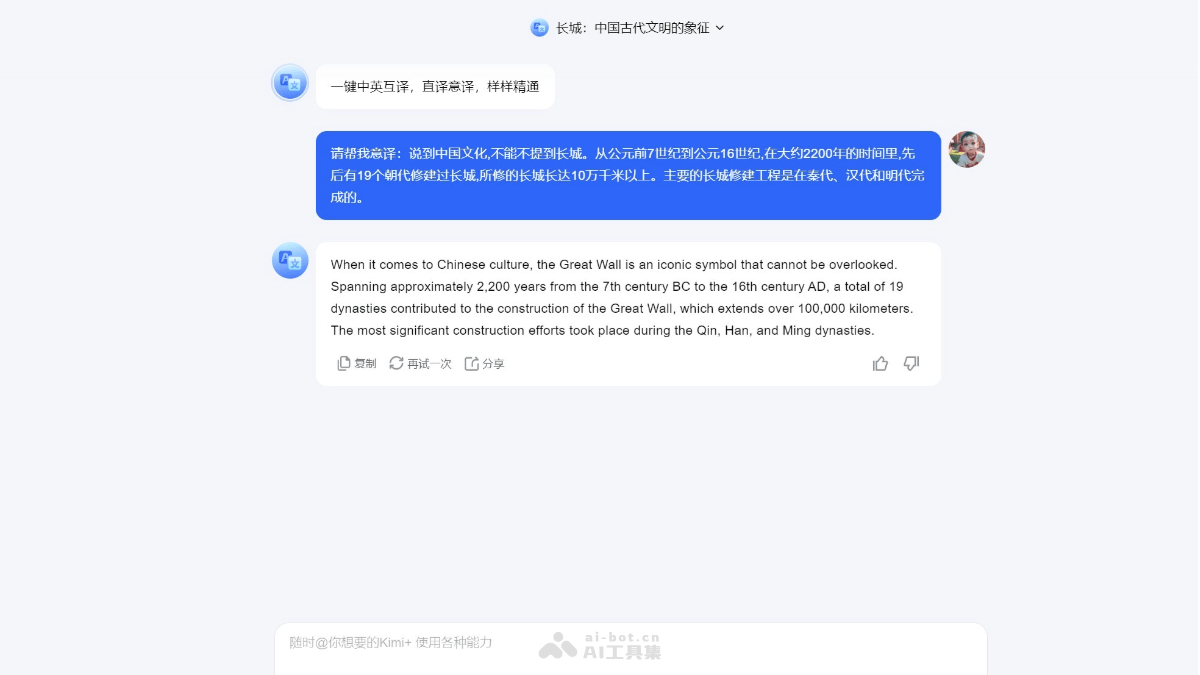
- One-click Chinese-English mutual translation: Kimi Translate can achieve rapid mutual translation between Chinese and English, supporting literal translation and free translation.
- Long text translation: Supports translation of long texts and can handle the translation and understanding of long documents such as professional academic papers.
- Segmented translation: For documents that are too long, Kimi Translate can perform segmented translation. Users only need to enter the "continue" instruction to continue translating the next part.
- Translation accuracy: Kimi Translate has fast translation speed, and its language is accurate and fluent. Complex professional terminology can also be translated accurately.
- File format support: Supports translation of multiple file formats such as PDF, Word, Excel, PPT, TXT, and more.
How to use Kimi Translate
- Visit the official website: OpenKimi official website, register an account and log in.
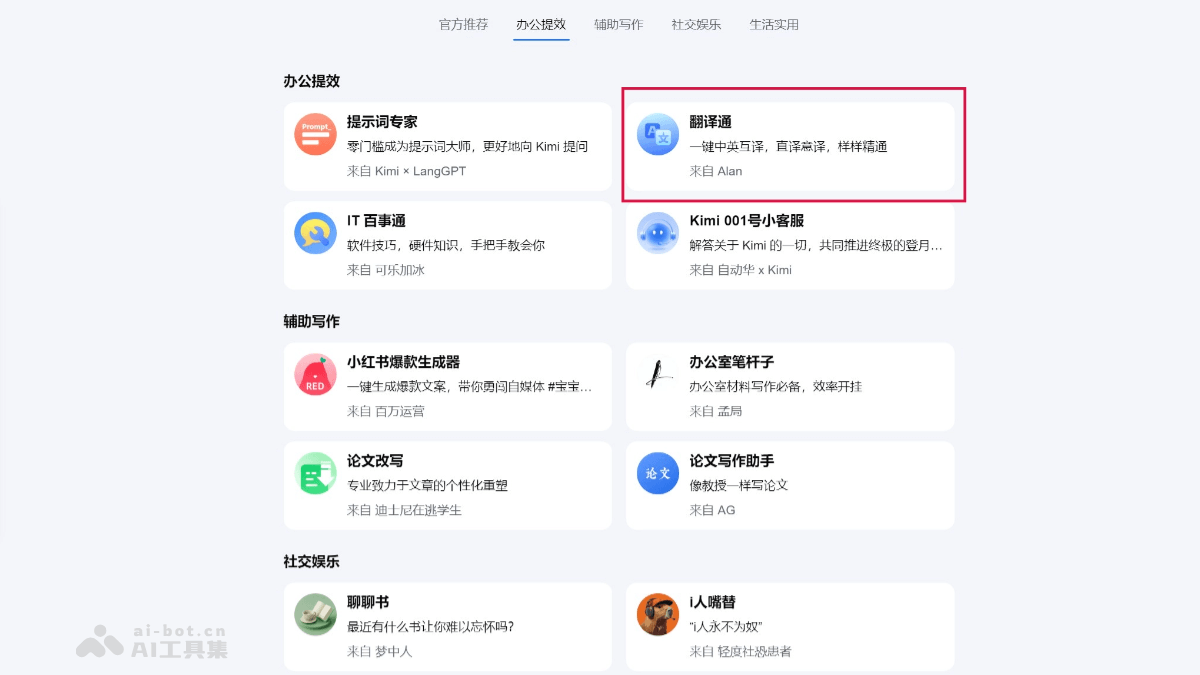
- Select the Kimi+ feature: Click the Kimi+ feature on the left side of the interface, select the office efficiency category, and click the Translate feature.
- Summon Kimi Translate:Enter in the dialog box
@翻译通, and Kimi's Translate feature will be summoned. - Upload files:Choose to send the file that needs to be translated. Supported file formats include PDF, Word, Excel, PPT, TXT, and more.
- Specify translation requirements:Clearly tell Kimi Translate the translation requirements, for example, "Please translate this document into Chinese."
- Wait for the translation result:Kimi Translate will process the file,and if the file is relatively long, it will provide the translation result in batches.
- Get the translation result:After translation is completed, Kimi Translate will provide the translated text.If needed, you can request a specific part of the translation or continue translating the next part.
Application scenarios of Kimi Translate
- Academic research: Researchers and scholars often need to read and understand foreign-language literature. Kimi Translate can help quickly translate professional papers and academic materials.
- Business communication: In international trade and business communication, Kimi Translate can assist enterprises in translating contracts, business reports, and market analyses to ensure the accurate conveyance of information.
- Legal documents: Legal professionals can use Kimi Translate to translate legal documents and international agreements to ensure that legal terminology is completely accurate.
- Technical documents: Engineers and technical personnel can use Kimi Translate to translate technical manuals, product descriptions, and development documents.
- Education field: Teachers and students can use Kimi Translate to translate textbooks, course content, and educational research, promoting the international exchange of educational resources.
- Tourism and Culture: The tourism industry can use Kimi Translate to translate travel guides, cultural introductions, and historical materials, providing multilingual services for tourists.