
What is Course Journey AI
Course Journey AI is an AI personalized learning platform for primary and secondary school teachers and students. Enter a topic to instantly generate course outlines, lesson plans, animated videos, and practice questions in seconds, covering subjects such as Chinese, math, English, science, and programming. The platform has self-developed an education large model, supporting students in customizing roles and scenarios according to their interests, achieving immersive learning of 'one person, one course'; teachers can output high-quality lesson preparation materials with one click, saving 80% of lesson planning time. Content automatically matches multimodal resources such as images and text, animation, and experimental short films, turning difficult points into fun stories instantly, and has helped over 100,000 students quickly overcome weak knowledge points.
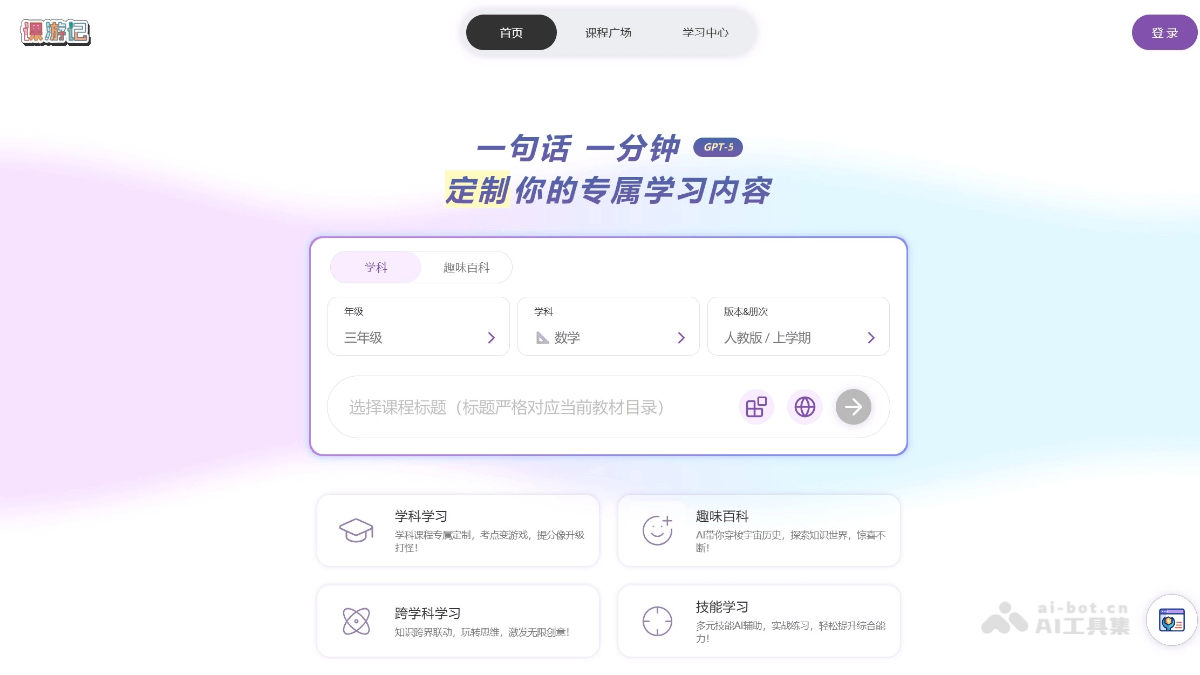
Main Features of Course Journey AI
-
One-Sentence Rapid Course Creation: Enter a topic, and within 1 minute automatically generate a complete course package: outline, verbatim script, illustrated courseware, interactive exercises, supporting one-click switching between 'Chinese/English' to meet different language needs.
-
Trimodal Content Output: The same knowledge point can simultaneously generate text, audio podcast, and short video; students can freely choose to read, listen, or watch, and teachers can also directly download multi-format materials to insert into classes.
-
Personalized Knowledge Graph and Path: AI builds a knowledge graph in real time based on learning behavior, automatically pushes micro-lessons and practice questions for weak points, and is equipped with a gamified badge system to achieve 'one person, one progress'.
-
Immersive Role-Playing Scenarios: Provides multiple virtual instructors and story templates (adventure, anime, talk show, etc.); the system automatically adapts abstract concepts into scenario scripts, enhancing fun and memorability.
-
Dynamic Resource Library and Collaborative Lesson Preparation: All generated content is automatically stored, supporting tag retrieval and version management; teaching and research groups can share and re-edit, achieving continuous accumulation and reuse of school-based resources.
-
Learning Analytics Dashboard: The teacher side displays real-time data such as class/individual answer accuracy and viewing duration, locates common weak points with one click, and quickly assembles papers or pushes supplementary micro-lessons.
-
Seamless Learning Across Multiple Devices: Supports PC, tablet, and WeChat Mini Program, with account progress synchronized in the cloud, allowing students to complete 'fragmented + systematic' learning anytime and anywhere.
How to Use Course Journey AI
- Visit the Platform: Visit the official website of Course Journey AI.
-
Enter a Topic: Type the course name or knowledge point keywords into the text box on the homepage, such as 'junior high school chemistry acid-base neutralization', and click 'Generate' to proceed to the next step.
-
Select Template and Subject: The system pops up educational stage (primary/junior high/senior high/vocational education) and subject tags. After checking them, it automatically matches the corresponding curriculum standard requirements to ensure the outline difficulty is appropriate.
-
AI One-Click Outline Generation: Generate a chapter-based course outline within 3 seconds: including learning objectives, key and difficult points, and class hour allocation; a mind map is displayed simultaneously on the right, and the order can be adjusted by dragging.
-
Confirm and Supplement Details: You can 'add knowledge points' or 'delete modules' for any chapter, or upload school-based materials; AI will rewrite the lecture notes in real time, maintaining logical coherence.
-
Select Output Type: Check the required resources: ① Lesson plan ② PPT ③ Practice questions ④ Anime micro-lesson ⑤ Digital human explanation video; multiple selections are supported, and the system renders in parallel and packages them for download.
-
Automatic Generation and Fine-Tuning: Wait 30-120 seconds to preview each material; the online editor supports text, image, voiceover, and animation frame-level replacement without switching software.
-
Publish/Download: One-click export to PDF, PPT, MP4, SCORM, and other formats; you can also generate a link or QR code so students can scan with WeChat and enter immersive learning.
-
Learning Analytics (Optional): If you use the platform's assignment module, the system will collect answer data and send back a "mastery heatmap," based on which teachers can click "Optimize Course" again to iterate quickly.
Application Scenarios of 课游记AI
-
Rapid Pre-Class Lesson Preparation: Enter a chapter name and generate a matching lesson plan, PPT, animation, and exercise package in 30 seconds; teachers can download them directly and go into class to teach, saving 80% of lesson preparation time.
-
Classroom Situational Interaction: One-click call "AI characters" or virtual experiments, such as conversing in English with "Shakespeare" or simulating a high-risk chemical explosion; students gain an immersive experience and participation improves.
-
Personalized Learning Paths: Based on preview and in-class data, AI pushes micro-lessons on weak points and gamified level-clearing tasks to each student, achieving "one progress path per person."
-
Smart Post-Class Assignments: The system automatically grades objective questions and generates error-cause analysis; for subjective questions it provides AI scoring plus commentary suggestions, and teachers only need to review.
-
Learning Data Dashboard: Real-time aggregation of class accuracy, viewing duration, and a knowledge point mastery heatmap helps teachers precisely adjust subsequent teaching strategies.
-
School-Based Resource Co-Creation: All generated courseware and videos are automatically stored in the library, support tag retrieval and secondary editing, and can be shared and iterated by the teaching and research group to form school-based knowledge assets.