
What is Lingdong Canvas
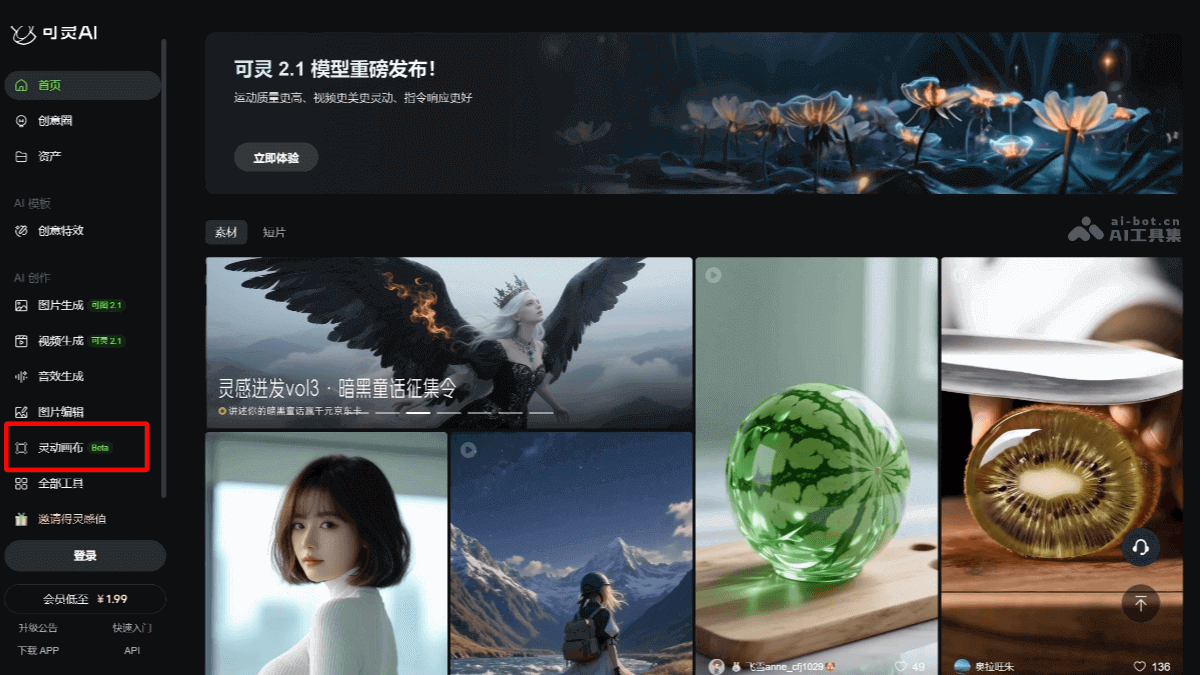
Lingdong Canvas is a brand-new creative workspace feature released by Kuaishou's Kling AI during the World Artificial Intelligence Conference (WAIC). It provides creators with a multiplayer collaborative creation platform that supports up to 5 people creating simultaneously on one canvas, enabling material sharing, real-time interaction, and one-click export, creating a smoother creative loop. It is especially suitable for team collaboration projects, effectively inspiring creativity and improving creative efficiency. Through "Lingdong Canvas," creators can transform scattered creative ideas into text, image, or video nodes and efficiently connect them into complete visual works.
Main Features of Lingdong Canvas
- Multiplayer Collaborative Creation: Supports collaboration by up to 5 people. Creators can create in real time on the same canvas, making it suitable for team cooperation. Team members can share materials and see each other's operations and modifications in real time.
-
One-stop Creation Workflow: From creative conception to the final product, creators can complete everything on one platform.
-
One-click Export: After creation is complete, works can be quickly exported as final videos or images.
-
Infinite Visual Space: Creators can freely arrange creative nodes on the canvas, including text, images, and videos.
-
Flexible Creative Organization: Through node connections, creators can efficiently link creative elements to form a complete creative thread.
- Intelligent Creative Assistance: With AI technology, it automatically recognizes and understands creative elements and provides intelligent suggestions and optimizations.
-
Improved Creative Efficiency: AI can help creators quickly generate preliminary content and reduce repetitive work.
- Local Reference Feature: Precise material referencing. Creators can specify particular parts of a reference image (such as characters, scenes, props, etc.) to avoid unnecessary element interference.
-
More Controllable Generated Results: Ensures that generated content better matches creators' expectations and improves creative precision.
-
Operation Records and Tracing: Records every operation in the creative process, making it convenient for creators to trace back and modify at any time.
-
Version Management: Supports saving and comparing different versions, ensuring creative flexibility and traceability.
How to Use Lingdong Canvas
- Platforms
-
Web: VisitKling AI's official website, register and log in to use it online.
-
Mobile: DownloadKling AI APPfor Android or iOS to use it.
-
- Usage Steps
-
Create a Canvas: After logging in, enter the "Lingdong Canvas" feature interface and create a new canvas.
-
Add Elements: Add creative nodes on the canvas, including text, images, videos, and other elements.
-
Multiplayer Collaboration: Invite up to 4 other users to join the canvas and create together. Team members can operate in real time on the same canvas, share materials, and interact in real time.
-
Intelligent Assistance: Utilizing AI's intelligent assistance features, the system will automatically provide creative suggestions and optimization plans based on the added elements and descriptions.
-
Editing and Adjustment: Edit and adjust elements on the canvas as needed, such as modifying text content, adjusting image positions, etc.
-
Generate Work: After completing the creation, click the "One-Click Export" feature to export the content on the canvas as the final video or image work.
-
- Notes
-
Inspiration Points: First-time registered users will receive a certain number of Inspiration Points, which can be used to generate images and videos. Daily logins also grant Inspiration Points, but granted Inspiration Points will expire within 24 hours.
-
Material Management: Make reasonable use of the material sharing feature within the canvas to ensure that all team members can efficiently obtain the materials they need.
-
Application Scenarios of Lingdong Canvas
-
Image and Video Generation: Creators can use "Lingdong Canvas" to transform scattered creative ideas into text, image, or video nodes, efficiently connecting them into a complete visual work.
-
Teaching Demonstration Animation: Teachers can use "Lingdong Canvas" to quickly create teaching demonstration animations, presenting complex knowledge points to students in a more intuitive way.
-
Student Creative Projects: Students can use the tool for collaborative creation of creative projects, enhancing teamwork skills and creativity.
-
Product Display Videos: Enterprises can quickly generate product display videos for advertising, marketing, and other scenarios to improve product promotion effectiveness.
-
Personal Creative Expression: Individual creators can use "Lingdong Canvas" to realize their creative ideas and quickly generate personalized images and videos.