
What is Kaidā
Kaidā is an innovative AI robot development platform that provides one-stop AI development tools, allowing non-professionals to easily build AI applications. With no programming background required, users can quickly build personalized AI systems simply by dragging and dropping and configuring parameters. The platform supports one-click publishing, allowing users to publish the AI robots they create to the marketplace and earn income by sharing knowledge and skills. Kaidā lowers the threshold for AI development, enabling more people to participate in AI innovation and realize knowledge monetization.
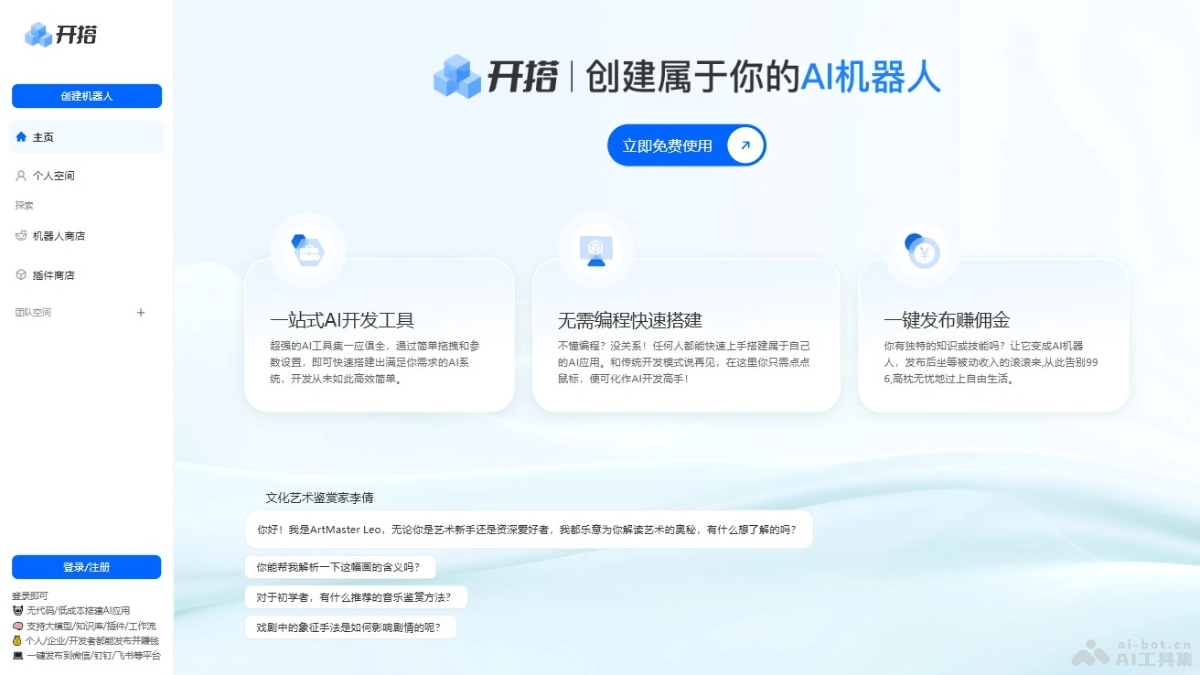
Kaidā's main features
- Drag-and-drop development: Users build AI systems with an intuitive drag-and-drop interface, without writing code.
- Parameter settings: Provides parameter configuration functions, allowing users to adjust the behavior and performance of the AI system according to their needs.
- Quick setup: Users without programming experience can quickly get started and build their own AI applications.
- One-click publishing: Users can publish their AI applications to the platform with one click for others to use or purchase.
- Earn commissions: If an AI application published to the platform is purchased or used by other users, the developer receives the corresponding commission as income.
How to use Kaidā
- Register an account: Visit Kaidāofficial website, and follow the prompts to complete account registration or login.
- Understand the platform: Before starting, browse the platform's documentation and tutorials to understand the platform's basic functions and operating procedures.
- Create a project: In the platform's control panel, create a new AI project.
- Choose a template or components: As needed, choose a preset template or select the required AI components from the component library.
- Drag-and-drop building: Use drag and drop to place components into the workspace and build the framework of the AI application.
- Configure parameters: Configure parameters for each component and set the specific behavior and logic of the AI application.
- Testing: Test the built AI application within the platform to ensure it works as expected.
- Debugging and optimization: Based on the test results, debug and optimize the AI application until it meets the requirements.
- Publish the application: After completing the build and testing, use the one-click publishing function to publish the AI application to the platform.
- Earn commissions: If the user's AI application is paid, after other users purchase or use it, they will receive the corresponding commission.
Kaidā's product pricing
- Currently free to use.
Kaidā's application scenarios
- Customer service: Develop chatbots to provide customer consultation, after-sales service, and technical support.
- Education: Create personalized learning assistants that provide customized teaching content according to students' learning progress and preferences.
- Health consultation: Use AI robots to provide health consultation and preliminary diagnostic suggestions.
- Personal assistant: Develop personal assistant robots to help users manage schedules, remind them of important matters, and perform daily tasks.
- Content creation: Use AI to generate articles, music, videos, and other content.