
What is Kada
Kada is an image processing software based on AI technology. It can recognize various scenes and objects, automatically match suitable filters and effects for photos, and quickly improve photo quality. Kada AI can optimize for different scenes, such as night scenes and music performances, and provides one-tap retouching. Kada has beauty features, including skin smoothing, eye brightening, and fine facial retouching. Kada's design focuses on user experience, making the waiting process interesting, and based on the AI workflow, enhances users' understanding of how AI works.
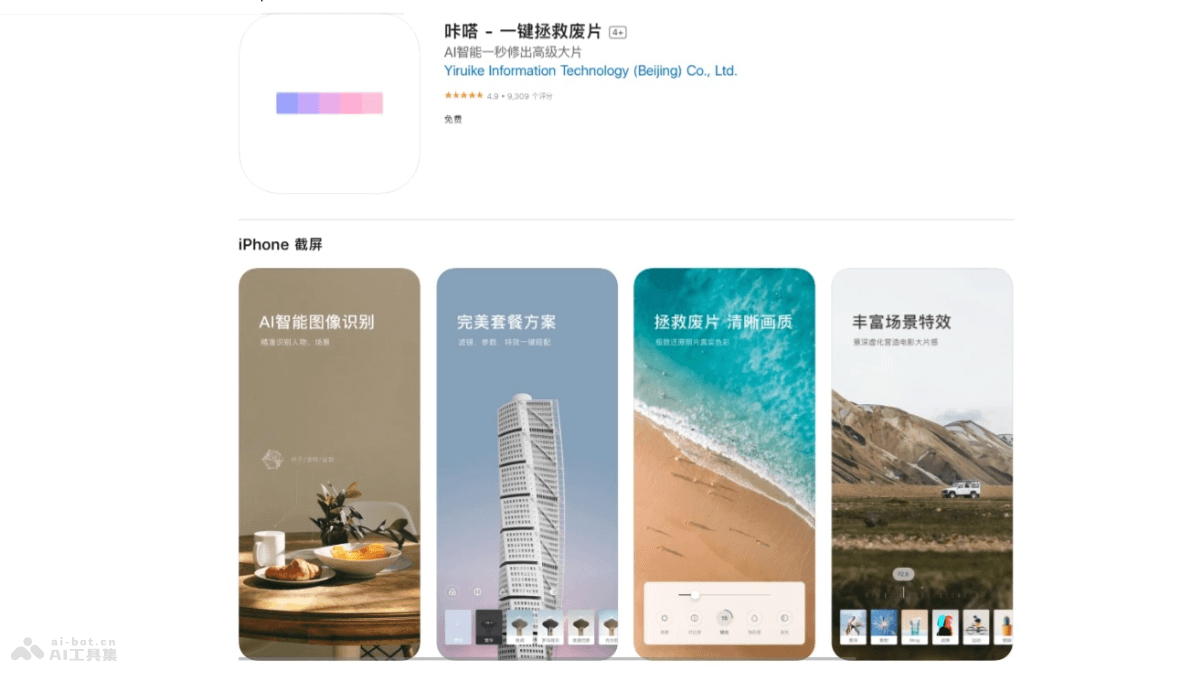
Main features of Kada
- AI precise recognition: Kada can, based on AI deep learning technology, recognize dozens of scenes in natural environments and thousands of objects, and, according to the various information contained in the image, match the most suitable filter and effect package with one tap.
- Rescue bad photos: Kada can compensate for the shooting weaknesses of mobile phone cameras. The one-tap package includes multiple parameter adjustments, such as hue, brightness, contrast, and saturation, and intelligently optimizes special scenes such as night scenes and music performances.
- Facial retouching and beauty: Kada provides features such as skin smoothing, eye brightening, and fine facial retouching. Manual features let users slim wherever they want.
- Advanced effects: Kada AI has a variety of advanced effects, such as intelligently recognizing highlights in photos and adding light effects, and supplementing photos with more orderly light sources, allowing users to unleash their creativity.
How to use Kada
- Download and install: Download the Kada AI app on your phone. iOS users visitApple App Storeto download, and Android users visit their phone's app store to download. Complete registration and log in.
- Choose a photo: After opening the app, choose a photo from your phone's album, or take a new photo directly in the app.
- AI recognition and editing: The app automatically recognizes the scenes and objects in the image and recommends corresponding filters and effects.
- Manual adjustment: If you are not satisfied with the automatic editing results, manually adjust various image parameters, such as brightness, contrast, saturation, etc.
- Use effects: The app provides a variety of effects. Choose and apply them as needed to enhance the visual effect of the image.
- Beauty features: Use beauty features to retouch portrait photos, such as skin smoothing and eye brightening.
- Save and share: After editing is complete, save the image to your phone's album, or share it directly to social media through Kada AI.
Kada's application scenarios
- Everyday photo retouching: Users use Kada to quickly retouch photos taken in daily life, such as landscapes, portraits, and food, improving the visual effect of photos with one tap.
- Social media sharing: Before sharing images on social media, use Kada for quick beautification to increase the appeal of the images and make the shared content more personalized and aesthetic.
- Professional photography post-processing: Professional photographers use Kada for preliminary image processing, such as color correction and exposure adjustment, to improve the efficiency of post-processing.
- Creative design: Designers and creative workers use Kada's effects and sticker features to add unique visual effects to design projects.
- Education and display: In the field of education, teachers use Kada to beautify images in teaching materials, making the content more vivid and interesting. In business presentations, use Kada to enhance the visual effects of presentation materials.