
What is json-render
json-render is an open-source project by Vercel that solves the uncontrollability problem of AI-generated UI.json-renderBy defining a Catalog, it constrains AI to generate only JSON data that conforms to a specific Schema, and uses a frontend component library to render the JSON as UI. Core mechanisms include Catalog definition, streaming rendering, and reverse source code generation, supporting real-time feedback and efficient development.json-renderIt is applicable to various scenarios such as data analysis dashboards and dynamic forms, driving developers to shift from writing page code to building component libraries and rules. It is an important innovation in the combination of AI and frontend development.
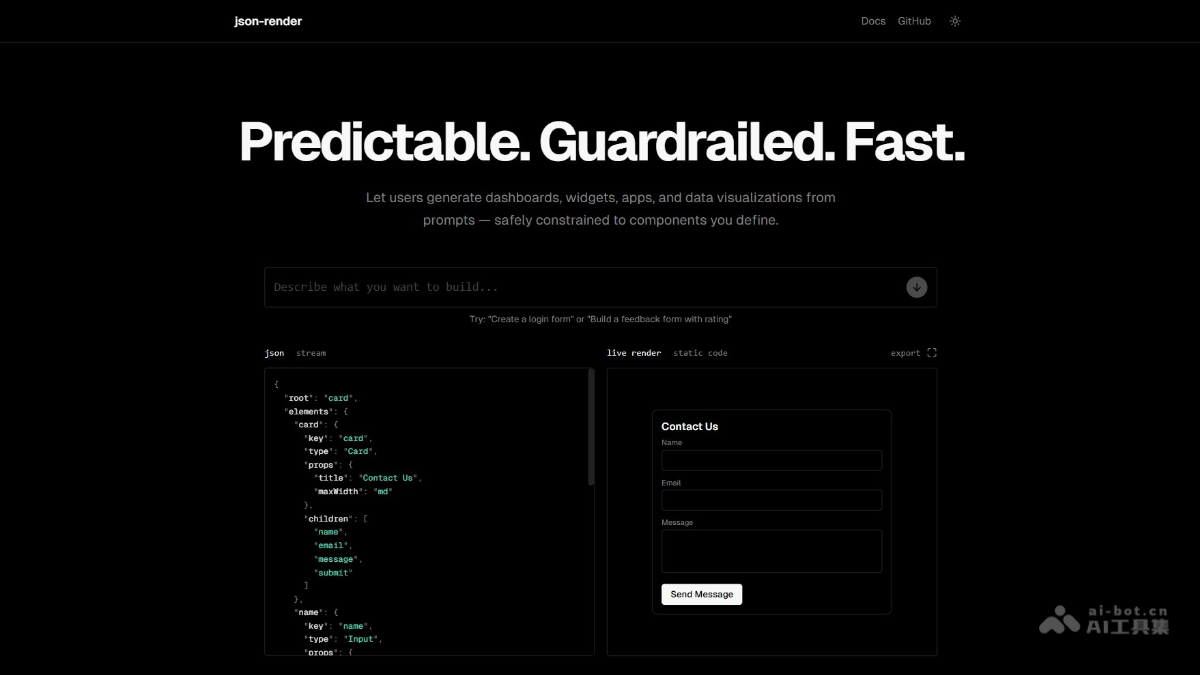
Main features of json-render
- Constrained generation: By defining a Catalog, AI is restricted to only use specified components and properties, ensuring that the generated JSON structure conforms to preset rules and avoiding uncontrollable output.
- Streaming rendering: Supports incremental parsing and streaming rendering. AI can render the interface in real time while generating JSON, reducing waiting time and improving user experience.
- Reverse source code generation: Based on the generated JSON and Catalog, the built-in compiler can generate standard React source code, making it convenient for developers to further develop or deploy locally.
- Conditional visibility: Supports dynamically showing or hiding components based on data, permissions, or complex logic, enhancing UI flexibility.
- Rich action support: Supports defining actions with confirmation dialogs and callbacks, improving interactivity.
- Built-in validation: Supports validation of input fields to ensure data correctness and completeness.
How to use json-render
-
Install dependencies: Install in the project
@json-render/coreand@json-render/react。 -
Define a Catalog: Create a Catalog that clearly specifies the components AI is supported to use, along with their properties and constraints.
-
Register components: Define React components for rendering the components in the Catalog.
-
AI generates JSON: Through the defined Catalog, let AI generate JSON data that conforms to the constraints based on user input.
-
Render UI: Use the
json-renderrenderer to render the generated JSON data as the actual UI. -
Local development (optional): Clone the
json-renderGitHub repository and run the local development environment to get familiar with its features. -
Integrate into a project: Integrate
json-renderinto an actual project and adjust the Catalog and components as needed.
json-render project address
- GitHub repository:https://github.com/vercel-labs/json-render
Application scenarios of json-render
-
Data analysis dashboards: By defining chart and card components in the Catalog, AI generates JSON data based on real-time data and dynamically renders a data analysis dashboard.
-
E-commerce marketing configuration backend: Developers define components such as carousels and product cards, and AI generates JSON data based on business requirements, enabling dynamic configuration of e-commerce marketing pages.
-
Dynamic forms and questionnaires: Use the Catalog to define form components, and AI generates JSON data for forms based on user requirements, enabling rapid generation of dynamic forms and questionnaires.
-
Exhibitions and large-screen visualization: Define visualization components; AI generates JSON data based on real-time data, which is dynamically rendered onto large screens at exhibitions or conferences.