
What is Form Master
Form Master is an intelligent online form creation tool based on natural language processing technology. Users only need to describe their needs in everyday language, such as "create a job fair resume collection form", and the AI can accurately parse the scenario and automatically generate a complete form including required fields, logical validation, and style layout, supporting one-click publishing and sharing. The tool features visual editing and customization, data management and analysis, and multi-device adaptation and sharing. It is widely used in corporate office work, event operations, education and training, life services, and commercial scenarios, enabling users with zero technical background to quickly complete professional form creation.
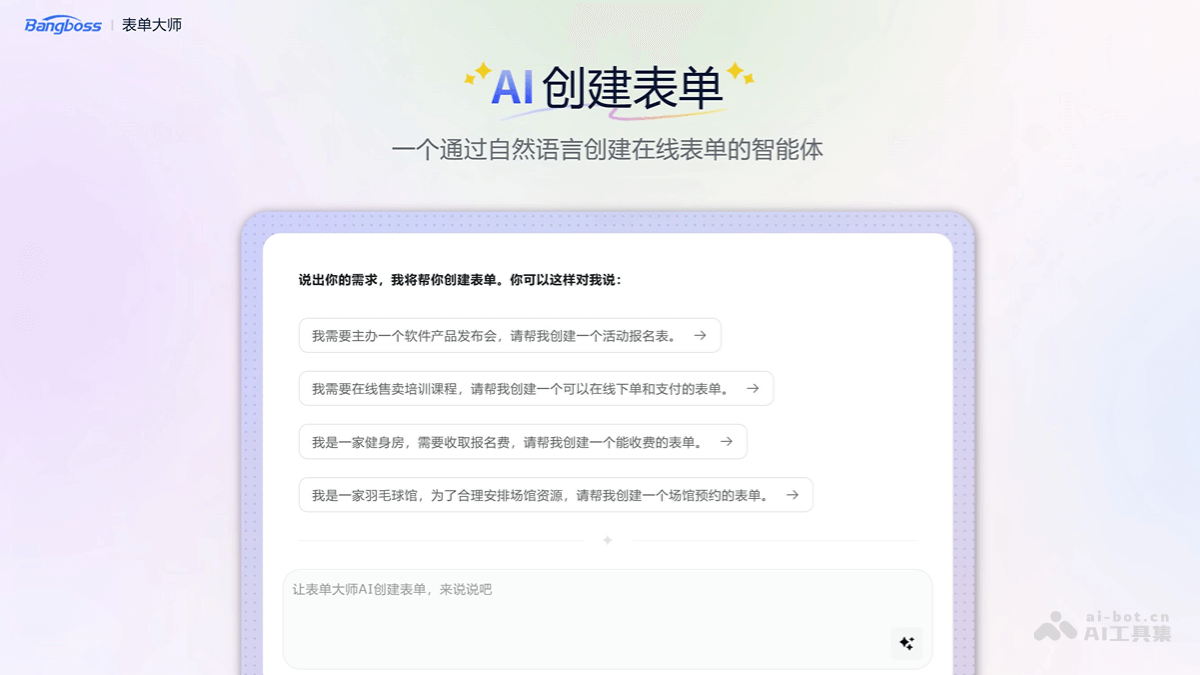
Main Features of Form Master
- Natural Language Form Generation: Users describe their needs in everyday language, and the AI accurately parses and matches field types, automatically generating a structured form framework.
- Multi-Scenario Template Library: A template library covering high-frequency scenarios such as event registration, course purchase, and appointment registration is available for use.
- Visual Editing: The generated form can be edited again, supporting advanced fields such as image addition, file upload, date selection, and logical jumps, allowing users to flexibly adjust field order and style themes.
- Custom Function Settings: Supports setting form permissions, submission count limits, data reminders, and other functions.
- Data Collection and Visualization: Collects form submission data in real time and generates visual charts, making it easy for users to intuitively understand the data situation.
- Data Export and Statistics: Supports data export and online filtering and statistics, making it convenient for users to perform further data processing and analysis.
- Integrated Payment Interface: Supports online payment collection scenarios, integrates payment interfaces, and funds are directly credited to the bound account.
- Multi-Device Adaptation: The generated form automatically adapts to mobile phones, computers, tablets, and other devices.
- Multiple Sharing Methods: Supports embedding into official websites, WeChat official accounts, or sharing via links and QR codes.
How to Use Form Master
- Open Form Master: Visit the Form Master official website:https://www.jsform.com/web/ai/form 。
- AI Create Form Page:
- Method 1: After logging in, select "AI Create" in "Create Form" and describe the form purpose in natural language in the input box.
- Method 2: Based on "No suitable template? Try AI to help create" on the template page of the website homepage, the system automatically generates a draft form according to the requirements, displaying the field list and preview effect.
- Edit and Adjust: Add or delete fields as needed, modify label names, and adjust logical rules.
- Publish and Share: After confirming there are no errors, click "Publish" to generate a form link/QR code, or embed it into the target platform.
Application Scenarios of Form Master
- Corporate Office: Used for employee onboarding registration, internal surveys, procurement applications, meeting appointments, customer feedback collection, etc.
- Event Operations: Suitable for scenarios such as conference registration, exhibition check-in, competition registration, and ticket sales (supports payment functions).
- Education and Training: Create forms for course registration, tuition payment, student information collection, online test questionnaires, etc.
- Life services: such as gym membership registration and fees, venue reservations (badminton courts, meeting rooms, etc.), housekeeping service appointments, etc.
- Business scenarios: used in e-commerce order management, new product trial applications, dealer recruitment, market research, etc.