
What is Jiri
Jiri is an AI form assistant launched by Jinshuju that can quickly turn ideas into professional forms. Jiri instantly understands requirements based on descriptions, automatically generates suitable field combinations, writes professional copy, and intelligently matches high-definition header images to enhance the form's visual appeal. Jiri can make adjustments at any time based on modification requests until you are satisfied. Jiri supports multiple input methods such as one-sentence descriptions, pasting content, uploading images, and pasting links, making form creation simple and easy.
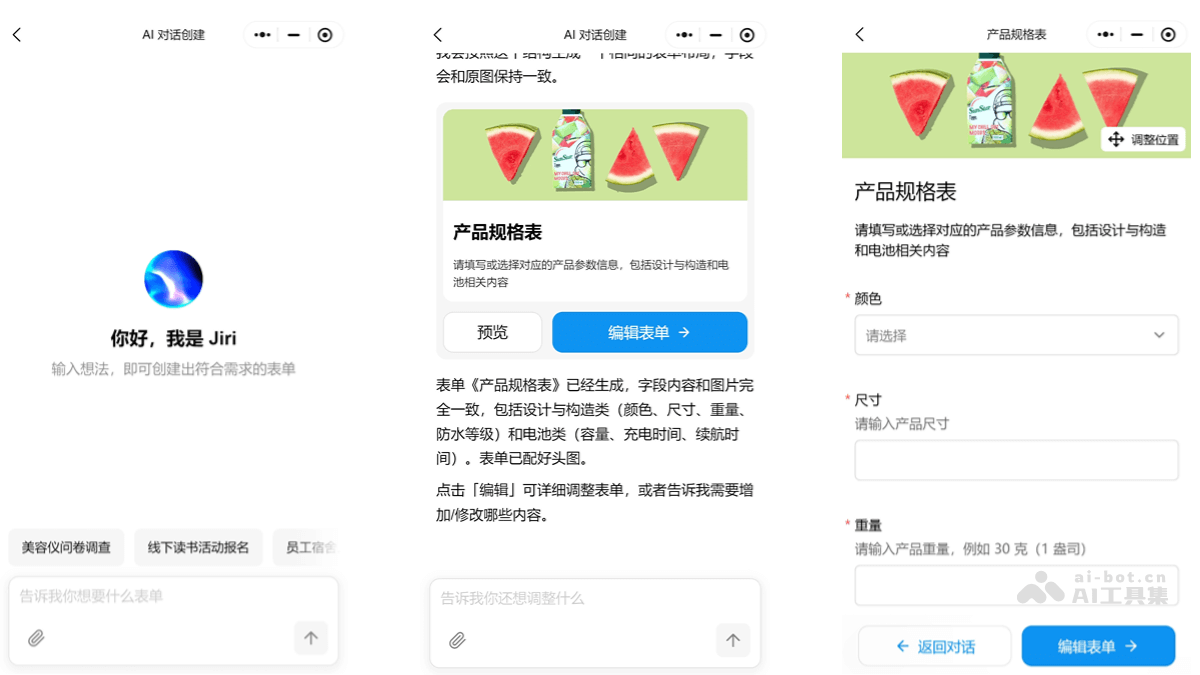
Jiri's main features
- Instantly understands requirements: Quickly generates suitable field combinations based on user descriptions.
- Automatically writes copy: Generates professional and easy-to-understand content for field descriptions, form titles, guidance text, and more.
- Visually appealing: Intelligently matches high-definition header images to enhance the form's visual effect.
- Modify anytime: Instantly adjusts fields, copy, or images according to user needs until the user is satisfied.
- Multiple generation methods: Supports multiple generation methods such as one sentence, pasting content, uploading images, and pasting links
How to use Jiri
- Open the Jinshuju mini program: Search for the "Jinshuju" mini program on WeChat and log in to your account.
- Enter AI conversation creation: On the main interface of the Jinshuju mini program, find and tap the "AI conversation creation" feature entry.
- Choose a generation method:
- One-sentence generation: Directly enter a description of the form requirements, for example, "Create an event registration form including name, mobile number, and number of participants."
- Paste content generation: If you already have existing form content, paste it directly into the dialog box and explain the usage requirements.
- Upload image generation: Upload an image (such as an event poster or a table screenshot) along with a prompt.
- Paste link generation: If you have another existing form link, copy and paste it into the dialog box, and Jiri will generate a form with the same structure based on the link.
- Converse with Jiri: Jiri generates a preliminary form based on your input. Continue adjusting and optimizing the form through conversation.
- View and adjust the form: After Jiri generates the form, view the form preview. If further adjustments are needed, continue optimizing until you are satisfied.
- Save and use: Once you are satisfied with the form, click save to use the form for actual needs.
Jiri's application scenarios
- Event registration: Quickly generate event registration forms, efficiently collect participant information, and support event preparation.
- Survey questionnaires: Automatically generate professional questionnaires based on requirements, covering question types such as single choice, multiple choice, and short answer, improving research efficiency.
- Information collection: By uploading tables or pasting content, quickly convert and generate online forms, reducing repetitive input and ensuring accurate information collection.
- Registration forms: Quickly create registration forms for courses, competitions, and more based on descriptions, support multiple fields, and improve the convenience of the registration process.
- Feedback collection: Quickly generate feedback forms for customers, employees, and more, automatically write field descriptions, and improve collection efficiency and experience.