
What is Jianying Hub
Jianying Hub is a PC-based one-stopAI videocreation entry launched by Jianying. The tool connects generation and editing, allowing you to first generate images from text/generate materials, then use storyboard scripts to plan advertising content. After connecting images and scripts, it automatically generates assets such as characters, props, and scenes, and produces storyboard prompts in batches; selecting models such as Seedance can generate multiple video segments and preview the final cut.
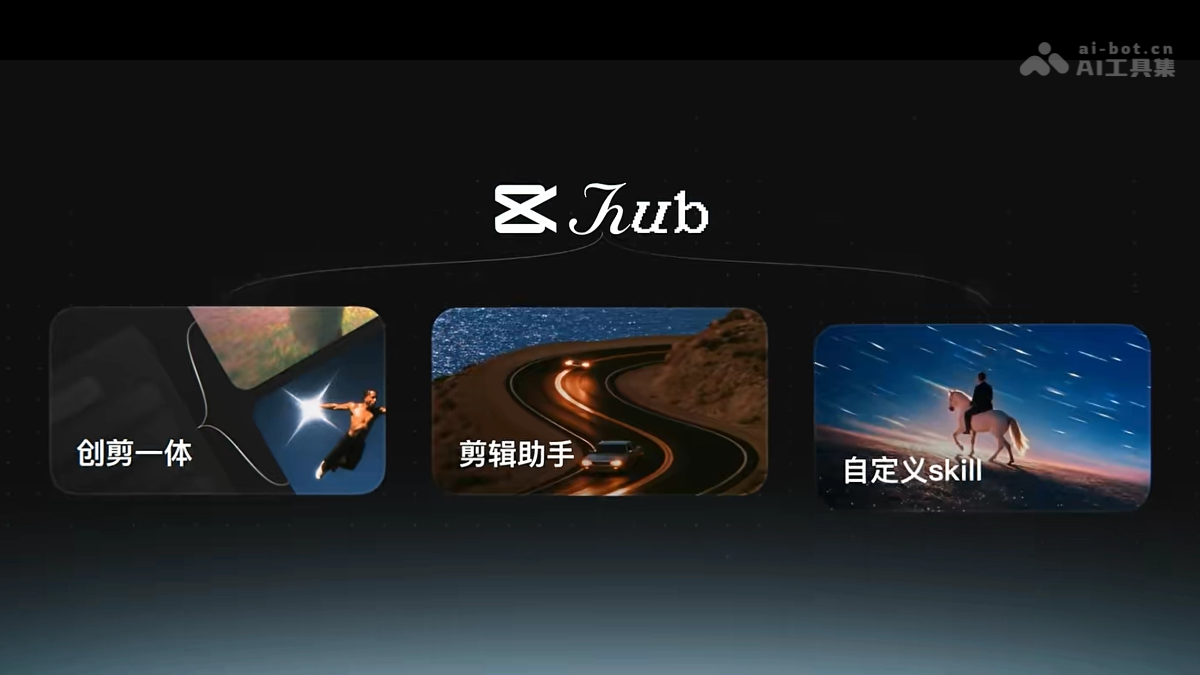
Main features of Jianying Hub
-
AI image generation/material generation: You can first use models such as Seedream to generate materials such as product images, characters, props, and scenes.
-
Storyboard script: After entering the direction of the advertising content, it automatically generates a relatively professional script and storyboard structure.
-
Module connections and asset management: After connecting modules such as images and scripts, it can automatically organize related characters, props, and scene assets.
-
Batch generation of storyboard prompts: Generate reference images and prompts for multiple storyboards with one click, making batch production easier.
-
Multi-model video generation and preview final cut: Select models such as Seedance to generate videos for each storyboard, and quickly preview and merge them into a final cut.
-
Directly enter editing after generation: Click "More Editing" to jump from the generation results to the Jianying multi-track timeline for further refinement.
-
AI post-editing: Supports AI smart extension, local editing, as well as ultra-HD quality, AI frame interpolation, color grading, AI removal, vocal separation, etc.
-
Jianying Assistant Agent: Use text in the timeline or Hub to invoke Skills such as lip-sync cutting, commentary, subtitle correction, and batch production.
-
ByteDance ecosystem material import:Jimeng、Xiaoyunque: Materials generated on platforms such as these by logging in with a Jianying account can be imported with one click.
How to use Jianying Hub
- Enter Jianying Hub: Visit Jianying on PC and click to enter "Jianying Hub" on the homepage.
- Generate key materials: Use models such as Seedream to generate core visual materials such as product images, characters, or scenes.
- Generate storyboard script: Click "Storyboard Script" and enter the content direction to let AI automatically produce a script.
- Connect materials and script: Connect the generated images and the storyboard script module to establish a unified creative association.
- Generate assets: Enter "Asset Management" and let AI automatically fill in materials such as characters, props, and scenes.
- Generate storyboard prompts: Click "Generate Storyboard Prompts" to batch-produce reference images and prompts for each storyboard.
- Generate video clips: Select models such as Seedance 2.5 to generate videos for each storyboard separately.
- Preview final cut: Click "Preview Final Cut" to view the complete video effect after automatic splicing.
- Enter multi-track editing: Click "More Editing" to jump directly from the Hub to the Jianying multi-track timeline.
- Modify the image locally: After selecting a clip, use "Local Editing" to change specified elements, for example, turning a cup black.
- AI smart extension: Use "AI Smart Extend" to lengthen shots on demand—extend in one click or enter requirements to extend.
- AI Post-Editing: In "AI Editing," complete processing such as Ultra HD quality, AI frame interpolation, color grading, AI removal, and vocal separation.
- Use CapCut Assistant: Wake up "CapCut Assistant" and use text to invoke Skills such as cutting talking-head videos, correcting subtitle errors, and batch video production.
- Import ByteDance ecosystem assets: If the assets come from Jimeng or Xiaoyunque, after logging in with a CapCut account, you can import them with one click and continue editing.
Core Advantages of CapCut Hub
-
One-stop from generation to editing: Connect AI video generation and CapCut multi-track editing into the same workflow, eliminating export and import.
-
Automated pre-production planning: Scripts, storyboards, characters, props, and scenes can be generated in a linked manner, lowering the barrier to building from scratch.
-
High efficiency for batch output: Produce prompts for multiple storyboards at once and generate videos, then automatically preview the finished videos.
-
Large room for modification: After generation, go directly into a real editing project, supporting fine adjustments such as partial element changes and AI extension.
-
Agent-based operation: CapCut Assistant can use text to complete repetitive tasks such as talking-head videos, subtitle error correction, and batch video production.
-
Strong AI post-editing capabilities: Integrates "video-version Photoshop" capabilities such as Ultra HD, frame interpolation, color grading, removal, and vocal separation.
Comparison of CapCut Hub with Similar Competitors
| Dimension | CapCut Hub | Jimeng AI |
|---|---|---|
| Product Positioning | A one-stop AI video creation workbench in the Douyin/CapCut ecosystem, leaning toward a closed loop of "generation + editing + post-production" | A ByteDance AI image/video generation platform, leaning toward asset generation and inspiration creation |
| Core Workflow | Scripts, storyboards, assets, generation, finished-video preview, and editing are all connected in the same workbench | More emphasis on generation capabilities such as text-to-image, image-to-image, text-to-video, and image-to-video |
| Editing Capabilities | Strong; can go directly into the CapCut multi-track timeline, supporting partial editing, AI extension, and AI post-editing | Relatively weak; fine-tuning complex timelines usually requires switching to tools such as CapCut |
| Agent Capabilities | Strong; CapCut Assistant can use text to invoke Skills such as cutting talking-head videos, correcting subtitle errors, and batch video production | Medium; leans more toward generation assistance and creative prompts, with weaker engineering-based batch editing |
| Post-Editing Capabilities | Strong; integrates capabilities such as Ultra HD, frame interpolation, color grading, removal, and vocal separation | Relatively weak; the focus is not on deep post-production |
| Ecosystem Collaboration | Connects more smoothly with ByteDance ecosystem asset links such as CapCut, Jimeng, and Xiaoyunque | Close to the ByteDance ecosystem and can serve subsequent CapCut editing, but is itself a generation entry point |
| Suitable Audience | Creators/teams that want to put planning, generation, editing, and modification in the same workflow | Users who prefer to first get high-quality image/video assets and then enter the editing workflow |
| Main Advantages | Closed-loop workflow, large room for modification, and repetitive operations can be delegated to the Agent | Generation capabilities and the ByteDance ecosystem are smooth, suitable for quickly producing assets |
Application Scenarios of CapCut Hub
-
E-commerce product advertising: From product images to storyboard scripts, video generation, preview final cut, then partial color changes and fine-tuning.
-
Batch production of talking-head short videos: Use the Jianying assistant to automatically cut talking-head videos, remove filler words, change subtitles, and produce videos in batches.
-
Local life/store visit Vlog: Quickly generate lifestyle-oriented storyboards and final cuts, suitable for content such as stores, food, and coffee.
-
Batch output of marketing placement materials: Generate multiple scripts, multiple sizes, and multiple storyboard versions for the same product, facilitating A/B testing.
-
Brand promotional film first draft/proposal Demo: Quickly build the first version of storyboards and sample videos, then hand them to the team for professional color grading and packaging.