
What is JetBrains AI Assistant
JetBrains AI Assistant is an AI programming assistant launched by JetBrains based on Alibaba Cloud Tongyi large modelAI programming assistant, designed specifically for Chinese developers. It is deeply integrated with multiple JetBrains products to improve development efficiency and code quality. The assistant has five core functions: accelerating coding tasks (such as multi-line code completion and code generation), providing context-aware solutions, detecting and fixing code issues, automatically generating documentation and commit messages, and optimizing code. JetBrains AI Assistant does not train on developers' codebases, ensuring code confidentiality and security. It supports multiple development environments, can understand code context and developer intent, helps users clearly understand the AI's decision-making logic, and provides personalized suggestions.
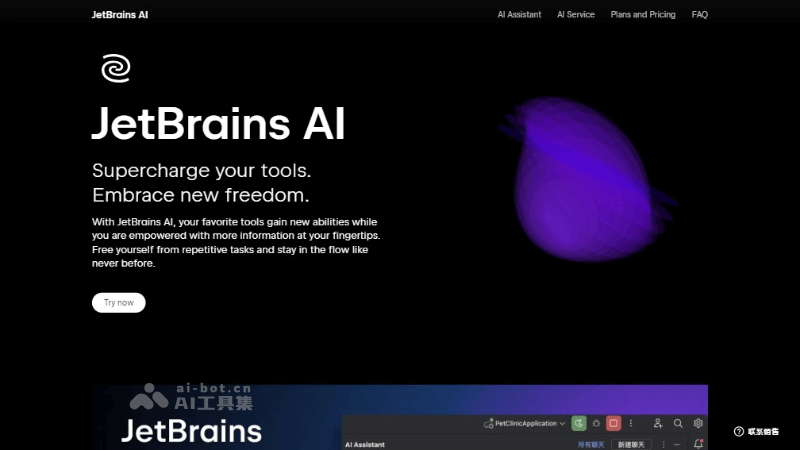
Main features of JetBrains AI Assistant
- Coding task acceleration: Provides multi-line code auto-completion, in-editor code generation, and unit test generation, helping developers quickly complete coding work.
- Contextual solution recommendations: Provides context-aware solutions through the AI chat function, helping developers solve problems encountered during coding and using AI to reconcile version control system conflicts.
- Code issue detection and correction: Intelligently finds potential code issues and provides correction suggestions, including diagnosis and repair of runtime errors.
- Documentation and commit message generation: Automatically generates documentation and writes commit messages, reducing developers' workload in documentation writing and version control.
- Code optimization suggestions: Provides refactoring suggestions and declaration renaming, etc., helping developers optimize code structure and improve code quality and maintainability.
JetBrains AI Assistant product official website
- Product official website:jetbrains.com.cn/ai-assistant
How to use JetBrains AI Assistant
- Install the plugin: Make sure your JetBrains IDE (such as IntelliJ IDEA, PyCharm, etc.) has the AI Assistant plugin installed. You can search for and install it in the IDE's plugin marketplace.
- Activate the AI service: Make sure you are using a paid version of the JetBrains IDE. After activation, you can access AI features.
- Chat with AI: Chat directly with JetBrains AI Assistant within the IDE. You can ask for code explanations, request code refactoring suggestions, or generate documentation, etc., and the AI will provide relevant information based on the project context.
- Coding assistance: When writing code, AI Assistant automatically provides code completion suggestions, supporting multi-line code completion and generation of entire code blocks. You can also directly request code suggestions through natural language prompts.
- Problem solving: When encountering errors or needing to implement new features, you can ask questions in the chat window, and AI Assistant will provide solutions based on the project context.
- Task automation: Use AI Assistant to automate tedious tasks such as code refactoring, documentation generation, and test writing, and focus on more creative work.
Application scenarios of JetBrains AI Assistant
- Code writing and completion: When writing new code or editing existing code, AI Assistant can provide intelligent code completion suggestions, including variable names, function calls, and code structure, speeding up development.
- Refactoring and optimization: When there is a need to improve the structure and performance of existing code, AI Assistant can suggest refactoring solutions, such as extracting methods, renaming variables, and optimizing code logic.
- Error Detection and Repair: During debugging, AI Assistant can help identify potential errors and exceptions, provide repair suggestions, and reduce the time spent finding and solving problems.
- Unit Testing: AI Assistant can automatically generate unit test code, helping developers ensure code quality and stability while reducing the time spent manually writing tests.
- Documentation Generation: AI Assistant can automatically generate code documentation, including descriptions of classes, methods, and variables, making the code easier to understand and maintain.
- Version Control: In version control systems, AI Assistant can help write commit messages and summarize changes, making the version history clearer.