
What is PromeAI
PromeAI is an AI design assistant built specifically for designers. Suitable for architects, interior designers, product designers, and game and anime designers, it allows users to quickly generate high-quality design images through simple text descriptions, sketches, or image uploads using a powerful AIGC model style library. The newly launched old building renovation feature makes old district renovation design work more efficient and intuitive. Whether it is style conversion or detail adjustment, PromeAI can provide stunning visual effects.
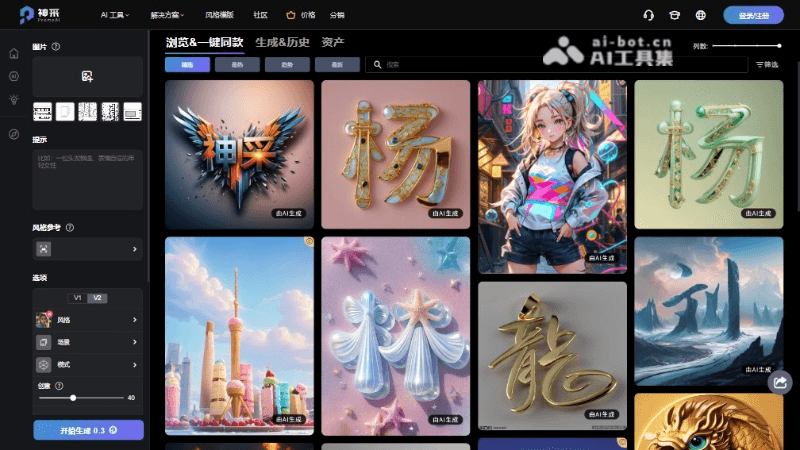
Main Features of PromeAI
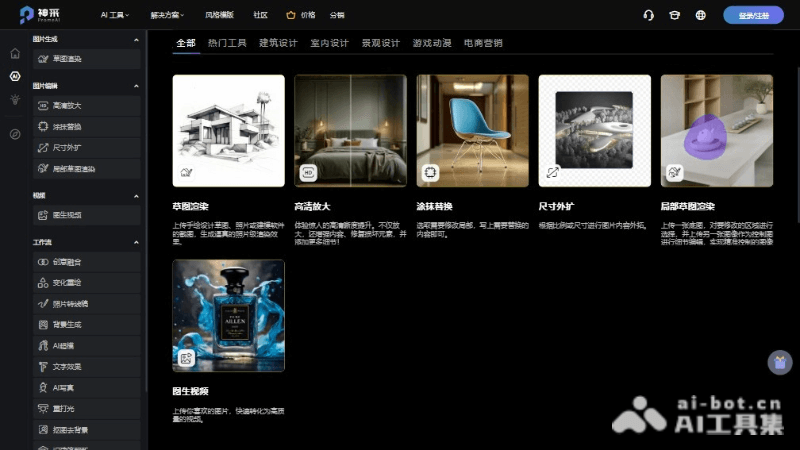
- Sketch Rendering: Transform users' sketches or line drawings into realistic renderings, with support for multiple style options.
- Old Building Renovation: Upload photos of old buildings, and PromeAI will provide renovation design plans and quickly generate before-and-after comparison renderings.
- Background Generation: Automatically remove image backgrounds and generate ideal backgrounds based on templates or text.
- AI Supermodel: Upload mannequin or ordinary person photos, and PromeAI generates models and backgrounds, suitable for e-commerce product displays.
- Text Effects: Render text layouts into various visual effects to enhance visual communication.
How to Use PromeAI
- Visit the Official Website: Open the official PromeAI website ishencai.com, register an account, and log in.
- Choose a Feature: On the platform's main interface, select the feature module you need to use, such as "Sketch Rendering," "Old Building Renovation," etc.
- Upload Materials: According to the requirements of the selected feature, upload your photos, sketches, or design drawings. For specific features, such as "Old Building Renovation," you may need to upload photos of the old building and reference images of the style you want to achieve.
- Set Parameters: Adjust design parameters as needed, such as style selection, artistry, lighting, etc., to customize your design effect.
- Generate Design: After setting everything, click the generate or render button, and the AI will generate a design image based on your input and selections.
- Adjust and Optimize: Further adjust the generated preliminary design. Use the provided editing tools to fine-tune color, brightness, contrast, etc.
- Download Design: After you are satisfied with the generated design image, select the download option and download images in different resolutions as needed.
PromeAI's User Groups/Application Scenarios
- Professional Designers: Including professional designers in fields such as architecture, interiors, products, and game and anime.
- Design Teams: Design teams within design companies or enterprises, used to improve work efficiency and innovation capability.
- Architectural Design: Provide architects with design solutions from concept to detail, including old building renovation and new building design.
- Interior Design: Help interior designers quickly generate visual renderings of interior layouts and decorative styles.
- Product Design: Product designers can use PromeAI to explore conceptual designs for different product forms and material effects.