
What is Instasize AI
Instasize AI is a photo and video editing app designed specifically for creatives. Instasize AI offers a rich set of editing tools and features to help users enhance the visual effects of their photos and videos. The app includes various editing functions such as one-tap beautification, filters, background patterns, and text effects, and supports direct upload to social platforms. Instasize AI provides advanced features such as background removal, skin tone retouching, and enhancing photo details, creating more new photo styles. Instasize AI features an AI image generator to create eye-catching visual content for social media.
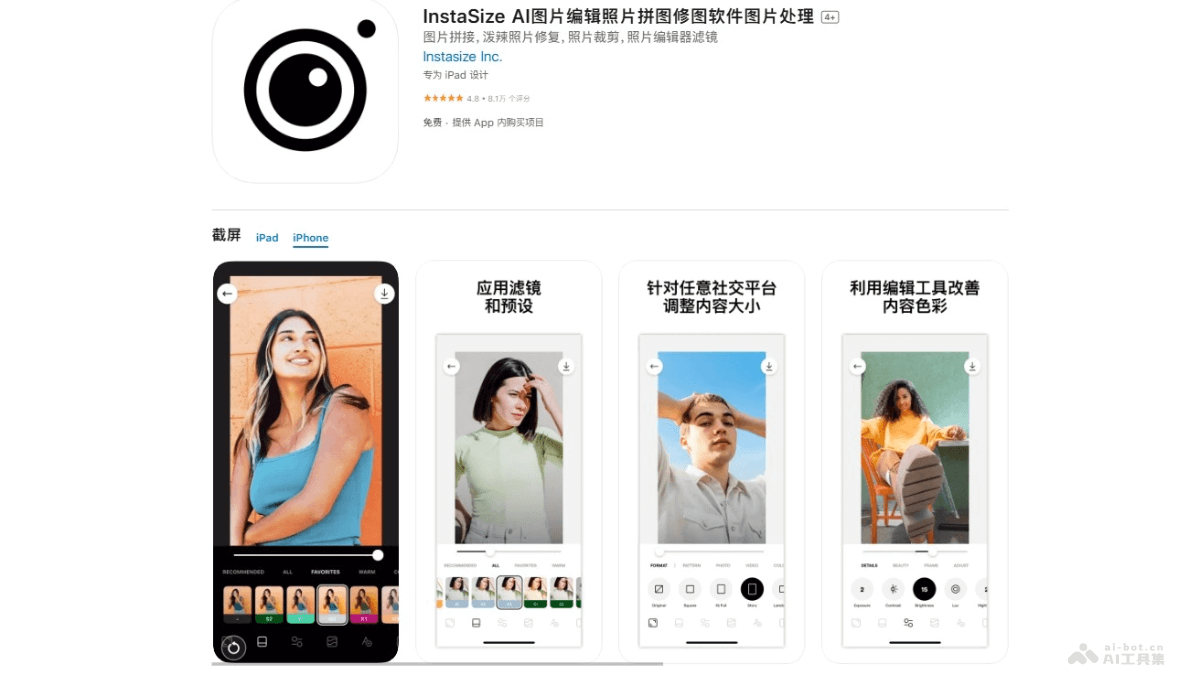
Main Features of Instasize AI
- Photo Editor: Offers a variety of filters and presets, and can adjust contrast, exposure, saturation, grain, and clarity, etc., to enhance image effects.
- Video Editing: Supports users in editing videos, adding filters and effects, and enhancing the visual effects of videos.
- Collage Creation: Users can easily combine multiple photos, choose from a variety of layouts, add frames and backgrounds, and create personalized photo collages.
- Resize and Crop: Quickly adjust photo dimensions, crop collages, and adapt to the requirements of different social media platforms.
- Photo Frames: Provides a variety of frame options, including colored frames and designed pattern frames, enhancing the visual effects of photos.
How to Use Instasize AI
- Download and Install: Install the Instasize AI App on your phone. iOS users visitApple App Store, Android users visit the mobile app store.
- Access the Album or Take a Photo: Supports Instasize AI in accessing the album or using the in-app camera to take new photos.
- Select an Image: Select the image you want to edit from the album, or take a new photo with the app.
- Edit the Image: Use the various tools provided by Instasize AI to edit the image. This includes:
- Apply filters and presets to change the overall style of the image.
- Adjust brightness, contrast, saturation, and other parameters to optimize the image.
- Crop and resize the image to adapt to the requirements of different social media platforms.
- Add frames, text, stickers, or other graphic elements to personalize the image.
- Use advanced features such as background removal, skin tone retouching, etc.
- Create a Collage: If combining multiple images, use the collage creation tool to create a collage.
- Save and Share: After editing is complete, save the image to the local device, or use Instasize AI to share it to social media platforms.
Application Scenarios of Instasize AI
- Social Media Content Creation: Users edit and beautify photos to adapt to the format and style requirements of social media platforms such as Instagram, Facebook, Twitter, etc.
- Travel Photography: While traveling, users quickly edit and share scenery and moments from their journey, using filters and frames to enhance the visual effects of photos.
- Personal Blogs and Websites: Bloggers and website administrators edit and optimize images on their websites to improve the attractiveness of content.
- Business Marketing: Businesses and brands design and edit marketing materials, such as advertising images, product displays, etc., to attract potential customers.
- Personal projects and portfolios: Artists, designers, and photographers edit and display their work, creating personalized portfolios.