
What is Inkr
Inkr is an efficient and accurateAI speech transcription tool, designed for quickly transcribing audio and video content into text. It supports over 100 languages and can easily handle transcription needs in multilingual environments. Inkr's transcription speed is extremely fast; the "FLASH" mode can complete transcription within seconds, 8 times faster than traditional services, and can process hours of audio within minutes, making it suitable for users who need to quickly organize meeting minutes, interview content, or create subtitles.
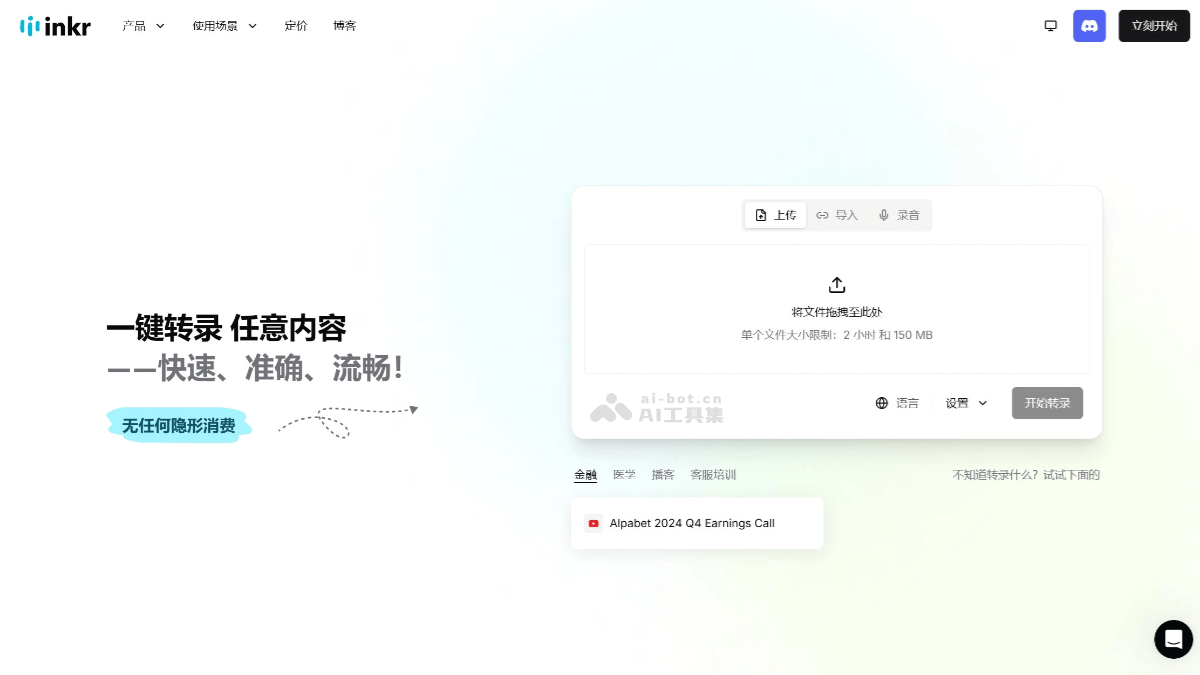
Main Features of Inkr
- Fast Transcription: Inkr's transcription speed is extremely fast; the "FLASH" mode can complete transcription within seconds, 8 times faster than other services, and can convert hours of audio into text within minutes.
- Multilingual Support: Supports transcription in over 100 languages, breaking down language barriers.
- Speaker Recognition: Based on automatic speaker recognition technology, it can easily distinguish different voices in recordings.
- High Accuracy: Accurately captures voices in noisy environments, generating clear transcription text.
- Format Compatibility: Supports audio upload and text export in all mainstream formats.
- Inkr Assistant: Based on AI, it can ask questions and obtain answers from transcriptions.
- Inkr Notes: Use transcriptions and ready-made templates to draft, polish, or automatically fill in notes.
How to Use Inkr
- Visit Inkr: Visit Inkr'sofficial website。
- Upload Files: Upload the audio or video files that need transcription; drag-and-drop upload is supported.
- Choose Transcription Model: Choose a transcription model (FLASH or DEEP) as needed, and set advanced options (such as language, speaker recognition, etc.).
- Start Transcription: Wait for the system to complete the transcription task.
- Export Transcription: You can view, edit, and calibrate the transcription text. Choose an export format as needed and save the transcription text as a local file.
Application Scenarios of Inkr
- Meeting Minutes: Quickly transcribe meeting content into text, making it convenient to organize meeting minutes.
- Interview Organization: Helps journalists quickly organize interview content.
- Subtitle Creation: Quickly generate subtitles for video content.
- Learning Assistance: Students can transcribe classroom recordings into notes, making it convenient for review and organization.