
What is Huawa · Multi-Image to Video
Huawa · Multi-Image to Video is anHuawalaunched by AlibabaAI video generation tool. Based on uploading 2-4 coherent images and combining them with text descriptions, it quickly generates a smooth video. Users can choose to upload images locally or import image sets from existing works, and use text to guide the video content to avoid generation deviations. The system can intelligently generate copy suitable for the video and supports multiple video sizes (such as 3:4, 9:16, 1:1, 16:9). Huawa · Multi-Image to Video is widely used in creative video production, advertising, and other fields, greatly lowering the threshold and cost of video creation and providing users with an efficient and convenient video generation method.
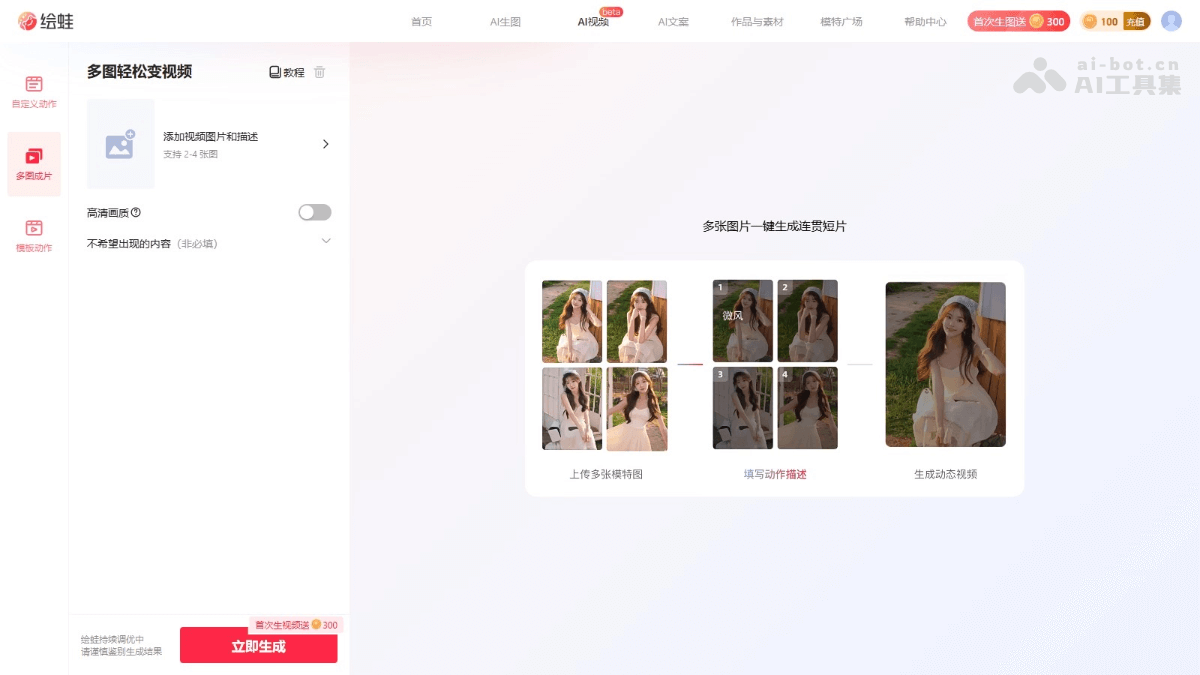
Main features of Huawa · Multi-Image to Video
- Image upload and import: Supports local upload of 2-4 images, or direct import of image sets from existing works, making it convenient for users to quickly prepare materials.
- Text description guidance: Users input text descriptions to guide video generation, clarifying the subject's actions, scene details, and more.
- Intelligent copy generation: Automatically generates copy suitable for the video based on the uploaded images, improving the completeness and expressiveness of the video.
- Multiple video sizes: Supports multiple video sizes (such as 3:4, 9:16, 1:1, 16:9), meeting the needs of different scenarios and platforms.
How to use Huawa · Multi-Image to Video
- Visit the official website: Visit theHuawa · Multi-Image to Videooperation interface.
- Prepare image materials: Prepare 2-4 images that are coherent or consistent in theme. Requirements: image size between 20KB and 15MB. Resolution greater than 600×800. Supported formats: jpg/jpeg/png/heic/webp. It is recommended that images show faces, feature a single person, have a simple background, and have consistent proportions.
- Upload images: Click the "Upload Image" button and select images from your local computer. If you have previously created on Huawa AI, directly import the image set from existing works.
- Add image description (optional):
- Intelligent description: Click "One-click image recognition", and the system automatically analyzes the image content to generate an intelligent description.
- Manual input: According to the video requirements, input descriptions such as the subject's actions and scene changes. For example: "The model walks on the beach, with waves rolling behind her."
- Description format: It is recommended to write in the form of "subject + action, background + action, other details".
- Select video quality: Select "HD quality" or default quality, balancing according to needs and generation speed.
- Fill in "content you do not want to appear": If you have special requirements for the generation result, fill in content you do not want to appear, such as "deformation", "light and shadow changes", "blurred zoom", etc., to help the AI generate a video that better meets expectations.
- Click generate: After clicking the generate button, the system begins processing the images to generate a video.
- View the generation result: After the video generation is complete, view the generated video content on the page. If you are not satisfied with the result, adjust the description or images and regenerate.
Application scenarios of Huawa · Multi-Image to Video
- Creative short video production: Quickly generate creative videos for social media, advertising, and more, with no professional equipment required, saving time and cost.
- E-commerce Product Display: Generate dynamic videos from multiple product images, showcasing multiple angles and usage scenarios to increase purchase intent.
- Advertising and Marketing: Generate ad videos that match the theme, precisely guide video effects, and meet marketing needs.
- Personal Creative Expression: Turn static images into dynamic videos for travel records, life sharing, and more, with no complex editing skills required.
- Education and Presentation: Create teaching videos or presentation backgrounds to visually display content and enhance learning interest.