
What is Huadai AI Notes
Huadai AI Notes is an intelligent note-taking app built on advanced AI technology at its core, providing users with an efficient and convenient platform for recording and learning. Huadai can capture moments of inspiration and daily records in study and work. Huadai AI Notes supports multiple forms of recording such as text, images, videos, and audio, and enables seamless synchronization across devices. Huadai features a Q&A assistant, brainstorming, and other functions to inspire users and help them better organize their thoughts. Huadai AI Notes provides users with an excellent experience, making Huadai a capable assistant in users' lives and studies.
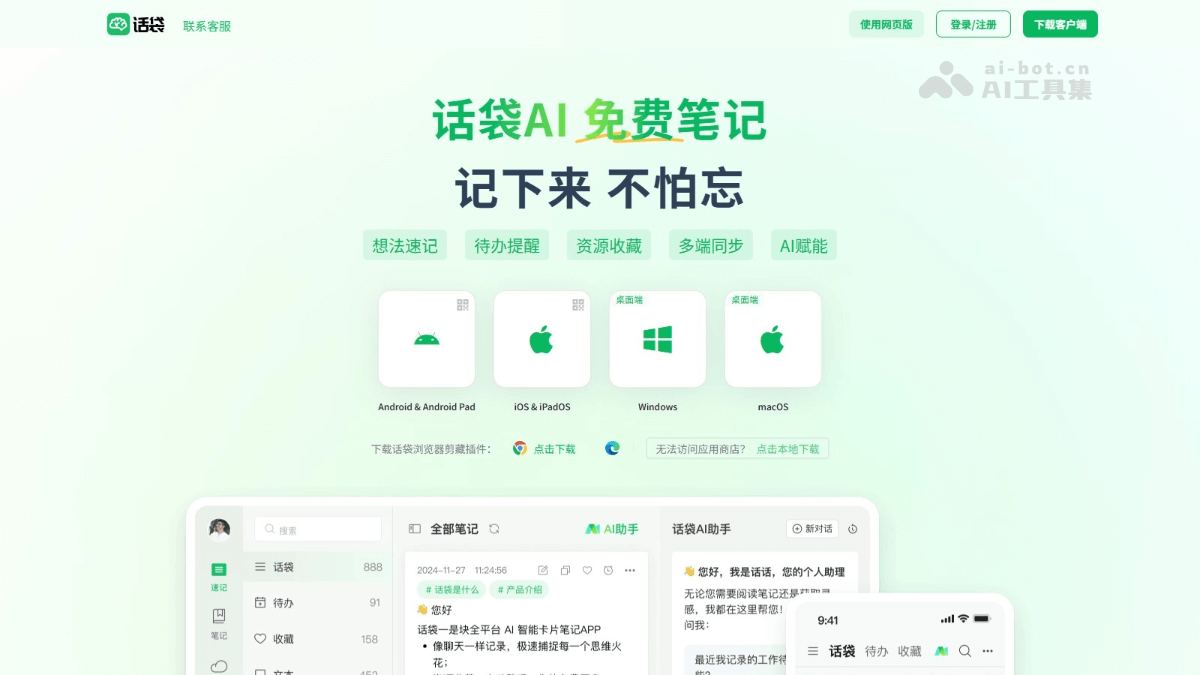
Main features of Huadai AI Notes
- Multi-format recording: Supports multiple recording forms such as text, images, videos, audio, and links, meeting users' recording needs in different scenarios.
- To-do management: Convenient for users to record and manage daily to-dos, set reminder times, and ensure important matters are not missed.
- Cross-device synchronization: Enables seamless synchronization across mobile devices, computers, and other devices, allowing users to view and edit notes anytime on any device.
- Smart categorization and tags: Helps users categorize notes and manage tags, making it easy to quickly find and organize knowledge.
- Search function: Powerful search function supports quickly locating the note content users need, saving search time.
- Q&A assistant: Based on AI technology, provides users with intelligent Q&A services, helping users quickly obtain knowledge and information.
- Brainstorming: Inspires users' inspiration and creativity, conducts AI-assisted brainstorming, and helps users better organize their thoughts and expand their thinking.
How to use Huadai AI Notes
- Download and install: Visit Huadai AI Notesofficial website, choose the corresponding client for your device type to download and install; for the web version, simply click the web version to use it online.
- Register and log in: Complete registration and login as required.
- Create a new note: After logging in, click the "New Note" button to enter the note editing page. Choose text, images, videos, audio, links, and other formats for recording.
- Edit notes: On the note editing page, edit the note content, including modifying text, adjusting image positions, adding tags, etc.
- Manage notes: Categorize notes and manage tags. Based on categories and tags, quickly find and organize notes.
- Search notes: Enter keywords in the search box and click the "Search" button to quickly find related notes.
- Q&A assistant: On the note editing page, click the "Q&A Assistant" button, enter a question, and AI automatically answers.
- Brainstorming: Click the "Brainstorming" button, enter a topic, and AI generates related ideas and suggestions.
- Cross-device synchronization: Ensure all devices are logged into the same account, and Huadai AI Notes automatically synchronizes note content.
- Backup and restore: Huadai AI Notes automatically backs up note content to the cloud, and supports users in manually backing up and restoring notes in settings.
Application Scenarios of Huadai AI Notes
- Learning Enhancement: Suitable for students taking class notes, preparing for exams, and language learning, etc., helping users efficiently organize knowledge and improve learning efficiency.
- Work Efficiency: Used for meeting notes, project management, and creative brainstorming, helping professionals quickly record key work points, reasonably arrange tasks, and inspire team creativity.
- Convenient Living: Convenient for recording travel plans, shopping lists, recipes, and other life details, making life more organized and allowing users to review beautiful moments at any time.
- Knowledge Management: Convenient for organizing reading notes, industry trends, and personal growth journeys, building a personal knowledge base, and achieving systematic management and in-depth accumulation of knowledge.
- Team Collaboration: Supports team document sharing, task assignment, and knowledge sharing, promoting information flow and collaboration among team members and improving overall team efficiency.