
What is Hypic
Hypic is a multifunctional AI photo editing and art generation app that offers a wide range of image enhancement and visual content creation features. Combining professional editing tools and AI-driven effects, it supports users in retouching photos, applying filters, generating AI art,creating postersand more. Hypic focuses on natural-style editing and provides an intuitive interface for both beginners and advanced users.
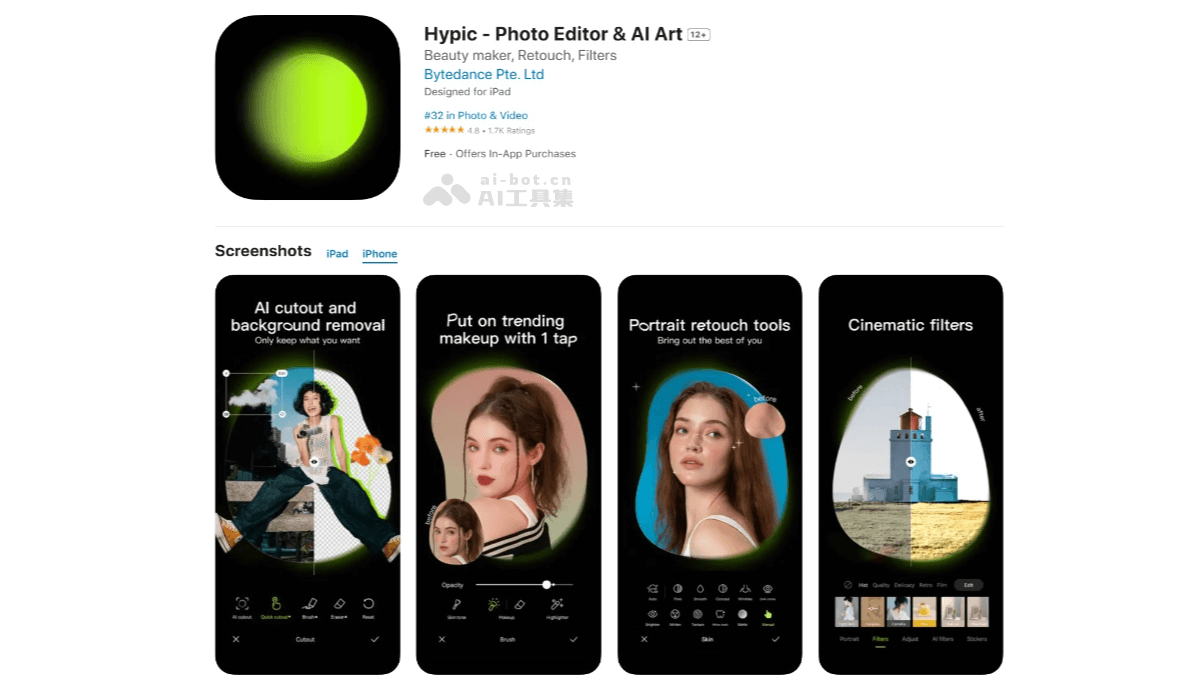
Main Features of Hypic
- AI-Enhanced Photo Editing: Uses artificial intelligence to automatically enhance photos, remove blemishes, and adjust facial features while maintaining a natural appearance.
- AI Art Generation: Uses advanced AI algorithms to transform photos into various artistic styles, such as oil painting, watercolor, or sketch.
- Extensive Filter Library: Provides a large number of filters and effects, updated regularly to keep up with the latest visual trends.
- Poster Creation Tools: Provides templates and design tools for various occasions, with simple text and image editing functions.
- Batch Editing: Allows users to apply edits and filters to multiple photos at the same time, saving time on batch editing tasks.
How to Use Hypic
- Download and Install: iOS users can visitthe Apple App Store, and Android users can visitthe Hypic official websiteto download and install it.
- Open the App and Select a Photo: Launch the Hypic app and, after entering the main interface, you can choose to take a new photo or import an existing photo from your phone gallery for editing.
- Apply Basic Edits
- Crop the photo: Tap the "Crop" button and drag the edges of the crop box to adjust the size and aspect ratio of the photo.
- Adjust brightness/contrast: Use the brightness and contrast adjustment tools to adjust the lightness/darkness and color contrast of the photo as needed.
- Apply filters: Browse the rich filter library provided by Hypic, choose a filter you like, and apply it to the photo to change the overall tone and style of the photo.
- Use AI-Driven Features
- Smooth skin: Try the "Smooth Skin" AI feature, which smooths skin texture and makes the skin look more delicate.
- Natural shape: Use the "Natural Shape" feature to adjust facial features, such as making the face shape more symmetrical or improving the proportions of facial features.
- Generate AI Art: Use the AI art generation feature to convert photos into different artistic styles, such as oil painting, watercolor, sketch, etc., creating unique works of art.
- Save and Share: Once you are satisfied with the editing result, tap the "Save" button to save the final image to your phone album.
Use Cases of Hypic
- Influencers and Marketers: Can use Hypic to create eye-catching visual content for platforms such as Instagram and TikTok, enhancing the appeal of images through rich filters and effects.
- Artists and Designers: Can use the AI art generation feature to explore new styles and create unique digital artworks.
- Individual Users: Can easily edit and beautify personal photos, then share them on social media, improving personal image and the appeal of content.