
What is Hunyuan3D Studio
Hunyuan3D Studio is a one-stop3D creationplatform launched by Tencent, accelerating the entire 3D content creation workflow based on AI technology. The platform supports every stage from concept design to animation production, including efficient concept design, geometry generation, low-poly topology, UV unwrapping, texture and material editing, and automatic rigging and skinning. The platform is suitable for scenarios such as game development, animation production, and industrial design, and can significantly shorten the creation cycle and improve creation efficiency. Hunyuan3D Studio provides an experience entry point through theTencent Hunyuan3Dcreation engine, and is now open for user applications.
Hunyuan3D Studio 1.2 is the latest version launched by Tencent and is now fully open for public beta. Hunyuan3D Studio 1.2 upgrades the PartGen 1.5 component generation technology, supports brush interaction for fine control, and is equipped with the Hunyuan3D 3.1 foundation model, allowing the input of eight-view images to generate 3D models with richer details and more accurate colors.
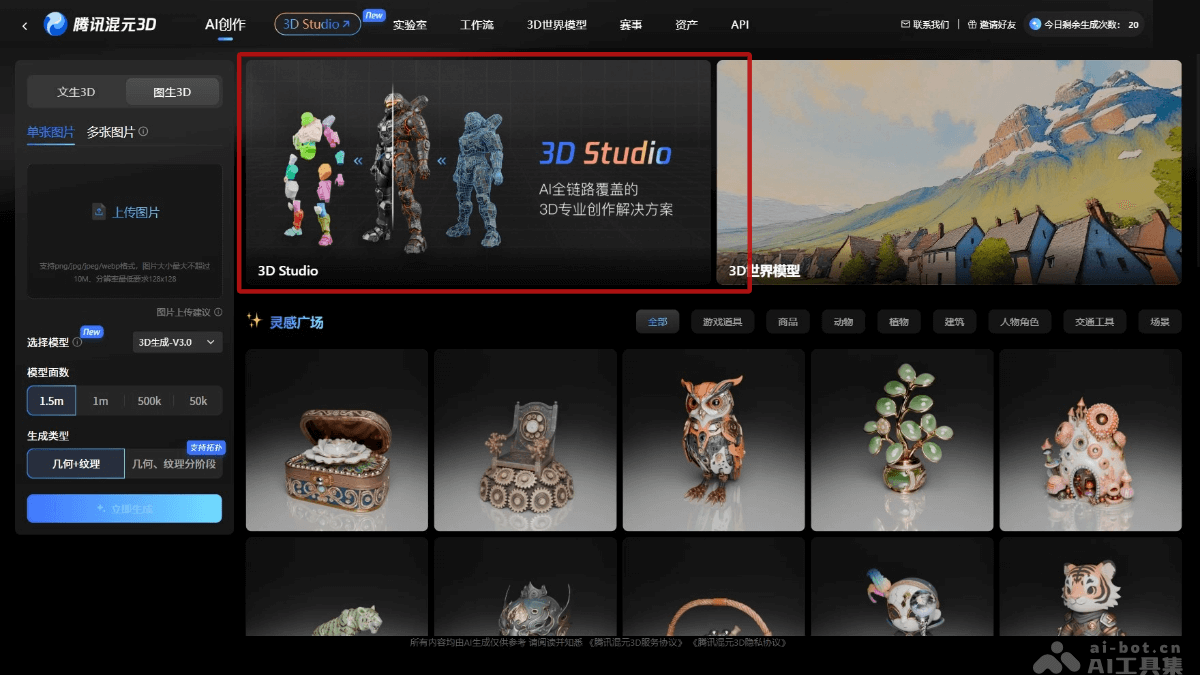
Main features of Hunyuan3D Studio
-
Efficient concept design and geometry generation: supportstext-to-imageand image-to-multi-view, with multiple built-in styles, quickly generating high-quality 3D concept designs. Native 3D segmentation and generation algorithms automatically split model parts, facilitating secondary creation.
-
Low-poly topology feature upgrade: supports multi-level face count control, automatically optimizes low-poly topology, and improves model detail and efficiency.
-
AI-driven UV unwrapping: quickly generates UV maps that meet art standards, reducing manual operation time and improving creation efficiency.
-
Texture and material editing: supports text or image input to generate high-quality PBR texture and materials, meeting different creation needs.
-
Automatic rigging and skinning: supports animation production for humanoid and non-humanoid characters, simplifying the animation workflow and improving animation production efficiency.
- Fine-grained component generation and editing: through PartGen 1.5, an integrated 3D model can be intelligently split into independent components, with exclusive support for brush interaction, allowing users to perform fine-grained control over local components as if sculpting.
- Multi-view image generation of high-quality 3D models: based on the Hunyuan3D 3.1 foundation model, supports uploading up to eight images from different views as input to generate 3D assets with rich geometric details and highly accurate texture color reproduction.
How to use Hunyuan3D Studio
-
Visit the platform: visit theHunyuan3D Studioofficial website, find the Hunyuan3D Studio entry, click to enter, fill out the form, and apply for a trial.
-
Select function modules: after obtaining trial access, select functions such as concept design, geometry generation, low-poly topology, UV unwrapping, texture and material editing, or automatic rigging and skinning according to your needs.
-
Adjust and optimize: use the platform tools to adjust and optimize the generated models, textures, and animations to ensure they meet your creation needs.
-
Export and apply: export the generated 3D content to the required formats, such as FBX, OBJ, etc., for game development, animation production, or other 3D projects.
Hunyuan3D Studio project address
- Project official website:https://3d.hunyuan.tencent.com/studio
- arXiv technical paper:https://arxiv.org/pdf/2509.12815
Application scenarios of Hunyuan3D Studio
-
Game Development: Quickly generate high-quality 3D characters, props, and scene models, shorten development cycles, and improve game visual effects.
-
Animation Production: Accelerate the modeling, texturing, and animation rigging of animated characters and scenes, and improve production efficiency.
-
Industrial Design: Rapidly iterate product prototypes in industrial design, optimize the design process, and improve design quality.
-
Film and Television Special Effects: Used for 3D modeling and animation production in film and television special effects, improving visual effects and reducing production costs.
-
Education and Training: As a teaching tool, it helps students and beginners quickly master 3D modeling and animation production skills.