
What is 会PPT
会PPT (huiPPT) is an intelligent AI office tool that cangenerate PPT with one click. Users only need to enter a topic or keywords, and the system can quickly generate a logically clear and beautifully designed presentation. The tool uses a hybrid model architecture, combining local and cloud data, automatically matching visual assets, and supporting dynamic outlines, intelligent templates, and real-time style transfer. It is suitable for workplace professionals, teachers, and students, enabling them to efficiently complete reports, courseware, or proposals through 会PPT, saving time and effort, and redefining efficient office work.
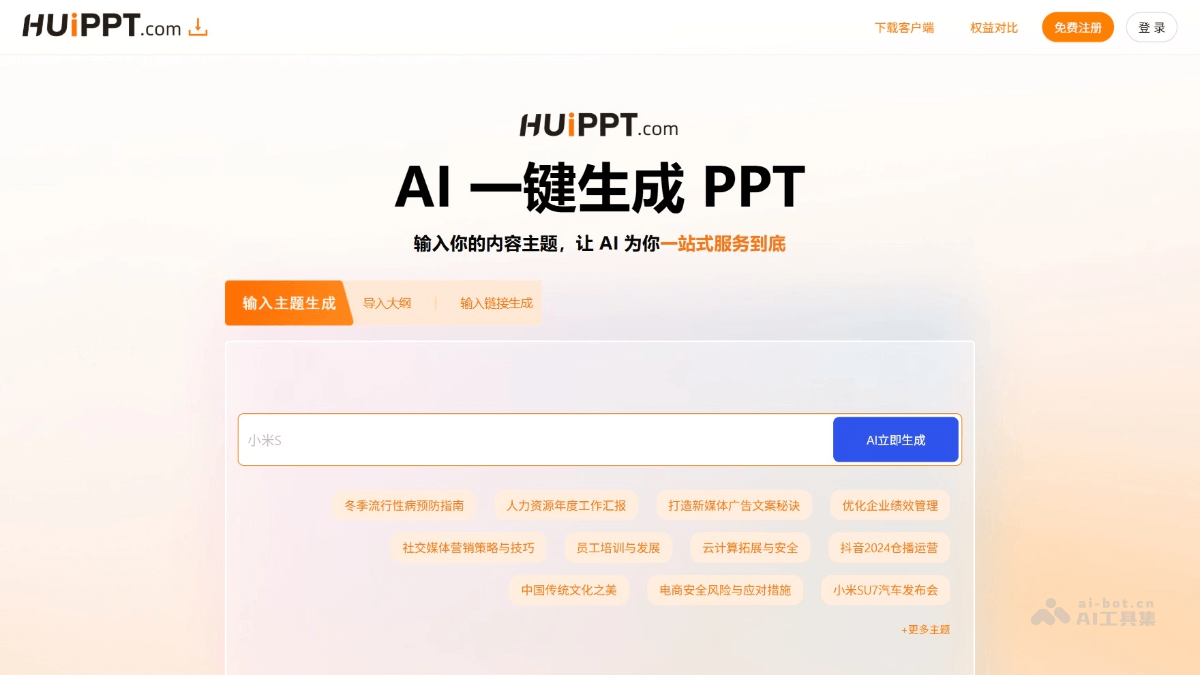
Main Features of 会PPT
- One-Click PPT Generation: Users enter a topic or keywords, and the system quickly generates a complete PPT presentation.
- Intelligent Content Creation: Through a hybrid model architecture, combining local and cloud data, it generates logically clear and content-rich PPTs.
- Intelligent Template Matching: Built-in 1200+ intelligent templates, supporting real-time style transfer to meet the needs of different scenarios.
- Dynamic Outline Generation: Uses a dynamic outline tree algorithm to ensure the logical consistency of PPT content.
- Data Verification and Aesthetic Scoring: Automatically verifies data accuracy, performs aesthetic scoring, and improves PPT quality.
- Multiple Creation Modes:
- Topic Generation Mode: Enter keywords to get a complete storyline.
- Link Parsing Mode: Capture webpage content and automatically extract core viewpoints.
- Document Conversion Mode: Quickly convert Word/PDF documents into visual presentations.
How to Use 会PPT
- Visit the Official Website: Visit the official website of 会PPT:https://huippt.com/,选择在线使用或下载客户端。
- Register an Account: Click the "Register" button on the page, fill in the relevant information (such as email, password, etc.), and complete account registration.
- Log In to the Platform: After registration is complete, use the registered account and password to log in to the 会PPT platform.
- Start Creating: After logging in, enter the creation panel and input a topic or keywords, such as "A Critical Report on Artificial Intelligence Ethics" or "Analysis of the New Energy Vehicle Industry."
- Choose a Generation Mode: Choose a generation mode according to your needs.
- Adjust and Edit: The generated PPT automatically matches intelligent templates, and users can adjust the content, style, and design according to their needs. 会PPT supports full-layer editing, allowing free modification of text, images, colors, etc.
- Save and Export: After editing is complete, click the "Save" button to save the PPT, or click the "Export" button to export the PPT in PPTX format for convenient use on other devices.
Application Scenarios of 会PPT
- Corporate Office: Quickly generate PPTs for market analysis, project reports, training materials, and sales presentations, improving corporate office efficiency.
- Education: Teachers can quickly create teaching courseware, and students can efficiently complete classroom reports and academic presentation PPTs.
- Creative Design: Designers can quickly generate creative concepts, design proposals, and visual design PPTs, improving design efficiency.
- Personal Use: Quickly create PPTs for personal resumes, travel plans, and life records, making it easy for personal presentation and sharing.
- Government and Non-Profit Organizations: Quickly generate PPTs for policy interpretation, project applications, and public welfare promotion, supporting policy promotion and project execution.