
What is ReadFlow
ReadFlow is a progressive reading tool that helps users efficiently complete information collection, filtering, reading, note-taking, and categorized management, achieving order and autonomy in digital content consumption. ReadFlow supports one-click saving of links across the web, automatic archiving of article content, summary generation, creation of a to-read list, and note and tag management. ReadFlow provides social sharing features, allowing users to share quality content and opinions.
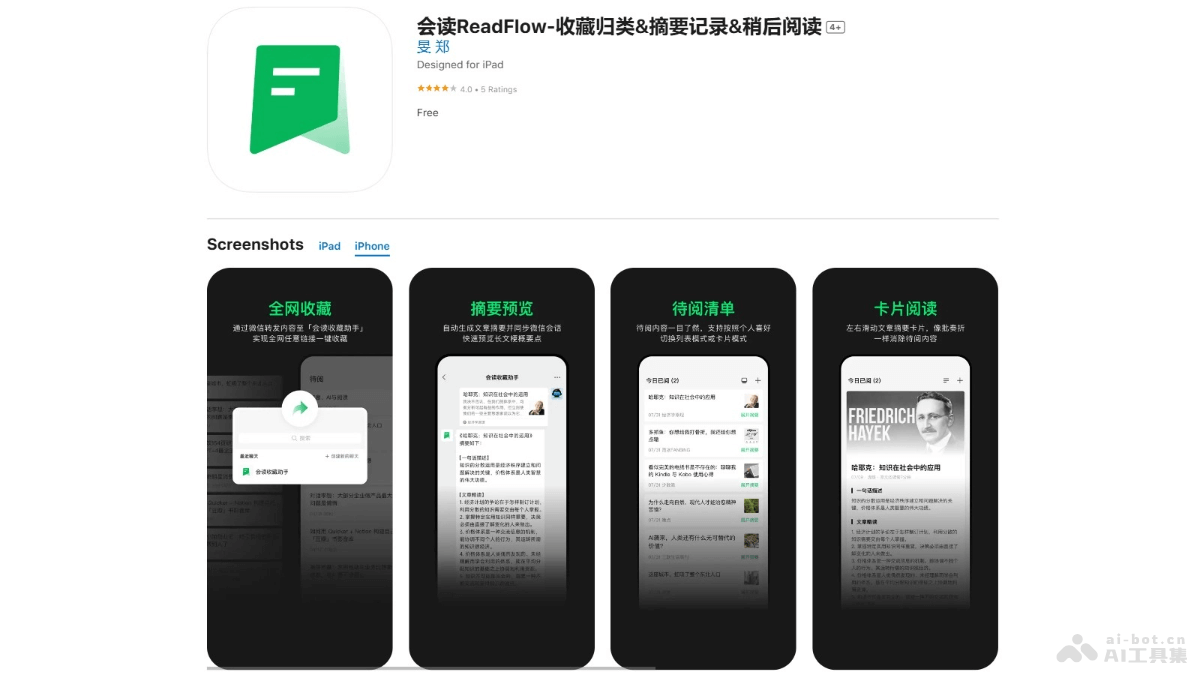
Main Features of ReadFlow
- One-Click Saving: Supports forwarding and saving links from across the web on multiple platforms (including WeChat), making it convenient for users to collect content of interest, with automatic archiving of article text.
- Summary Generation: Automatically generates summaries for articles, helping users quickly understand the key points before reading, supports the choice of skimming or close reading, and generates article summary cards with one click for easy social sharing.
- To-Read List: Automatically adds saved content to the to-read list, making it convenient for users to manage and find, guides users to mark after reading, and helps users regularly clean up unread content.
- Categorized Management:
- Star: Marks high-value content, supports note and tag management.
- Archive: Users can independently delete or permanently save low-value content.
- Reading Notes: Supports users in quickly recording thoughts and key points while reading, assists with recording and output, and generates notes into cards for social sharing.
How to Use ReadFlow
- Download and Install: iOS users visitApple App Store. Complete the download and installation.
- Register and Log In: Complete user registration and login by following the prompts.
- Save Content:
- When you encounter an article or webpage you want to save, use ReadFlow's saving feature.
- Based on sharing to WeChat or other methods, add content to ReadFlow with one click.
- Read and Organize:
- View the saved list in ReadFlow.
- Read article summaries and decide whether to read the full text in depth.
- Star or archive articles to manage reading materials by category.
- Generate Summaries and Notes:
- Use ReadFlow's automatically generated article summaries to quickly grasp the key points.
- During reading, record notes and thoughts; ReadFlow supports one-click insertion of article key points.
- Social Sharing: Generate cards from article summaries or notes and share them with others via social networks.
Application Scenarios of ReadFlow
- Information Collection and Organization:When users encounter valuable articles or information while browsing webpages or social media, they can quickly save them for later reading and organization.
- Academic Research and Learning:Students and researchers collect academic papers, research reports, and other materials, use the summary feature to quickly understand the main ideas of articles, and improve literature retrieval efficiency.
- News and Information Acquisition:News enthusiasts and industry analysts subscribe to and save news and information, promptly obtaining industry trends and current events.
- Knowledge Management:Professionals use it as a personal knowledge base to collect and organize materials in their professional field, and use the note-taking feature to record reading insights and inspiration.
- Content Creation and Editing:Content creators and editors collect writing materials and use the summarization and note-taking features to organize their thoughts and improve writing efficiency.