
A few days ago, a group member said they really wanted to know how to use AI to make videos of One Zen Little Monk quotes.
The adorable bald little monk, in just a few short sentences, expresses my deep inner reflections and hopes about life. After watching, I feel full of strength! No wonder, in today's era where short video creation across the internet is fiercely competitive, every video of the little monk's quotes is a hit, with the highest likes nearing 20 million.
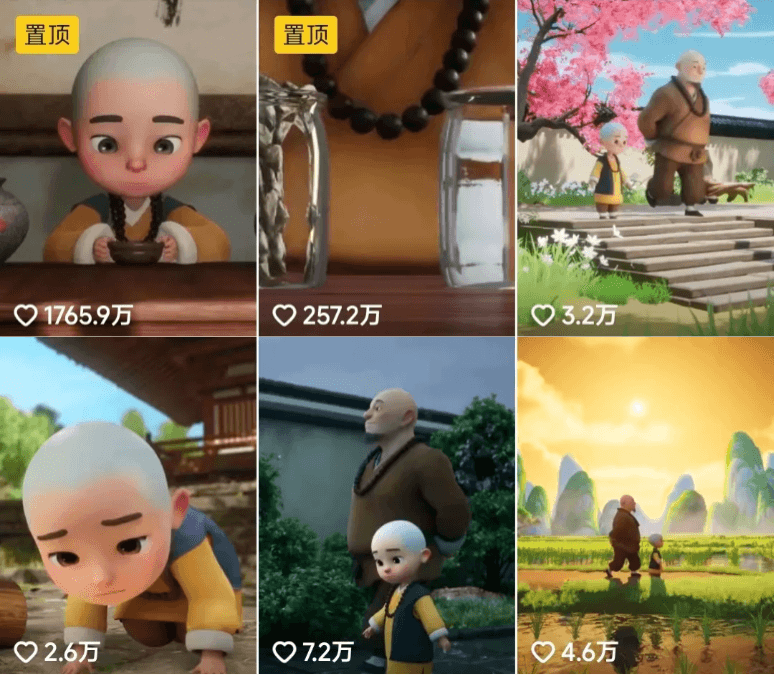
Many accounts rely on AI to make little monk quote videos, and their followers skyrocket. This niche is truly lucrative! Spend one minute reading this tutorial, and you too can produce high-quality little monk quote videos! Build your own high-traffic self-media account.
01
Three Steps to Replicate a Hit Video
Deconstruction, AI Production, Result Control
What moves people most about the little monk's quotes are the warm, healing words and beautiful visuals. Split video production into four steps: script, voice, storyboard visuals, and animation. Assign each task to a different AI, and you can achieve efficient, high-quality mass production. I only need to handle result control and editing.
02
Generate with Doubao
Little Monk Quote Script
Enter "Please help me write classic quotes from One Zen Little Monk" and let Doubao complete the script part.
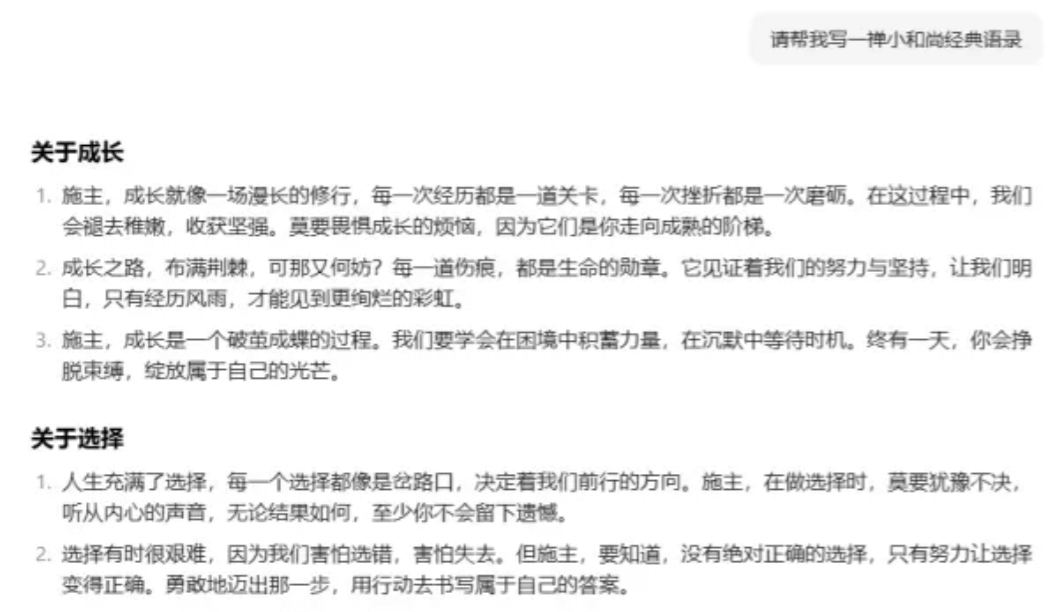
If you're not satisfied with the generated script, you can have it polished or rewritten, and give more specific requirements, such as "about friendship," "about love," "more colloquial," "more concise"... This way we have an endless supply of script material.
03
Hailuo AIClone Voice
There are many AI dubbing tools, but most only let you choose built-in announcers, and the voice and tone aren't natural enough.
The overseas version of Hailuo AIonly needs 10 seconds of audio material to clone my voice, and it's completely free!!!
Here I'll go directly to Douyin and extract a segmentOne Zen Little Monk's voice. Note that you need audio material of the little monk alone. If the audio has parts with multiple people talking, remove them to avoid affecting the cloning effect.
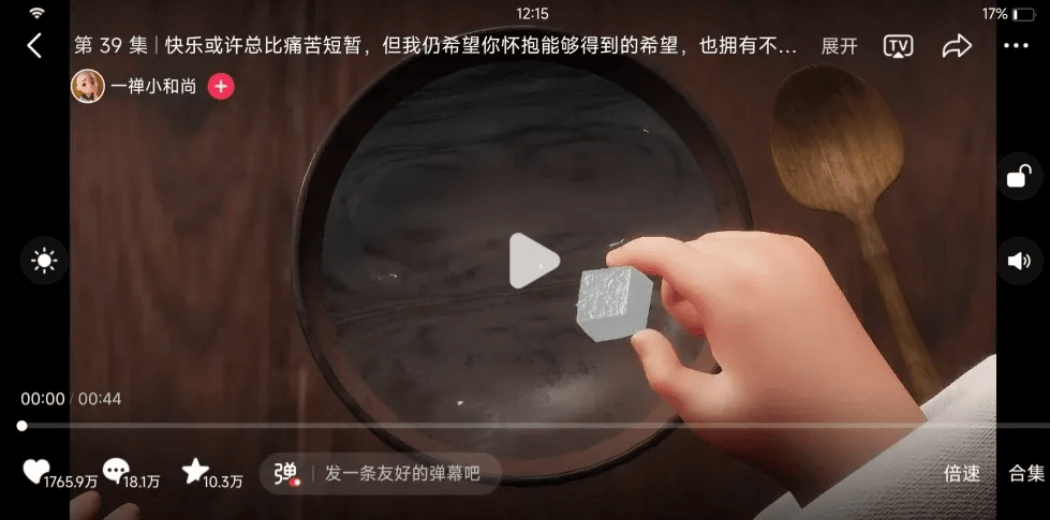
The extracted voice material sounds like this. You can listen to it.
Click to listen to the full version - Little Monk Quotes
The voice is young and full of childlike charm, with very strong appeal. The pronunciation is clear and there's no noise, so it's an excellent original voice material.
Next, open Hailuo AI. Click "Create Your Voice Clone."
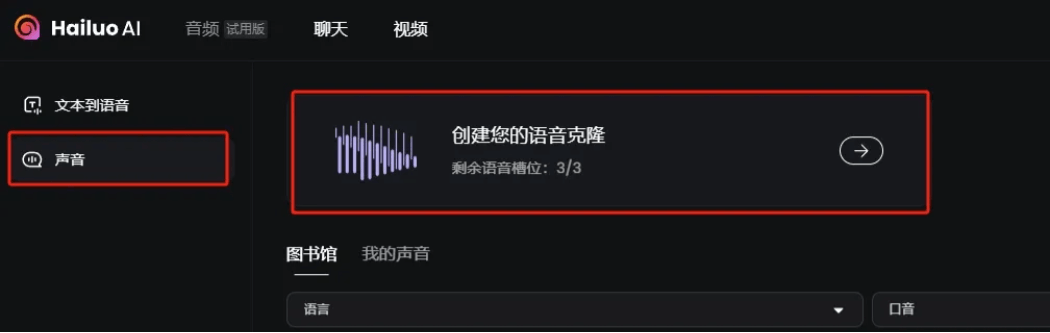
You can create 3 voices for free by uploading audio or recording directly.
Here, name the voice "Little Monk" and upload the original voice material you just processed.
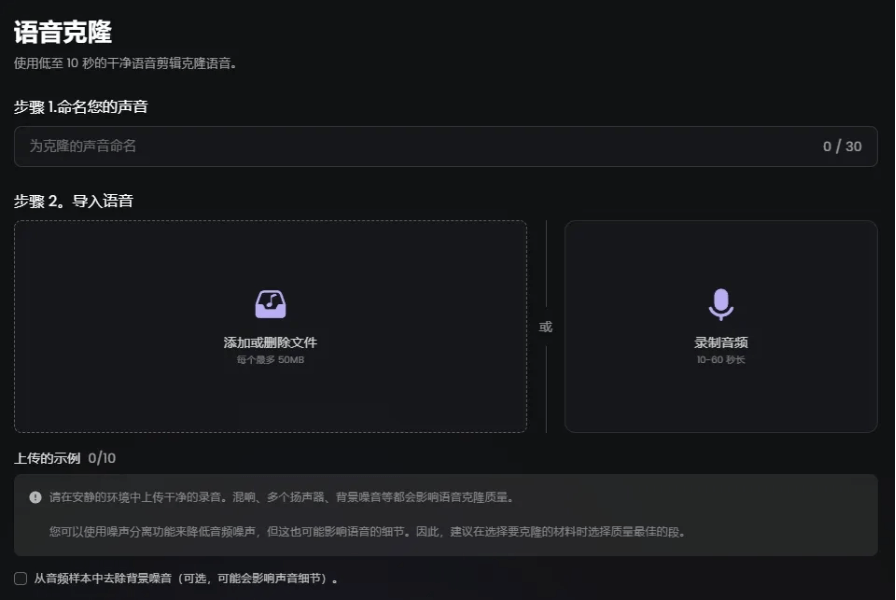
I processed the background music in advance, so the uploaded voice material is relatively clean, and there's no need to check "Remove background noise from audio samples."
If the material you upload hasn't been pre-processed, checking it can help remove noise and background music.
Next, select the language of the original material. Here, chooseChinese (Mandarin)and that's it.
Click convert in the lower right corner, and in just a few seconds, the little monk's voice will be cloned.
Return to the text-to-speech page and enter the script Doubao helped me write earlier: The greatest joy in life is when everyone says you can't do it, but you complete it.
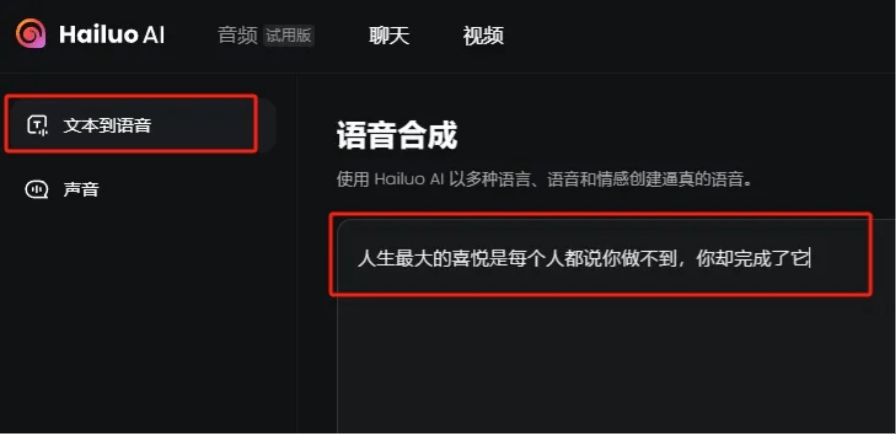
At the bottom of the page, select the little monk's voice and click generate speech. Then you can preview and download it below.
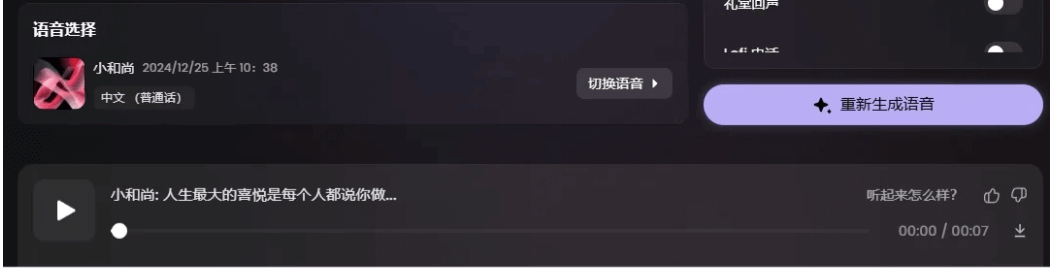
If you're not satisfied with the generated speech, there's an adjustment page on the right where you can adjust the language, speed, tone and emotion, stress, and more, then have it regenerate.
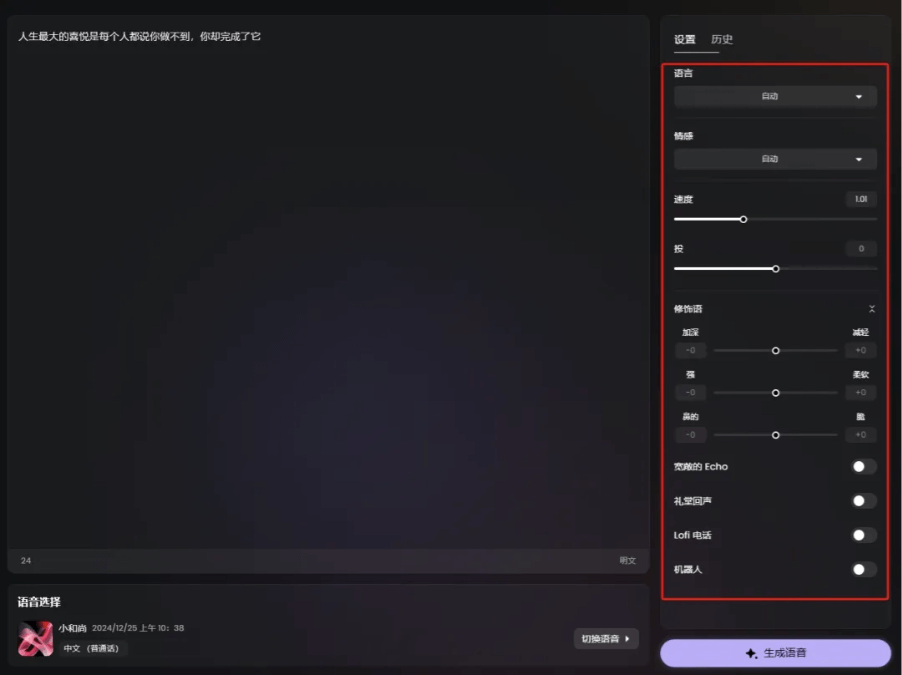
Here I just used the default settings, and it already sounds quite good.
04
Jimeng generates the little monk image
I directly downloaded an image素材 of the little monk from Baidu.
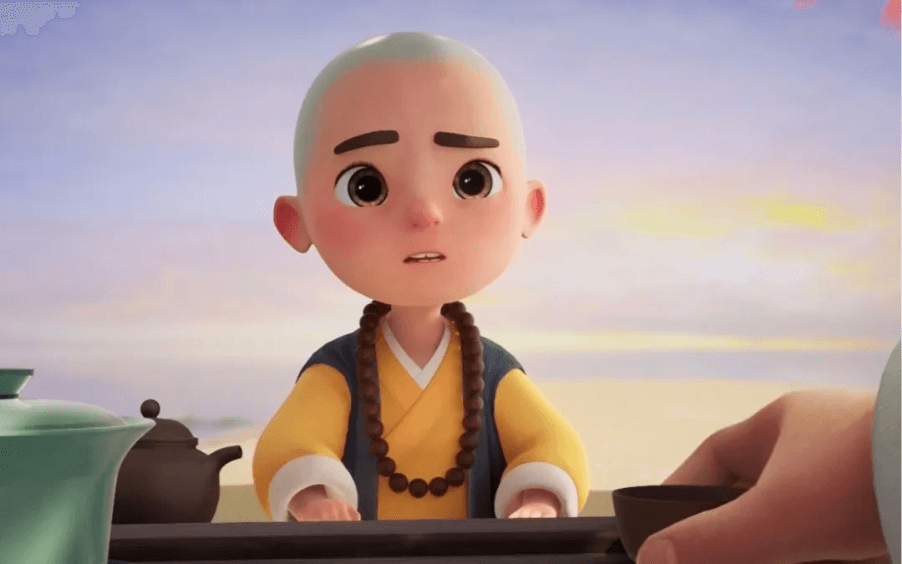
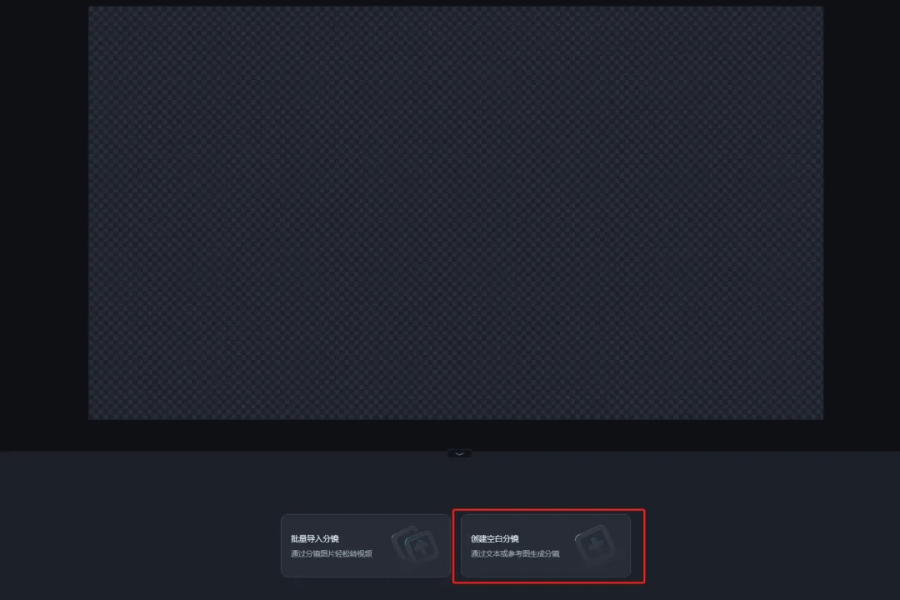
Open Jimeng and select Story Creation.

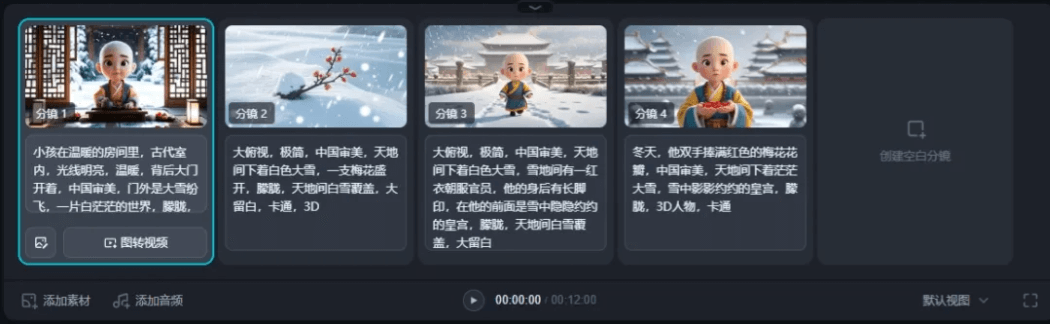
Create a blank storyboard.
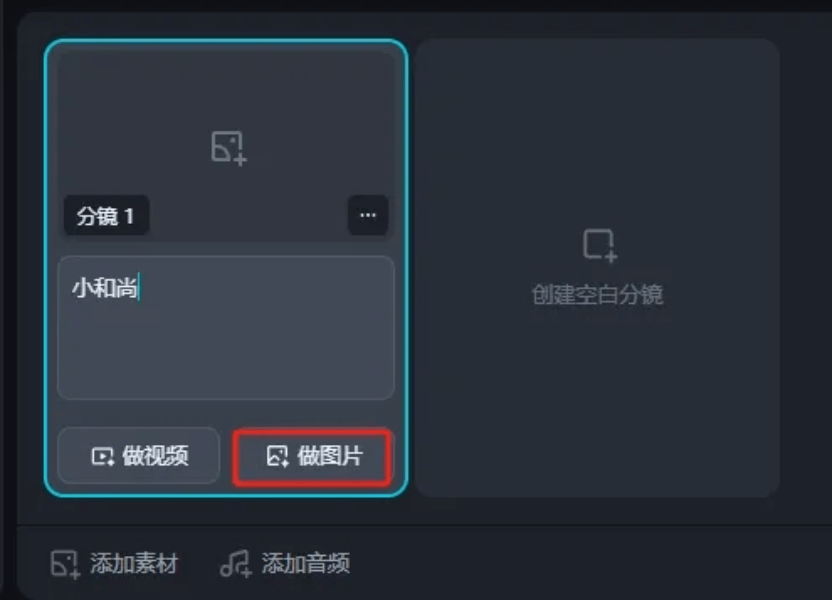
Enter any content in the storyboard and click Make Image.
An edit box will pop up on the left. Under Cast Characters here, just upload the character's photo. You can also let Jimeng draw the character's appearance for us directly. After selecting the cast character, you no longer need to worry about character consistency.
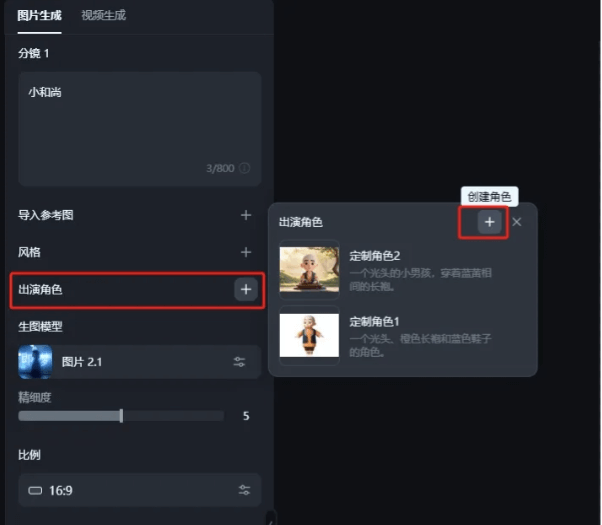
Based on our copy content, enter a description to let Jimeng draw the storyboard images.
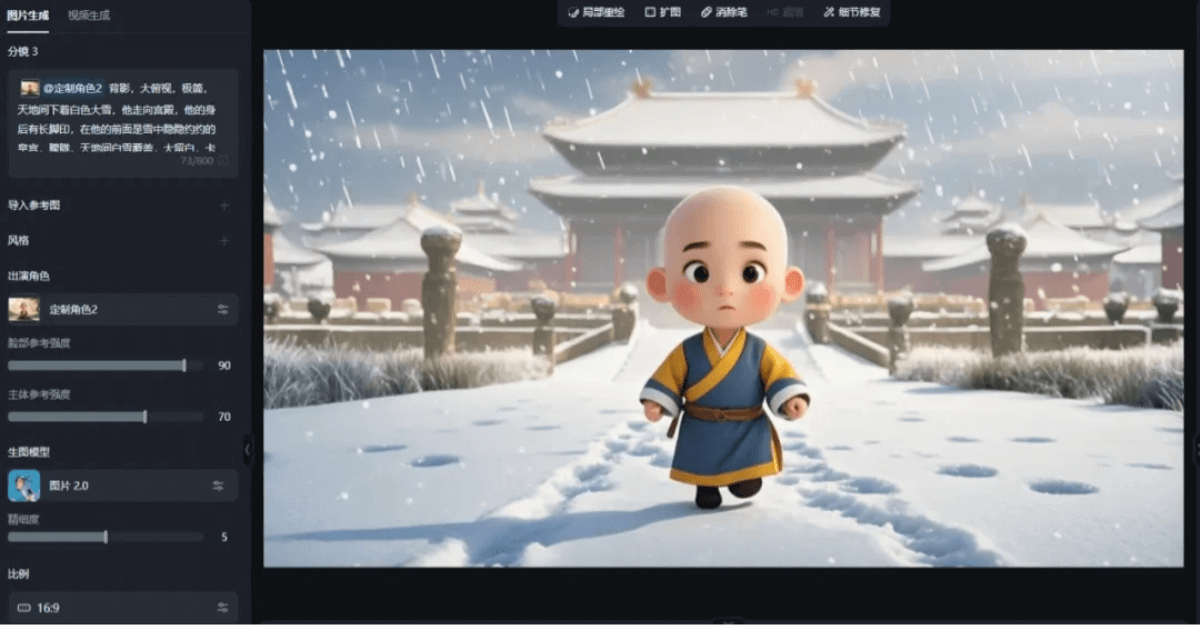
For the storyboard, try to include as many shot types as possible—close-up, medium shot, long shot, extreme close-up—and add some empty shots in between, so the richness of the visuals will be better.
05
Jimeng lip sync
Kling generates animated videos
Enter the Jimeng video production page and select Lip Sync. Upload the storyboard images.
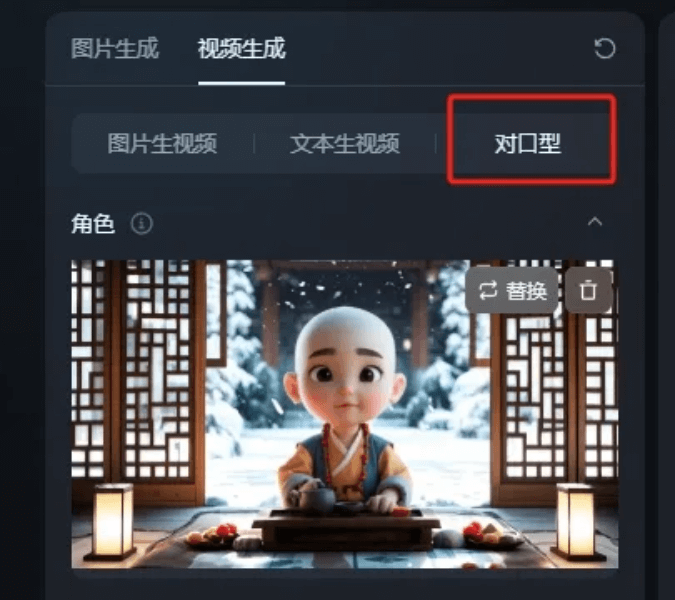
Upload local voiceover.
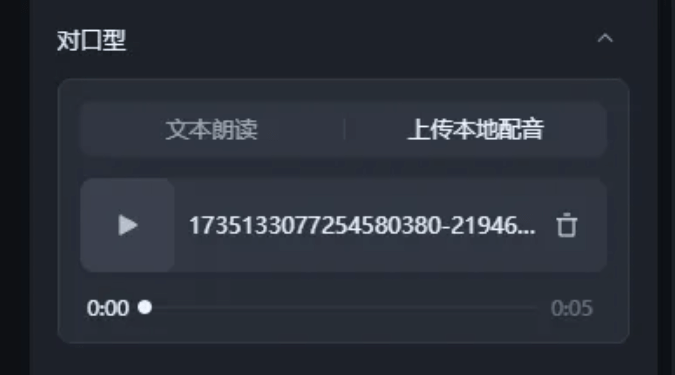
Click Generate Video in the lower left corner. In less than a minute, a video of the little monk talking is ready. In the lower right corner of the generated video, you can also add AI background music.
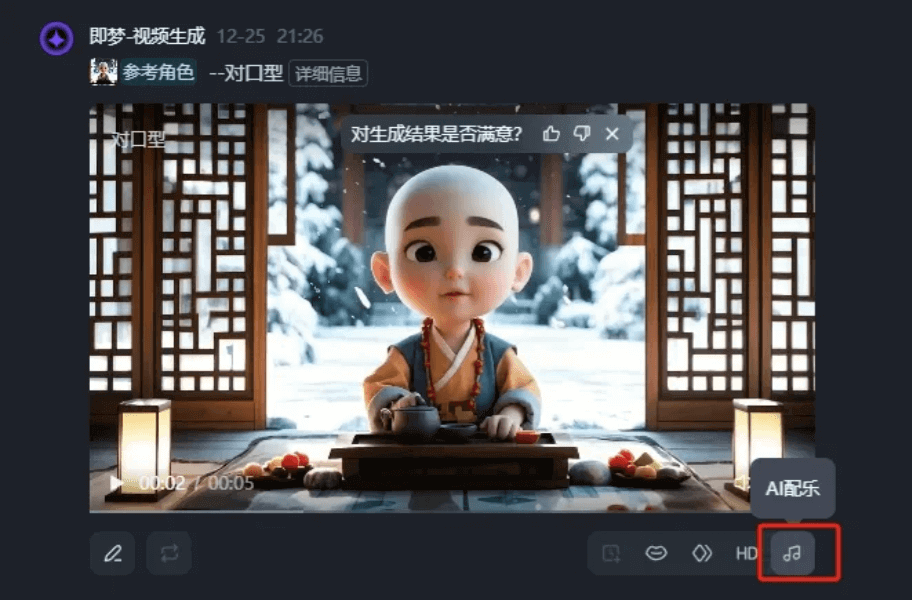
A basic version of the little monk quotes video is done.
Doesn't a picture like this look a bit monotonous? Can we add some dynamic effects?
Of course we can!
Open our old friend—Kling, select Image to Video, and turn the previous storyboard images into animated videos one by one.
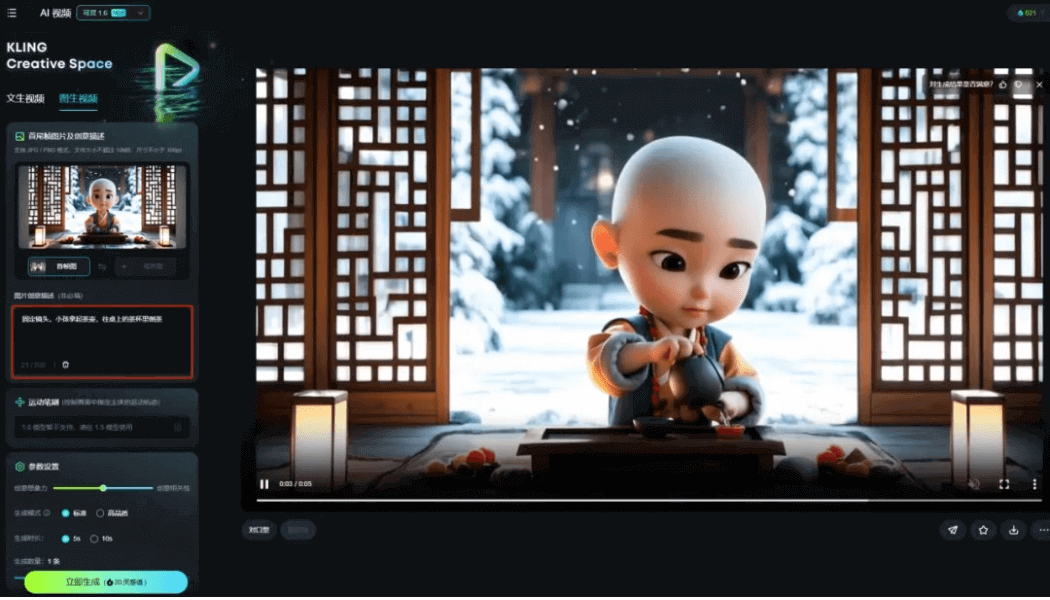
Here I used a fixed camera and added a description of character movement to generate a simple animation. If you also add camera movements such as push, pull, pan, and tracking, the generated visuals will be even richer.
Upload the video and voiceover together to CapCut, process it a bit, add background music, and a dynamic version of the little monk quotes video is complete~
If you want to create efficiently with AI, you must learn to break down work tasks, decompose the complex creative process into specific, actionable small modules, and let different AI tools leverage their own strengths to form an efficient workflow.
Creating little monk quotes videos doesn't require particularly complex techniques. Being able to express sincerely and let emotions show through—content like this is bound to become a hit soon. I hope this short little tutorial can help everyone create and build the warm harbor in their hearts.
Not just little monk quotes—most of the AI videos we come across can be made through this kind of AI combo. Have you learned it?
All the tools involved in this article:
- Doubao:https://ai-bot.cn/sites/4189.html
- Hailuo:https://ai-bot.cn/hailuo-ai-audio/
- Jimeng:https://ai-bot.cn/sites/17772.html
- Kling:https://ai-bot.cn/sites/13186.html