
What Is Hostinger
Hostinger is an innovative online AI website builder that simplifies the website creation process through artificial intelligence technology. Users only need to answer a few questions, and the AI can quickly generate a personalized website. The platform provides a drag-and-drop editor and a variety of AI tools, such as content writing, image generation, SEO optimization, and blog creation, to enhance website functionality. It supports product sales and marketing campaign management, helping users easily promote products. Hostinger's AI builder also promises that websites will adapt to mobile devices, ensuring a good user experience.
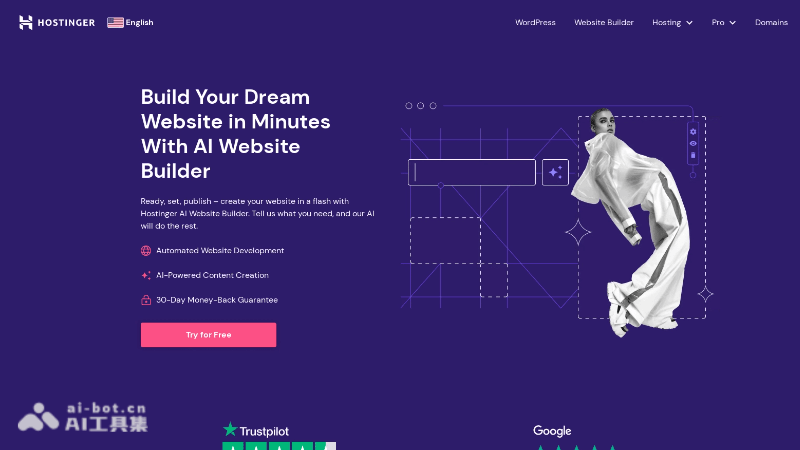
Hostinger's Features
-
AIDesign suggestions: Provides design suggestions based on artificial intelligence, helping users quickly create attractive website layouts.
-
Richtemplate library: Provides a variety of design templates, suitable for different industries and personal needs.
-
E-commerce features: Supports online store setup, including product display and payment system integration.
-
Integrated social media: Allows users to connect websites with social media accounts for easy content sharing and marketing.
-
SSLSecurity certificate: Provides a free SSL certificate to ensure the security of website data transmission.
-
Automatic backup: Regularly and automatically backs up website data to prevent accidental loss.
How to Use Hostinger
-
Register and log in: Visit the Hostinger website (hostinger.co) to register a new account or log in with an existing account.
-
Choose a plan: Choose a suitable website builder plan according to your needs. Hostinger offers different packages with different features and prices.
-
Choose a domain: Choose a domain or use an existing domain. Hostinger provides a free domain as part of some plans.
-
Start building: Log in to the control panel, select the AI website builder, and start creating a new website.
-
Choose a template: Choose a template suitable for the website from the provided template library.
-
Customize the design: Use the drag-and-drop editor to customize the template, adding or modifying text, images, buttons, and other elements.
-
Add pages and content: Create the pages needed for the website and add content. You can add text, images, videos, product lists, and more.
-
Preview and publish: Preview the website to ensure all content and design meet the requirements. Then publish the website.
Hostinger's Application Scenarios
-
Personal blog: Create a personal blog website to share personal stories, ideas, or professional knowledge.
-
Small business website: Establish an online presence for a small business, display products or services, and provide contact information.
-
Online store: Create an online store for an e-commerce business to display and sell products.
-
Portfolio: Artists, designers, or photographers can display their work.
-
Educational institutions: Schools, training centers, or teachers can create websites to provide course information, teaching resources, and contact information.
-
Non-profit organizations: Charities or community organizations can promote their mission, events, and fundraising activities.