
What is Heyboss
Heyboss is an AI programming toollaunched by Heeyo, designed as an "AI engineer for ordinary people," allowing anyone to create AI applications, web pages, websites, and even games without writing code. Users only need to input ideas through a dialog box or upload relevant files, and Heyboss can complete the design within minutes. The tool supports multimodal functionality, covering all aspects including design, product requirements, front-end and back-end interaction, operations, and databases, truly achieving "zero-code" development.
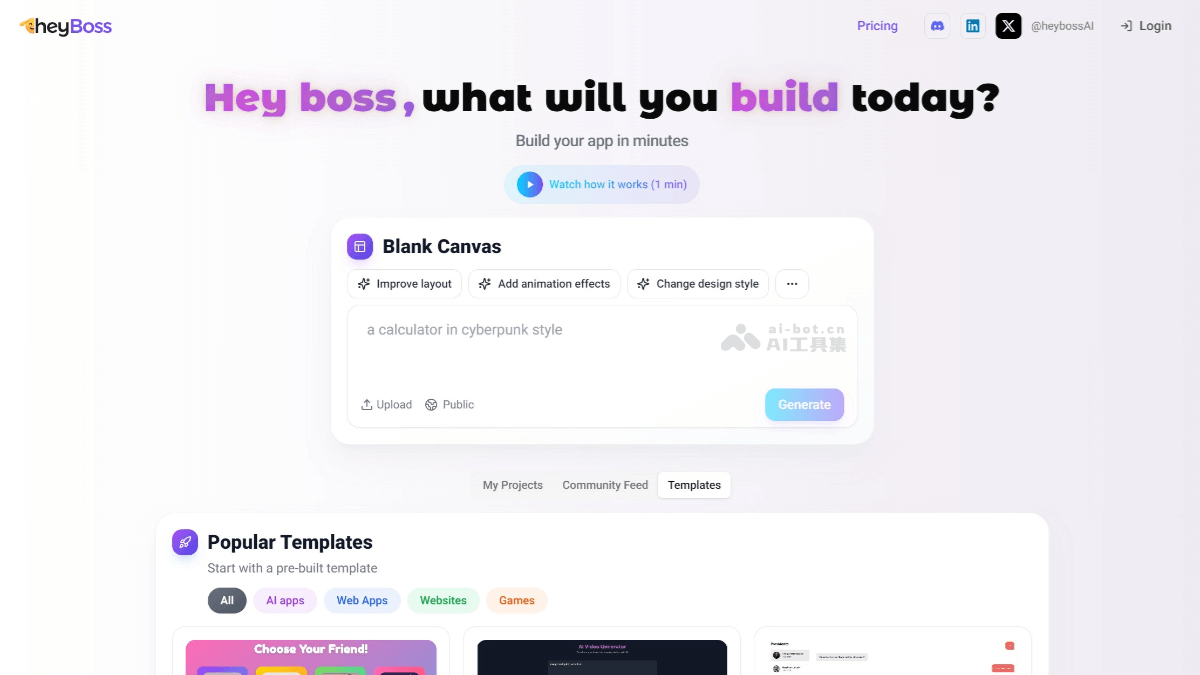
Heyboss's Main Features
- One-Click App Generation: Users do not need to write code; they only need to input ideas through a dialog box or upload relevant files, and Heyboss can quickly generate AI applications, web pages, websites, and even games based on requirements.
- Multimodal Content Generation: Supports the generation of various content such as text, images, and videos, meeting different types of creative needs.
- Integrated Development Process: Integrates multiple aspects such as design, product requirements, front-end and back-end interaction, and database operations into one, allowing users to complete development without programming skills.
- Templated Creation: Provides a variety of ready-made templates covering categories such as AI applications, web applications, and games, helping users get started quickly.
- Real-Time Online Processing: Heyboss can process users' creative needs online 24/7, responding quickly and generating results.
How to Use Heyboss
- Register and Log In: Visit the Heyboss official website to create an account or log in with an existing account.
- Choose Project Type: On the main interface, choose the type of project you want to create, such as an AI application, web page, website, or game.
- Enter Project Requirements: Input your project ideas or requirements through the dialog box. You can upload relevant files, such as design sketches and documents, to provide more details.
- Choose a Template: Heyboss provides a variety of templates; choose one that suits the project.
- Customize and Edit: Use the tools and options provided by Heyboss to customize the project. You can add multimodal content such as text, images, and videos.
- Preview and Test: Preview your project in Heyboss to ensure it matches expectations. Conduct tests to ensure functionality works properly.
- Publish and Share: Once testing is complete, you can publish your project. Heyboss supports sharing the project link on social media or sending it directly to others.
Heyboss's Advantages
- Ease of Use: Users do not need to write code; they only need to input ideas through a dialog box or upload files to generate applications or web pages.
- Multimodal Support: Heyboss supports the generation of various content such as text, images, and videos. It is not limited by professional skills.
- Integrated Development Process: Heyboss integrates multiple aspects such as design, product requirements, and front-end and back-end interaction.
- Rapid Prototyping: Heyboss can complete the initial construction of a product within minutes. Users can quickly test and iterate their ideas, accelerating time to market.
Heyboss's Application Scenarios
- Personal Creative Implementation: Heyboss enables individual users to quickly turn ideas into actual applications or web pages. Simply describe your idea in the dialog box, and Heyboss can automatically generate game designs that meet the requirements, including graphical interfaces, interaction logic, and more.
- Education: It can be used as a teaching tool to help students understand programming and the creative process. Students can realize their own project ideas without a programming background, stimulating their creativity and interest in learning.
- Small businesses and startups: Enterprises can use Heyboss to quickly build an MVP (minimum viable product), conduct market testing and collect user feedback, and accelerate time to market.
- Professional developers: Professional developers with programming experience can use Heyboss to improve development efficiency. It can help developers quickly set up project frameworks, carry out prototyping and functional testing, save time and effort, and focus on more complex development tasks.