
What is GreenConvert
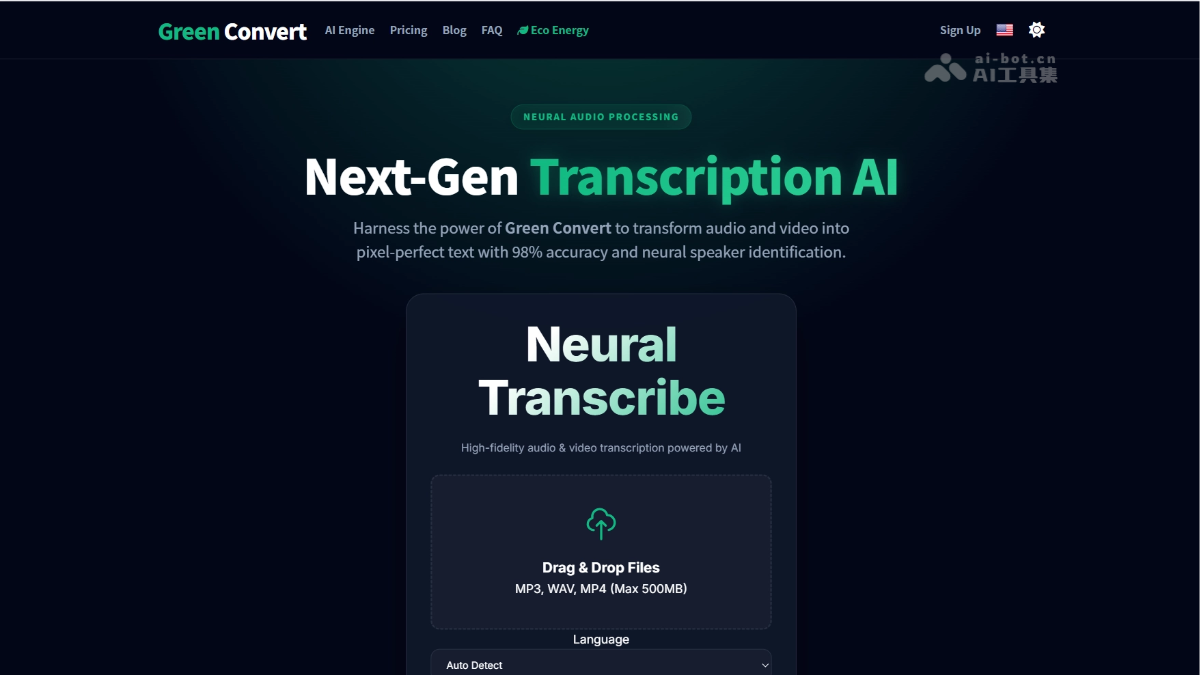
GreenConvert is an AI audio and videotranscription platform, converting audio and video to text through a neural engine, supporting over 98 languages with 98% accuracy. The platform includes speaker recognition, audio restoration, and multilingual translation, and can process files up to 10 hours long. The platform uses dynamic GPU scaling and renewable energy data centers to reduce its carbon footprint, providing cost-effective transcription services for creators and enterprises.
GreenConvert's Main Features
-
Multi-format Audio and Video Transcription: Supports uploads in MP3, WAV, MP4, and other formats, with a maximum of 500MB or 10 hours/5GB per file.
-
Dual-Engine Transcription Mode: Provides two neural engines, Cheetah and Whale, which users can switch between according to the scenario.
-
AI Speaker Recognition: Automatically separates and labels different speakers in multi-person conversations, suitable for meetings, interviews, and podcasts.
-
Audio Restoration and Enhancement: Built-in neural noise reduction and speech upscaling technology can improve the transcription clarity of low-quality recordings.
-
Multilingual Translation: Supports text translation in 130+ languages, covering major languages and regional accents.
-
Batch Export: Supports export in multiple formats such as PDF, DOCX, TXT, SRT, and VTT; the Business version provides batch operations.
How to Use GreenConvert
- Register an Account: Visit the GreenConvert official website https://greenconvert.ai/,注册账号,根据转录需求选择 Free, Unlimited, or Business plan.
- File Upload and Parameter Settings: Drag and drop the audio or video file to the upload area, and select the source language and neural engine mode.
- Feature Toggle Configuration: Enable audio restoration and noise reduction according to recording quality; for multi-speaker scenarios, check speaker recognition to automatically label different sound sources.
- Wait for Neural Processing: After submission, the system performs transcription through a distributed GPU cluster, supporting up to 10 hours or 5GB per file.
- Result Proofreading and Export: Preview the automatically generated text and speaker labels online, make corrections as needed, and choose TXT, SRT, DOCX, or PDF format for export.
GreenConvert's Core Advantages
- Environmental Computing Differentiation: Uses dynamic GPU power adjustment and renewable energy data centers as core selling points, attracting enterprise users focused on ESG.
- Unlimited Transcription Cost-Effectiveness: The $10/month Unlimited plan has no minute cap, and the cost for high-frequency users is far lower than that of pay-as-you-go competitors.
- Low-Quality Audio Restoration: Built-in neural upscaling and noise reduction pre-processing network, with special optimization for poor-quality audio sources such as outdoor recordings and old tapes.
- Multilingual Accent Coverage: Supports recognition of 98+ languages and regional accents, outperforming similar tools that focus on English in multilingual content transcription scenarios.
Comparison of GreenConvert with Similar Competitors
| Comparison Dimension | GreenConvert | Otter.ai |
|---|---|---|
| Core Positioning | Carbon-neutral AI audio and video transcription and translation platform | Real-time meeting assistant and collaborative transcription tool |
| Best Scenarios | Podcast post-production, long video subtitles, batch file processing, multilingual translation | Real-time meeting notes, remote interviews, team meeting summaries |
| Transcription mode | Asynchronous upload processing (non-real-time) | Real-time streaming transcription + asynchronous file upload |
| Transcription accuracy | Claims 98% | About 92–96% |
| Speaker identification | ✅ Built-in, automatically labels different speakers | ✅ Strong, supports real-time speaker switching and naming |
| Meeting integration | ❌ None | ✅ Deep integration with Zoom, Google Meet, Microsoft Teams |
| Real-time captions | ❌ Not supported | ✅ Real-time scrolling captions and in-meeting annotations |
| Supported languages | 98+ languages, emphasis on regional accent recognition | About 30+ languages, best experience in English |
| Audio repair | ✅ Neural noise reduction and speech upscaling | ❌ No native audio enhancement |
| Collaboration features | Business plan provides team spaces and sharing | ✅ Strong, comments, highlights, task assignment, team channels |
| AI summary | ❌ Not mentioned | ✅ OtterPilot automatically generates meeting summaries and to-dos |
| Export formats | TXT、PDF、DOCX、SRT、VTT | TXT、PDF、DOCX、SRT |
GreenConvert use cases
-
Real-time meeting notes: Automatically transcribes online/offline meeting audio and generates structured written minutes, replacing manual stenography.
-
Multilingual meeting translation: Supports real-time transcription and translation for cross-border meetings, eliminating language barriers.
-
Interview and research organization: Quickly converts user interviews and market research recordings into searchable text for later analysis and archiving.
-
Course and lecture notes: Automatically records training, online courses, and academic lectures, generating key summaries and to-dos.
-
Compliance and audit trails: Automatically archives meetings in finance, healthcare, legal, and other industries to meet regulatory full-record requirements.