
What is GPTEngineer
GPTEngineer is an open-source tool based on AI technology that quickly generates web application prototypes through simple text prompts. Users only need to describe their requirements, and the AI can automatically write and execute code, supporting synchronization with GitHub and one-click deployment. GPTEngineer uses the OpenAI API or Azure OpenAI API under the hood, and is compatible with OpenAI models and Anthropic models. GptEngineer can improve development efficiency, reduce manual coding time, and allow developers to focus on more complex innovative tasks.
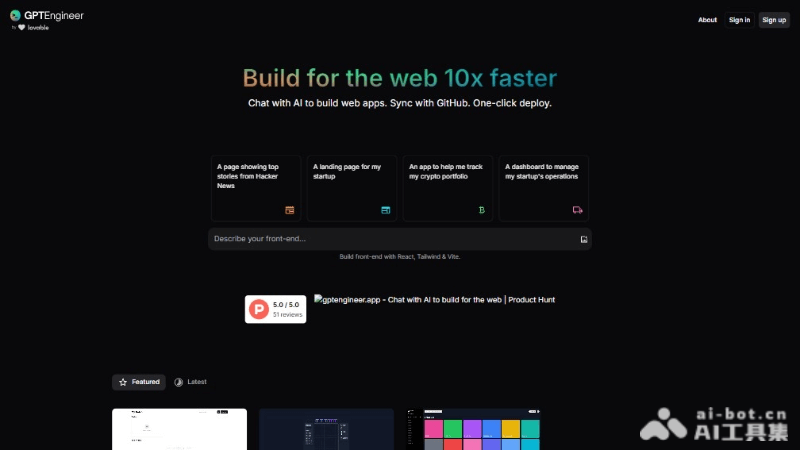
Main Features of GPTEngineer
- Rapid Prototype Generation: Through simple text prompts, GPTEngineer can quickly generate prototypes of web applications.
- Natural Language Interaction: Users can use natural language to describe the application they want to build, and the AI will generate code based on these descriptions.
- Code Improvement: GPTEngineer can understand existing code and improve and optimize it according to the user's instructions.
- Error Detection and Correction: During development, the AI can automatically detect errors in the code and propose correction suggestions.
- Synchronization with GitHub: Supports two-way synchronization with GitHub, facilitating code version control and collaboration.
- One-Click Deployment: GPTEngineer supports one-click deployment of applications to the production environment, simplifying the deployment process.
- Open Source and Local Deployment: As an open-source project, GPTEngineer supports local deployment, allowing users to use it in a private environment.
- Support for Multiple Models: Under the hood, it supports OpenAI models and Anthropic models, providing flexible AI support options.
- Image and Video Understanding: For models with visual capabilities, GPTEngineer can accept image input, understand web page content, and convert it into HTML code.
Technical Principles of GPTEngineer
- Natural Language Processing (NLP): GPTEngineer is based on NLP technology to parse users' natural language input. Users can describe their needs in everyday language instead of writing code.
- Machine Learning Models: Uses large language models, such as the GPT (Generative Pre-trained Transformer) series models provided by OpenAI or Anthropic's Claude models. The models are trained to understand and generate code.
- Context Understanding: GPTEngineer can understand contextual information and maintain consistency across multiple rounds of dialogue, gradually improving and refining the code.
- Code Generation: The AI model generates corresponding code based on the user's description. This involves converting natural language instructions into the syntactic structures of programming languages.
- Error Detection and Correction: GPTEngineer includes an error detection mechanism that can identify problems in the code and propose correction solutions, involving pattern recognition and code analysis.
GPTEngineer Project Address
- Project Official Website:gptengineer.app
- Github Repository:https://github.com/gpt-engineer-org/gpt-engineer
How to Use GPTEngineer
- Install GPTEngineer:Install the stable version of GPTEngineer through Python's package manager pip,If you need to use the development version, visit GitHub clone the repository, then follow the instructions in the repository to install dependencies and activate the virtual environment.
- Set Up API Key:To use GPTEngineer, you need an OpenAI API key or a key for another supported AI service.You can configure the API key by setting an environment variable or by creating a
.envfile in the project. - Create a project folder:Create a new folder on your computer; this is the project directory.
- Write a prompt file:In the project folder, create a file named
prompt(with no file extension).In thepromptfile, fill in a description of the code you want the AI to generate. - Run GPTEngineer:Using a command-line tool, navigate to the project directory.Run the
gpte <project_dir>command, where<project_dir>is the relative or absolute path to the project folder. - Improve existing code:If you want to improve existing code, you can create a
promptfile in the folder containing the existing code, and describe the improvements you want to make.Run thegpte <project_dir> -icommand to start the improvement process. - Sync and deploy:GPTEngineerIt supports syncing with GitHub and can be configured to automatically push code changes.It also supports one-click deployment, allowing code to be deployed to a production environment.
Use cases of GPTEngineer
- Rapid prototyping: Developers can use GPTEngineer to quickly generate application prototypes and accelerate the development process, especially in startups and agile development environments.
- Web application development: Used to create or improve websites and web applications, including the generation of front-end and back-end code.
- Automated testing: Automatically generate test cases and test scripts to improve the efficiency and coverage of software testing.
- Code refactoring: Helps developers refactor existing code and improve code quality, for example by optimizing performance, improving structure, or updating to a new programming paradigm.
- Education and learning: As a teaching tool, it helps students and novice developers understand programming concepts and practices, and learn programming languages and frameworks through examples.