
What is GPT-image-1
GPT-image-1 is a native multimodalimage generationmodel launched by OpenAI, made available to developers via API. The model generates high-quality, professional-grade images based on text prompts and images, and supports multiple styles and customization features, such as image quality, size, format, compression level, etc. The model is widely used in creative design, e-commerce, education, marketing, and other fields, for example, turning sketches into graphics, generating product display images, creating brand visual assets, etc. It has currently been adopted by mainstream creative platforms including Adobe,Figma and others.
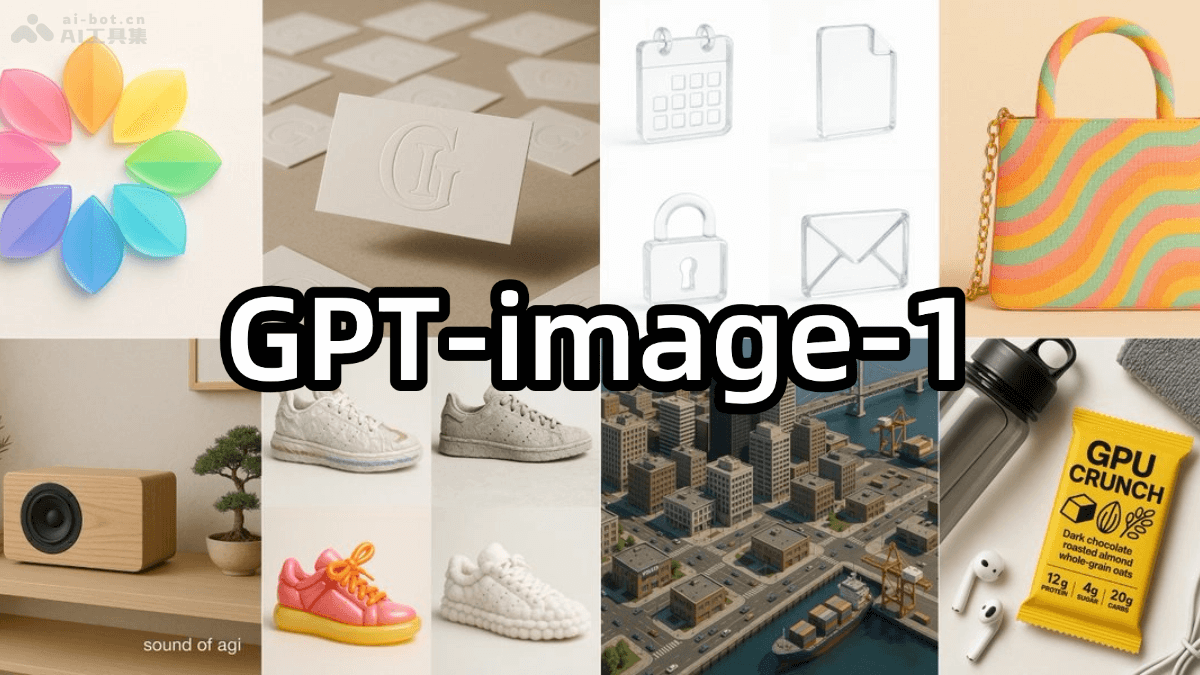
Main features of GPT-image-1
-
Text-to-image generation: Generate images based on text descriptions.
-
Image editing: Modify or locally edit existing images.
-
Image variations: Generate different versions or style variations of an image.
- Customization features:
- Size: Supports multiple resolutions, such as 1024×1024, 1024×1536, etc.
- Quality: Three rendering quality options: low, medium, and high.
- Format: Supports formats such as PNG, JPEG, WebP, etc.
- Compression: For JPEG and WebP formats, a compression level of 0-100% can be set.
- Background: Supports transparent backgrounds or opaque backgrounds.
- API access: Provides an API interface, allowing developers to integrate image generation capabilities into their own applications or services, and supports batch image generation.
Model characteristics of GPT-image-1
- Powerful instruction following: Accurately understands and executes complex instructions, ensuring the accuracy of generated images.
- Many artistic styles: Supports multiple artistic styles, suitable for different creative needs.
- Precise image editing: Provides powerful image editing capabilities, allowing users to make fine adjustments to images based on text prompts.
- Rich real-world knowledge: Generates image content related to the real world, enhancing the credibility and practicality of images.
- Text-consistent generation: When generating images, maintains the consistency and coherence of text content, suitable for scenarios such as educational materials and storybooks.
Product pricing of GPT-image-1
- Text input tokens (prompt text): $5 per 1 million tokens
- Image input tokens (input images): $10 per 1 million tokens
- Image output tokens (generated images): $40 per 1 million tokens
Project address of GPT-image-1
- Project official website:https://openai.com/index/image-generation-api/
How to use GPT-image-1
- Preparation: Visit the OpenAIofficial websiteto register an account. After registration is complete, log in to the account to obtain the API key (API Key).
- Install the OpenAI Python library: Install OpenAI's official library in the Python environment. Open the terminal or command prompt and run the following command:
pip install openai- Configure API key:Configure the OpenAI API key in your code. It is recommended to store the key in an environment variable to avoid exposing it directly in the code.
import os
import openai

# 设置API密钥
openai.api_key = os.getenv("OPENAI_API_KEY")- Call the image generation API:
- Image generation: Generate images based on text prompts. Below is a simple example code:
import openai
import base64

# 初始化OpenAI客户端
client = openai.OpenAI()

# 调用图像生成API
result = client.images.generate(
    model="gpt-image-1",  # 指定模型
    prompt="A futuristic cityscape at sunset with flying cars and neon lights",  # 文本提示
    size="1024x1024",  # 图像尺寸
    quality="high",  # 图像质量
    background="transparent"  # 背景设置为透明
)

# 获取生成的图像数据
image_base64 = result.data[0].b64_json
image_bytes = base64.b64decode(image_base64)

# 保存图像到本地文件
with open("futuristic_cityscape.png", "wb") as f:
f.write(image_bytes)-
- Image editing: Edit existing images. Below is an example code:
import openai

# 初始化OpenAI客户端
client = openai.OpenAI()

# 调用图像编辑API
result = client.images.edit(
    model="gpt-image-1",  # 指定模型
    image=open("input_image.png", "rb"),  # 上传需要编辑的图像
    mask=open("mask.png", "rb"),  # 上传蒙版图像
    prompt="Replace the sky with a starry night",  # 编辑提示
    size="1024x1024",  # 图像尺寸
    quality="high"  # 图像质量
)

# 获取生成的图像数据
image_base64 = result.data[0].b64_json
image_bytes = base64.b64decode(image_base64)

# 保存编辑后的图像到本地文件
with open("edited_image.png", "wb") as f:
f.write(image_bytes)-
- Generate new images using reference images:Upload multiple reference images to generate a new image. Below is an example code:
import openai

# 初始化OpenAI客户端
client = openai.OpenAI()

# 调用参考图像生成API
result = client.images.edit(
    model="gpt-image-1",  # 指定模型
    image=[
        open("body-lotion.png", "rb"),
        open("bath-bomb.png", "rb"),
        open("incense-kit.png", "rb"),
        open("soap.png", "rb"),
    ],  # 上传参考图像
    prompt="Generate a photorealistic image of a gift basket on a white background labeled 'Relax & Unwind' with a ribbon and handwriting-like font, containing all the items in the reference pictures",  # 生成提示
    size="1024x1024",  # 图像尺寸
    quality="high"  # 图像质量
)

# 获取生成的图像数据
image_base64 = result.data[0].b64_json
image_bytes = base64.b64decode(image_base64)

# 保存生成的图像到本地文件
with open("gift_basket.png", "wb") as f:
    f.write(image_bytes)
Use cases of GPT-image-1
- Adobe: Integrated intoFireflyand Express applications, providing different image styles.
- Figma: Generate and edit images based on simple prompts, helping designers quickly get ideas.
- HeyGen: Enhance avatar creation and editing features.
- Wix: Help users quickly turn ideas into reality.
- Photoroom: Help online sellers create studio-quality visuals based on product photos.
Application scenarios of GPT-image-1
- Creative design: Quickly turn sketches into high-quality graphic elements, supporting high-fidelity visual editing.
- E-commerce and marketing: Generate product display images, marketing posters, and social media images to enhance visual effects.
- Brand design: Create editable logos, brand visual assets, and professional typography.
- Video creation: Enhance video editing features, generating high-quality avatars and animation effects.
- Education and content creation: Generate instructional illustrations and creative content to assist education and creation.