
What is GitMCP
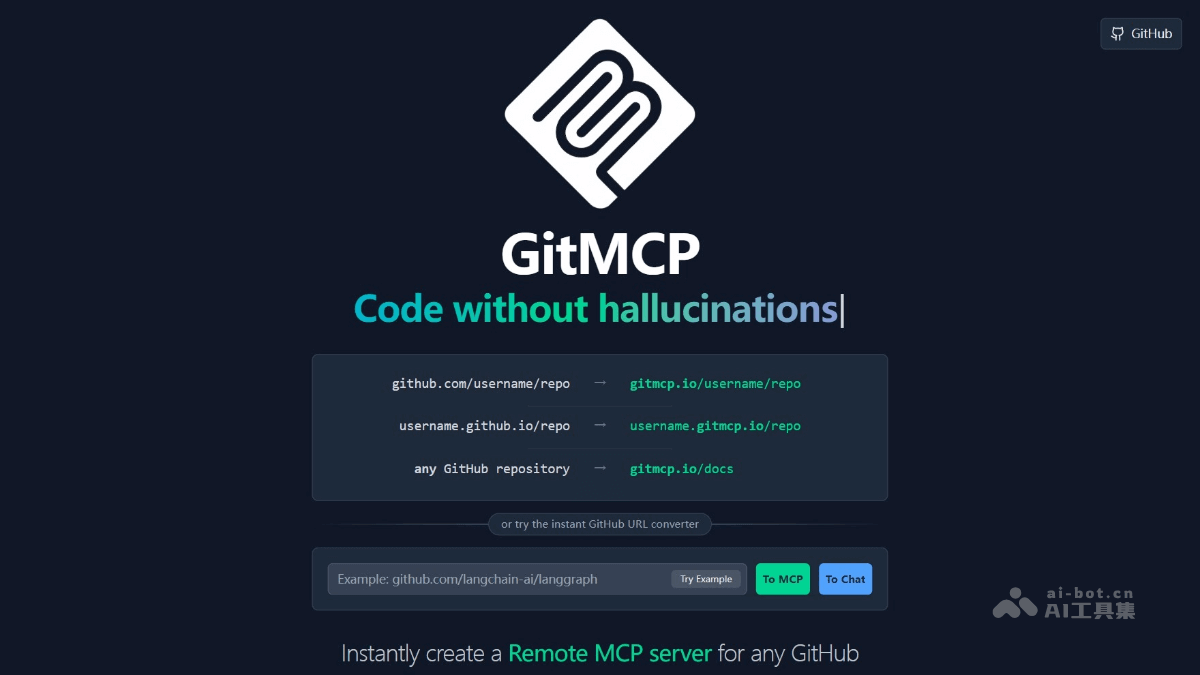
GitMCP is an open-source remote Model Context Protocol (MCP) server that transforms GitHub repositories (including codebases and GitHub Pages) into real-time documentation hubs, allowing AI tools (such as Cursor) to directly access the latest documentation and code, eliminating code hallucinations and improving code accuracy. GitMCP supports two modes: specific repositories and a general-purpose server, so users can choose according to their needs. GitMCP requires no installation and zero configuration, supports embedded chat, and is completely free and privacy-preserving. Through intelligent search and documentation access, GitMCP ensures that AI assistants provide accurate and reliable code examples and API usage.
Main features of GitMCP
- Access to the latest documentation and code: Provides the latest documentation and code for GitHub projects, ensuring that AI assistants obtain accurate information.
- Eliminate code hallucinations: Reduces the probability of AI generating incorrect code through real-time data, improving code correctness.
- Zero-configuration use: No installation or registration required; simply add the GitMCP URL in your IDE to use it.
- Embedded chat: Supports chatting directly with repository documentation through the browser to quickly obtain information.
- Privacy protection: Open-source and free, does not collect personal information, and users can self-host to enhance privacy.
- Flexible access methods: Supports two modes, specific repositories and a general-purpose server, to meet different usage needs.
Technical principles of GitMCP
- Based on Model Context Protocol (MCP): The core of GitMCP is the Model Context Protocol (MCP), a standardized protocol that supports AI assistants in requesting additional contextual information from external sources. Based on MCP, GitMCP can seamlessly integrate with various AI assistants (such as Cursor, Claude, VSCode, etc.).
- User specifies a GitHub project: Users provide a specific GitMCP URL (for example, gitmcp.io/{owner}/{repo} or {owner}.gitmcp.io/{repo}) to specify the GitHub project to be accessed. This URL format allows GitMCP to precisely locate the target repository, ensuring that the AI assistant accesses the correct project documentation and code. GitMCP provides a general-purpose dynamic endpoint, gitmcp.io/docs, which supports AI assistants in dynamically selecting repositories based on context.
- AI assistant initiates a request: When a user asks the AI assistant a question (for example, "how to use a specific feature of a library"), the AI assistant sends a request to GitMCP through the MCP protocol. The request content includes obtaining documentation, searching for code examples, or querying implementation details of a specific feature.
- GitMCP executes the request: After receiving the AI assistant's request, GitMCP performs the corresponding operation based on the request type.
- Return data to the AI assistant: GitMCP returns the documentation, code, or other information retrieved from the GitHub repository to the AI assistant. The data is returned in a structured form, allowing the AI assistant to quickly parse and use the information. Based on the data, the AI assistant generates more accurate and reliable answers, reducing code hallucinations caused by outdated or inaccurate information.
GitMCP project address
- Project website:https://gitmcp.io/
- GitHub repository:https://github.com/idosal/git-mcp
GitMCP application scenarios
- Cross-project collaboration: When team members collaborate across different GitHub projects, they can quickly obtain the latest documentation and code for each project, improving collaboration efficiency.
- Learning new technologies: When developers learn a new library or framework, quickly find the key documentation and sample code of the GitHub project to accelerate the learning process.
- Contributing to Open Source Projects: When developers participate in open source projects, quickly understand the project structure and code standards, lowering the barrier to contribution.
- Remote Development Support: Remote team members access GitHub projects from different regions, ensuring information synchronization and reducing communication costs caused by network or time zone differences.
- Project Migration and Refactoring: When migrating or refactoring GitHub projects, help developers quickly find key code snippets and documentation, reducing workload.