
Today I'm sharing something suitable for video/image face swapping.
Usually when I want to make some prank videos or images, using PS for face swapping always turns out poorly, and using AI is a bit expensive.
I finally found a good thing on GitHub, called VisoMaster-Fusion. It can do video or image face swapping locally, and my 3060 can handle it.
01. Project Overview
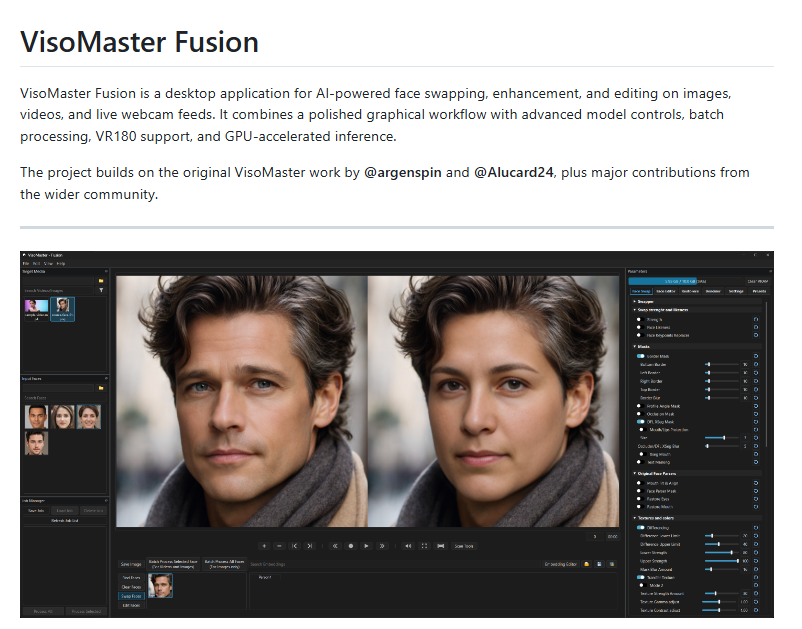
VisoMaster Fusion is a Windows desktop-oriented AI face processing software, mainly used for face replacement, face restoration, expression editing, mask control, and batch processing in images, videos, and real-time camera footage.
Project address:https://github.com/VisoMasterFusion/VisoMaster-Fusion
VisoMaster Fusion supports multiple input sources:
- Images: common formats such as JPG, PNG, WebP
- Video: depends on FFmpeg, supports common video containers such as MP4
- Camera: can process real-time webcam input
- Virtual camera: suitable for live streaming, meetings, and real-time preview scenarios
- VR180 material: the project has built-in dedicated VR180 processing support
VisoMaster Fusion supports multi-face scenarios, allowing different source faces to be assigned to different target faces, and can also use a similarity threshold to control a certain source face to only replace target faces with sufficiently high similarity. When multiple people appear in a video at the same time, this feature is very important.
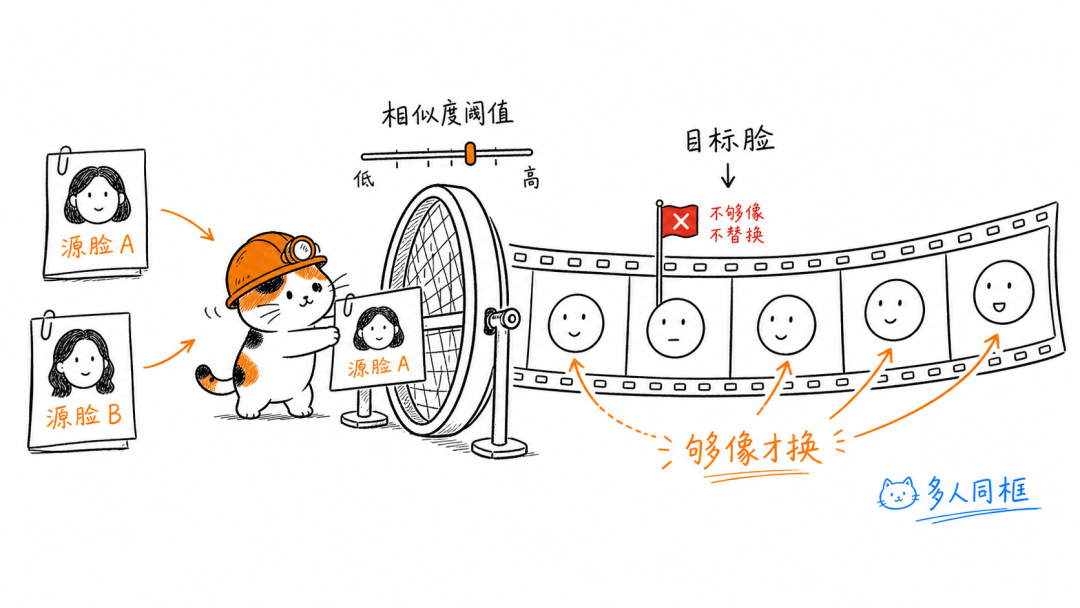
When swapping faces in videos, VisoMaster Fusion also supports ByteTrack tracking, not just frame-by-frame detection, but also trying to maintain consistency between consecutive frames.
After face swapping, the project can continue to restore the result.
Main capabilities include:
- Face Restorer: restores facial details
- Second Restorer Pass: second round of restoration
- GFPGAN-1024: face enhancement
- ReF-LDM Denoiser: denoising and texture reconstruction
- Frame Enhancer: full-frame enhancement or upscaling
- AutoColor Transfer: automatic color transfer
- Ending Color Transfer: final color unification
- Texture Transfer: transfer texture from the original face
- JPEG / MPEG artifact simulation: simulates compression texture to make the result closer to the video source
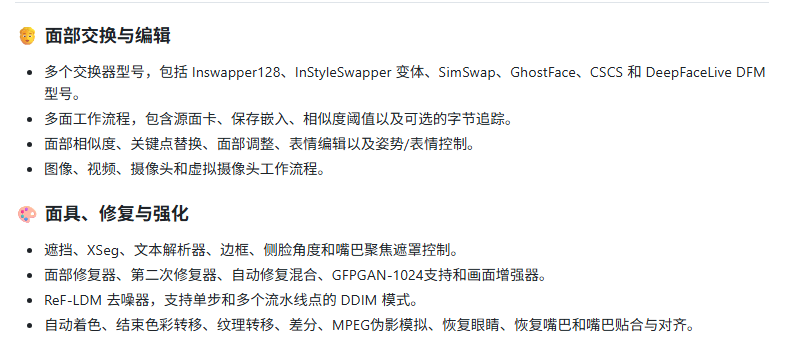
These features are not just for beautification, but more to keep the face-swapped area consistent with the original video's clarity, noise, color, and compression traces.
VisoMaster Fusion also provides a Face Editor and expression-related modules. They are used to solve dynamic issues in videos. For example, when the target person speaks, turns their head, lowers their head, or opens their mouth, ordinary face swapping tends to produce stiff expressions or poorly fitting mouths.
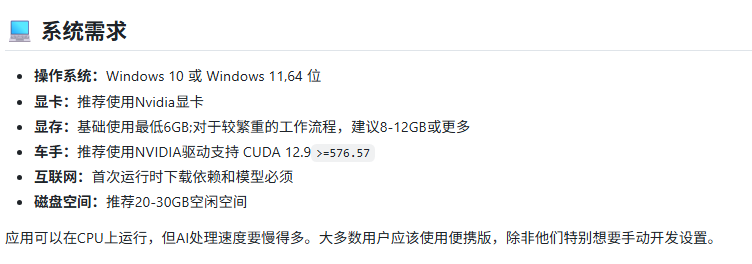
The official statement says NVIDIA 6GB VRAM is enough to run it. My 3060 12G runs it very smoothly, but the installation package requires 20GB to 30GB of disk space, so remember to reserve it.
02. Project Testing
If you clone the repository yourself, it takes several steps:
1. Clone the repository
git clone https://github.com/VisoMasterFusion/VisoMaster-Fusion
cd VisoMaster-Fusion
2. Create and activate a Python environment
conda create -n visomaster python=3.12 -y
conda activate visomaster
pip install uv
3. Install dependencies
uv pip install -r requirements_cu13.txt4. Download the required models
python download_models.py5. Install FFmpeg
winget install -e --id Gyan.FFmpeg --version 7.1.1After downloading, extract it, and add the following directory to the Windows PATH:
<解压后的 ffmpeg 路径>\bin6. Double-click to run
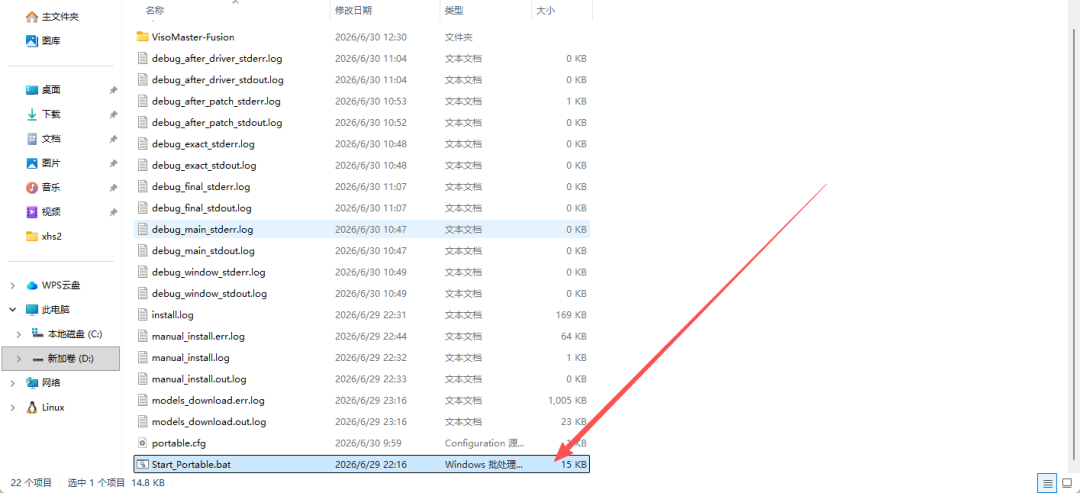
My suggestion is to directly let Claude Code or Codex this kind of Agent install it, which is very convenient.
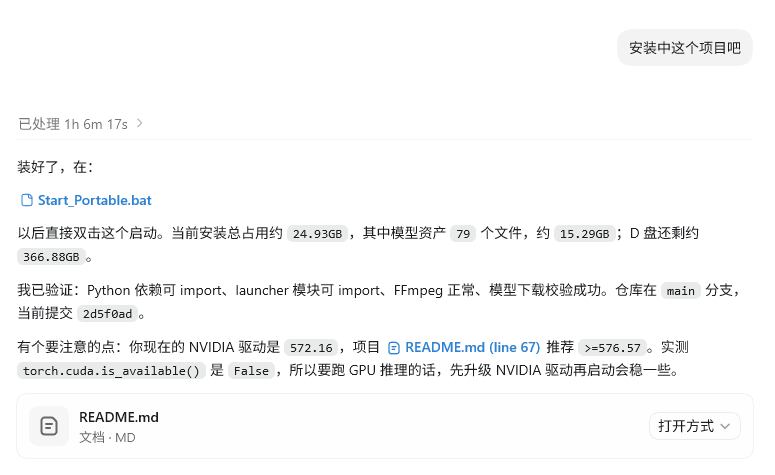
It may look like it takes a long time, but for users who are not familiar with using the command line, it is very convenient. If problems come up during use, it is easy to have an Agent help you fix them, and Codex also reminded me in time to upgrade the driver.
case 1 Image Face Swap
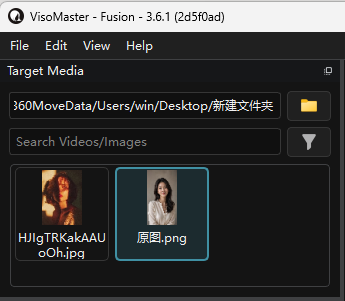
After opening the software, in the Target Media section at the top left, select the image or video whose face is to be swapped. After opening the folder, the video and image thumbnails will automatically be displayed.
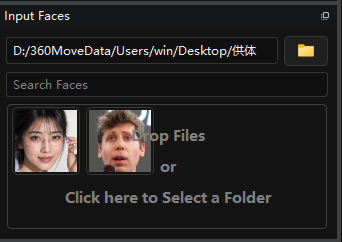
In the Input Faces section at the middle left, select the photo that provides the face. It is best to use a clear frontal face photo here.
We select the Target Media object whose face needs to be swapped, click Find Face at the lower middle, and Target Media will recognize the face in the target material. The recognized face will be displayed in the list below.
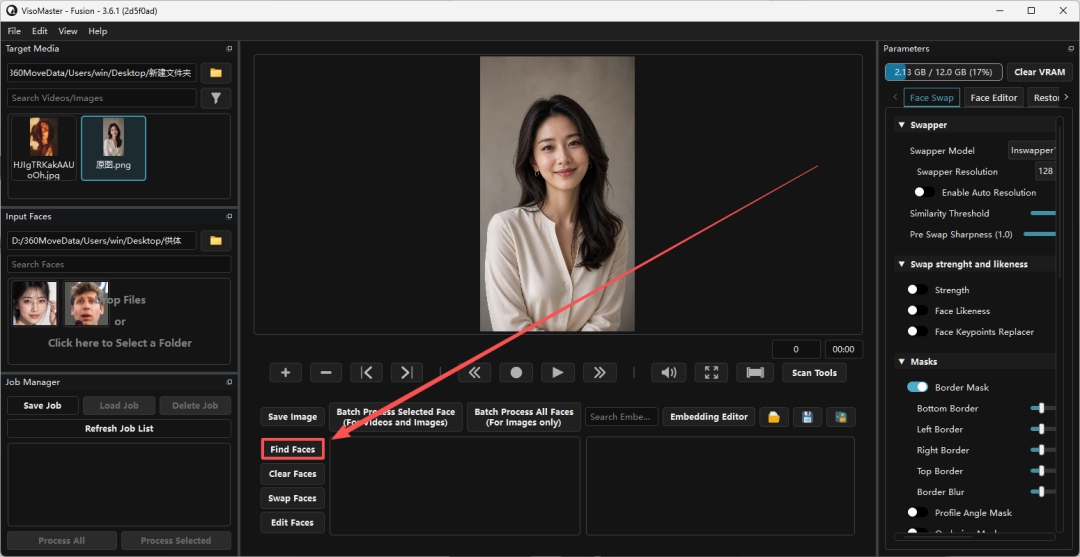
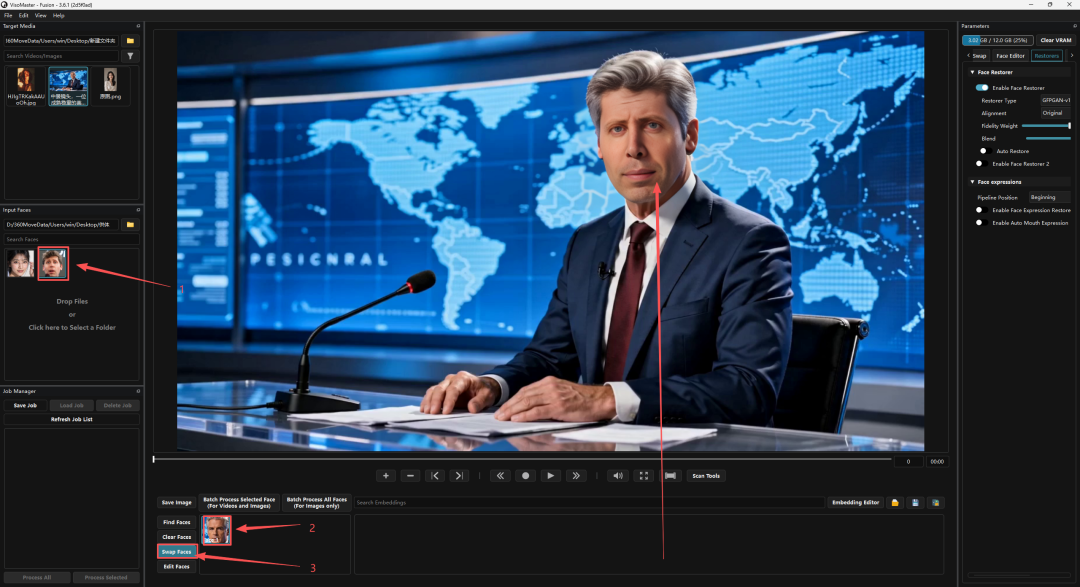
In Input Faces, click to select the source face, then in the target face list click to select the face to be replaced, then click Swap Faces and the preview area will generate the face swap result.
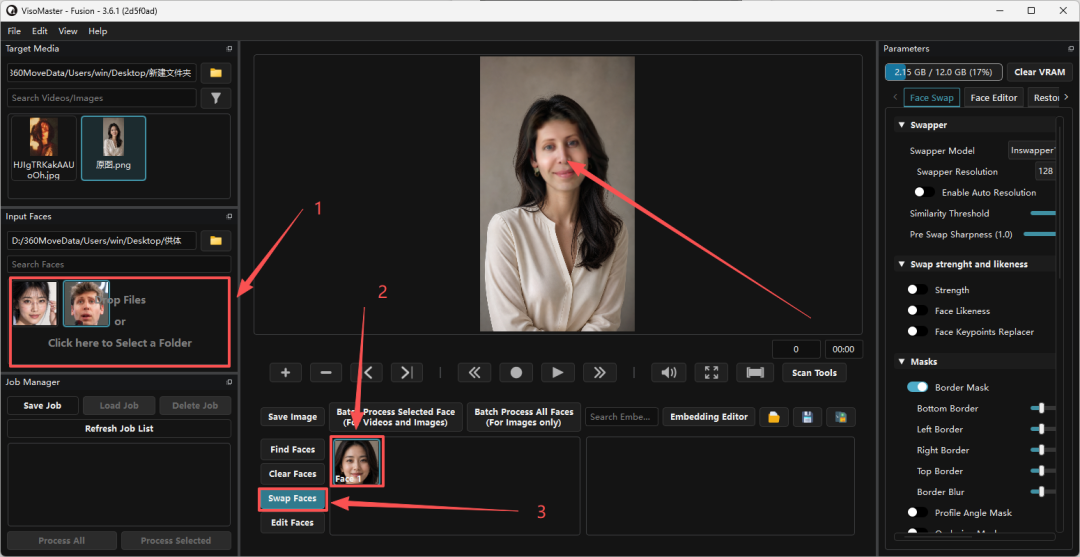
If the generated image looks blurry, you can change Swapper Resolution under Swapper in Face Swap on the right from 128 to 256 or 512.
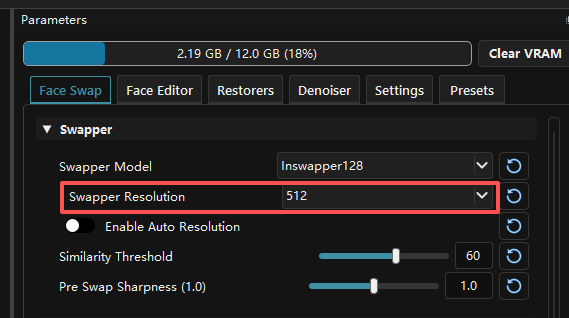
If it is still a bit blurry, click Restorers on the right to enable Enable Face Restorer. For Restorer Type, first choose GFPGAN-v1.4. If it is still blurry, then try GFPGAN-1024.
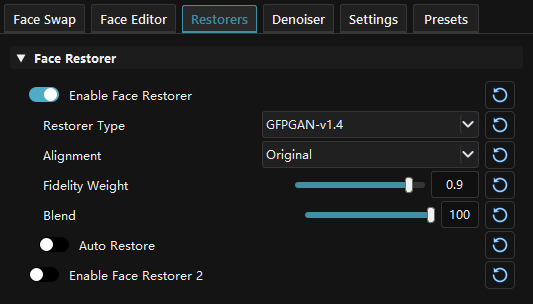
To save, click Settings on the right, find Output Directory, click the folder button next to it, and choose the save directory.
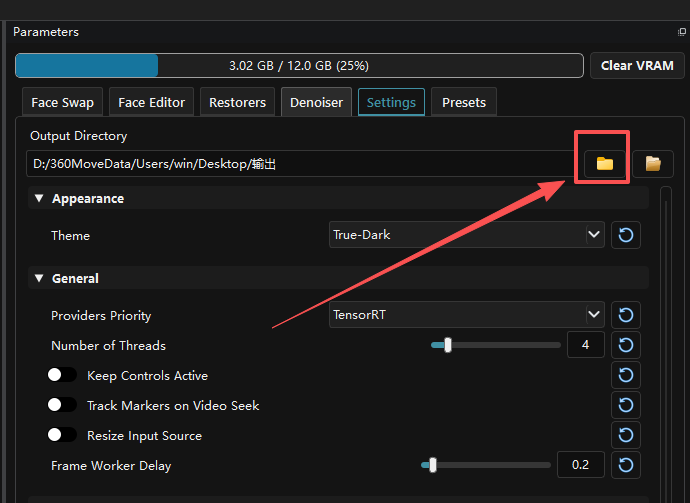
Then click Save Image at the lower left to save the current image.
Take a moment to admire Ultraman's stunning beauty:

case 2 Video Face Swap
The steps for video are the same. Select the Target Media video whose face is to be swapped, click Find Face at the lower middle, and Target Media will recognize the face in the target material. The recognized face will be displayed in the list below.
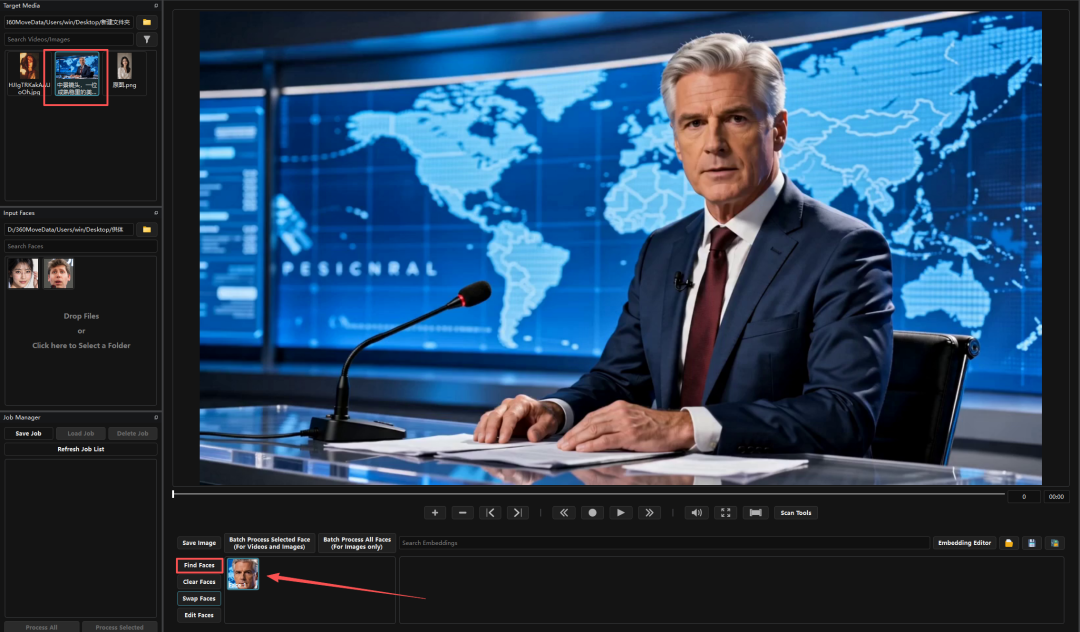
In Input Faces, click to select the source face, then in the target face list click to select the face to be replaced, then click Swap Faces and the preview area will generate the face swap result.
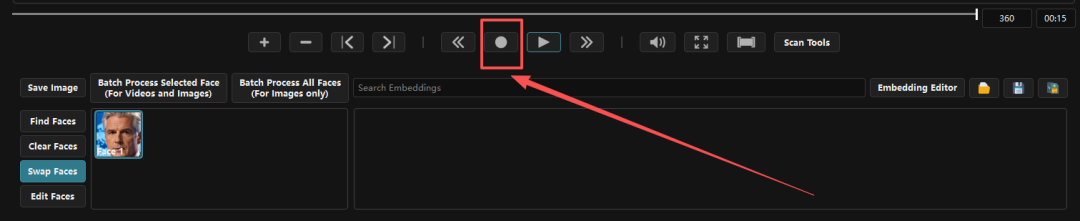
To save the video, click the round record button. The software will process the video starting from the current time point and save the generated result to the directory set earlier.
Let's take a look at the saved video:
03. Dig a Little Deeper
AI video content production is no longer something only a minority of teams touch, and it is becoming increasingly lightweight.
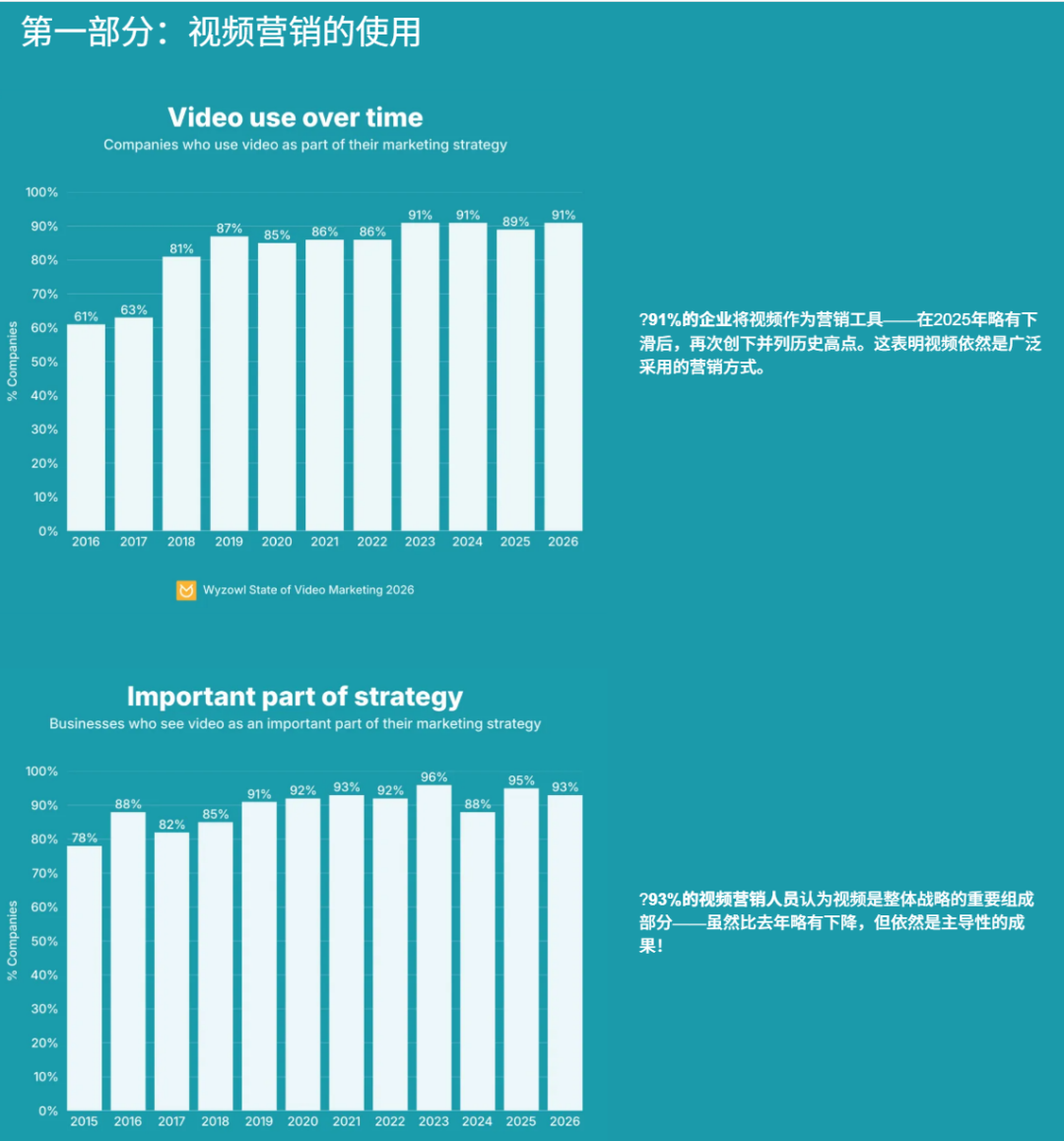
In the Wyzowl 2026 report, 91% of surveyed enterprises were already using video for marketing, and 63% of video marketers had used AI video tools.
The value of VisoMaster Fusion lies in this: when there is a lot of material, frequent modification, and repeated previewing are needed, running locally is more convenient than throwing it onto an online platform every time.
Putting face detection, replacement, restoration, masking, batch processing, and video export in the same interface means we do not have to switch tools again at every step.
VisoMaster Fusion is suitable for handling authorized materials, entertainment creation, special effects testing, and virtual content,everyone must not use real people's likenesses to create misleading, impersonating, or privacy-infringing content。
Original link:GitHub hidden gem with few stars, a face swap project that can run locally on a 3060