
What is Gemini 2.5 Flash Image
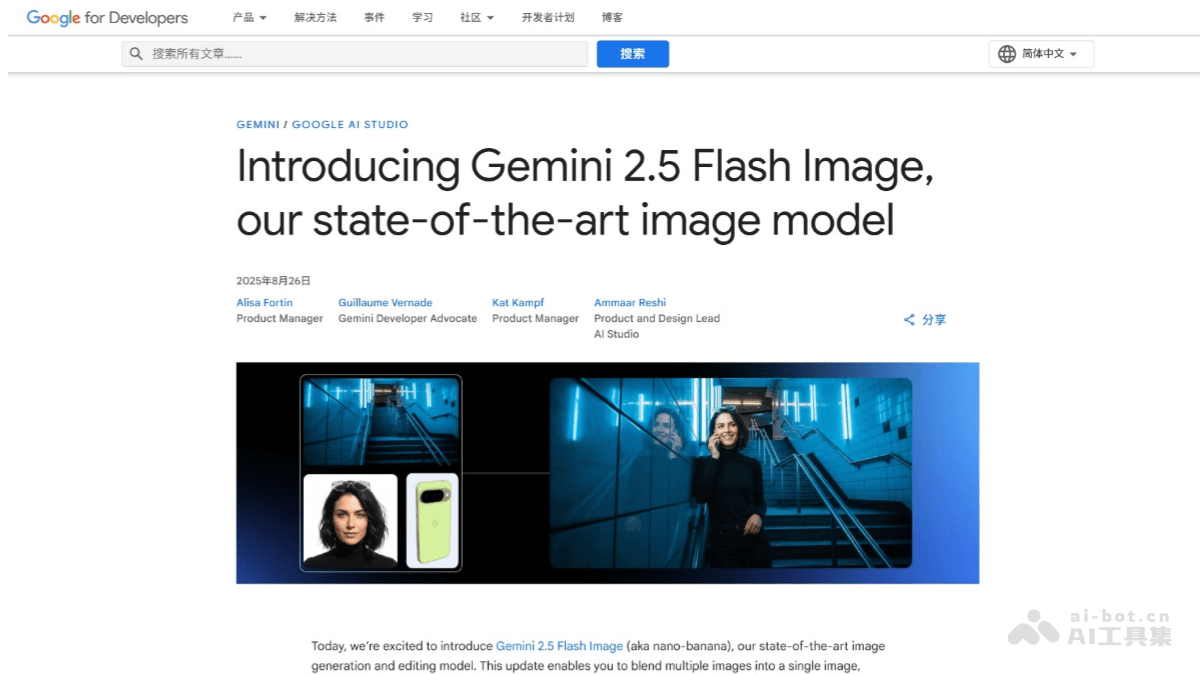
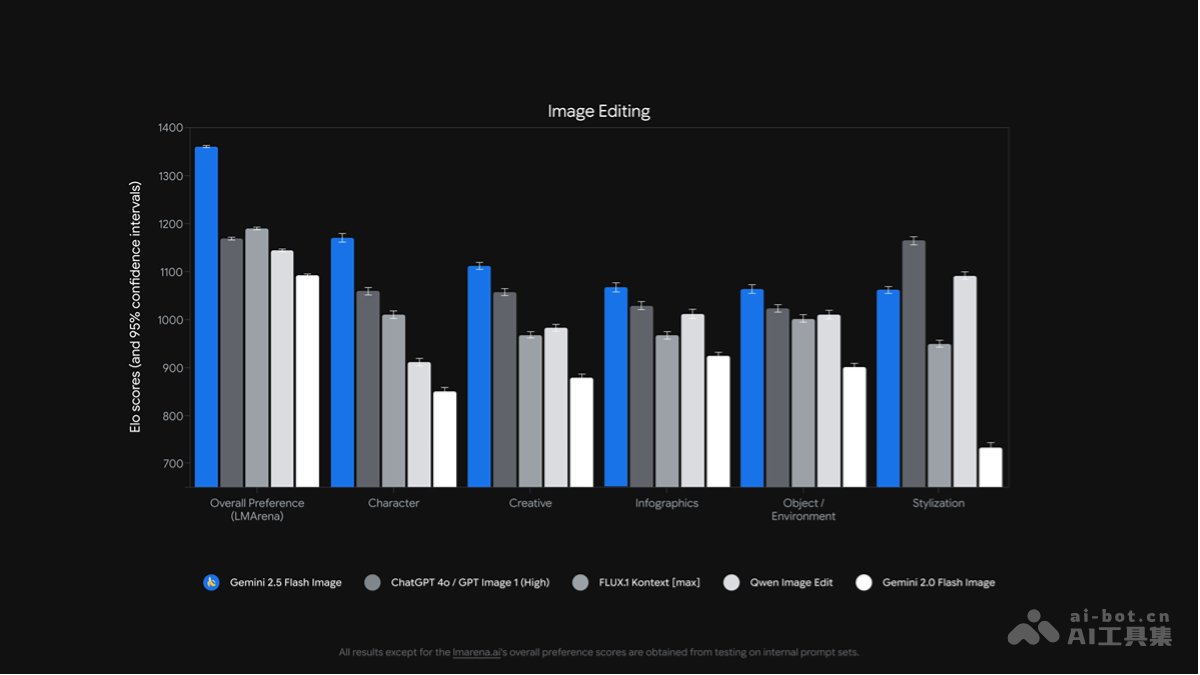
Gemini 2.5 Flash Image (codenamenano banana) is Google'sAI image generationand editing model. The model can maintain character consistency across different scenes and supports precise image editing through natural language, such as blurring backgrounds and removing stains. The Gemini 2.5 Flash Image model combines Gemini's world knowledge to understand hand-drawn diagrams and execute complex instructions. The Gemini 2.5 Flash Image model can fuse multiple images to achieve seamless stitching. Users can use it through Gemini APP, Gemini API, Google AI Studio and Vertex AI and other platforms. Gemini API pricing is $30 per million output tokens, and generating one image costs approximately $0.039. Images generated by the model carry an invisible digital watermark to facilitate identification of AI-created content.
Recommended Reading:The Most Comprehensive Nano Banana Gameplay Tutorial Collection, with 4 Free Usage Methods
Main Features of Gemini 2.5 Flash Image
- Maintain Character Consistency: Can place the same character in different environments, or display the same product from multiple angles, maintaining subject consistency.
- Natural Language Image Editing: Achieve precise local modifications through simple instructions, such as blurring backgrounds, removing stains, changing poses, etc.
- Real-World Knowledge Application: With the help of Gemini's knowledge base, understand hand-drawn diagrams, answer real-world questions, and execute complex instructions.
- Multi-Image Fusion: Supports placing objects into new scenes or rendering images in new styles, completing seamless stitching with just one prompt instruction.
Gemini 2.5 Flash Image Project Address
- Project Official Website:https://developers.googleblog.com/en/introducing-gemini-2-5-flash-image/
- Experience Address:https://ai.studio/banana
How to Use Gemini 2.5 Flash Image
- Visit Google AI Studio: Visit the Google AI Studio official website https://aistudio.google.com/ 。
- Select Template Application: Select a template application as needed, such as character consistency display, prompt-based image editing, interactive educational applications, image fusion, etc.
- Upload Images or Enter Prompts: According to the requirements of the template application, upload images or enter natural language prompts.
- Generate or Edit Images: Click the generate or edit button, and the model will generate or edit images based on the input.
- Save or Share: Generated images can be saved locally or shared directly from Google AI Studio.
Application Scenarios of Gemini 2.5 Flash Image
- Creative Design and Artistic Creation: Artists use Gemini 2.5 Flash Image to quickly generate creative sketches in different styles, inspiring new artistic inspiration.
- Advertising and Marketing: Marketing teams use the model to quickly generate attractive posters and social media images for brand campaigns, enhancing visual appeal.
- Film and Animation: Film and television production teams use the model to generate film and television concept art and animated character designs, accelerating the creative realization process.
- Game Development: Game developers use the model to generate high-quality game textures and character models, improving development efficiency.
- Education and Training: Educators use the model to quickly generate educational illustrations and diagrams, helping students understand complex concepts.