
What is Gemini 2.0 Flash
Gemini 2.0 Flash is a multimodal AI model launched by Google, combining text understanding andimage generationcapabilities. It generates high-quality images based on natural language input, supports multi-turn conversational image editing, and maintains contextual coherence. The model excels at combining text with images, for example generating coherent illustrations for a story, modifying image style based on dialogue, and using world knowledge to generate more accurate images (such as recipe illustrations). Gemini 2.0 Flash performs excellently in long text rendering and is suitable for scenarios such as advertising, social media, or invitations. Developers can currently use the experimental version of Gemini 2.0 Flash (gemini-2.0-flash-exp) in Google AI Studio and test this new feature with the Gemini API.
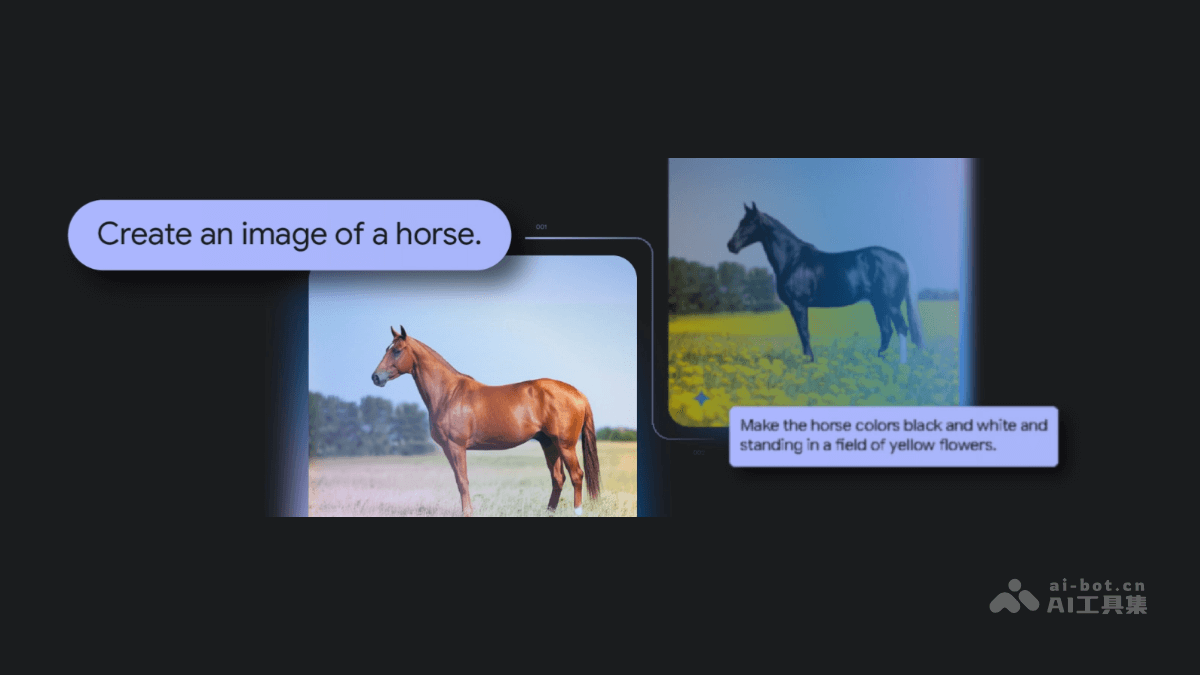
Main features of Gemini 2.0 Flash
- Combining text and images: Generate coherent images based on text descriptions, for example generating a series of illustrations for a story while maintaining consistency of characters and scenes.
- Conversational image editing: Supports multi-turn conversational image editing. Users progressively refine images with natural language instructions, and the model maintains coherence based on context.
- Image generation based on world knowledge: Gemini 2.0 Flash uses world knowledge and enhanced reasoning capabilities to generate more accurate and realistic images.
- Long text rendering: Gemini 2.0 Flash performs excellently in long text rendering and can generate images containing clear and accurate text.
Project address of Gemini 2.0 Flash
- Project official website:https://developers.googleblog.com/en/experiment-with-gemini-20-flash
How to use Gemini 2.0 Flash
- Visit Google AI Studio:
- Visit Google AI Studio: Visitthe Google AI Studio official website。
- Select the Gemini 2.0 Flash model: In Google AI Studio, select the gemini-2.0-flash-exp model for testing.
- Enter a prompt: Enter a text prompt in the input box. For example: "Generate an image of a futuristic cityscape in a cyberpunk style." "Create a series of illustrations for a children’s story about a magical forest."
- Integrate into development projects based on the Gemini API:
- Obtain an API key: Enable the Gemini API and obtain an API key.
- Install the necessary libraries:
pip install google-genai-
- Write code to call the API:
from google import genai
from google.genai import types

# 初始化客户端
client = genai.Client(api_key="YOUR_GEMINI_API_KEY")

# 调用模型生成内容
response = client.models.generate_content(
    model="gemini-2.0-flash-exp",
    contents=(
        "Generate a story about a cute baby turtle in a 3D digital art style. "
        "For each scene, generate an image."
    ),
    config=types.GenerateContentConfig(
        response_modalities=["Text", "Image"]
    ),
)

# 输出生成的内容
print(response)-
- Process the generated output:Based on the results returned by the API, extract the generated text and image data.
Application scenarios of Gemini 2.0 Flash
- Creative illustration generation: Quickly generate accompanying illustrations for stories, advertisements, or articles to improve creative efficiency.
- Interactive story applications: Develop interactive stories where users adjust story content and illustration style based on dialogue.
- Social media and advertising: Generate high-quality advertising images, posters, or social media content, with support for long text rendering.
- Educational tools: Generate diagrams for textbooks and popular science content to assist teaching and learning.
- Design and creative exploration: Quickly generate design concept images and refine creative directions with conversational feedback.