
What is Furion
Furion is a free and open-source development framework based on .NET that simplifies the development process and improves development efficiency. It supports multiple runtime environments, including Windows, Linux, Mac OS, and Docker, and is suitable for developing various types of applications such as Web APIs, web applications, and mobile applications. Furion's core characteristics are being lightweight, high-performance, and easy to use. Through a minimalist design philosophy, developers can get started quickly, and most configuration can be completed with just a simple Inject() method. Furion has built-in rich enterprise-level features, such as dynamic Web APIs, permission management, and database operations, greatly reducing development workload. The framework's architecture design is flexible, allowing it to easily handle complex and ever-changing requirements and facilitating long-term maintenance. Furion provides comprehensive development documentation and abundant learning resources, including online tutorials and videos, helping developers quickly master how to use it. Furion's open-source addresses include Gitee and GitHub, where developers can freely download, use, and contribute code.
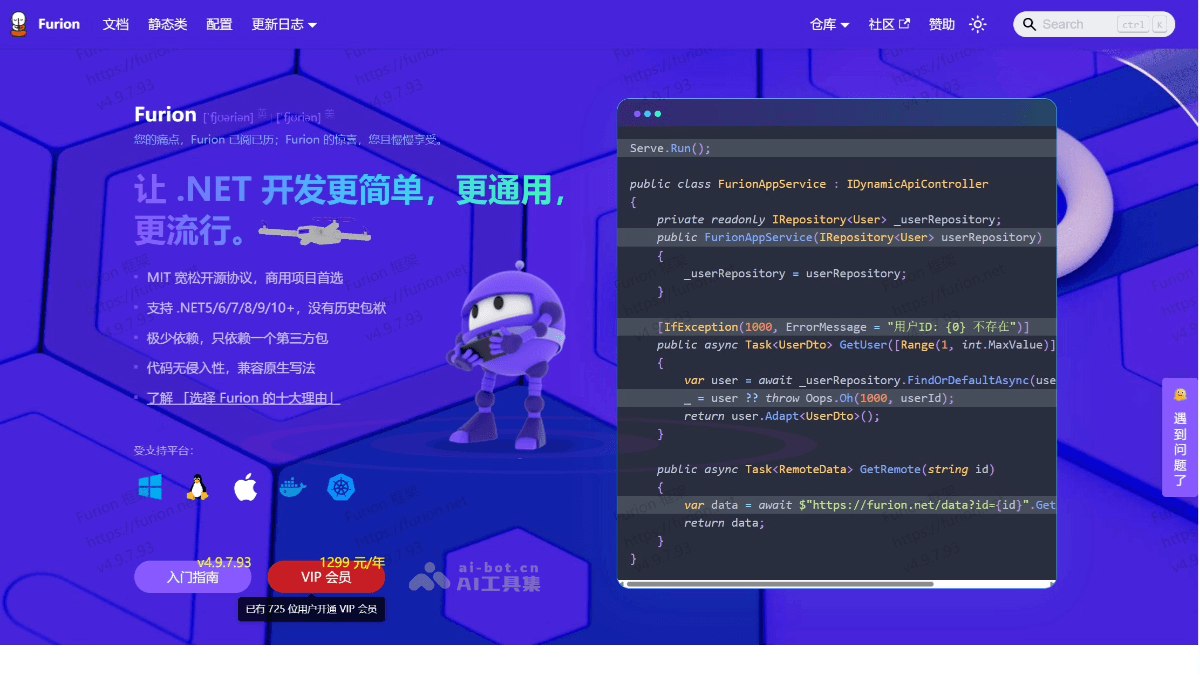
Furion's main features
- Dynamic Web API: Furion provides powerful dynamic Web API functionality, allowing developers to automatically generate API endpoints without manually writing large amounts of code. It supports features such as automatic routing, automatic parameter binding, and automatic result returning, greatly simplifying the Web API development process.
- Dependency Injection Extensions: Furion is based on .NET's dependency injection (DI) mechanism and provides more flexible extension functionality. It supports quick service registration through a simple
Inject()method and is compatible with .NET's native dependency injection approach. - Database Operations: Furion has built-in powerful database operation functionality and supports multiple databases (such as SQL Server, MySQL, PostgreSQL, etc.). It provides extension functionality for Entity Framework Core and supports dynamic SQL queries, paginated queries, batch operations, and more.
- Permission Management: Furion provides general permission management functionality and supports dynamic management of roles, users, and permissions. Role-based access control (RBAC) can be implemented through simple configuration, and dynamic permission validation is supported.
- Multi-Tenant Support: Furion supports a multi-tenant architecture and can easily achieve data isolation between different tenants. Developers can implement multi-tenant functionality through simple configuration and code to meet the needs of enterprise-level applications.
- File Upload and Download: Furion provides convenient file upload and download functionality and supports local storage and cloud storage (such as Alibaba Cloud OSS, Tencent Cloud COS, etc.). It supports features such as chunked file upload and resumable upload.
- Log Management: Furion has built-in log management functionality and supports multiple logging frameworks (such as Serilog, NLog, etc.). It can conveniently record log information during application runtime, facilitating troubleshooting and performance monitoring.
- Task Scheduling: Furion provides task scheduling functionality and supports scheduled tasks and asynchronous tasks. Developers can easily define and manage tasks to achieve scheduled execution or background processing.
- Internationalization Support: Furion supports multilingual internationalization and can conveniently implement multilingual switching in applications. It supports storing internationalized content through resource files or databases.
- Code Generator: Furion provides code generator functionality and can automatically generate code based on database table structures. It supports generating entity classes, API endpoint code, database operation code, and more, greatly improving development efficiency.
- Middleware Support: Furion supports custom middleware, and developers can extend application functionality according to their needs. It provides a middleware registration and management mechanism, making it convenient to implement features such as request interception and response processing.
- Microservice Support: Furion provides support for microservice architecture, making it convenient to implement service splitting and service discovery. It supports service management through service registries such as Consul and Etcd.
Furion's official website address
- Official Website Address:https://furion.net/
How to Use Furion
- Environment Preparation: Make sure the latest version of the .NET SDK and Visual Studio are installed (Visual Studio 2019 or later is recommended).
- Create a Project
- Using the Command-Line Tool: Install the Furion project template:
dotnet new install Furion.Template.Api -
Create a project:
dotnet new furionapi -n MyFurionWebApiA Furion-based Web API project will be created. -
Using Visual Studio:
-
Open Visual Studio and click "Create a new project".
-
In the templates, select "Furion WebAPI Template", configure the project name and path, and then click "Create".
-
- Using the Command-Line Tool: Install the Furion project template:
- Add Furion Dependencies: Install the Furion framework and its related dependency packages via NuGet. Run the following command in the project:
dotnet add package Furion- Or search for and install it in the NuGet Package Manager in Visual Studio.
- Configure Furion: In the
Program.csfile, add theInject()method to enable Furion features:using Microsoft.AspNetCore.Hosting; using Microsoft.Extensions.Hosting; namespace FurionStart { public class Program { public static void Main(string[] args) { CreateHostBuilder(args).Build().Run(); } public static IHostBuilder CreateHostBuilder(string[] args) => Host.CreateDefaultBuilder(args) .ConfigureWebHostDefaults(webBuilder => webBuilder .Inject() // 添加这一行 .UseStartup<Startup>()); } }-
In the
Startup.csfile, addAddInject()andUseInject():public void ConfigureServices(IServiceCollection services) { services.AddControllers().AddInject(); } public void Configure(IApplicationBuilder app, IWebHostEnvironment env) { if (env.IsDevelopment()) { app.UseDeveloperExceptionPage(); } app.UseHttpsRedirection(); app.UseRouting(); app.UseAuthorization(); app.UseInject(); // 添加这一行 app.UseEndpoints(endpoints => { endpoints.MapControllers(); }); }
-
- Write the First API: Create a service class and use the
[DynamicApiController]attribute or implement theIDynamicApiControllerinterface to define a dynamic API:
using Furion.DynamicApiController;

namespace MyFurionWebApi.Application
{
    [DynamicApiController]
    public class HelloService
    {
        public string SayHello(string name)
        {
            return $"Hello, {name}";
        }
    }
}- After starting the project, you can call this interface by visiting
/api/HelloService/SayHello?name=Kimi. - More Features
-
Database Operations: Through Furion's database extension features, create, read, update, and delete operations can be implemented quickly.
-
Permission Management: Using Furion's permission management features, role-based access control can be implemented easily.
-
Task Scheduling: Through Furion's task scheduling features, scheduled tasks can be defined and managed.
-
- Run the Project: After running the project, Furion will start a web server by default and provide API documentation and a testing interface through Swagger.
Furion's Application Scenarios
- Enterprise Management and Informatization: Furion is widely used in the field of enterprise management, such as customer relationship management (CRM), project management, human resources management, and more. Through Furion's low-code platform and AI collaborative work, enterprises can quickly build management systems and implement functions such as customer information entry, follow-up records, and sales analysis.
- Manufacturing and Industry: In manufacturing, Furion is used in scenarios such as equipment management, production scheduling, and supply chain management. By combining with AI technology, Furion can implement real-time monitoring of equipment status, data analysis, and fault prediction, helping factories reduce equipment failure rates and maintenance costs.
- E-commerce and Finance: The Furion framework supports cross-platform deployment and is suitable for microservice scenarios in industries such as e-commerce and finance. For example, YShop is a mobile e-commerce project developed based on Furion + Vue.
- Education and Online Learning: Furion is used to develop online education systems, such as online examination systems, learning management systems, etc. It can quickly build support for multiple functions, such as examination management, grade statistics, learning progress tracking, etc.
- Microservice Architecture: Furion is an efficient microservice framework that supports features such as dependency injection and API gateways, and can simplify the development and operations of microservices. The dynamic API controller feature is suitable for projects with rapid iteration and scenarios with high requirements for API flexibility.